
Navigation
Install the app
How to install the app on iOS
Follow along with the video below to see how to install our site as a web app on your home screen.
Note: This feature may not be available in some browsers.
More options
You are using an out of date browser. It may not display this or other websites correctly.
You should upgrade or use an alternative browser.
You should upgrade or use an alternative browser.
how hot should a hard drive be?
- Thread starter carnag3
- Start date
Syntax Error
2[H]4U
- Joined
- Jan 14, 2008
- Messages
- 2,980
That's fine for modern drives, but those kinds of temps usually result from hard drives that don't get any airflow. Personally, I like my drives at around high 30s max (my drives usually sit around low 30s given good ambient temperatures), though it's not dangerous for a drive to be around 40. If a drive hits 50 is when I would get worried and make sure the drive gets active cooling.
Of course, there's also an argument to be said about drives being too cold because of molecules constricting when there is a colder temperature, much like cement expanding in the heat.
Of course, there's also an argument to be said about drives being too cold because of molecules constricting when there is a colder temperature, much like cement expanding in the heat.
Thanks, i have a p182 case and all 4 drives ar ein the bottom bay because of the big ass 8800gtx in my case, ill try to find a way to route another fan to blow over them, i will cut away the fron infron of the drives, should i have it sucking air off it, or putting air over them?
Syntax Error
2[H]4U
- Joined
- Jan 14, 2008
- Messages
- 2,980
I personally have the P180 case with my two WD6400AAKSs in the bottom chamber as well, it's a wind tunnel effect in there. I set up the bottom fan to suck in air from the front and through the HDDs to hit the PSU, which ends up sucking air in through the top and blowing it out through the PSU. That'd probably be the most ideal way to cool your hard drives in the bottom chamber. Earlier in the year, I used to have four drives in there (Two Seagate 500GBs and two PATA 250GB WDs), and one of the 250GBs managed to hit 50C  , as there was no airflow. Fortunately, nothing failed, but it was too hot to the touch and way too uncomfortable for me to expect reasonably data integrity in the long-run, so I managed to put a 120mm Yate Loon down there.
thanks for the info, I think what i will try to do is get a fan infront of the hard drives, for mor eairflow and becaus emy cables go where the old bottom fan was, as i just did not see a way to get power cables to the hard drives unless through where the bottom fan was.

Dangman
Ninja Editor SuperMod
- Joined
- Dec 15, 2005
- Messages
- 46,056
There is enough room for a 120mm fan in the front. Just requires a little modding:
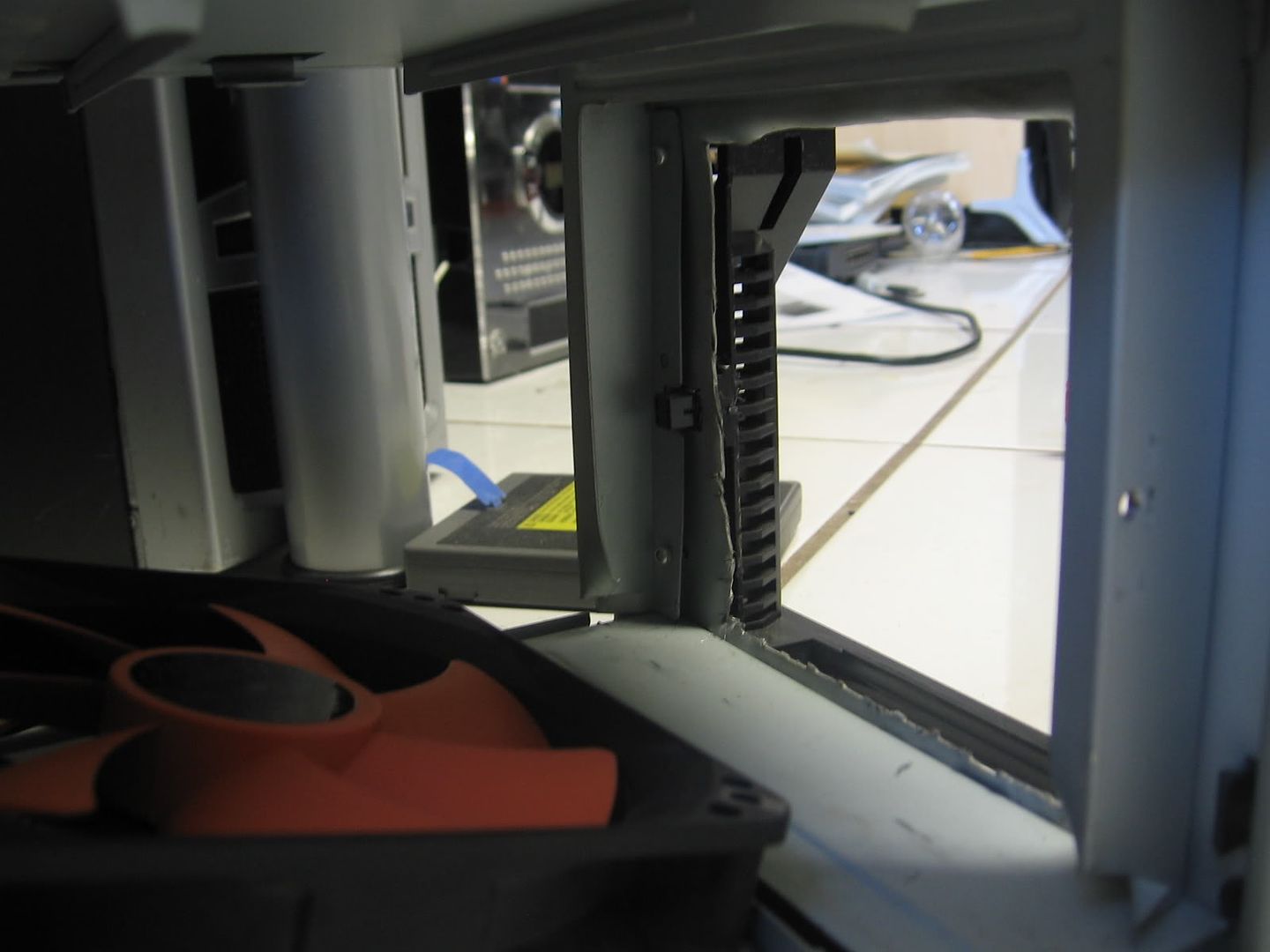
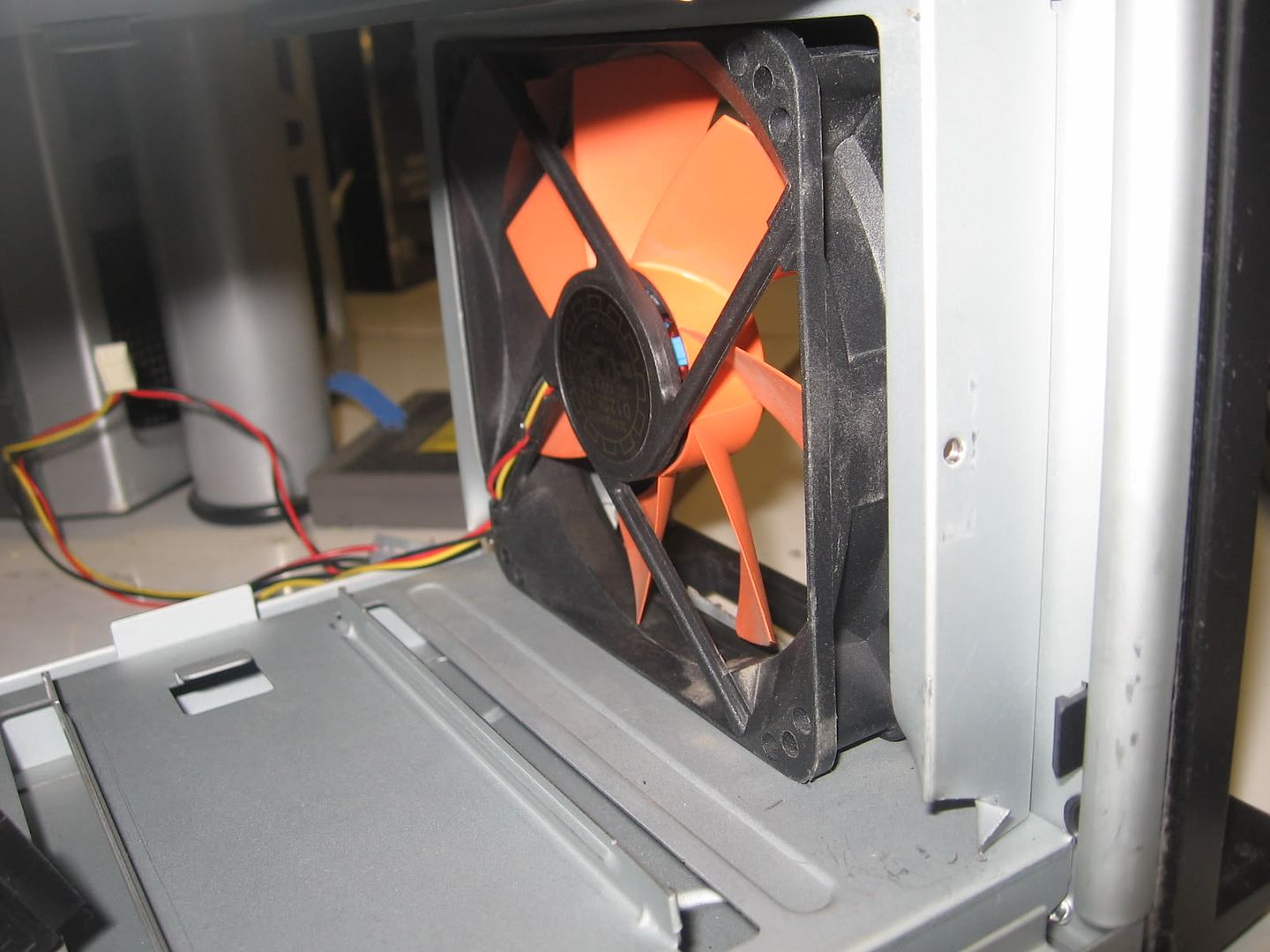

Though I recommend using a slimmer fan to minimize modding efforts:
120mm Yate Loon D12SL-12C Case Fan - $5
Though I recommend using a slimmer fan to minimize modding efforts:
120mm Yate Loon D12SL-12C Case Fan - $5
Trepidati0n
[H]F Junkie
- Joined
- Oct 26, 2004
- Messages
- 9,269
what research? I could not find anything...
how could you not. I put in google harddrive failure as my search and it was the second link. Add in the keyword rates and it pops to number. Kids these days.
The search -->
http://www.google.com/search?q=goog...s=org.mozilla:en-US:official&client=firefox-a