How about this setup?

  • Thread starter Deleted member 72990
  • Start date
D

Deleted member 72990

Guest
Yes, it's another one of those threads. I'm building a new PC and already have a Silverstone LC-13 case and a Corsair TX650 power supply. Here's what I'm looking to put in the PC:

2 of these video cards in Crossfire: HIS Radeon 4870:
http://www.newegg.com/Product/Product.aspx?Item=N82E16814161264

4gb (2x2gb) G-skill DDR2 1066:
http://www.newegg.com/Product/Product.aspx?Item=N82E16820231166

Gigabye Crossfire Mobo
http://www.newegg.com/Product/Product.aspx?Item=N82E16813128358

Core 2 duo E8500:
http://www.newegg.com/Product/Product.aspx?Item=N82E16819115036

Scythe Mini Ninja Cooler:
http://www.newegg.com/Product/Product.aspx?Item=N82E16835185046

All of this comes in at about $900.

Can i create a better combo for around the same money?


I intend to play the latest games at very high settings at 1920x1080 resolution on a 24" lcd monitor.
 
Here's a slightly cheaper combination that would do well just as easily:

$130 - Asus P5Q Pro
$165 - Intel Core 2 Duo E8400

I suggest that you use the savings to pick up the Xigmatek HDT-S1283, which would allow you to reach a higher (potential) overclock (but YMMV). Pick up the ACK-I7751 retention bracket as well, since it makes monting the HDT-S1283 easier and more secure.

Is there any reason why you aren't going with the HD4870X2?
 
I suggest answering Danny's questions first and maybe people will be better informed to help you.
 
Here's a slightly cheaper combination that would do well just as easily:

$130 - Asus P5Q Pro
$165 - Intel Core 2 Duo E8400

I suggest that you use the savings to pick up the Xigmatek HDT-S1283, which would allow you to reach a higher (potential) overclock (but YMMV). Pick up the ACK-I7751 retention bracket as well, since it makes monting the HDT-S1283 easier and more secure.

Is there any reason why you aren't going with the HD4870X2?


Thanks for the help. I may swap out those two parts. I'd like to get that giant heatsink except i dont think it will fit in my case. Total case height is 161 mm but i still need some room for mobo standoffs and whatnot. is there a bigger/better heatsink that might fit in my case than the mini ninja?

as for the 4870x2.... that card seems to be too long to fit in my case. i also heard good things about the iceq4 cooling solution on the card i picked.
 
Those are good reasons to stick with your choices. I can't tell you whether or not the Xigmatek HDT-S1283 or the HD4870X2 would fit... not off the top of my head.
 
1) What will you be doing with this PC? Gaming? Photoshop? Web browsing? etc

Gaming + web browsing

2) What's your budget? Are tax and shipping included?

$1000

3) Where do you live?

Texas

4) What exact parts do you need for that budget? CPU, RAM, case, etc. Please be very specific.

CPU, motherboard, RAM, video card, processor heatsink

5) If reusing any parts, what parts will you be reusing? Please be especially specific about the power supply. List make and model.

Corsair TX650W power supply, silverstone LC-13b-e HTPC case, 300 gb IDE hard drive, HDA Mystique sound card, DVD burner

6) Will you be overclocking?

Yes

7) What size monitor do you have or plan to have?

24"

8) When do you plan on building/buying the PC?

Within 2 months

9) What features do you need in a motherboard? RAID? Firewire? Crossfire or SLI support? etc.

Whatever i can get for the money

10) Do you already have a legit and reusable/transferable OS key/license?

Yes (win Xp pro)
 
Also, would it be better to get an i7 rig and only have 1 4870?
 
Also, would it be better to get an i7 rig and only have 1 4870?

As Itchyeyes mentioned, no, an i7 rig would not be a better option in terms of price to performance ratio if simply web browsing and 1920x1200 gaming. At that res, you'll be more GPU limited than CPU, so spend more on the GPU.

Then again, you have a rather large budget, lol, but do you really want to spend $300 more than you have to for 15% performance improvement, at most, in games?
 
If you have enough sense to go with a 2x2Gb mem configuration and not a 4x1, I would say you probably know what you're doing. Also, the E8500 is a sweet chip I have one, but why not get the E8600? If $$$ is a concern, then I fully understand.
 
what about getting a single gtx 280 instead of dual 4870's? That would cut about $150 off the price.
 
what about getting a single gtx 280 instead of dual 4870's? That would cut about $150 off the price.

Good plan. The performance increase from GTX280 to dual HD4870 isn't really worth the extra $150.
 
I've made some revisions to my parts selection. I'm considering dual 1 gb 4870s now:

2 of these: Radeon 4870 1gb
http://www.newegg.com/Product/Product.aspx?Item=N82E16814102801

4gb gskill ddr2 1066:
http://www.newegg.com/Product/Product.aspx?Item=N82E16820231166

Asus P5Q:
http://www.newegg.com/Product/Product.aspx?Item=N82E16813131299

Core 2 duo E8400:
http://www.newegg.com/Product/Product.aspx?Item=N82E16819115037

Schtyhe Mini-Ninja
http://www.newegg.com/Product/Product.aspx?Item=N82E16835185046

Also will be adding an SATA hard drive and dvd burner.

Here is my biggest concern - to get all this stuff to fit in my case (Silverstone LC13b-e:
http://www.newegg.com/Product/Product.aspx?Item=N82E16811163117&Tpk=lc13b )
I will have to remove the middle hard drive cage. This is because the 4870s are too large to fit in there with those cages installed I think. Even with the center cage removed, the bottom 4870 will butt right up against the bottom hard drive cage. The bottom hard drive cage will not have a hard drive installed but will house a 92mm intake fan. The two cards will effectively block air flow from the bottom of the cage to the top where i have 1 80mm instaked and 2 80mm exhaust fans around the CPU. Will all this stuff cause to much stagnant heat in the case?
 
Trying to stuff two cards that generate so much heat into a small case is tough. I can't visualize what you're describing, so I can't comment on the airflow. Got a pic w/ airflow arrows? :p
 
Well I was going to come up with a drawing but then said "what the heck" and ordered some parts. I will be getting:

Core 2 Duo E8400 3.0 GHz
4 GB (2x2 GB) G.Skill DDR2 1066
2 Sapphire 512 MB Radeon 4870's in Crossfire
Asus P5Q LGA 775 Motherboard
Arctic Silver 5
Some cables to connect everything

Total cost: $780 - not a bad price for this stuff if you ask me.

This will be going in a Silverstone LC-13B-E case with a Corsair TX-650W power supply connected to a 24" ASUS LCD monitor. I will post pics when its all done!

P.S. this monitor rocks!!
 
Genester, thank you very much for pointing out the coupon code! Newegg refunded me $15.
 
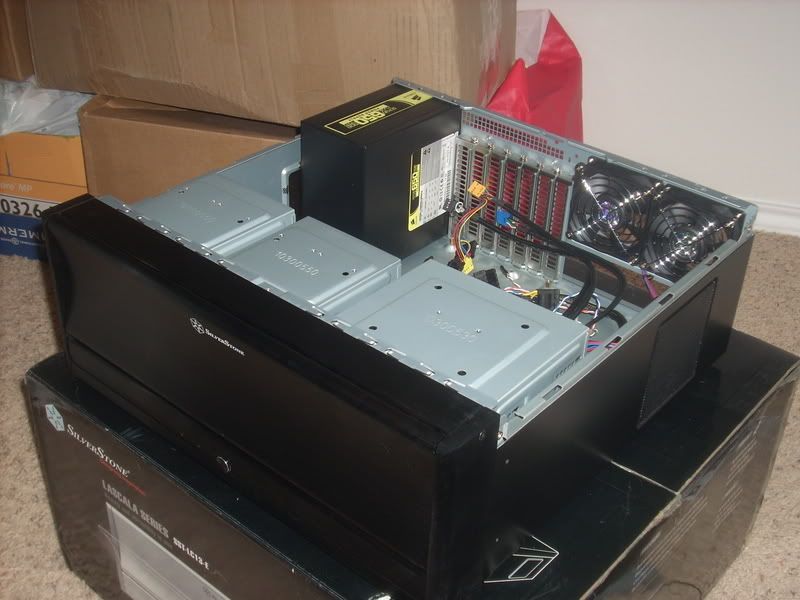
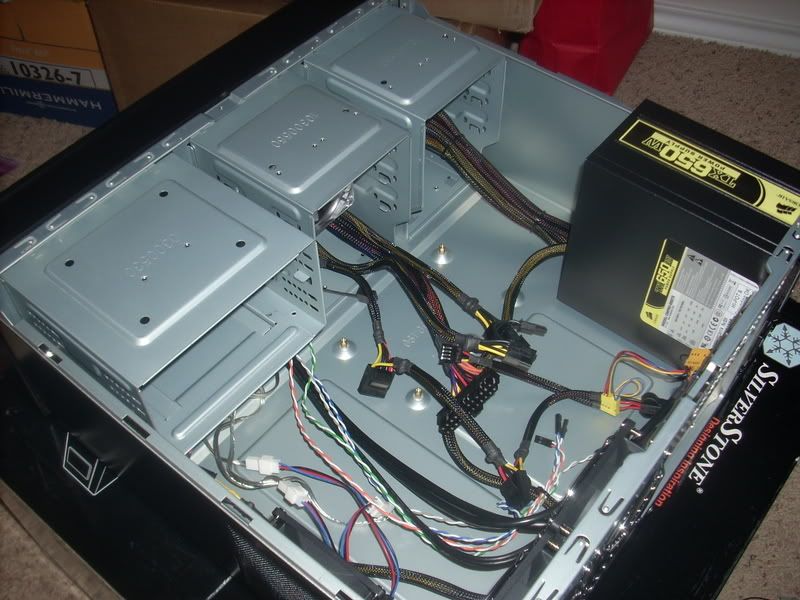
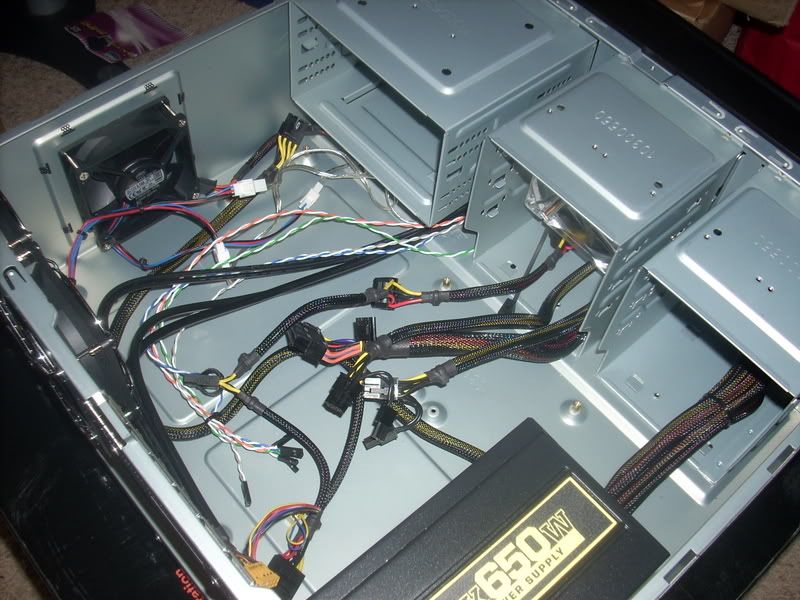
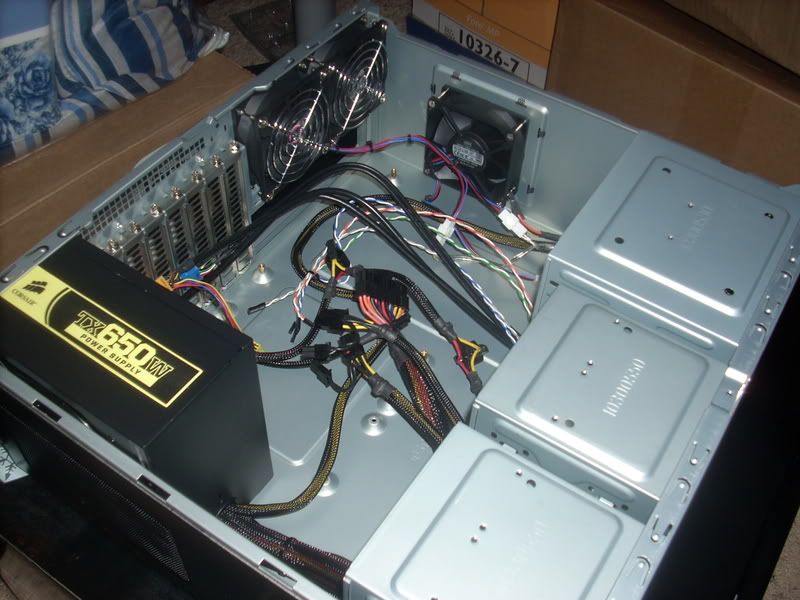
Well i've started building my system..... right now im just routing the cables through the case... the rest of the parts come on tuesday. here's what i have so far!

plane411.jpg


plane409.jpg


plane412.jpg


plane413.jpg
 
Hey, are those 60mm rear fans loud at all? just curious. Thanks.
 
Hey, are those 60mm rear fans loud at all? just curious. Thanks.

The older versions of this case have dual 60mm fans in the back. This is the new E model that has provisions for 2 80mm on the back and one on the side right next to CPU, as well as 92mm on the front.

The case comes with 2 80 mm fans but from what i've read, they are kinda loud. I bought 3quiet Cooler Master 80mm fans and an antec tri-cool 92mm intake fan so it should not be too loud.
 
got everything installed except CD and HDD drives:

plane438-1.jpg


plane435.jpg


plane433-1.jpg
 
Thanks for the comments,

I added the hard drive and DVD burner. that caused the CPU fan not to fit, so i had to rotate it 90 degress. While the fan wouldnt fit when mounted to the case because of the 8 pin connector obstructing it, it will fit with the mounting clips since i can raise it up.

plane446-1.jpg


plane460.jpg
 
Hm... you can't push the HDD in more? Oh wellz, that config still works well, I think. Nice adjustment.
 
Hm... you can't push the HDD in more? Oh wellz, that config still works well, I think. Nice adjustment.

Unfortunately i cannot. the 3.5 to 5.25" adapter for the hard drive conflicts with the bezel for that bay so this is the furthest that it will go. I had to remove like 50% of the stuff in the computer just to get that hard drive in :mad:
 
Back
Top