• Some users have recently had their accounts hijacked. It seems that the now defunct EVGA forums might have compromised your password there and seems many are using the same PW here. We would suggest you UPDATE YOUR PASSWORD and TURN ON 2FA for your account here to further secure it. None of the compromised accounts had 2FA turned on.
    Once you have enabled 2FA, your account will be updated soon to show a badge, letting other members know that you use 2FA to protect your account. This should be beneficial for everyone that uses FSFT.

Hidden Desk Computer

petertew

Gawd
Joined
Oct 4, 2005
Messages
984
I'm always really impressed when I see the great mods on this forum and over on bit-tech.net; the lighting, the cooling setups, the paint jobs, and the attention to details make all those project logs a ton of fun to follow.

That being said I've wanted to build a small, but decently powerful, system that I could hide up under my desk for a while now. I really like the idea of having as much desk space and floor space free as possible and just having the monitor the only thing people really see. I thought about buying one of those HP iMac knock offs but I don't like having to give up control of the components, the price, and having to forgo the fun of building it myself :).

I also didn't want to spend too much on this build. The parts I used are:
  • Intel Core 2 Duo E7200 Wolfdale 2.53GHz LGA 775 65W Dual-Core
  • Western Digital Caviar SE16 WD2500AAKS 250GB
  • Sparkle 270W ATX12V V2.2/ EPS12V Power Supply
  • GIGABYTE GA-G31M-S2L LGA 775 Intel G31 Micro ATX
  • Galaxy nVidia 9600 GT 512MB Low Profile Video Card

I also wanted the system to be as small as possible so I wouldn't be smashing my knees on it every 10 seconds while sitting at my desk. The "tallest" two items in my system are the video card and the power supply, both measuring about 3 1/4 inches which is acceptable for what I want in the form factor. However the hard drive, mounted on its side was about 4 inches or so; that was too tall, especially since this case is going to be made out of half inch HDF. And I didn't want to mount it in a normal horizontal position would make the case too wide for what I want.

I got around this by ordering a PCIe riser card off of ebay; now the video card only goes up about 1.6 inches. Since the hard drive is only about an inch tall I'd have enough room to mount it above the video card without increasing the height of the case itself.

In the end the dimensions of the enclosure are about 13"x10.5"x3.75". That's small enough that I can mount it in the back of my desk in the corner and not have to worry about bumping into it.

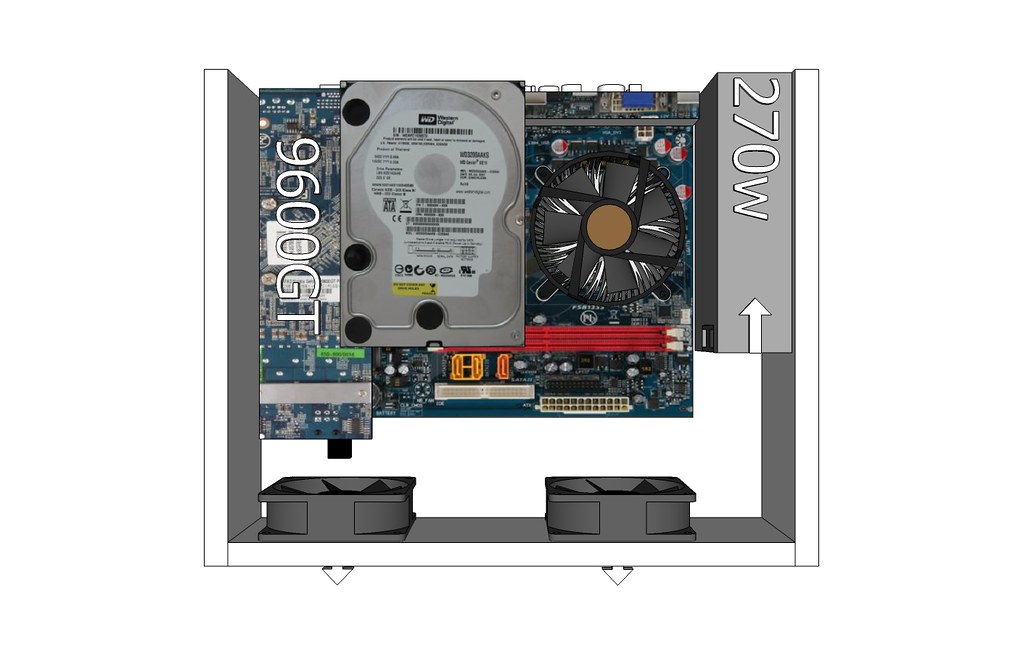
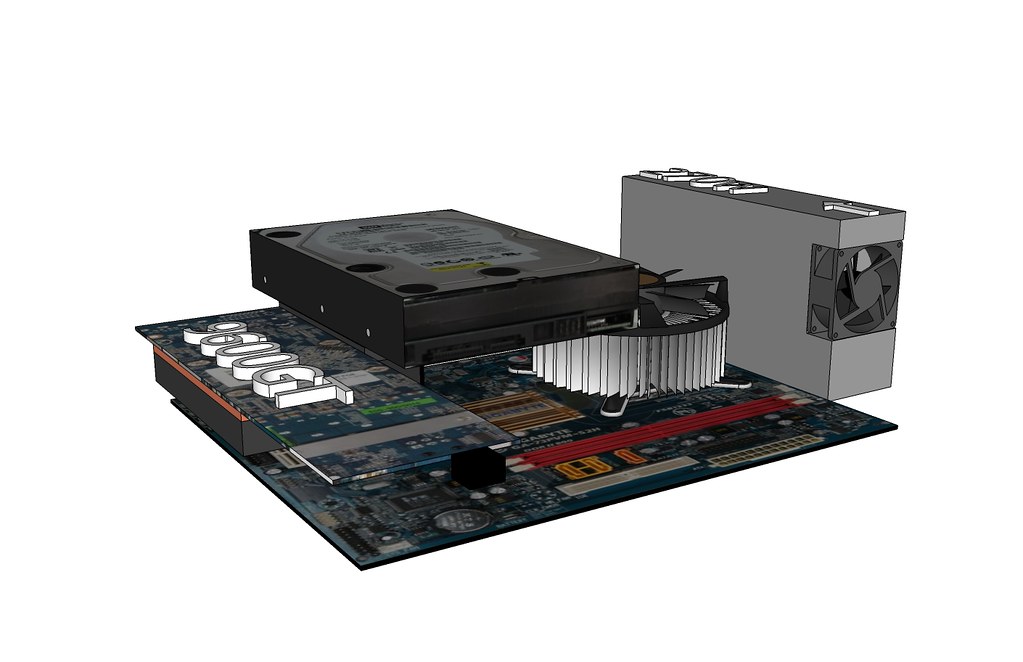
Below are some sketches of the basics of how the components will fit together and how the case will look:

Components only:
3084111690_8ef4b09795_b.jpg


Case top view:
3083273503_8d86b2590b_b.jpg


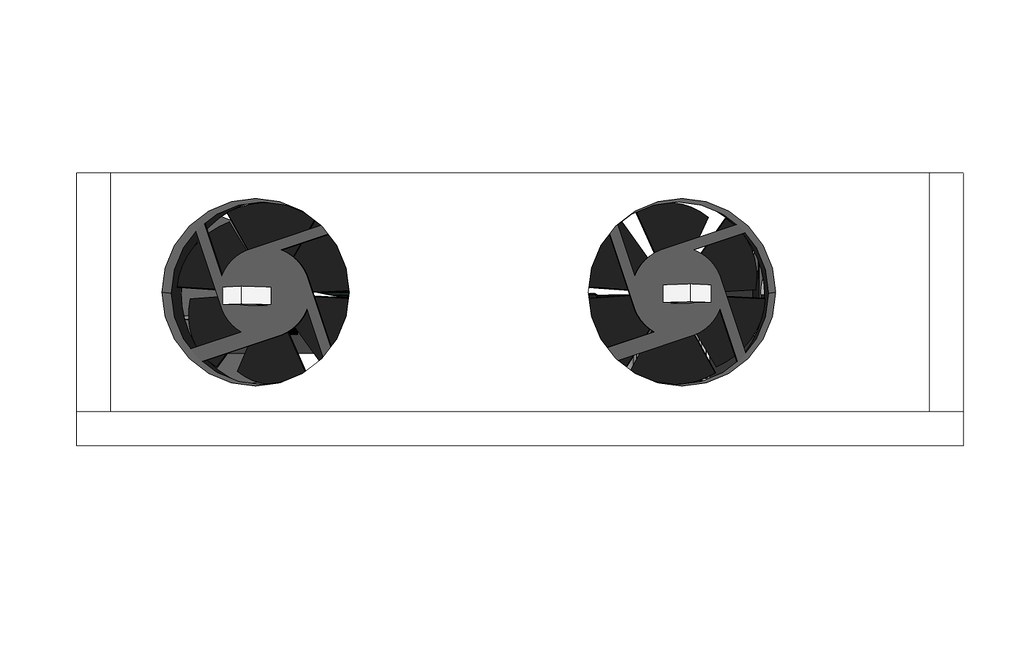
Case front view:
3083273547_c300bd5652_b.jpg


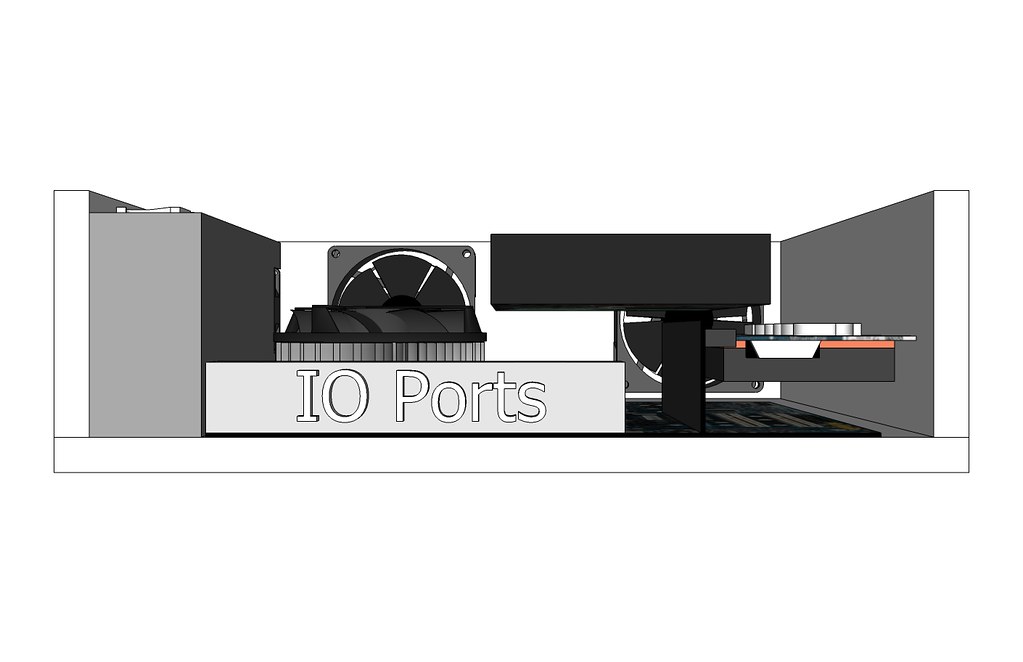
Case back view:
3084111544_315ca2fddd_b.jpg


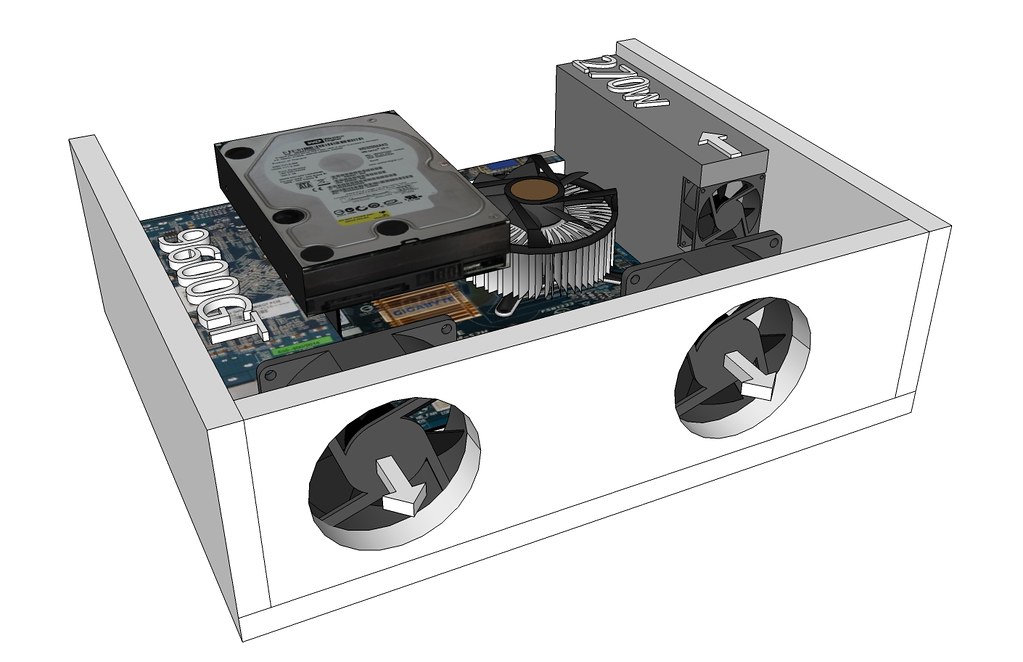
Case angled view:
3083273641_dfb1df6d58_b.jpg


I've already started on the case itself. The main structure is put together, but I still need to drill some air intakes in the side, cut a back plate out (not sure what to use, metal or plexi, thoughts?), and come up with a hard drive holder I can attach to the inside of the case.

Also, I am planning on painting this case (even though it will be hidden) as kind of a practice run for when I create a small case to house a DVD and maybe a card reader. So that means I have a bunch of sanding still to do to get the box ready for priming and painting. I'll post pics of the box tomorrow.
 
- Will you be mounting the drive on the top lid (if any) or just mount it to the rear where the IO ports are located?
- Will you be using some sort of external DVD drive for the occasional CD/DVD burning, etc?

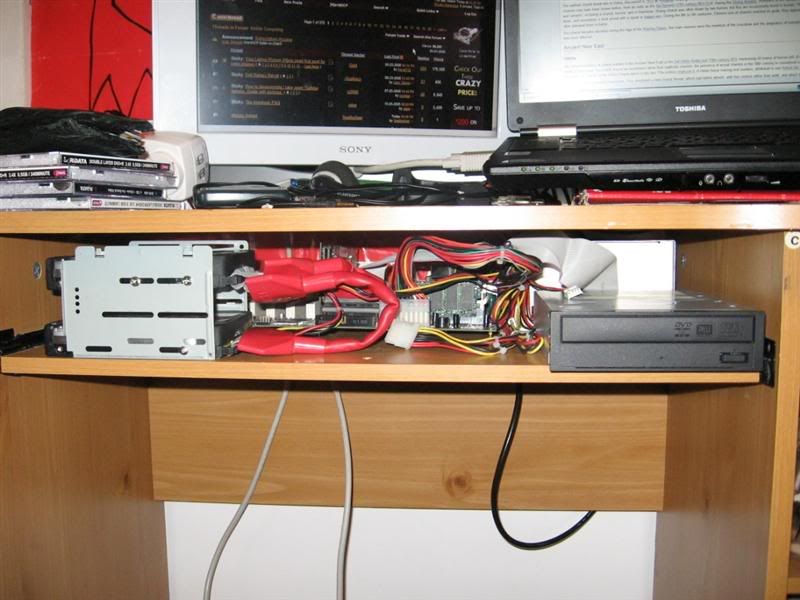
Anyway, good luck! I once had a hidden desk PC of sorts but it was substanially more ghetto than yours:
IMG_1661Medium.jpg
 
Should make for a very clean desk area, if youre concerned about a dvd drive taking up to much space why not use a laptop drive?

Very nice job on the design pics above
 
I like the concept a lot.

Using a laptop HDD would allow for better airflow and cable management. Otherwise the only think of is maybe making a custom removable backpanel filter. Just to help keep everything clean and cool.
 
@Danny
The hard drive will be mounted to the backplate and left side (if you look at the case with the fans in front). This should hopefully make it stable enough to support the weight of the drive and still allow decent air flow as there will be a half inch or more between the hard drive and the video card.

I will be using an external DVD drive on this machine. I am going to practice getting a good paint finish on the case itself first where if I screw up it won't matter as much as the case will rarely be visible. I'm thinking of doing an external DVD enclosure with a USB hub and card reader built in as well. I'm not really sure yet.

@tuberc
I think I see what you're saying. Why not include a laptop DVD in the case? The main problem isn't so much space as it is where the case will be located. I should really put a sketch up of my desk and where this will be position. The case will be almost against the very back edge of the desk so I'd have to literally get on my hands and knees to access the DVD drive if it were in the case :).

@Warlord
I thought about using a laptop HDD but I'm still under the impression that they cost more per gigabyte and they don't perform as well. Is that not right? Also, I already had this HDD when I started this project.
I will be making a custom backplate, and I like the idea of a custom removable filter. I'll have to figure out how to do that.

Maybe tonight I'll sketch up my desk, where the case will be and how it's going to be secured. I'll put pics up of the progress on the actual case itself when I get home from work.
 
Yeah pics of the desk would really help visualize this, real or sketch-up.
 
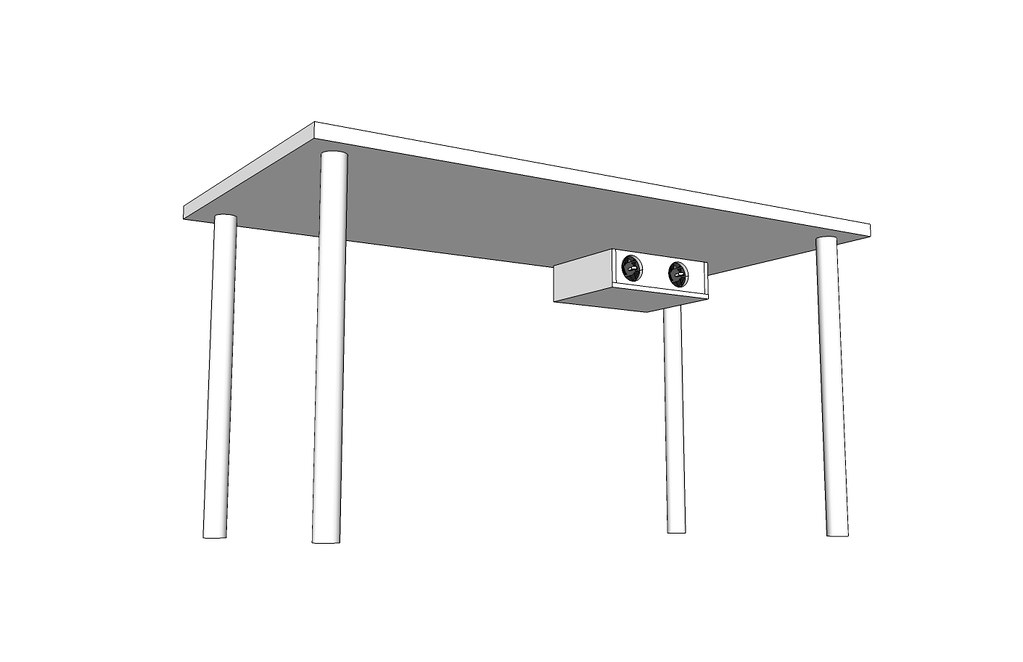
I meant to post some photos of the case yesterday and the progress I'd made on it, but I got distracted by actually building the case and later by my girlfriend and Christmas shopping. However, the good news is I have more photos to post than I did before, and I finally came up with a way to mount this case that I'm happy with. Before I get too in depth on that point tough, here's a rough idea of how the case will be mounted up under my desk:

Computer under the desk:
3090268647_6d1fd4b64b_b.jpg

The desk itself measures about 5' by 2 1/2' and stands about 30" tall. It's just one of those kind of build your own desks from Ikea; only cost me about $50 and it's pretty damn sturdy. Also, it has no drawers which is the look I like in a desk.

The case itself is pretty close to finished, hardware wise. There are still a few things I need to finish:
  1. drill holes for the 2 80mm fans
  2. drill holes for hard drive support
  3. fabricate a back plate for the PSU, Mobo, and Video card
  4. prime it
  5. paint it
  6. clear coat it

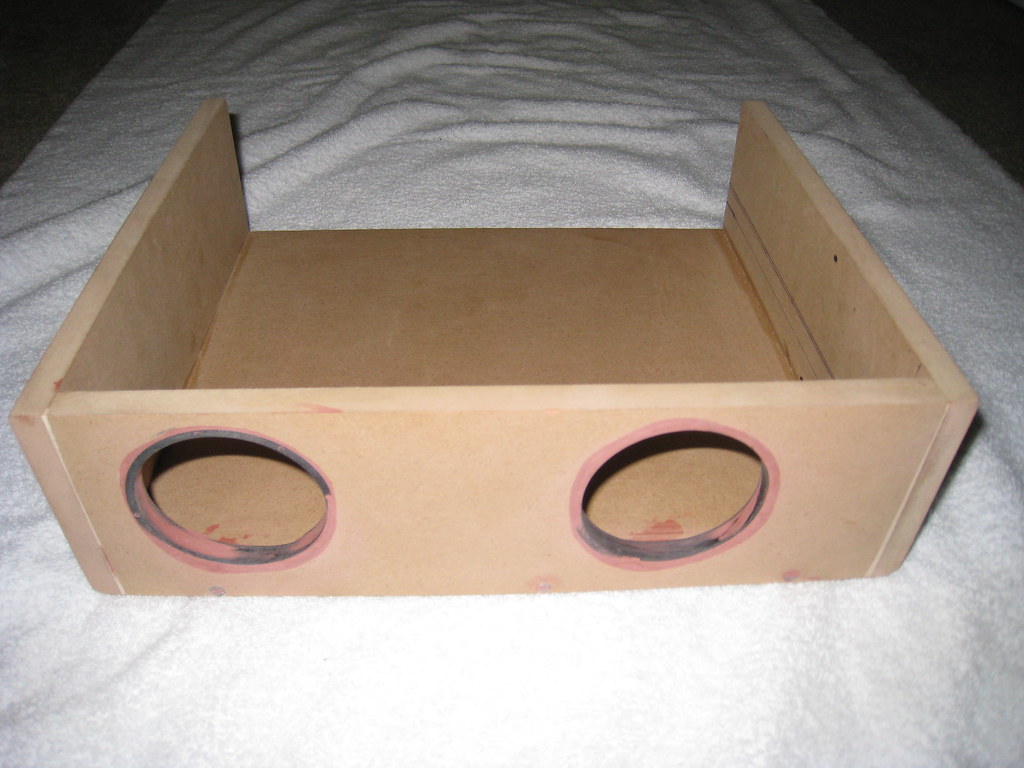
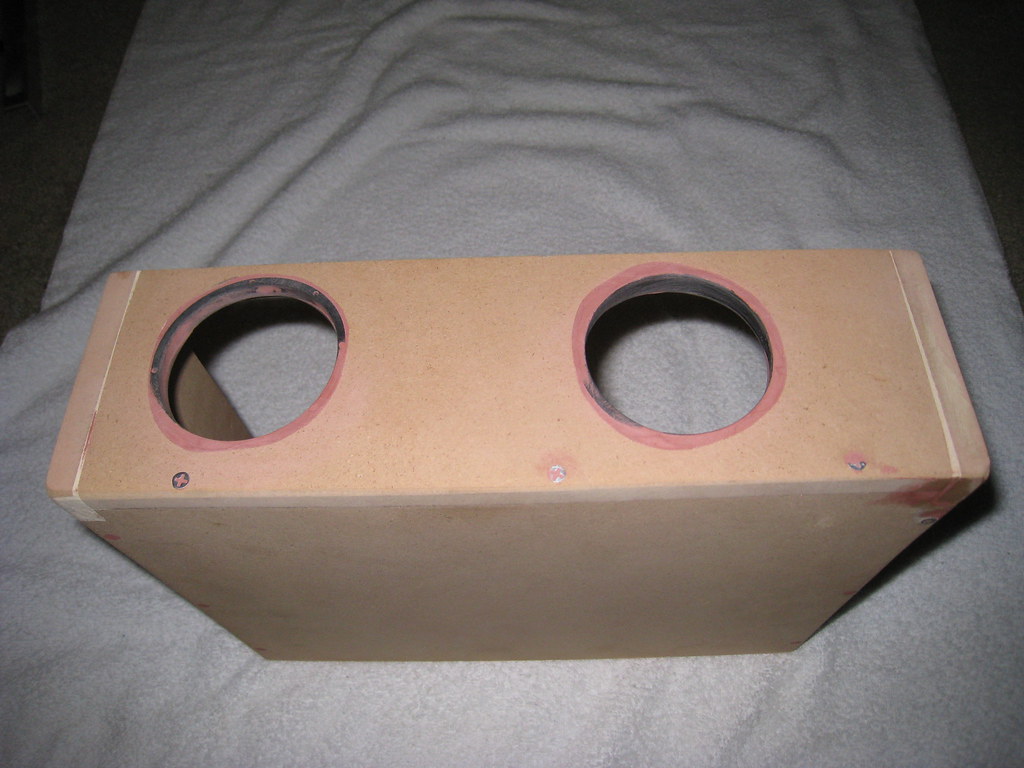
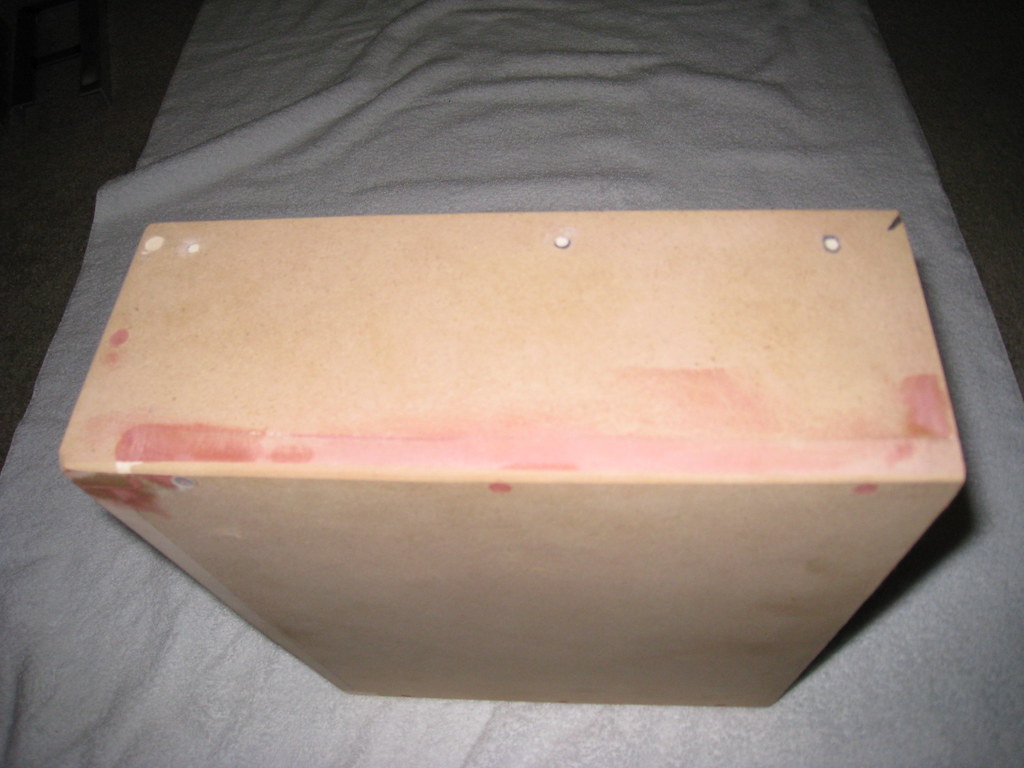
Here's what it currently looks like. There are some holes I had to fill in on the top of the case that were originally drilled to hold the mounting rail, but then I realized that mounting system wouldn't work. Also, I know some of the screws are pretty visible in the pics; I'm not too worried about them when I paint because I'm mostly painting this for practice when I make the external DVD enclosure.
Case front:
3091181444_4146617d98_b.jpg


Case front and bottom:
3091181982_9614a44ff7_b.jpg


Case side and bondo job:
3090341503_523c67eca3_b.jpg


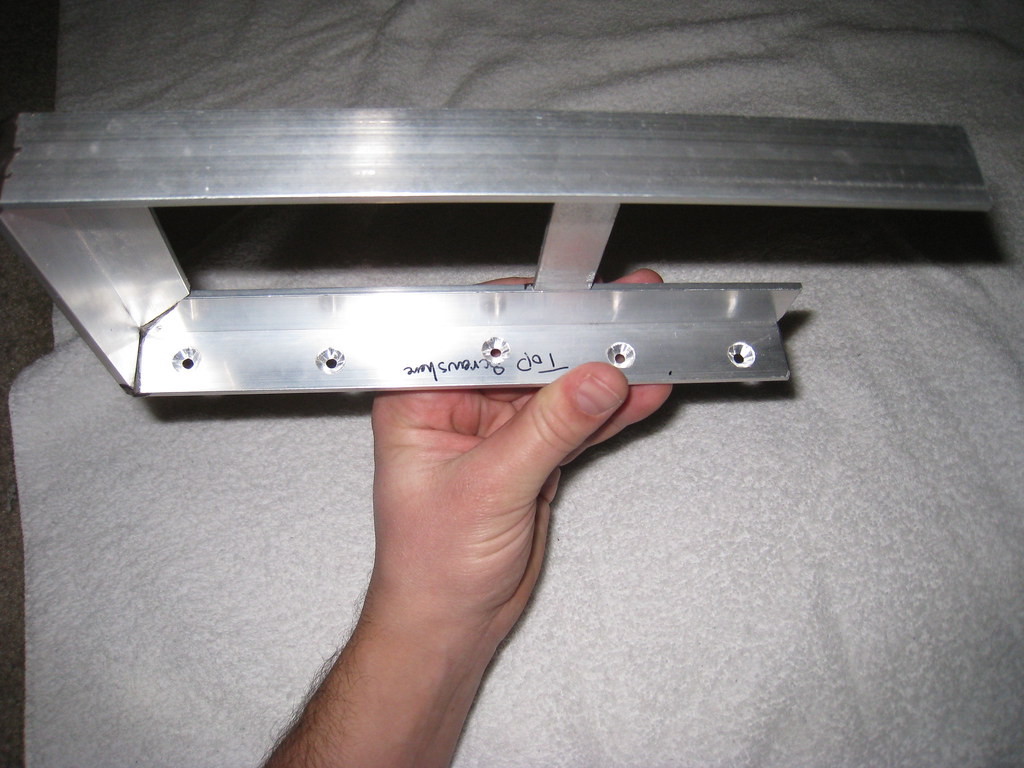
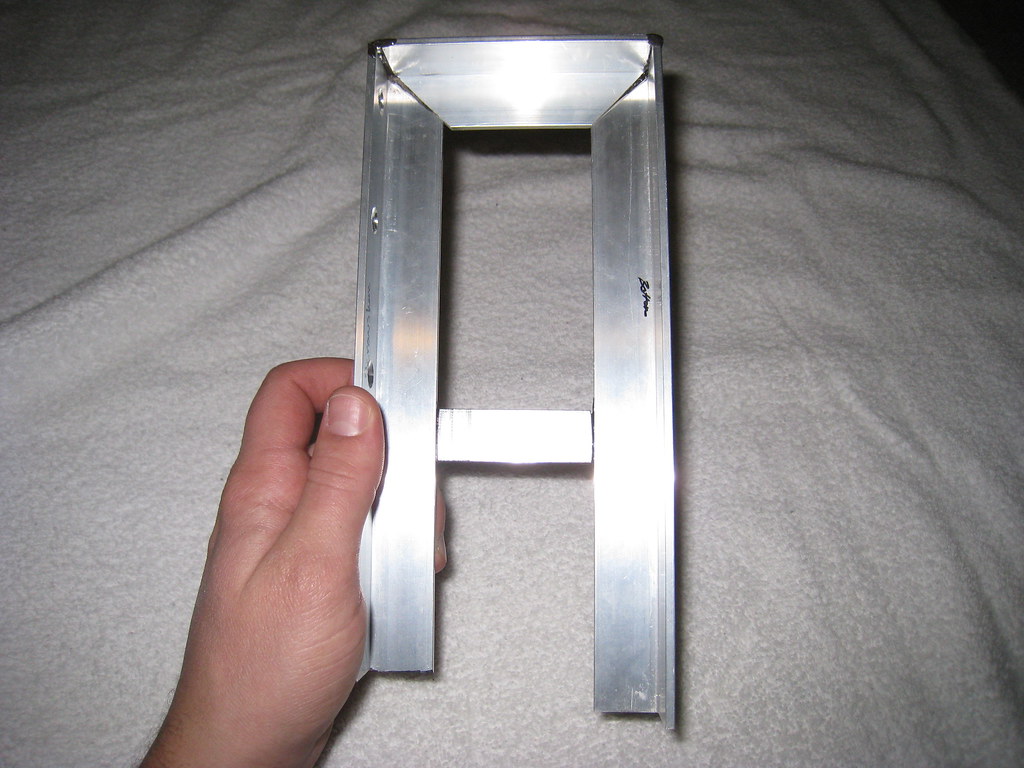
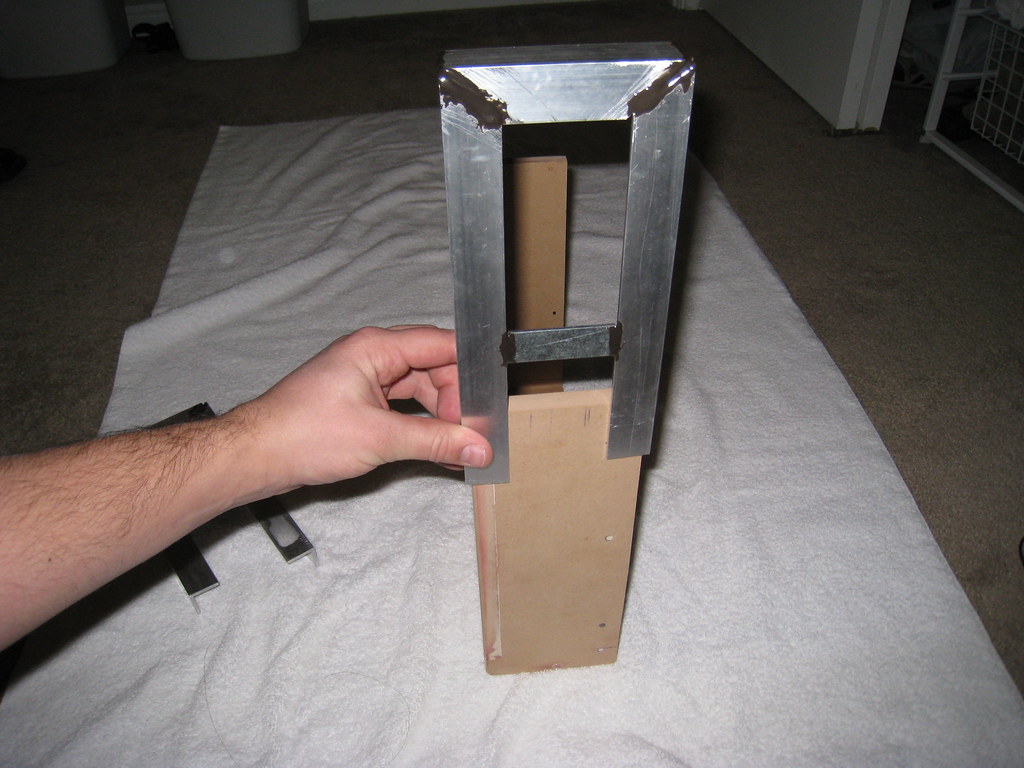
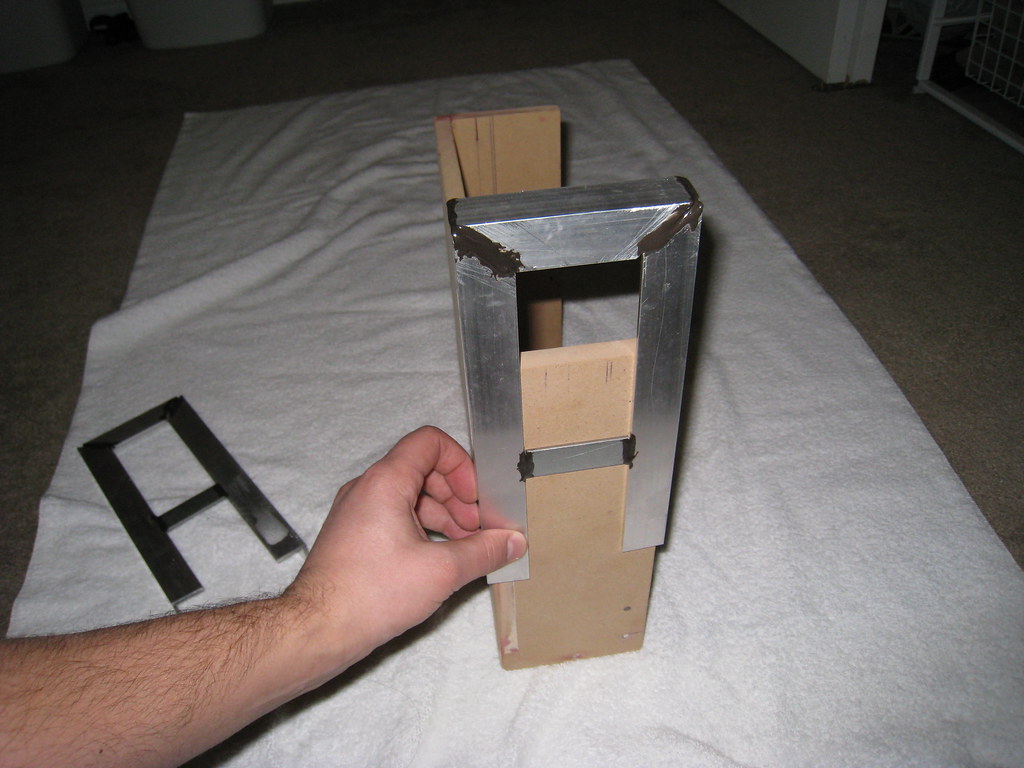
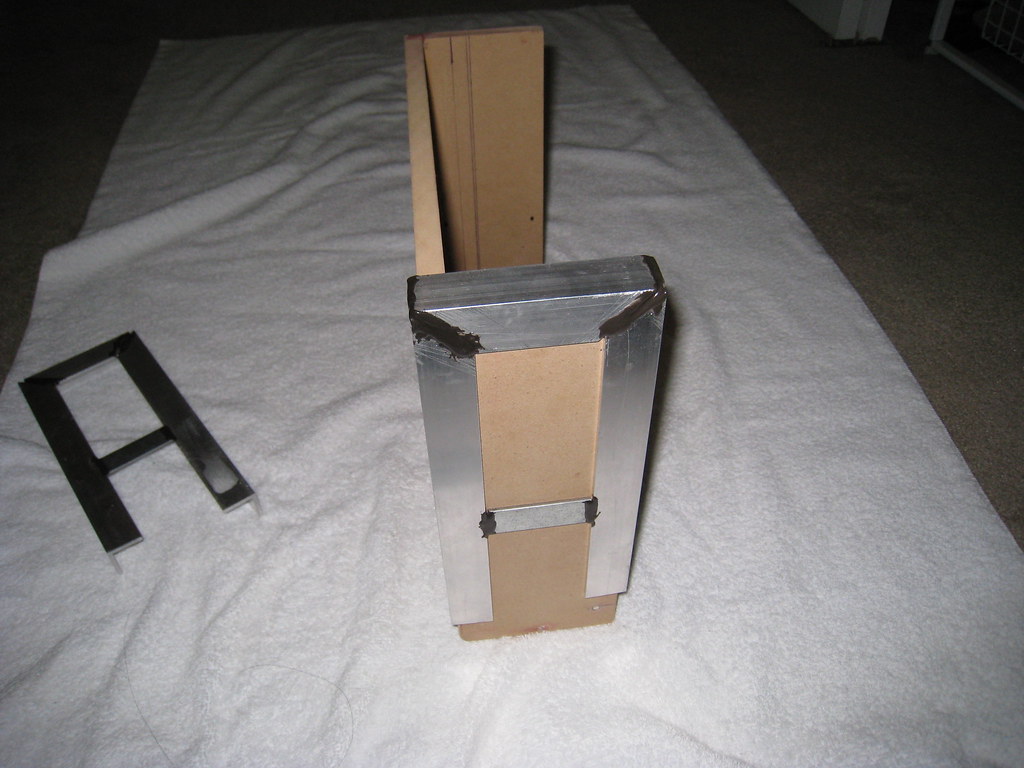
Originally when I came up with this concept I planned on mounting this case using sliding drawer rails like you'd have in a kitchen or a bathroom. However, after attaching those rails to the bottom of my desk I realized there wasn't really any way to secure them, and they weren't particularly sturdy. So what I came up with instead was an L brace bent into a U shape of sorts.

Case mounting rail:
3090347099_c649d4b08b_b.jpg


Case mounting rail 2:
3090345225_072f5d0d6f_b.jpg


Mounting rail demo:
3090349079_e4d0d09c41_b.jpg


Mounting rail demo 2:
3090350909_f2caf42a17_b.jpg


Mounting rail demo 3:
3090352769_782c0f28c4_b.jpg


The rails are pretty ghetto looking :), but I've got pretty limited tools to work with. This whole project is being completed with a hacksaw, a jigsaw, and drill. Oh and a shit-ton of sanding and filing. Also, I don't really have a good workstation for this stuff. I'm literally having to do this stuff on the back steps of the townhouse I'm renting a room in :D. Considering all that, I don't feel too bad about the ghettoness of how it looks.

The darker gray stuff on the mounting rails is JB weld. The rails are pretty sturdy, and I'm not sure if I'm going to paint them or not. If I do, I'll paint them white.
 
Here are a few more pics for today.

Here is a size comparison of a Lian-li mATX board vs. the case I built. The Lian-li is about an inch and a half or 2 inches taller than the case I've built.
3092114410_5d3ae8bc9d_b.jpg


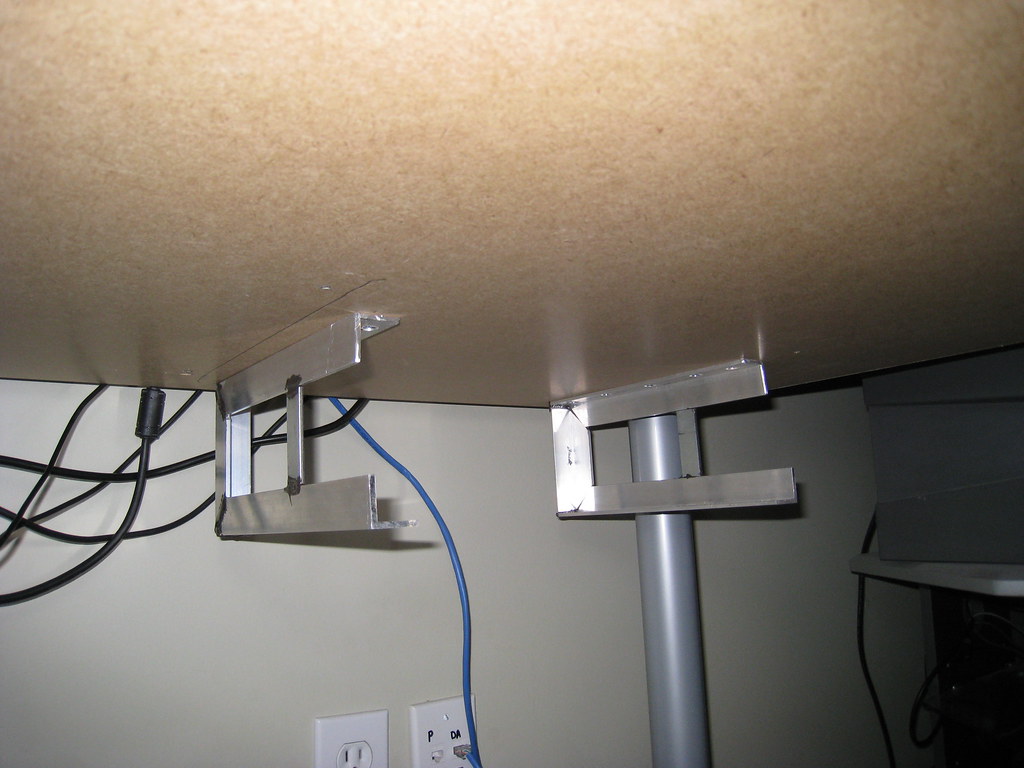
Here are the rails mounted to the bottom of my desk. They are really solid. I thought I was going to have to apply some adhesive to the tops of them beforehand, but these things are really secured on there well.
3091278405_07c2fa0ccc_b.jpg


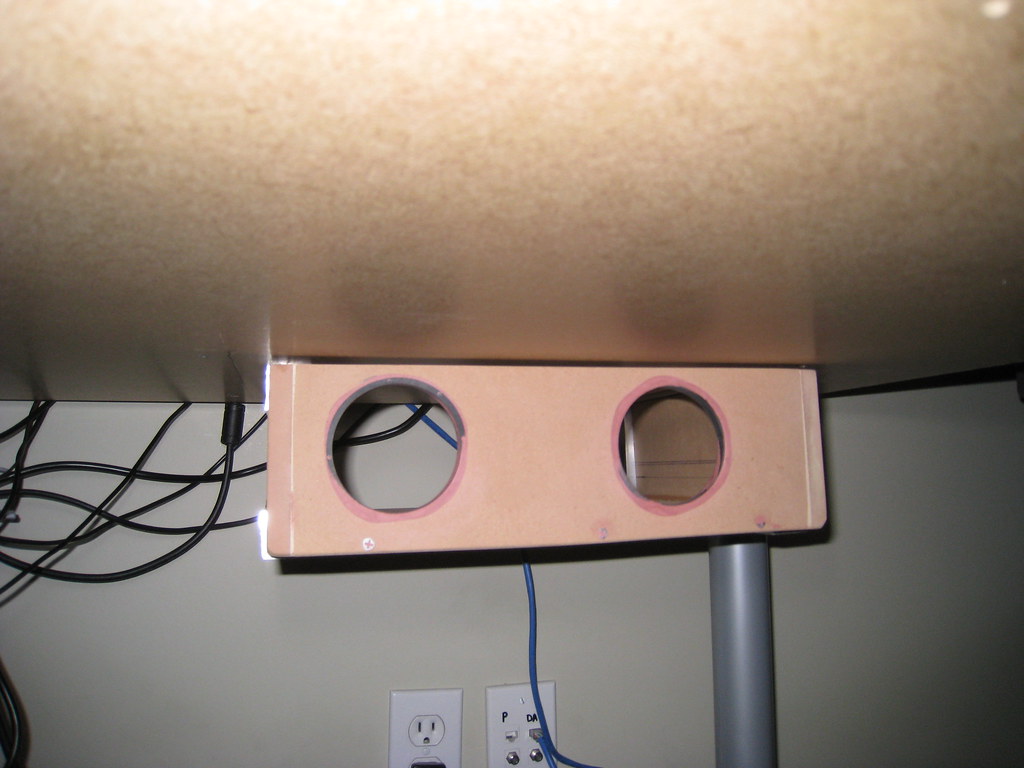
Here is the case resting in the rails. I put the rails in pretty much perfectly, but the case slides in so tight now that I'm pretty sure any paint job I perform on this case is going to get screwed up. I'll still be doing it though :). Any ideas how I can protect the paint job?

I'll be taking care of that gap at the top of the case (between the case top and the desk bottom) by applying some thin weather stripping I picked up at the home depot.
3092115552_0858721352_b.jpg


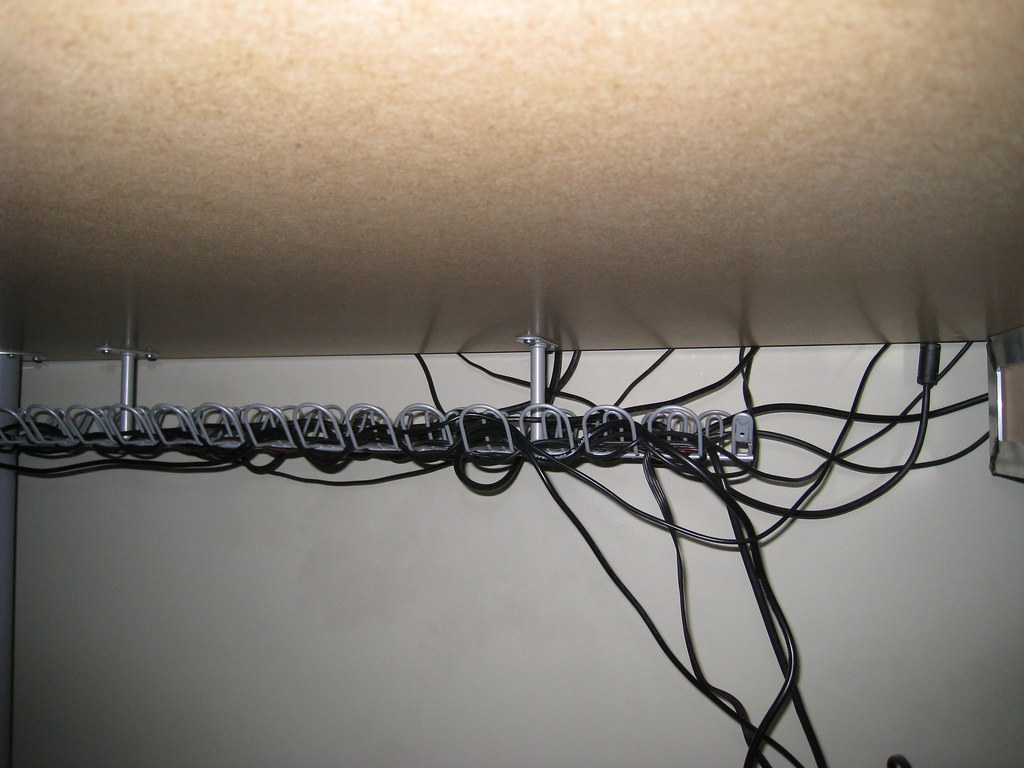
Here's my not-so-tidy Ikea cable organizer. I'll be redoing this when I finish with the case.
3091276363_5f4f607701_b.jpg


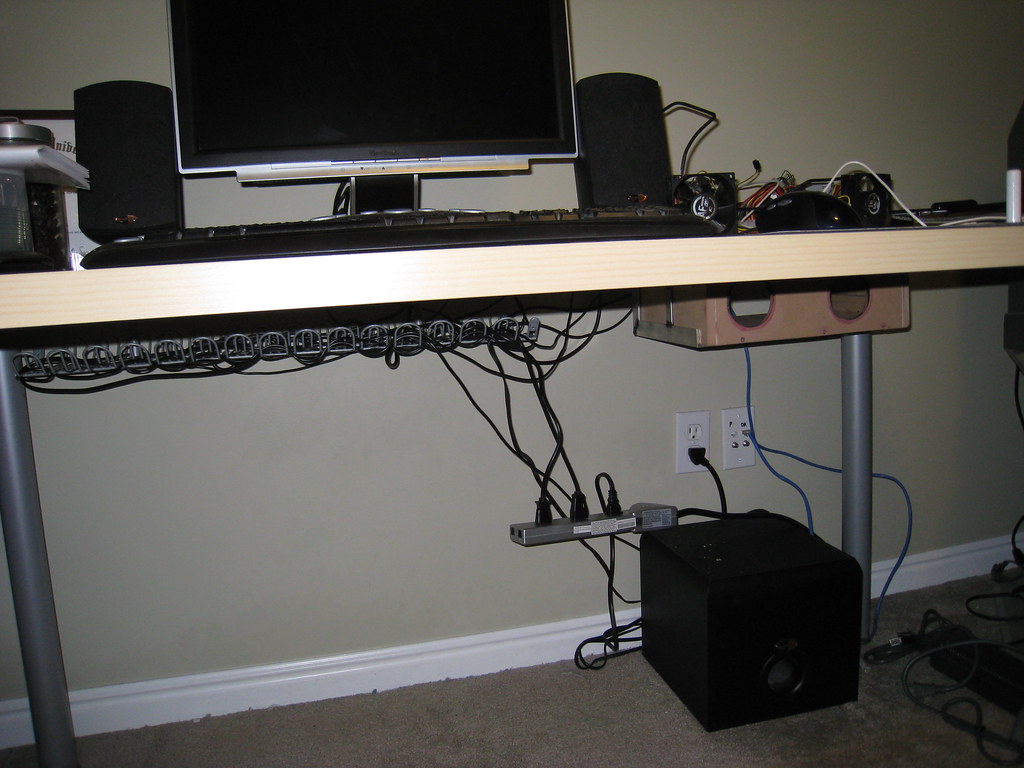
And finally, a distance shot of the whole desk. When you're sitting at it you can't see the computer case at all. It's starting to look pretty slick IMO :). Oh and I'll be getting a new power strip with keyholes so I can affix that to the bottom of my desk as well.
3091277437_67821f91bf_b.jpg
 
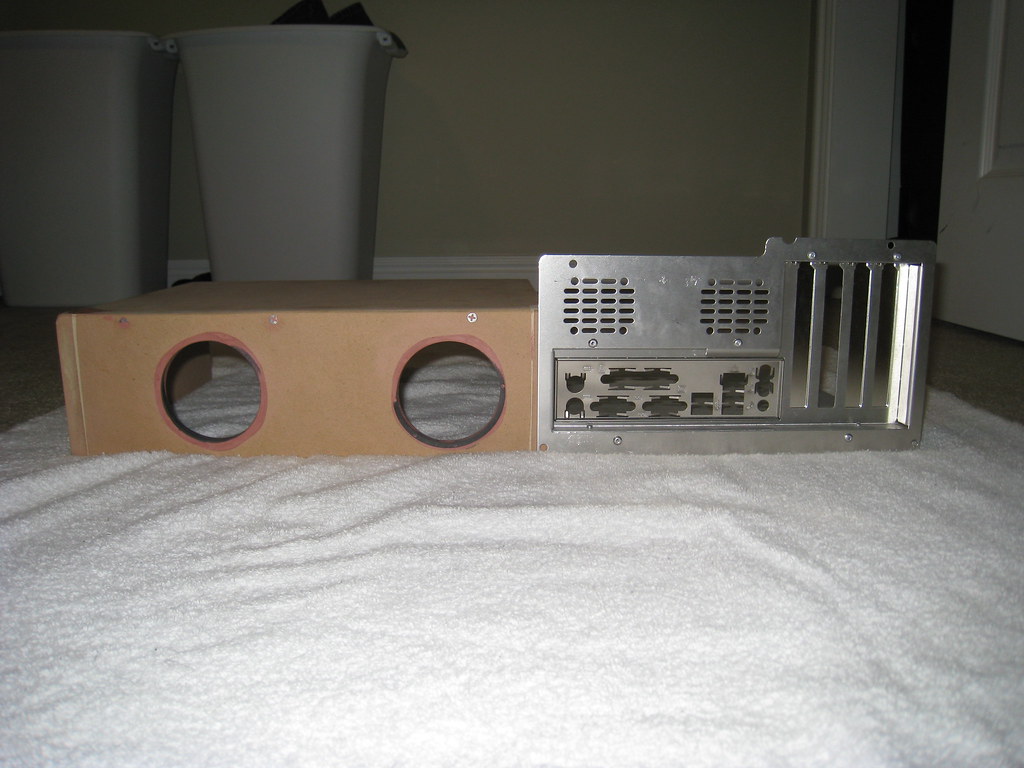
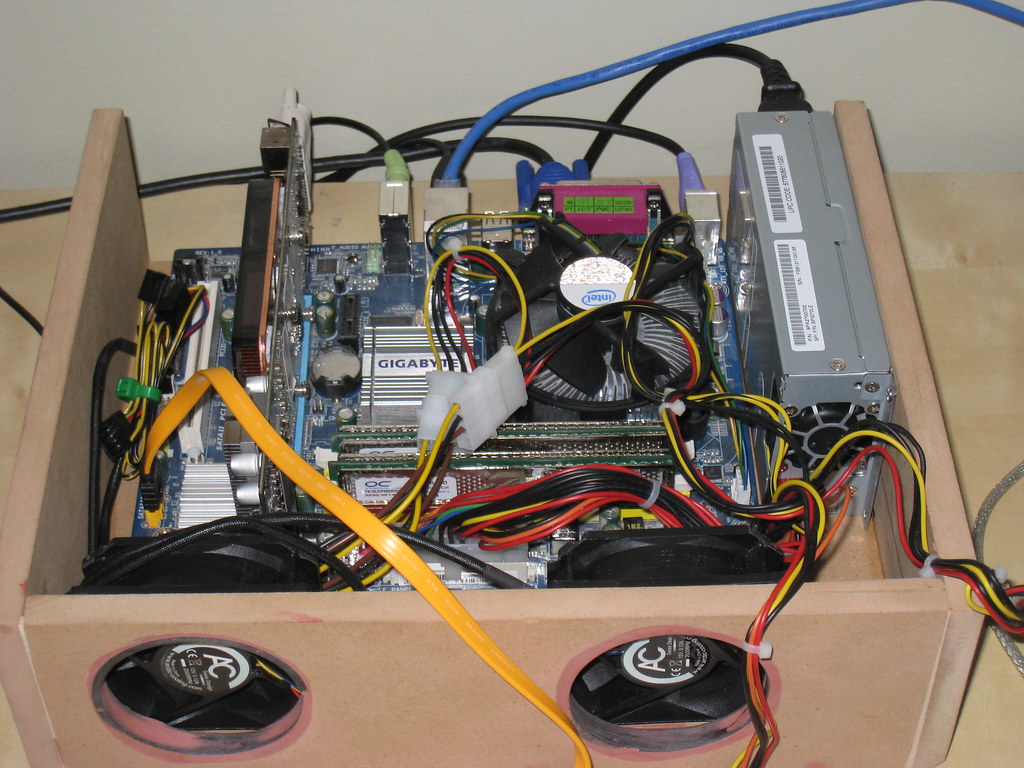
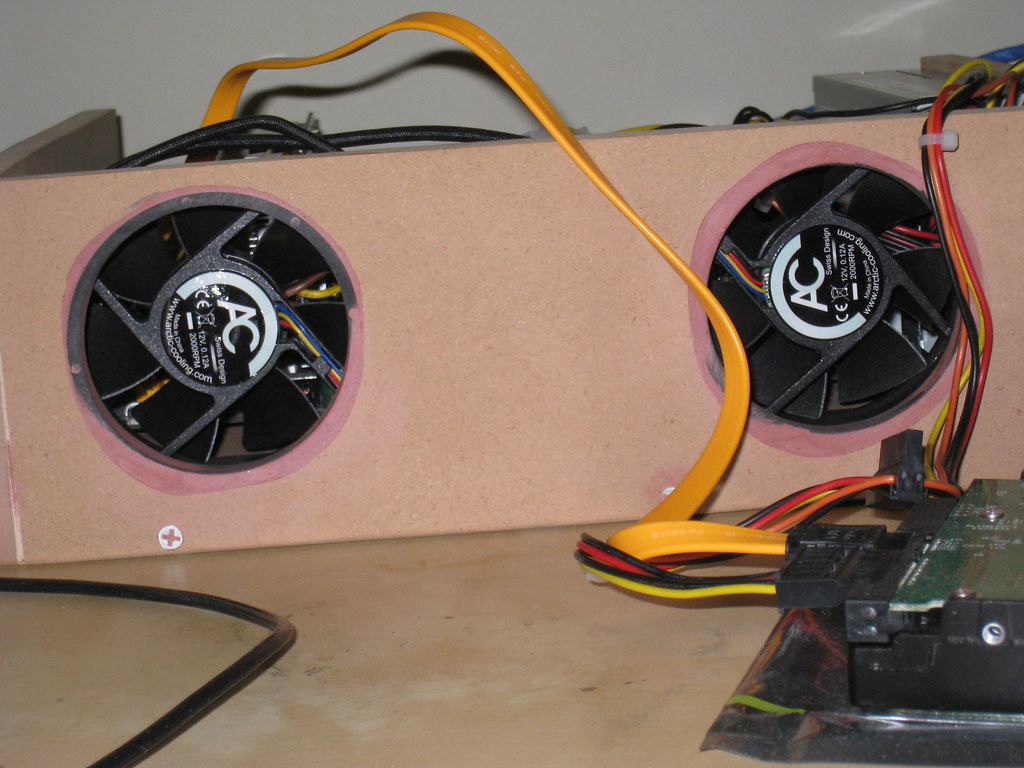
So tonight I got the motherboard screws, the power supply fixture and the fan holes all set up. So I decided to go ahead and test out the enclosure.

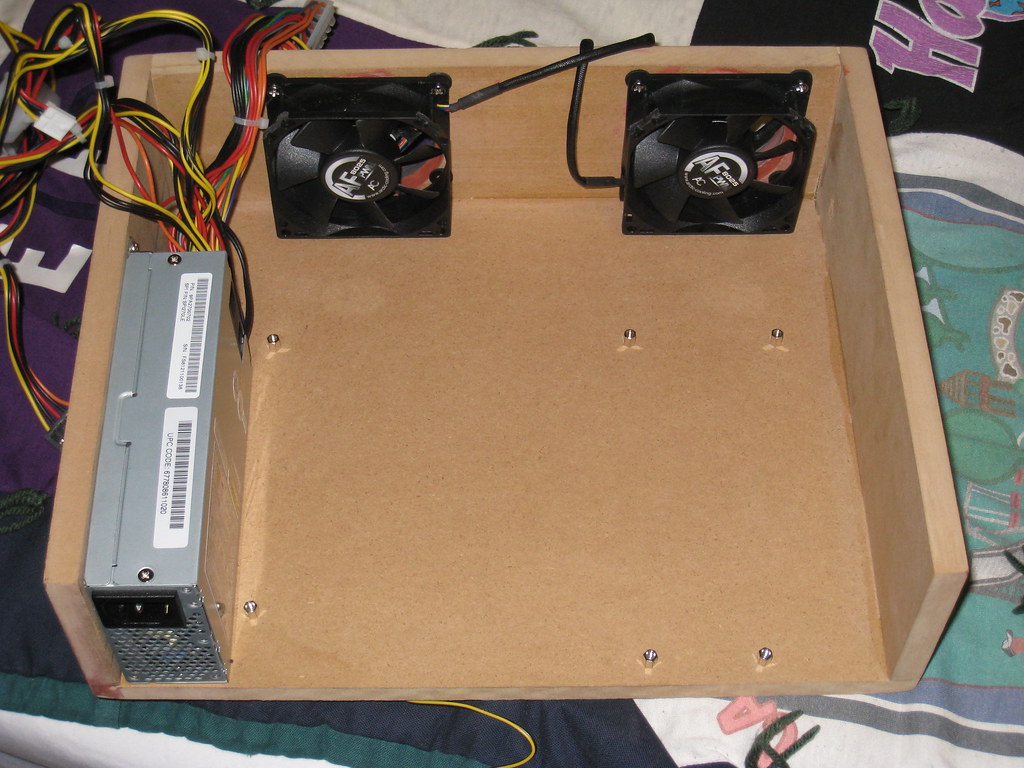
Here is the case before setting everything up inside of it. Just the fans and the power supply:
3094871752_d9dd167669_b.jpg


Here's the case with everything inside it. I don't have a mounting bracket set up for the hard drive yet so it's sitting out in front of the case for now:
3094030849_43d0c88241_b.jpg


And finally a view of the case from the front:
3094874366_e6eda4d2f6_b.jpg


I'm going to have to figure something out for cable management. I'm thinking of screwing some small hooks in between the two fans and trying to hold down all the cables there.
 
I had a bit of a setback last night. The computer is pretty heavy all put together so I wanted to make sure the rails I'd built were strong enough to hold it. They may have been, but the sure weren't strong enough to deal with me pulling on them. My rails broke last night; I guess JB Weld isn't as strong as I'd hoped. I'm going to look into some other options (rivets probably) to getting the rails redone. Also, sound dampening has become very important. When this thing was sitting on my desk it made a very noticeable humming now. If I lifted the computer even a half inch off the desk the noise completely disappeared.
 
add some little rubber spacers between the case and mount and/or the mount and the desk and that should help with the sound vibration.
 
add some little rubber spacers between the case and mount and/or the mount and the desk and that should help with the sound vibration.

Yeah I'm thinking the same thing. Also, since the rails were such a tight fight (and now broken) I'm going to remake them with a little more space this time so I can put some felt on the rails for a smoother case insertion. Hopefully between the felt and the rubber spacers the humming should go away. When the case is off the desk it's nearly silent; only a little bit of white noise.
 
Just go to a hardware store and get some normal rolling drawer rails. They make a type you can mount on the bottom of a drawer. Just reverse them and put them on the top edges of your 'case'. And with a little bit of controlled slack on the external cabling you could literally slide out your comp just like a desk drawer to work on it.

If not that, you can very easily make a set of wood rails that mimic those aluminum ones your built, with the added benefit that the wood will block and absorb more sound. And you'd use proper screws to build them and mount them under the desk, so nothing silly like an ugly JB Weld butt-joint to fail on you.
You'll definitely want something like your felt idea where your case meets the rails to help isolate the vibration and noise.
In fact with enough slack in the rail to case fit you could use a long strip of the soft rubber door / window insulation on each side on the bottom of the rail. It's tubular / hollow and spongy. It'll eliminate just about all transmitted vibration.

Seriously, the best thing modders could do is just go take a leisurely walk through a large hardware store and just eyeball and fiddle with all the materials they have onhand. That way when you need to solve a design problem you'll already be aware of a more suitable material.
 
For cable management- sleve the cables and/or remove the cables you wont be using for this project. If you don't want to cut you can zip tie all the unused cables out of the way. For routing them I like to use these:

cable tie mounts

I agree with riviting the rails and maybe adding an isolator between the rails and the case. Although I have a feeling that when you have the case mounted under the desk the noise won't be an issue.
 
Although I have a feeling that when you have the case mounted under the desk the noise won't be an issue.

Until the darn thing starts vibrating the entire desk, that is. As the mythbusters proved a while ago, you don't need a lot of force to make even a full-sized bridge shake :)
 
Until the darn thing starts vibrating the entire desk, that is. As the mythbusters proved a while ago, you don't need a lot of force to make even a full-sized bridge shake :)

Honestly, that looks to be the case right now. Even though I can't feel it at all when I touch the case, it seems to be vibrating just enough to make my whole desk noisy. I put a hand towel under the case to dampen vibration and that seems to have made it quieter (although it's still vibrating a little). When I remake the rails I'm going to use some heavy felt on them and rubber washers or something in between the rails and the desk. Hopefully I can curb the vibration entirely.

Oh, and my normal sized hard drive was going to be too big a pain in the ass to install (at least it looked that way) so I went ahead and order a 250gig WD Scorpio Black from Newegg. That should show up on Friday. So then I'll just have to mount that, take everything out for a final sanding, prime, paint, and clear coat it. The case itself will be done at that point. After that I just have to build the rails...
 
That requires vibrating the structure at it's resonant frequency which isn't likely to happen.

Until the darn thing starts vibrating the entire desk, that is. As the mythbusters proved a while ago, you don't need a lot of force to make even a full-sized bridge shake :)

What's causing the vibration? The fans? If that's the case then you can just isolate the fans from the case using rubber fan isolators. Although you'd probably have to cut away most of the front and bolt in a thinner aluminum or plastic sheet to mount your fans to. I'm doing something similar to vent my AV cabinet with 2x 120mm fans.

Also you can use speedfan or a fan controller if it is the fans to reduce or eliminate the problem.
 
I'm entering the thread late in the game, but having built my own computer-in-a-desk, I'd like to offer a word of advice: Make it accessible.

The other day, I added a tuner to my computer. Between all the cables plugged in the back (around 10) and the cables plugged in inside (another 5 or 6), it was a huge hassle. It would have been much more effective to put a trap door in the desk surface.
 
I'm entering the thread late in the game, but having built my own computer-in-a-desk, I'd like to offer a word of advice: Make it accessible.

The other day, I added a tuner to my computer. Between all the cables plugged in the back (around 10) and the cables plugged in inside (another 5 or 6), it was a huge hassle. It would have been much more effective to put a trap door in the desk surface.

I thought about that as well, and that is one of the reasons I really want to use the rails I made (although sturdy versions of them). That way the case itself isn't attached to the desk and it can freely slide out. I'm going to be getting a wireless keyboard and mouse (MX5500 Revolution) so in total this is what will be plugged into the back of my computer:

1 USB Bluetooth receiver
1 power cable
1 DVI cable
1 audio cable

So when I want to work on my computer I'll have to unhook a few cables and slide it out; that should be a simple enough process that if I ever do work on it I won't go nuts unhooking and reattaching everything.
 
That requires vibrating the structure at it's resonant frequency which isn't likely to happen.

Well, if there is a resonant frequency it'd be the most efficient way to get it shakin', but other frequencies will work too. Also, most structures have more than one resonant frequency due to the use of multiple materials and such.
 
I see what you're saying but it's pretty much a moot point if you take the time to dampen the structure.

Well, if there is a resonant frequency it'd be the most efficient way to get it shakin', but other frequencies will work too. Also, most structures have more than one resonant frequency due to the use of multiple materials and such.
 
These m-atx mobo's are making life so easy for making nice small custom cases

Are those fans loud?
 
The fans are very quiet. I got a couple of arctic cooling fans (80mm) and at full load they make a slight hum. I have them hooked into the system fan port (3 pin) and so they run at 100% all the time, which is great for airflow. However, if I hook them into the CPU fan (4 pin) they run so slow (maybe 500rpms?) you can't even feel any air coming out. I'll have to test both plugin spots and see which I like more.

Oh, and I got my 2.5" HDD (Scorpio Black 250gig). Holy $#!7 this thing is small! I'd never realized how tiny these drives are. And I know it's probably just because I have such a fresh install of windows XP running on it, but the drive seems snappier than my normal 3.5" drive. It's really nice.
 
Did you get to try out that PCIe riser card yet? Looking forward to seeing it in action
 
Did you get to try out that PCIe riser card yet? Looking forward to seeing it in action

I did, and it works really well. However, I ended up not using it. The reasons being that 1) my video card is short enough that I don't need to mount it horizontally 2) I no longer need room above the video card to mount the HDD since getting my laptop HDD 3) I broke the fan on my video card :mad: and now I have to mod the heatsink (hopefully making it quieter.

Here are some updates though.

The mounting rails for the hard drive (felt lined):
3113361597_805af23c69_b.jpg


The case with the hard drive mounted:
3113362063_49199140e0_b.jpg


Different angle of the same shot. Cable management is great around the video card, but in front of the CPU is a different story:
3113365057_f9bdd10acb_b.jpg


Here's a little size comparison. The case on top is my first draft of this case. It had a 120mm intake in the front (unfinished), used a normal size 8800gt and a normal size PSU as well as the ThermalRight Ultima 90 (which incidentally is for sale). Anyway, the top case was pretty small to begin with and took an m-atx mobo tray. As you can see though, the new version is substantially smaller:
3113366285_e7db50684a_b.jpg


I still have some sanding to do, but I'm more concerned about my video card. I just dropped some more $$ (damn money-sink of a hobby:)) to try to rig a better and quieter cooling system. I really hope it works; finding cooling for low profile video cards is harder than I expected.
 
Looking good, shows that small is often better ;)

I hope you find a good cooler for the videocard :)
 
This is actually a good idea if you want another pc with additional monitors and dont want to take up space.
 
Its nice to see a good home made case mod being done, looks great and the worklog is helpful for all aspiring to hide there comp
 
Why do you have those front fans blowing air out? That seems like it would be very ineffective in that you'll get minimal airflow over the components, and it would get annoying having air blown on your legs all the time under the desk.

If you turn those around you'll get great airflow over your video card and processor...
 
Why do you have those front fans blowing air out? That seems like it would be very ineffective in that you'll get minimal airflow over the components, and it would get annoying having air blown on your legs all the time under the desk.

If you turn those around you'll get great airflow over your video card and processor...

I may have to do exactly what you're saying, at least for the video card. I had the fans blowing out in hopes of just expelling all the hot air from the case.
 
As long as both fans are blowing the same direction, it doesn't really matter which way they're blowing. Flipping them around won't make any noticeable difference, since the vents are in the back anyway. The point about heating up your knees is a good one, though.
 
Blowing out= negative air pressure, better cooling, sucks dust in through every crack and case opening.
Blowing in=positive air pressure, slightly lower cooling, dust is only pulled in through the fan vents.

But that's just in general. The only way to know what works best for your case is to test and measure. It's possible that either way would work fine for your needs. Glad to see that you went with a 2.5" hdd.
 
Back
Top