
HDD to SSD clone ? Big to smaller ?

dashpuppy

Supreme [H]ardness
Joined
May 5, 2010
Messages
6,163
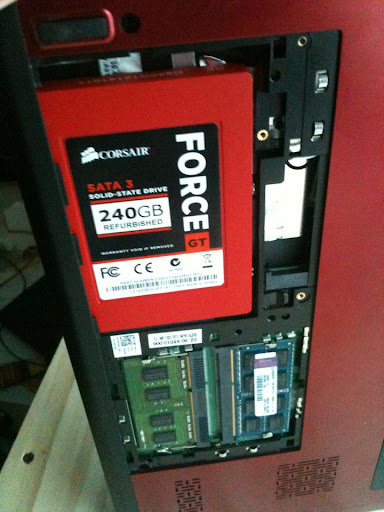
I have a new 240gig Corsair Force Gt drive that just arrived today :)

Is there anyway free software, that will allow me to clone the original perfectly working install that is on a 500gig sata drive to a image or clone to my 240gig ssd ?


easily ?

I know I have software that goes from smaller hdd to bigger but I've never been able to clone a drive to a smaller one..

Suggestions ?
 
I have a new 240gig Corsair Force Gt drive that just arrived today :)

Is there anyway free software, that will allow me to clone the original perfectly working install that is on a 500gig sata drive to a image or clone to my 240gig ssd ?


easily ?

I know I have software that goes from smaller hdd to bigger but I've never been able to clone a drive to a smaller one..

Suggestions ?
As long as the install is less than 240GB, you can shrink the existing partition and then use the clone software of you choice. If it is more than 240, obviously you would have to get rid of some files to get you under the wire.
 
Windows own backup tool will allow you to do this provided you can shrink the partition enough... That's not always the case tho because there's random stuff Windows considers immovable (page file etc.).
 
Hi,

I just did this yesterday. I got a Crucial M4 128 GB SSD for the laptop. The Laptop had a WD Blue 320 GB HDD. I downloaded and mounted G Parted (Partition Magic) on a CD and downloaded another software called EaseUS Disk Copy and made a copy on to a CD. This was the first I burned a CD in about a year! Go figure. I could not be bothered mounting a USB thumb drive I was lazy.

Next, I removed the WD320 from my laptop. Then I installed the WD 320 and Crucial 128 together into my PC for the shrink and cloning process.

Next I ran G Parted. Moved the Recovery partition to the front of the drive and pretty much as much as I could of unused space to make the WD320 small enough so the copying process would work on the Crucial. This process took about 25 minutes.

Then I ran the Disk Copy and moved everything over to Crucial SSD. Once that was done approximately 30 minutes later. I removed both drives from my PC and installed the SSD into the laptop. I placed the WD320 drive into an ASD bag for storage. Once the laptop repowered up, the drive came up and windows booted up in about 20 seconds. Checked everything out and appeared ok.

Finally, I reran G parted again in the laptop to move the recovery partition back to the original spot on the drive. I also increased the size the main partition about 25 GBs leaving about 20 Gigs left for future use or projects (maybe a linux based OS) That took about 10 minutes. After G parted was done, I rebooted and the laptop has been working perfect since.

Good Luck with your shrinking and cloning.
 
I was going to post exactly this. I've done the shrink-with-parted-magic / clone-with-clonezilla twice in the last 2 weeks..

I just did a fresh install, it was faster to do it that way..

Any SSD tweeks i should do ?

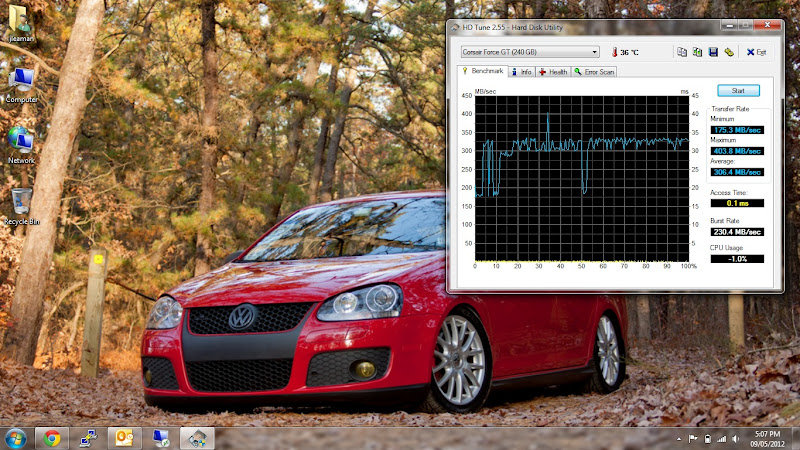
Just did a hd tune to see the write & read speeds.

new-ssd.jpg


561210_285148064912491_100002519002652_629925_507361323_n.jpg
 
I was going to post exactly this. I've done the shrink-with-parted-magic / clone-with-clonezilla twice in the last 2 weeks..

you guys lost me at the clonezilla part. why are you using clonezilla when gparted also clones?
 
Try here: http://www.howtogeek.com/97242/how-to-migrate-windows-7-to-a-solid-state-drive/

Edit: Sorry, same link as poster above. *facepalm* Good guide though, I'm about to migrate two OS drives to two new SSDs.

there are more confusing useless bits in there than not. that will make a person's head spin.

gparted in parted magic will resize a partition and file system, automatically removing or creating free space. it will also copy a partition, automatically aligning it properly at the front of the disk. one tool does it all with very little user intervention. the only thing you should do that it doesn't is back up your data because you're bound to screw something up.
 
FWIW, I shrunk and then copied my partition over using gparted/easeus. Mostly followed the guide linked above. Then optimized with the other guides linked above. All went well.
 
I think mine took longer than that. Shrink was probably 20 mins to go from 1.5 TB down to ~70 GB. Copy with Easeus was probably another 20 mins. Then I spent time moving the partition to make sure it was aligned, and optimizing some of the windows settings for SSD. All told I probably spent an hour tinkering.
 
Back
Top