• Some users have recently had their accounts hijacked. It seems that the now defunct EVGA forums might have compromised your password there and seems many are using the same PW here. We would suggest you UPDATE YOUR PASSWORD and TURN ON 2FA for your account here to further secure it. None of the compromised accounts had 2FA turned on.
    Once you have enabled 2FA, your account will be updated soon to show a badge, letting other members know that you use 2FA to protect your account. This should be beneficial for everyone that uses FSFT.

FSP/Frame Time app stuck on. Help.

funkydmunky

2[H]4U
Joined
Aug 28, 2008
Messages
4,004
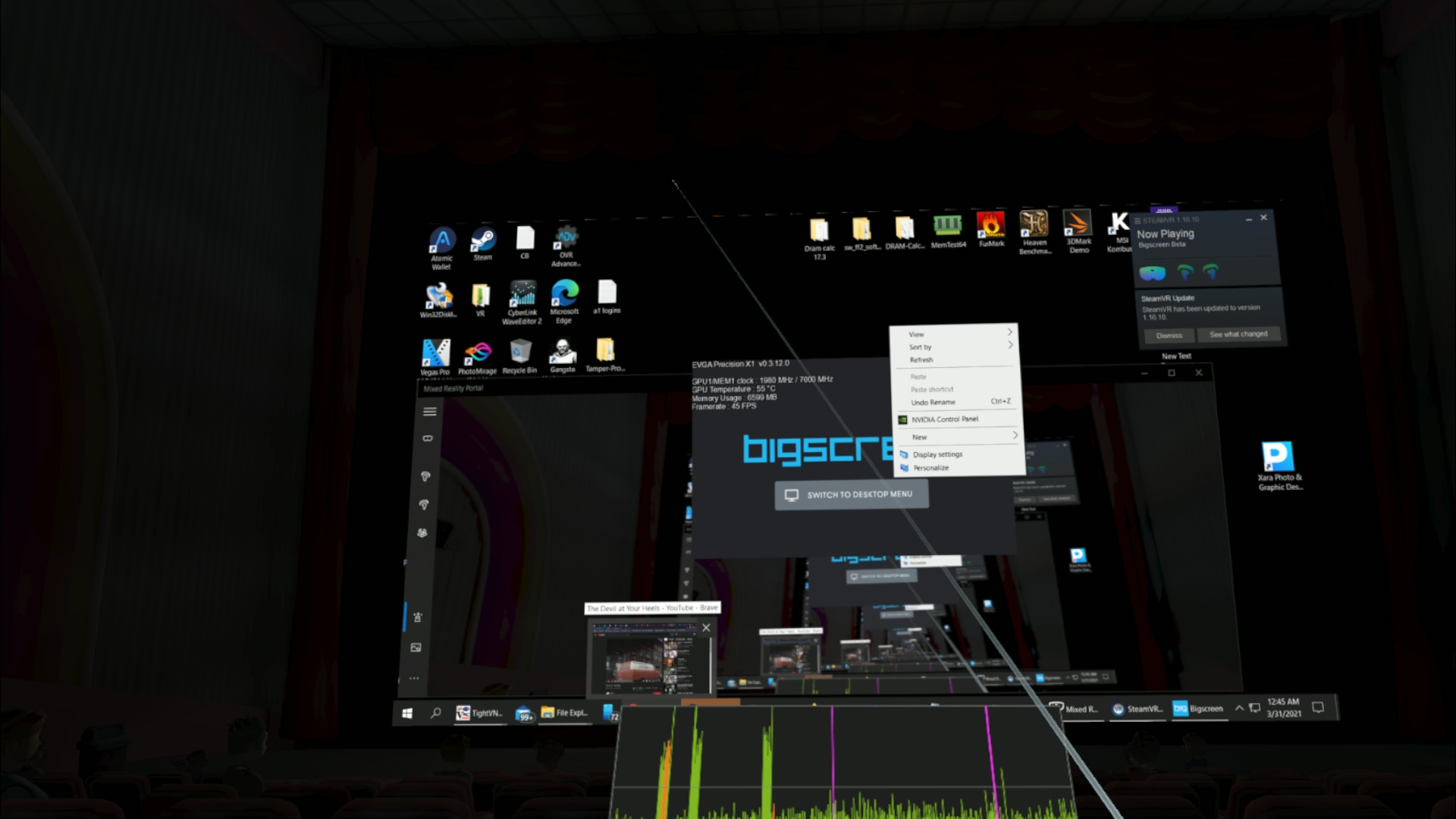
20210331_004533_MixedReality.jpg

I am having a hard time with a FPS/frame time overlay. It is shown partially at the bottom of the screen. I can't seem to access it and or shut it off. It doesn't seem to be part of my FPSVR app as I have tried every option in that app and found no change.
Anyways I am stuck and if you can help me get out of this mess I would be appreciative.
 
I'd start uninstalling stuff until I figured out which program was causing the problem.
 
I tried that. Including FPSVR. Didn't go away. At one point I remmember trying some FPSVR type product to experiment. I've tried to uninstall anything I don't recognize. Just hoping someone recognizes it and I can dig for that app.
 
I tried that. Including FPSVR. Didn't go away. At one point I remmember trying some FPSVR type product to experiment. I've tried to uninstall anything I don't recognize. Just hoping someone recognizes it and I can dig for that app.

Found what I think you have turned on.

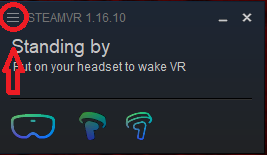
Click the circled area to get into settings.

settings.PNG

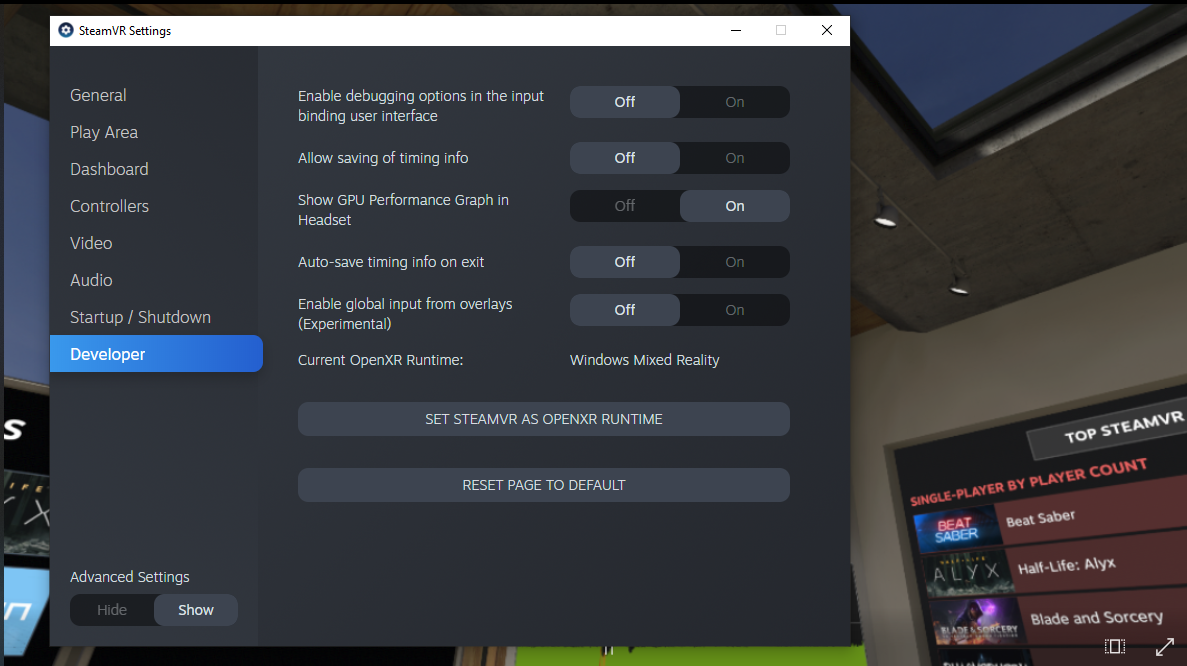
Set it to show advanced settings at the bottom left.
Turn off show GPU Performance Graph in the Developer tab.

graph.PNG
 
Last edited:
Back
Top