![[H]ard|Forum](/styles/hardforum/xenforo/logo_dark.png)
mudshark405
n00b
- Joined
- Apr 7, 2008
- Messages
- 6
Though Ive never posted before, Ive been a longtime lurker here and appreciate (and hopefully learned from) the vast amount of knowledge/advice/encouragement available on this forum.
I do not build often. The last time was a number of years ago, with a Pentium 4 processor and 1GB RAM (which was a definite upgrade from my old Pentium Pro 200MHz, 512MB RDRAM, etc.). I did get a lot of mileage out of this system but after reading many posts over a long period of time, I was finally hit with the urge to build and began planning to rid myself of spare funds.
I am not a hardcore user by any means. Light gaming, video and photo editing, and some work related stuff (Matlab simulations, MS Office apps). I set my budget to $1500, which is likely overkill for my purposes. However I rationalized that away by knowing that I would not be doing another build for quite some time. I am reusing my monitor (NEC 20WMGX2), mouse, keyboard and already have a copy of Windows 7. Heres what I came up with:
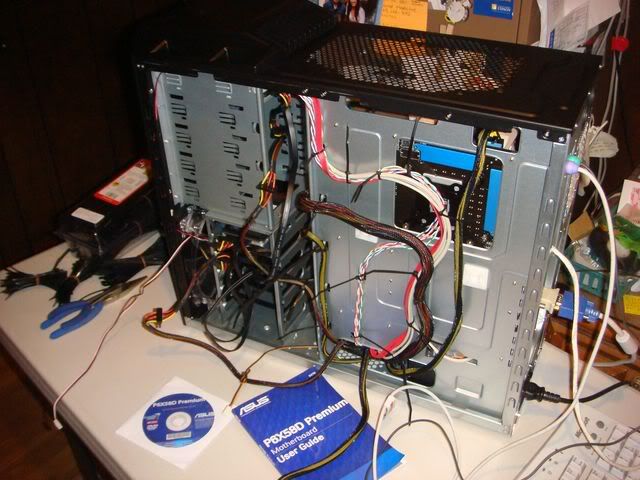
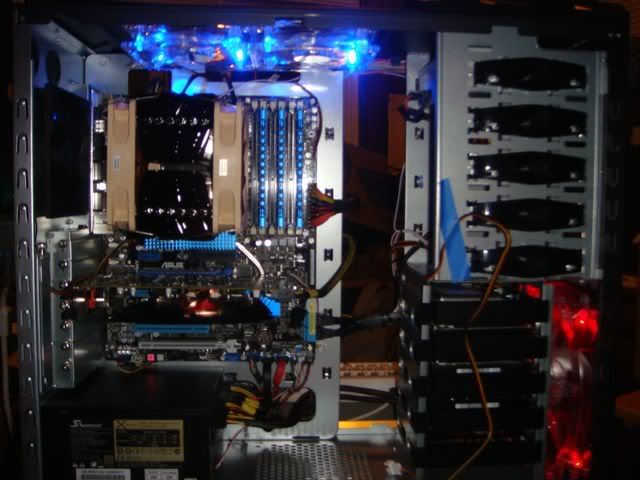
ASUS P6X58D Motherboard
Intel i7 920 Processor
6GB Gskill Ripjaws F3-12800CL8T RAM
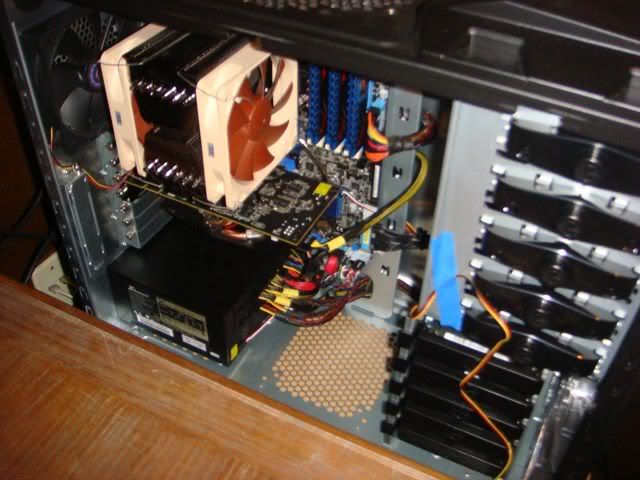
XFX Radeon HD 5770 Video card
Intel X25-M 80GB SSD for OS and programs
Samsung F3 1TB Disk Drive for data
Liteon iHAS424-08 24x DVD burner
Seasonic X750 Gold Power Supply
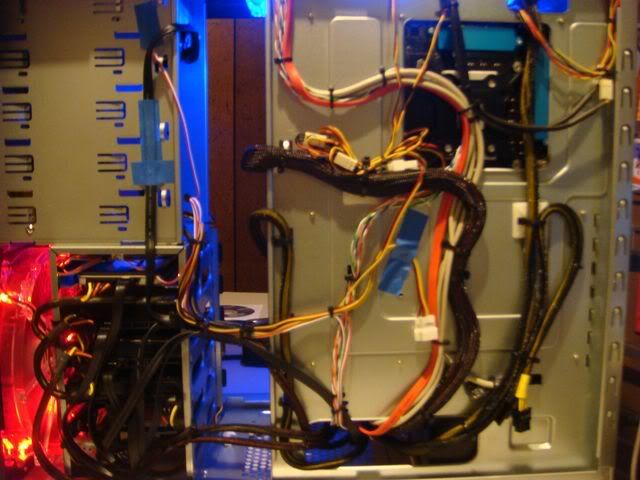
Cooler Master HAF-922 case
Prolimatech Megahalems Shadow heatsink
(2) Noctua NF-P12 fans in push/pull configuration
The Intel SSD and Seasonic supply are the main causes of me going over budget by a couple hundred bucks. I wasnt aware of all the advantages of an SSD before I started reading and once informed, spent the money for it. The Seasonic supply I read a glowing review on which resulted in me spending $70 more than I had intended on a PS. Rationalization is a wonderful thing
The system has been built and is running great. Overclocked to 4 GHz without much trouble at all (CPU-V at 1.256V) running prime95 overnight. I will try and see how much higher itll go when I have more time. For now I just leave it at 3.6GHz with CPU-V set to 1.15V. Very stable system, runs cool, and Im very happy with the build.
Thanks again to everyone for taking the time to post questions and answers and provide advice and assistance. Im sure there are many more like me who rarely, or even never, post yet use this forum as a knowledge base to put together their own systems. My build was easy and painless (except in the wallet) and I can attribute that to all the posters here, novices and gurus alike, whose experiences and willingness to share enabled me to put this system together.
Keith
I do not build often. The last time was a number of years ago, with a Pentium 4 processor and 1GB RAM (which was a definite upgrade from my old Pentium Pro 200MHz, 512MB RDRAM, etc.). I did get a lot of mileage out of this system but after reading many posts over a long period of time, I was finally hit with the urge to build and began planning to rid myself of spare funds.
I am not a hardcore user by any means. Light gaming, video and photo editing, and some work related stuff (Matlab simulations, MS Office apps). I set my budget to $1500, which is likely overkill for my purposes. However I rationalized that away by knowing that I would not be doing another build for quite some time. I am reusing my monitor (NEC 20WMGX2), mouse, keyboard and already have a copy of Windows 7. Heres what I came up with:
ASUS P6X58D Motherboard
Intel i7 920 Processor
6GB Gskill Ripjaws F3-12800CL8T RAM
XFX Radeon HD 5770 Video card
Intel X25-M 80GB SSD for OS and programs
Samsung F3 1TB Disk Drive for data
Liteon iHAS424-08 24x DVD burner
Seasonic X750 Gold Power Supply
Cooler Master HAF-922 case
Prolimatech Megahalems Shadow heatsink
(2) Noctua NF-P12 fans in push/pull configuration
The Intel SSD and Seasonic supply are the main causes of me going over budget by a couple hundred bucks. I wasnt aware of all the advantages of an SSD before I started reading and once informed, spent the money for it. The Seasonic supply I read a glowing review on which resulted in me spending $70 more than I had intended on a PS. Rationalization is a wonderful thing
The system has been built and is running great. Overclocked to 4 GHz without much trouble at all (CPU-V at 1.256V) running prime95 overnight. I will try and see how much higher itll go when I have more time. For now I just leave it at 3.6GHz with CPU-V set to 1.15V. Very stable system, runs cool, and Im very happy with the build.
Thanks again to everyone for taking the time to post questions and answers and provide advice and assistance. Im sure there are many more like me who rarely, or even never, post yet use this forum as a knowledge base to put together their own systems. My build was easy and painless (except in the wallet) and I can attribute that to all the posters here, novices and gurus alike, whose experiences and willingness to share enabled me to put this system together.
Keith