• Some users have recently had their accounts hijacked. It seems that the now defunct EVGA forums might have compromised your password there and seems many are using the same PW here. We would suggest you UPDATE YOUR PASSWORD and TURN ON 2FA for your account here to further secure it. None of the compromised accounts had 2FA turned on.
    Once you have enabled 2FA, your account will be updated soon to show a badge, letting other members know that you use 2FA to protect your account. This should be beneficial for everyone that uses FSFT.

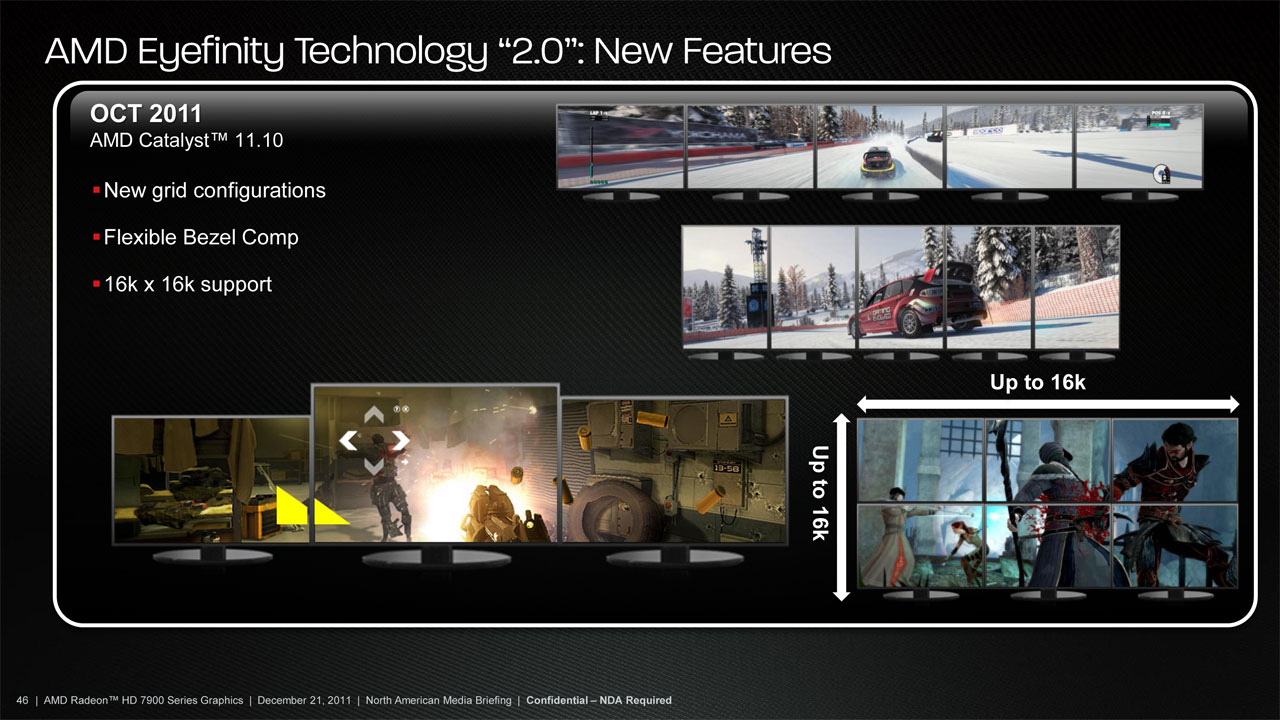
Eyefinity 2.0 -- no PLP.....

lordsegan

Gawd
Joined
Jun 16, 2004
Messages
624
Updated
Response and Service Request History:

Custom Resolutions adds a wider range of settings, with Eyefinity 1 on some setups all you could select was the native resolution for the displays. With Eyefinity 2 there are more options, but the displays will sill have to be set to a common resolution refresh rate and orientation to create the group.

In order to update this service request, please respond, leaving the service request reference intact.

Best regards,

AMD Global Customer Care


Response and Service Request History:
No, the displays within the group will still have to be set to the same resolution/refresh rate/orientation to create a group with Eyefinity 2
In order to update this service request, please respond, leaving the service request reference intact.
Best regards,
AMD Global Customer Care
 
Last edited:
Valued customer

fuck you, no, hahahahahahahahahahahha

Thank you for your question, customer involvement is important to us bla bla bla
 
So am i missing something here? What exactly does the "custom resolutions" in Eyefinity 2.0 actually add? As far as I remember, couldn't you set three different monitors to the same resolution before and use eyefinity?
 
So am i missing something here? What exactly does the "custom resolutions" in Eyefinity 2.0 actually add? As far as I remember, couldn't you set three different monitors to the same resolution before and use eyefinity?

I agree, something seems wrong with their response....
 
I guess you'll just have to wait until the drivers are ready to see what they bring. I wouldn't hold my breath for mixed PLP setups.
 
Looks like Multi-Resolution support is included, but probably not in PLP.
7970-Eyefinity2a.jpg
 
I don't see why PLP would be hard to make work as it's height is constant and your really just increasing the res out. What does it really matter how the monitor is postioned if you can just say hey I want my res to be this way and it all to be land scape.
 
It would be hard because i bet that ATM wether it is Landscape or Portrait is something done on the hardware level (simple fixed function to change output one way or another) and thus you quickly send the data through path A, B, C or D entirely.

If that could be changed on the fly then sure, it wouldn't be that hard to say i guess. All in all this is just me thinking about why it could be problematic after all.
 
I feel like you should be able to custom mod the inf's for the side monitors to trick it into thinking they're all the same orientation. I'm sure there's underlying complexities, but at the end of the day, PLP doesn't seem like it should be this hard to implement.
 
From what I saw the custom resolution is just different resolutions but the same aspect ratio.
 
From what I saw the custom resolution is just different resolutions but the same aspect ratio.

So does that mean we could do like:

4:3 portrait 2007FP (1600x1200) either side, with something like a 24"-27" 16:10 in the middle (1920x1200). That's a resolution of 5120x1200.
 
So does that mean we could do like:

4:3 portrait 2007FP (1600x1200) either side, with something like a 24"-27" 16:10 in the middle (1920x1200). That's a resolution of 5120x1200.

All three monitors still have to be the same resolution. The only difference is you can lower the resolution but all the monitor would be the same.

Like i had 5760 x 1200 the only resolution I could do is like 3840 x 800 or 2880 x 600.

Which would still make the three monitors use the same aspect ration but different resolution. In a nutshell it was useless and nothing "custom" about it.
 
This is starting to look worse by the minute.

I may as well keep my PLP setup, use SoftTH on all the directx 9 games, and use 30" only with Ultra settings in the directx 11 games..

I don't know why it's so hard if kegetys can do it in his garage why can't ATI or Nvidia.
 
yes it is, because the game control overall resolution.

You'd end up with chunks missing, or your side screens being letter-boxed,
 
So, what are you saying?
These new drivers can center your taskbar and desktop icons, even when in Eyefinity mode.

One step closer to being able to leave Eyefinity enabled at all times... now if they could just fix the TERRIBLE tearing on mismatched outputs...
 
I doubt that it can be fixed. They should just release cards with 3+ DisplayPorts and include active DP to DVI adapters in the box.

This. The only reason I bought the 7970 was becuase I don't plan on Eyefinity, 3 DP ports is a must. I don't mix and match my socks because it looks bad, same reasoning applies to display adapters.
 
they just annouced this feature was coming a month ago, give it some time
 
Just installed 12.2 beta...
*snip*

*Cries tears of joy*


center screen bar positioning is the biggest reason i switched from 6970's to my 7970, so excited as well :D btw, can we get a link to that wallpaper? :O
 
oh wow, lol, I feel like an idiot. I thought EF 2.0 was going to be restricted to 7000 series only for some reason even though it's obviously a software side upgrade. I guess that's Apple's way of doing things, but not AMD's :D Maybe I shouldnt have been in such a rush to sell my 6970's Thanks for the wallpaper!
 
Last edited:
I know this might be impossible and not a great sollution, but what if you trick it into thinking the side monitors are the same resolution, but it'd just overscan the picture off to the right and left. It'd be mighty wasteful rendering a whole monitors worth of extra information. But in theory it'd make the system "happy".
 
Why not? Shouldn't be too hard: only swap buffers on vsync.

Why would you use Eyefinity on the desktop though?
It's not a Vsync issue. It tears along the same line all the time, even when you drag a window across the desktop.

Because it looks cool and my CCC Eyefinity profiles don't work, so I can't switch between Eyefinity and extended desktop with ease.
 
So, I have a 3007 and a 2007 running on a GTX260 (I know, I know) and I'm looking to upgrade to another 2007 and video card. Is fixing PLP on the horizon and is this something that I should factor into my purchase? Looking to spend $200 - $270, don't mind buying used off of the forums.
 
Back
Top