![[H]ard|Forum](/styles/hardforum/xenforo/logo_dark.png)
Navigation
Install the app
How to install the app on iOS
Follow along with the video below to see how to install our site as a web app on your home screen.
Note: This feature may not be available in some browsers.
More options
You are using an out of date browser. It may not display this or other websites correctly.
You should upgrade or use an alternative browser.
You should upgrade or use an alternative browser.
Dell U2711
- Thread starter evilsofa
- Start date
Wow, another stupid monitor that's running 60hz. I'm getting sick of the LCD just milking it. $1000? Can't believe people are still falling for this crap.
Tell us how you really feel.
Tell us how you really feel.
yeah seriously... as for 120hz, input lag issues certainly come to mind.
Well I just got my U2711 and all I can say is its F**king gorgeous !!! Colors are brillant and the text is crisp, its being fed by 2 gtx 285's and i am thrilled. Of course for the last 8 or so years I've been on the dell 2405 which is still as nice as the day I got it, so this new hi-res experiance really puts the icing on the cake.....yes it was an expensive cake,but I have no regrets what so ever !
ebolamonkey001
Weaksauce
- Joined
- Jan 14, 2010
- Messages
- 106
I have two U2410 Dell's Rev a01.
Price isn't a concern.
Should I buy a 3rd U2410 or should I buy the new U2711 and make that middle monitor ?
I want to be able to use eyefinity to game on all 3 at once,
A single U2711 would provide a far better gaming experience than a bunch of crappy U2410's duct taped together aka eyefinity. Sell the U2410's or give them away or something.
Trust me, I've FPS gamed on a 27inch LCD TV using it as a PC monitor before. I thought it was the perfect size and it fills up your entire field of view. Going any wider than that doesn't really accomplish anything. Just adjust your seating position and monitor position until it fits your field of view correctly.
A single U2711 would provide a far better gaming experience than a bunch of crappy U2410's duct taped together aka eyefinity. Sell the U2410's or give them away or something.
Trust me, I've FPS gamed on a 27inch LCD TV using it as a PC monitor before. I thought it was the perfect size and it fills up your entire field of view. Going any wider than that doesn't really accomplish anything. Just adjust your seating position and monitor position until it fits your field of view correctly.
Yeah ok. LOL! Have you even try out the eyefinity setup? Do you even know how bigger a 27 vs 24 is?
Yeah ok. LOL! Have you even try out the eyefinity setup? Do you even know how bigger a 27 vs 24 is?
If you take his suggestion and sell the u2410's I'd be interested

daveswantek
[H]ard|Gawd
- Joined
- Oct 30, 2007
- Messages
- 1,231
A single U2711 would provide a far better gaming experience than a bunch of crappy U2410's duct taped together aka eyefinity. Sell the U2410's or give them away or something.
Trust me, I've FPS gamed on a 27inch LCD TV using it as a PC monitor before. I thought it was the perfect size and it fills up your entire field of view. Going any wider than that doesn't really accomplish anything. Just adjust your seating position and monitor position until it fits your field of view correctly.
Or he could get a iPad and have four screens duct taped together.
Actually; I agree. I would much rather have one big screen rather than three little screens in a row. If you want to go big get a 40" or larger HDTV.
Dave
I wouldn't consider 24" "little screen". Seen side by side I can't justify $600 premium for u2711 over u2410.
I bought two 2410s for price of one 2711. I love to have more than one monitor. Watch HDTV on one screen via ATI cablecard tuner and surf internet on the other!
I would have bought two 2711s but they just don't fit on my desk!
Side by side comparison of 2410 & 2711...
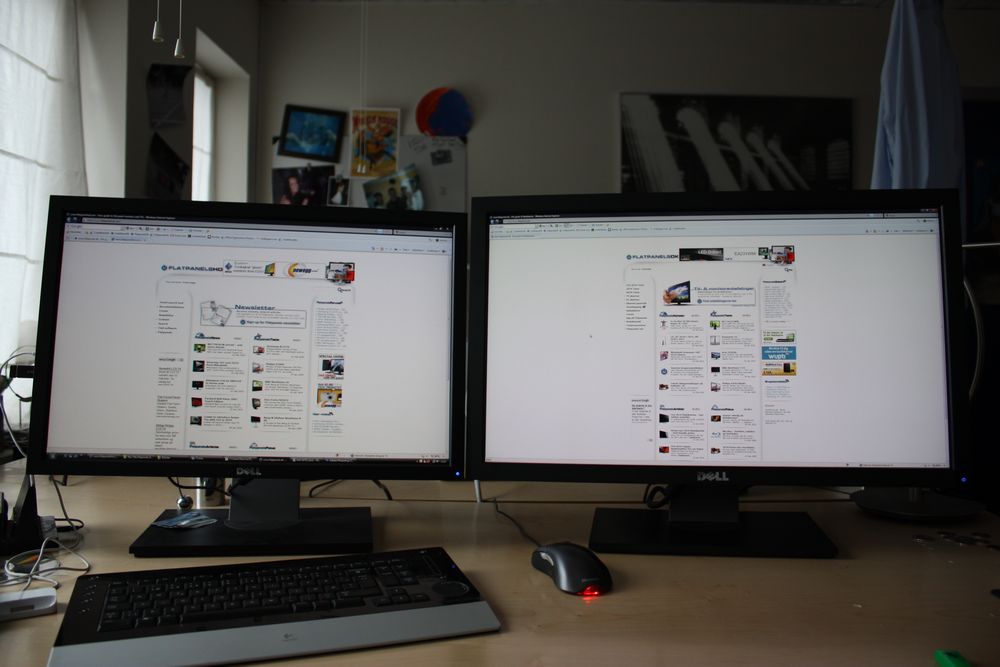
I bought two 2410s for price of one 2711. I love to have more than one monitor. Watch HDTV on one screen via ATI cablecard tuner and surf internet on the other!
I would have bought two 2711s but they just don't fit on my desk!
Side by side comparison of 2410 & 2711...
the u2711 does not do display out of the box. You'll need a 3rd party arm/mount for that.
So who will be first with 3 x U2711 in eyefinity portrait mode?
The 2711's $600 premium isn't for the relatively minor physical size difference between it and the 2410. It's for the huge difference in screen resolution. I'll be buying two 2711s to replace my 3008 in a few months.I wouldn't consider 24" "little screen". Seen side by side I can't justify $600 premium for u2711 over u2410.
I bought two 2410s for price of one 2711. I love to have more than one monitor. Watch HDTV on one screen via ATI cablecard tuner and surf internet on the other!
I would have bought two 2711s but they just don't fit on my desk!
Side by side comparison of 2410 & 2711...

JacobC1983
2[H]4U
- Joined
- Sep 4, 2006
- Messages
- 2,609
why wouldn't you just get another 3008 - seems more logical considering having to a take a loss on selling your 3008 because you can't sell it for what you paid for it most likely. Besides, the res is higher on the 3008.
You always take a loss on selling used equipment. That's hardly a reason not to sell it. Besides, I prefer the 2711's "near-3008" resolution in a smaller sized LCD. 2560x1600 vs. 2560x1440 isn't a massive difference in resolution.why wouldn't you just get another 3008 - seems more logical considering having to a take a loss on selling your 3008 because you can't sell it for what you paid for it most likely. Besides, the res is higher on the 3008.
Let me see if I have your choices right?:
1. Spend X dollars to buy a third 3008. obtain 3x(2560x1600). [1.6]
2. Sell 2x 3008 for Y dollars, and spend Z dollars to buy 3 2711's for a total of X dollars. Downgrade to 3x(2560x1440). [16:9]
On the upside you don't need as much gpu power if you go with option 2.. but it still seems inferior to me. :/
1. Spend X dollars to buy a third 3008. obtain 3x(2560x1600). [1.6]
2. Sell 2x 3008 for Y dollars, and spend Z dollars to buy 3 2711's for a total of X dollars. Downgrade to 3x(2560x1440). [16:9]
On the upside you don't need as much gpu power if you go with option 2.. but it still seems inferior to me. :/
I'm not looking to buy a third LCD and fail to see how you could infer that from anything I wrote in my previous posts. I quite specifically wrote that I'm going to buy two 2711s to replace my 3008. To follow onto your second point, that means buy 2 (not 3) 2711s for Z dollars and sell my single 3008 for Y dollars.Let me see if I have your choices right?:
1. Spend X dollars to buy a third 3008. obtain 3x(2560x1600). [1.6]
2. Sell 2x 3008 for Y dollars, and spend Z dollars to buy 3 2711's for a total of X dollars. Downgrade to 3x(2560x1440). [16:9]
On the upside you don't need as much gpu power if you go with option 2.. but it still seems inferior to me. :/
Any of this sinking in?
hello,
would like to know the exact size (width by height) of the viewing area of the screen.
Image Dimensions: 23.54" x 13.22"
Use the ever handy TVCalc:
http://tvcalculator.com/index.html?b6099e4f60a5ee33e7c6cec0278bdac0
tronmaster
Limp Gawd
- Joined
- Feb 2, 2004
- Messages
- 482
So just curious for those that have their monitor what are your display settings at? I used the one at that review some pages back but the red is a little to red... Yea, maybe I should just go with the default? Thanks!
Any of this sinking in?
Thankfully I'm not dense, I was just asking the question to clarify because 17 pages is a lot to go through. I guess I combined two unrelated posts to come to the conclusion that you already had two 30" and were planning to go eyefinity. XD
The 2711's $600 premium isn't for the relatively minor physical size difference between it and the 2410. It's for the huge difference in screen resolution. I'll be buying two 2711s to replace my 3008 in a few months.
Mr. Wolf your main reason for replacing your 3008 with 2x u2711's is because you have tight vertical space (or want to be able to to see people behind your lcd?) and unrestricted horizontal space? It sounds like you find the additional vertical resolution of the 3008 fairly under utilized? If you dont mind me asking do you have a general idea of your usage percentage (game/office/movie watching/etc). Are there other reasons for the switch (input lag, backlight bleed)?.
Please know that I am not trying to be argumentative: as someone who is agonizing between 1x 30" or 1x u2711 I am very interested in your decision. Thanks.
So just curious for those that have their monitor what are your display settings at? I used the one at that review some pages back but the red is a little to red... Yea, maybe I should just go with the default? Thanks!
I have mine on sRGB with 28% brightness.
those dimensions 23.5x13.2 versus my current 21 inch diagonal monitor (samsung 215tw) with a viewing area 11.25x18 :
it's 5.5 inches wider but only 2 inches TALLER. man that must be like one of those old cinemascope movies from the old days lol. too bad the size increase is not proportional in both directions, it would be huge.
Msongs
it's 5.5 inches wider but only 2 inches TALLER. man that must be like one of those old cinemascope movies from the old days lol. too bad the size increase is not proportional in both directions, it would be huge.
Msongs
Just got mine... All I have to say is amazing. Words cannot describe how nice of a display it is.

Why does the screen look washed out? Is that cuzz of the matte finish? The rest of the pic(not including the window) doesn't look washed out
Image Dimensions: 23.54" x 13.22"
Use the ever handy TVCalc:
http://tvcalculator.com/index.html?b6099e4f60a5ee33e7c6cec0278bdac0
Here's another very useful applet for that as well: http://www.flatpanelshd.com/focus.php?subaction=showfull&id=1229341408
White glow.Why does the screen look washed out? Is that cuzz of the matte finish? The rest of the pic(not including the window) doesn't look washed out
JacobC1983
2[H]4U
- Joined
- Sep 4, 2006
- Messages
- 2,609
This is the same LG panel used in the imacs that are having all the problems with yellow tint and flickering. Anyone having that problem? It was fixed with a recent firmware update I believe, but I don't know how the yellowish tint can be fixed with firmware. Anyways, just wondering if anyone has seen this as a problem.
JacobC1983
2[H]4U
- Joined
- Sep 4, 2006
- Messages
- 2,609
the 27-inch iMac uses the same LG basic LM270WQ1 IPS panel but the Dell uses a conventional CCFL backlight as opposed to the iMac's LEDs. Especially since the LED matrix positioning has been suspected of causing yellow iMacs, the idea that this Dell display would be just fine makes some level of sense.
Blazestorm
Supreme [H]ardness
- Joined
- Jan 17, 2007
- Messages
- 6,940
For the most part I think LED back lighting is just a marketing gimmick with desktop LCD's...
Can someone help me measure these parts of the LCD when the panel is adjusted all the way down?
I'm trying to see how it can be placed on my table.

And also if my X1900XT can run the resolution? I'm not sure but the specs are here:
http://ati.amd.com/products/radeonx1900/radeonx1900xt/specs.html
Thanks a lot!!!
I'm trying to see how it can be placed on my table.
And also if my X1900XT can run the resolution? I'm not sure but the specs are here:
http://ati.amd.com/products/radeonx1900/radeonx1900xt/specs.html
Thanks a lot!!!
And also if my X1900XT can run the resolution? I'm not sure but the specs are here:
http://ati.amd.com/products/radeonx1900/radeonx1900xt/specs.html
From the specifications -
Dual-link DVI
You'll be able to use it.
tronmaster
Limp Gawd
- Joined
- Feb 2, 2004
- Messages
- 482
the 27-inch iMac uses the same LG basic LM270WQ1 IPS panel but the Dell uses a conventional CCFL backlight as opposed to the iMac's LEDs. Especially since the LED matrix positioning has been suspected of causing yellow iMacs, the idea that this Dell display would be just fine makes some level of sense.
Yea, that's what I heard about the 27-inch iMac.
I have been using my monitor since Monday and besides the slightly stronger reds everything is just wonderful, the Dell U2711 fits in my cubby area just like my previous LG 24-inch monitor.
Games run great, 1080p blu-ray is great, browsing is great, I have alot of desktop space!
Probably later on I would have to buy one of those hardware color calibration tools.
Here's another very useful applet for that as well: http://www.flatpanelshd.com/focus.php?subaction=showfull&id=1229341408
Essentially this is a more flashy, but less functional knockoff of TV calculator (they indicated the TVCalculator was their inspiration).
Advantages of original:
Copy and paste the image dimensions (as I did above).
Script based instead of Flash based (die Flash).
Up to 4 screens vs 2.
You can save any configuration and share a link(again as I did above).
Advantage of new one:
Nothing.
Why does the screen look washed out? Is that cuzz of the matte finish? The rest of the pic(not including the window) doesn't look washed out
Nah, it is not washed out, just from post processing in lightroom since the photo was really dark. There is also no white glow that I can see.
Better pic.

I can take a better pic of it if anyone wants with anything on the screen.
Whoisthisreally
[H]ard|Gawd
- Joined
- Feb 14, 2009
- Messages
- 1,143
Nah, it is not washed out, just from post processing in lightroom since the photo was really dark. There is also no white glow that I can see.
I was going to ask about this yesterday, but decided to wait.
This monitor may be using a panel with a newer revision of H-IPS design. In context of this I was wondering if any of the viewing traits have changed from the previous versions.
I'd like to ask the new and apparently happy owners about if they can spot any glow or increase in brightness on a dark or black screen when viewed from a diagonal angle.
Thanks.
Thanks for the pic Roadhog. Do you have access to photoshop? If so I wouldn't mind seeing a colourful photo displayed in that program. A pic from here would be best for comparison as I edited those on my broken nec glossy lcd. I'm concidering this monitor for photo editing and 3D design but I'm just a bit iffy on the grainy matte finish people are talking about. Thanks!
Thanks for the pic Roadhog. Do you have access to photoshop? If so I wouldn't mind seeing a colourful photo displayed in that program. A pic from here would be best for comparison as I edited those on my broken nec glossy lcd. I'm concidering this monitor for photo editing and 3D design but I'm just a bit iffy on the grainy matte finish people are talking about. Thanks!
You want me to open that pic in photoshop, and then take a pic of it with my camera?