• Some users have recently had their accounts hijacked. It seems that the now defunct EVGA forums might have compromised your password there and seems many are using the same PW here. We would suggest you UPDATE YOUR PASSWORD and TURN ON 2FA for your account here to further secure it. None of the compromised accounts had 2FA turned on.
    Once you have enabled 2FA, your account will be updated soon to show a badge, letting other members know that you use 2FA to protect your account. This should be beneficial for everyone that uses FSFT.

Anyone Still Mod their cases??

Format _C:

Supreme [H]ardness
2FA
Joined
Jun 12, 2001
Messages
4,161
I was recently given a bunch of computer Junk (My uncle is a computer fiend like me and he passes on the old to me)
Anyway I got a bunch of Generic Mid Towers that I would like to mod for better cooling (I have a Athlon II x4 in there with two optical Disc Drives and one WD 1TB Black )
Anyway the case I want to mod is really solid built not flimsy like most of the Generic "Computer Show" Special cases
I want to add two 120MM fans to the side panel and two 92MM or 80 MM fans to the top of the case
So my questions are what are the best ways to go about cutting the holes and then mounting the fans?
My tool arsenal is as follows:
Black & Decker RTX (Dremel Clone) with a boatload of cutting discs (From the days when I modded my Inwin Q-500A I miss that case)
Black & Decker Jig-Saw
Black & Decker Drill (Really old with no reverse setting but it works great much better then today's MICC)

If I was to buy new tools (Hole-Saw Kit) Which is the appropriate sizes for 120MM , 92MM & 80MM fans (Yes I know how convert MM to "inches") I just don't want to buy a 120MM hole saw and have the fans go right through the hole because I made it too big (That's What She Said:D)

Thanks
 
sharpie to mark the layout of a fan. use a drill bit for a pilot hole and use that to start the cut with a jigsaw.
 
if you use a jigsaw make sure you use the highest tooth count blade you can find. cut on a solid backing,
the more flex there is the more noisy and horrible the cut. (for instance get a waste piece of wood , clamp your work piece to it and cut that at the same time as the hole, it will be much nicer). and be careful of some cheap jigsaws, the blade tends to wander.
 
Response to thread title: "OF COURSE!" :D

If you have an alternative means, I'd advise against the jigsaw. It's a little too harsh. Dremel or hole saw. If you have a drill press get an adjustable hole saw/circle cutter. Can do up 6" diameter.
 
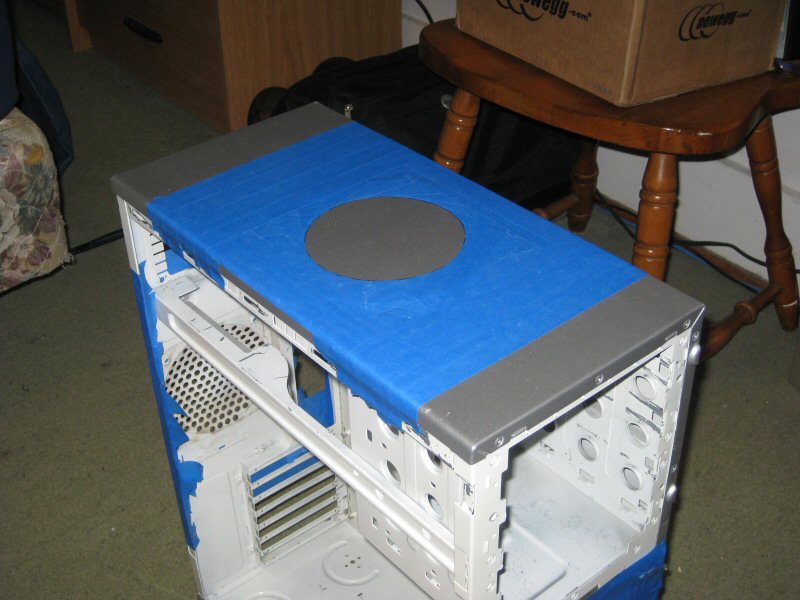
I have had pretty good luck using a jigsaw. I do several layers of tape on the panel, draw the circle, drill a hole and then go at it with the jigsaw.

IMG_6832.jpg

IMG_6838.jpg

IMG_6855.jpg
 
Go holesaw if you can. And always tape it up first with blue painters tape.
 
dremel ftw... Always make a template.... do short runs never try and cut it all at once... and your good... on my first case...I added an 120mm blowhole and inlet slits for an 80mm

for my latest case... the top has a big section cut out for a 240 rad... have the side off because I have not figured out how I want mount the side rad...
 
dremel ftw...
The Dremel is a classic jack of all trades, master of none tool. It's very versatile, but for the majority of tasks, there's a dedicated tool that does the job much better. Rotary tools are very useful for those situations when you don't have the proper tool.
 
I suck at cutting holes with a dremel but it's what I use because I don't care. :p
 
The Dremel is a classic jack of all trades, master of none tool. It's very versatile, but for the majority of tasks, there's a dedicated tool that does the job much better. Rotary tools are very useful for those situations when you don't have the proper tool.

Agreed. I undoubtedly use the dremel. Mostly for contouring plastic, fine tuning larger cuts, and those hard to reach spots. But the majority of my modding I do with an angle grinder. It takes a little finesse. :) But will never not have a dremel handy.
 
Do you take it off any sweet jumps? :p

I had a monster gt, it was pretty sweet but too expensive to run, sold it for $40 just to get rid of it quick (was way beat up).
 
dremel is not the master or jack... simply an enabler...it is up to you... steady hand and you can make masterpieces ....clumsy and you get abstract art...

There are better tools for individual tasks... but you can do some pretty trixy stuff with that there dremel...
 
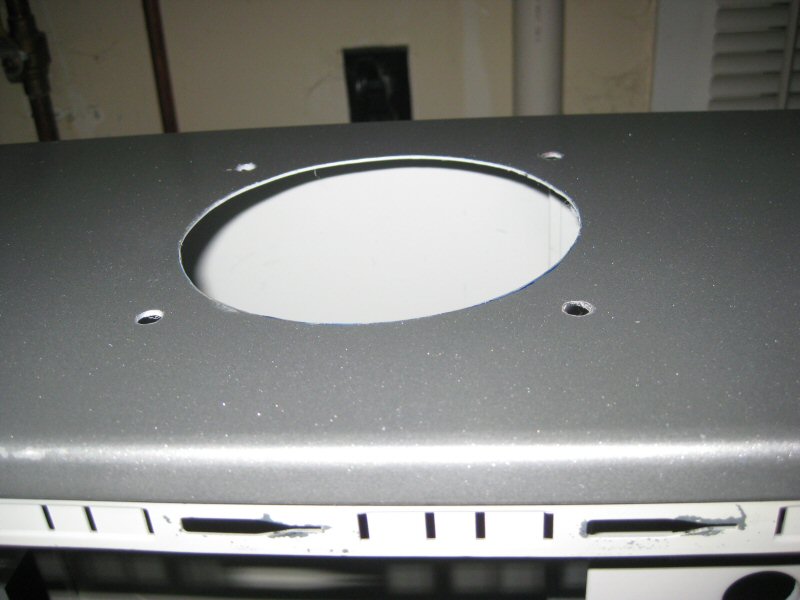
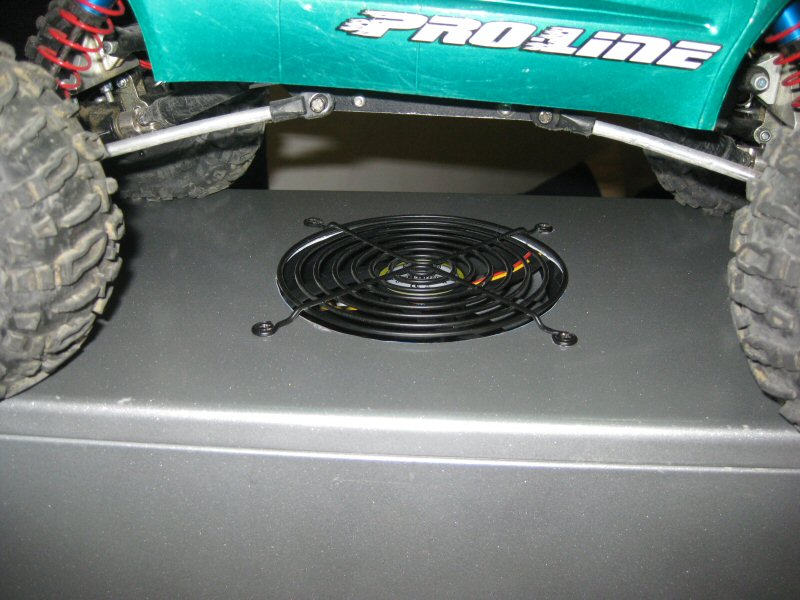
OK so I finally cut the hole and it came out horrible (Stupid me for trying a New Tool)
Anyway it looks horrible and I don't care as my computer is happy, I have an ATI/AMD HD5450 and the card was 175F at full load and 135-145F at idle Now the card idles at 100F 115F is the maximum I have seen so far

Anyway here is a pic of my horible job

Case_Hole.jpg


PS I did not use the dremel 678-01 I started the hole with it and I (As you can see in the upper right corner of the hole) And the cutting bit broke so I finished it with my B&D RTX
 
oh yeah, I mod my case :D I dremeled the inner frame of my SG06 to fit in a GTX570 :D D
 
Oof, that is butt ugly! Haha, no offense, just giving you a hard time. ;)

If you have room, open that hole up and use a 140mm fan in it's place. And DON'T use that hole cutting tool. Use the tried and true methods others have recommended. :)

But you can't argue with performance. There's form and there's function. You've got the function down with cooler temps. Way to go!
 
Back
Top