Jonsbo 5 vapour silliness

the structure of the case is built of thin steel, but there is a thick plastic piece about 1" tall and the width of the case
being pretty .
so all the button, usb, and lights are all mounted to the steel, with the plastic bolted in front just to look nice.
it would be nice to be able to 3D print a replace unit with the four C sockets, but my printer cannot do 14" (case width).
 
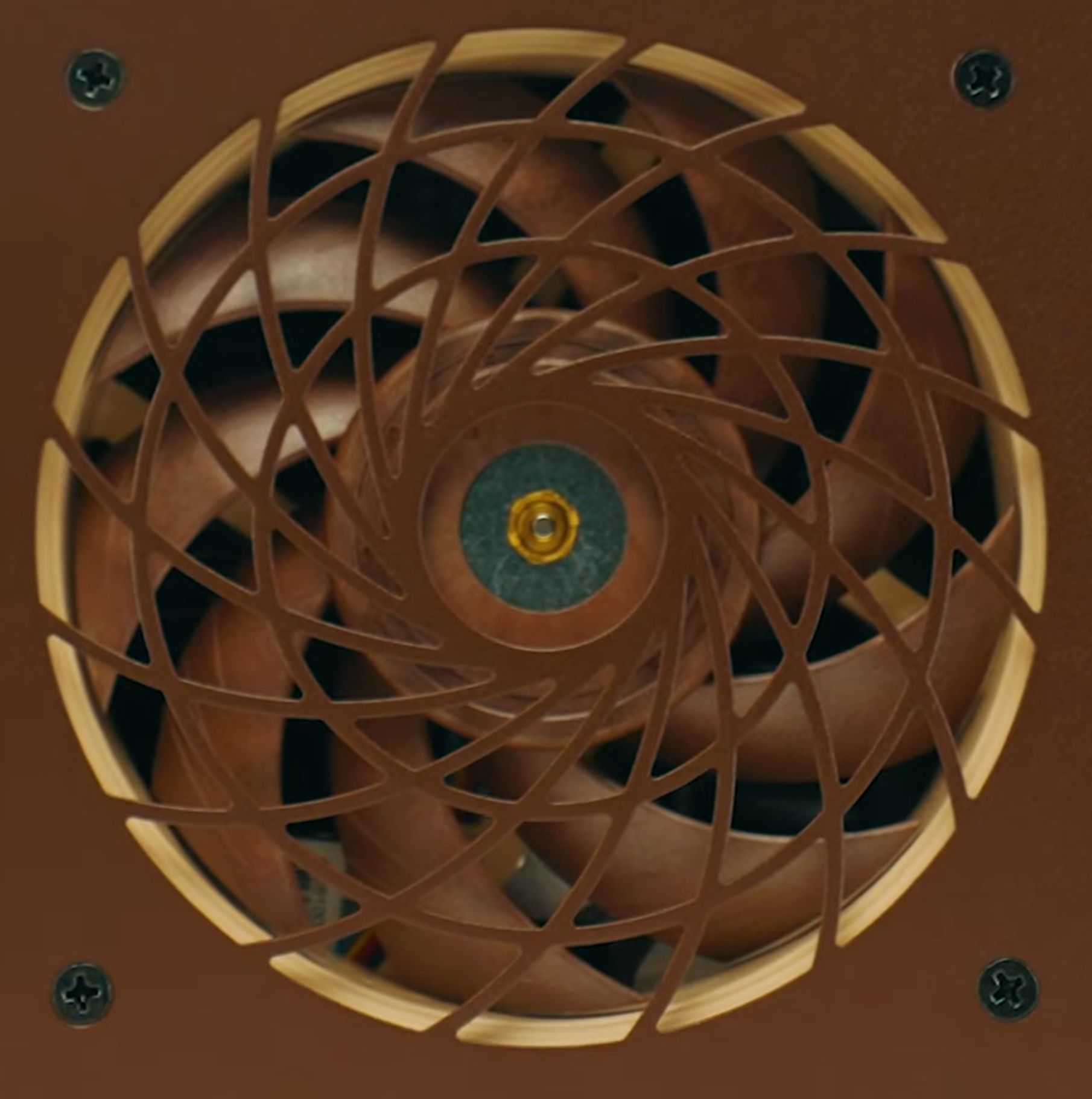
jonsbo has nice fan grating, instead of little round holes it has biggish slots =more air, less steel.

hg182619[1].jpg


I like what noctua does to this concept.

hg5647688.jpg
 
I took out the four screws out and removed the twin exaust fans assembly.
a 140mm fan has enough room of tall, but the second hits well before it runs into the PSU wall.
there is a hole in the motherboard base panel for the sata cables AND board power wires.
I mockedup wires to simulate sata cables, a selection of lengths of those thin blue sata cables is expected friday.
that cluster covers the X399m motherboards 8 sata plugs to the 8 HDDs with LED displayed at the front plastic strip.
the 4 drives in the removable cluster, largely hidden by the PSU, is planned for the M.2 sata array.

hg310[1].jpg


you can see the top ends of four 14TB 3.5 drives, the 5TB 2.5 rusting drives, in between each big drive, are hidden by the circuit board.

the row of holes along the bottom under the circuit board allows airflow from under the drive support plate.
that plate could use some airflow massage.
 
I quite like the Seasonic 850, but I would like the power sockets on the side we can see in the previous picture.
that would allow the power wire bundle to run along the bottom to the other side where the motherboard power sockets are above.
keeping the power away from the data.

since the 850 puts its wires stuffed directly into the 4 drive data array, moving that end away would be good.
the N5 utilizes a separate mount plate to bolt on the PSU, so the PSU pulls directly and easily. I LIKE that.
also, there were 8 motherboard mount spacers left over.
when assembled in pairs I have a set of 1/2" long, 6/32 thread, PSU spacers.
screw in them into the case holes, and then the PSU mount plate to them, and the power wires are .5" furthur away.
 
with the silver arrow sitting still on the CPU dust protector I put the aluminium case top.
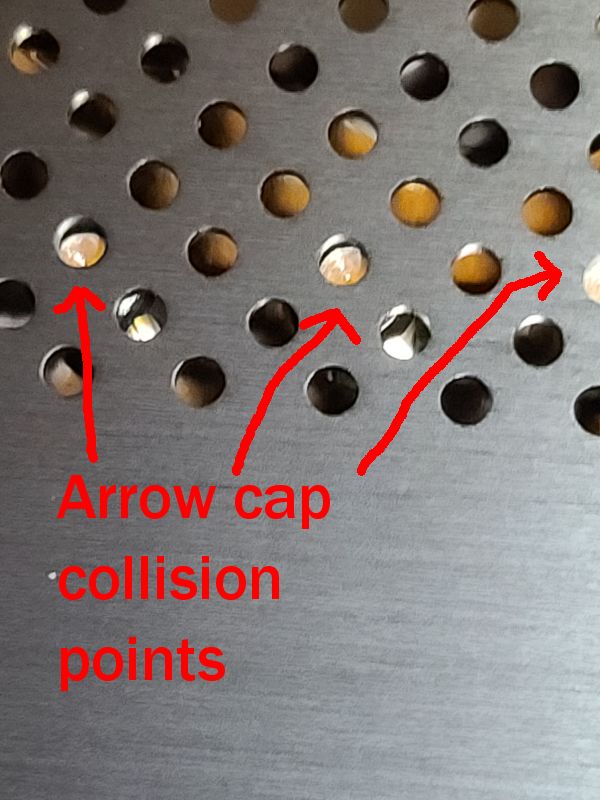
the Arrow pipe top covers touch the case top.
BUT the six screws all fit easily, implying only a minor collision to deal with.

the Arrow has a beauty cap on each pipe, which is actually what contacts the case top.
the caps are added last after the fins, and have NO need to be ever removed, so I am not going to attempt to remove them.
filing the top end of the caps sound like the ticket, since it will be obvious when the pipe is exposed and filing operations cease.

hg695887age1.jpg


hg685414.jpg


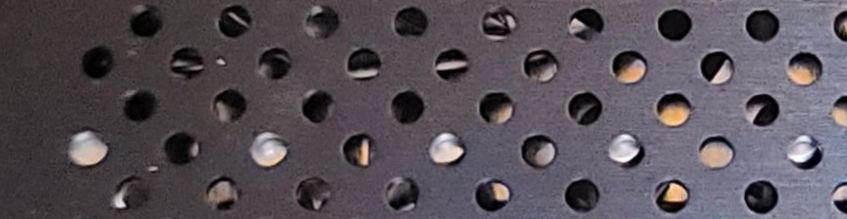
I am amused that the cap spacing looks exactly as the spacing of the case vent holes.
if the hole was expanded to fit the cap without contact, I could end up with a couple rows of shiny dots at surface depth.
 
Last edited:
overkill is sometimes excessive.
instead of easy to build and cheap plastic the pipe covers are MACHINED STAINLESS STEEL.
plenty thick tall to cut in height, but tough to file delicately.


hg202410[1].jpg

that took a while, leaving 15 left to file.
dremel time.
 
the Corsair RM1000x shift psu is what inspired the notion of the power sockets on the side instead of the end.
but, I want the sockets on the BOTTOM side, opposite the psu fan, not the side.
not available.
 
the PSU fits in place sideways between the sata circuit board and the exhaust fans, with air flow room.

hg132006[1].jpg


hg132105[1].jpg


need a use for the original PSU mount plate.
 
I looked for a Seasonic 850 titanium SFX PSU, because that would be much more shorter than the ATX psu device.
does not seem to exist.
so adding a 1" spacer allows about 2.5" room for all the power wires between the HDD wiring.

I plugged into the 5 hdd power sockets using sata and molex adapters, lots of wires not needed.
I look to run one set of wires going to all five sockets, sata and molex.

hg154504[1].jpg
 
I took off the wifi lump and installed the sata adapter, to see if it works and see which way the wires are aimed.
hg013227[1].jpg

it works, all 4 hdds work good.
the green light is four leds that show when the hdd is used.
entirely unuseful
too tiny, and no way to see which one flashed.
 
the N5 has the mobile 4 hdd bit 'for power wire access'.
I pulled it out from the case and plugged it into the wifi adapter device.
hg162933[1].jpg


with only the sata power plugged in, no molex power, it runs four 14tb sata drives and two 120mm fans, using a "low-noise adapter" to use the always full power fan plug.
there are green lights inside the box for there is a hdd plugged in, and blue leds that show the drive is in use.
I will look inside the box how the leds are wired to how see how tough it will be to get the lights visible outside the case, no way they are visible now.
 
the removable 4 hdd chunk has a problem I've found so far.

it is built of steel sheet pieces that are screwed together.

the slots that the rubber HDD mounts go inside are not perfectly smooth, I rubbed with some folded paper towel on the edge and it was sliced.
600grit sandpaper fixed that.

the rest of the steel pieces of the case are equally not perfectly smooth, only sharp enough to require a hard rub to create blood, BUT possible.
 
Last edited:
I am not interested in water cooling, so how to use fans effectively IS interesting.
the standard fan flow shape is a donut, but the shape of the cooler is a square.

so the cooler has a lot of area that gets inferior air from the fan's when the fan is bolted to the cooler.

moving the fan away from the cooler, with a duct to the cooler, allows the air to reach ALL of the cooler.

073158[1].jpg
 
  • Like
Reactions: Derf
like this
How have folks been addressing the F_PANEL vs Motherboard header differences between the case - in the case of my Supermicro their front panel (JF1) uses a completely different layout. I can go for individual pin mapping but curious if anyone has come up with something a little more secure and less likely to detach.
 
How have folks been addressing the F_PANEL vs Motherboard header differences between the case - in the case of my Supermicro their front panel (JF1) uses a completely different layout. I can go for individual pin mapping but curious if anyone has come up with something a little more secure and less likely to detach.
I do not understand,
the wires from the case power button etc. to the mboard etc. ?

I plugged in a 10700 era board and everything worked and plugged in properly to the N5.
 
071859[1].jpg


I saw no need for the protective grill at the cpu fan exhaust.
i did not want to use a saw, and spray steel shards everywhere, so I tried my hakko chp170 cutter.
it cut easily, so the steel of the N5 is more made of butter than guns.
after cutting through all the 'fingers' the hakko still cuts paper, IT is made of gun steel.

the stubs are pretty sharp, so I used "caterpillar grommit" to cover them,
except at the fan screws

130413[1].jpg
 
I do not understand,
the wires from the case power button etc. to the mboard etc. ?

I plugged in a 10700 era board and everything worked and plugged in properly to the N5.
Thanks for the reply! This may be a Supermicro challenge, but the front panel headers aren't pin compatible.

Here's the Jonsbo panel layout:
jonsbon5.png


Here's the Supermicro layout:

supermicro.png


My current plan is to use individual pin cables to map the two, but am curious if anyone else has a better option
 
This may be a Supermicro challenge
seems to be the situation, I have the jonsbo plug in the asrock X399m taichi board, and it fits fine.

find a supermicro plug, with wires, and solder the appropriate wires from the jonsbo plug.
 
I ended up mapping the two plugs using this simple plug (https://www.amazon.com/dp/B09BFXJPFF) which I removed all pins from the headers and swapped their locations to align to the F_PANEL order. I can't believe I didn't notice this before, but the Jonsbo F_PANEL plug on the N5 only has four of the 9 wires which actually connect to the F_PANEL board (PW+, PW-, P LED+, P LED-) - that means that what I ended up doing was overkill, and anyone else looking to manage this mapping only has to think about those four pins.
 
As an Amazon Associate, HardForum may earn from qualifying purchases.
I have been working on how to generate stuff with the 3D Printer.
Freecad looks unable to me, it just refuses to make sense to me.
fusion is offended by me, i appear to tried it a couple years and did not please it, so it hates me and will not allow me to try it, again.

so I am using 3D Builder, from windows 10.
very weak, but usable, roughly.
20hgjku.jpg


magnets to hold the ducts to the HS so it will be easy to get through to the cpu when all is in place.

working on use a 140 at the
20hgty.jpg
intake end of the cpu

the HDDs for the SSDs sit right in front of the memory .
so I am looking at a fan running UNDER the cpu ducting to directly cooler for the MB top stuff, like the asrock gear thingie.
 
You're right...that is silliness.

My n5 doesn't have any issues like that. Although, I definitely like your rubber handle replacements. That is singlehandedly the worst part about this case. I have all 12 bays wired up using a combination of the 7 ports on my motherboard and an ASMedia 1166 m.2 adapter. I replaced the fans with PWM Thermalright ones and it is much quieter.

20250512_072128[1].jpg
 
Last edited:
I have been looking about how to dehumidimize the 3D printer filament.
the standard is using a electrical heater in a box with the filament inside.

the N5 is a box with electrical heaters inside.

so using the cooling for the computer, AS FILAMENT dehumadimizer air flow, seems quite silly since nobody already does.
 
air water silly continues.

a point of filament heater dehumids is using heat to get filament dry FAST.
using the computer would not create very hot air but WOULD run all the time, for free.
water cooling would allow easy hoses to put the heat where the filament is stored.
 
the lower case box is too small for a standard 3D spool, however it WILL fit 7 harddrives with enough room for airflow.
the wiring is crowded using standard plugs, so wiring to fit as needed looks good.

hgd753.jpg
 
8-4-4 burfcation in a pcie5 x16 allows,
a 5060 mini plugged into a dual ssd device.
I bought two 4tb Samsung Pro 990 @ $260 each right the price freaked to $770 each,
so I can have pcie4 8tb ssd added to the 5060 with 8gb.

hg6575252[1].jpg
 
the N5 has 8 lights for 8 HDDs, but I have 27 hdds so far I can run in it.
leaving 19 hdds with NO lights (the 4 hdd at the front has leds INSIDE)
so I am looking for how to get LEDs from basic HDDs.
like the 8 drive, and 4, has leds from individual drive plugs.
 
They mean Pin 11 on the SATA POWER connector, not the DATA connector.

Pin 11 is an interesting pin. It is commonly used to manage staggered spin-up of drives in backplanes. (Not all though, some drives support it by commands only, and some don't support it at all).

If pin 11 is high or floating (as provided by most backplanes, but NOT standard sata power connectors) the drives will do staggered spin-up controlled by backplane.

If pin 11 is grounded then it'll spin up immediately.

Now, after spin-up, pin 11 is used to indicate activity LED's for most drives. Again, this wont work unless the backplane supports it.
 
I would also like to be able to do "staggered spin-up controlled by backplane" ! by creating my own wired backplane that does the leds too.
 
20261008hg2.jpg


four 140 Noctua intakes.
the bottom 2 are removable, the bottom still requires a plate to block the holes, and mount the USB sockets.
the stock start button remains in the center.
all 4 intakes are plugged to one motherboard fan outport, using 3 noctua two into plug fan splitters. (I Like those things)
 
20261014hg3].jpg


three 120 Noctuas as exhaust,all 3 external mounted.
the single 140 CPU fan runs this other 3,same 3 splitter setup.
the 850 seasonic PSU is spaced 1" out, to add space to power plugs inside.
the botton fans unplug with 1 plug, to access to the 4 2.4" hdds inside.

the twin fans DO have the harmonic sound noise, so I plan a twin set of Noctua offset speed 120s.
 
2026hg4.jpg


the front hdds fans ready to unplug the power wires, allowing the inner fan mount to be pulled, accessing to the 12 HDDs.

there is enough room to run fan a wire from the 2 bottom fans to the 2 top fans with no metal cutting.
 
Back
Top