- Joined
- Jul 24, 2021
- Messages
- 3,685
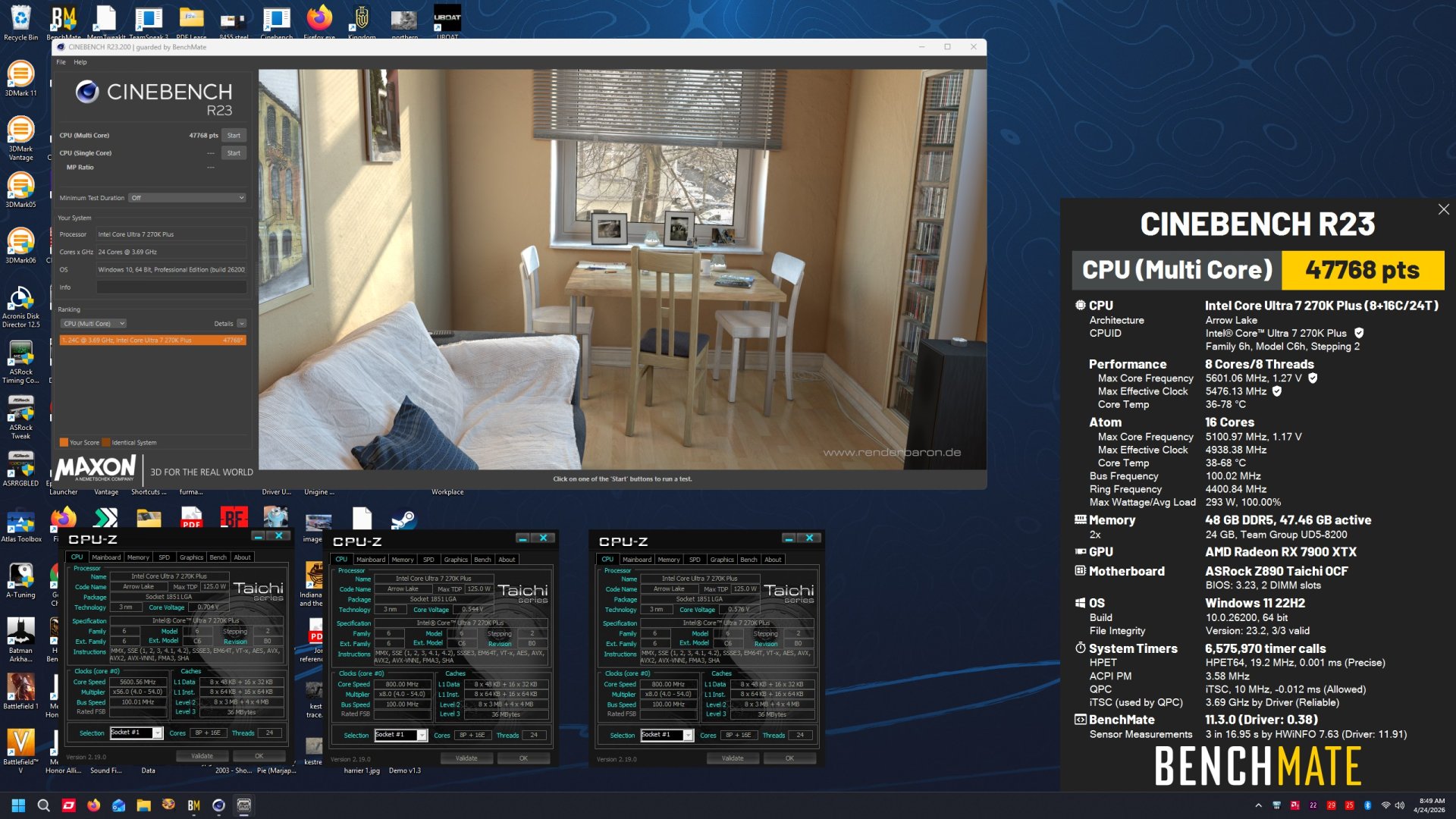
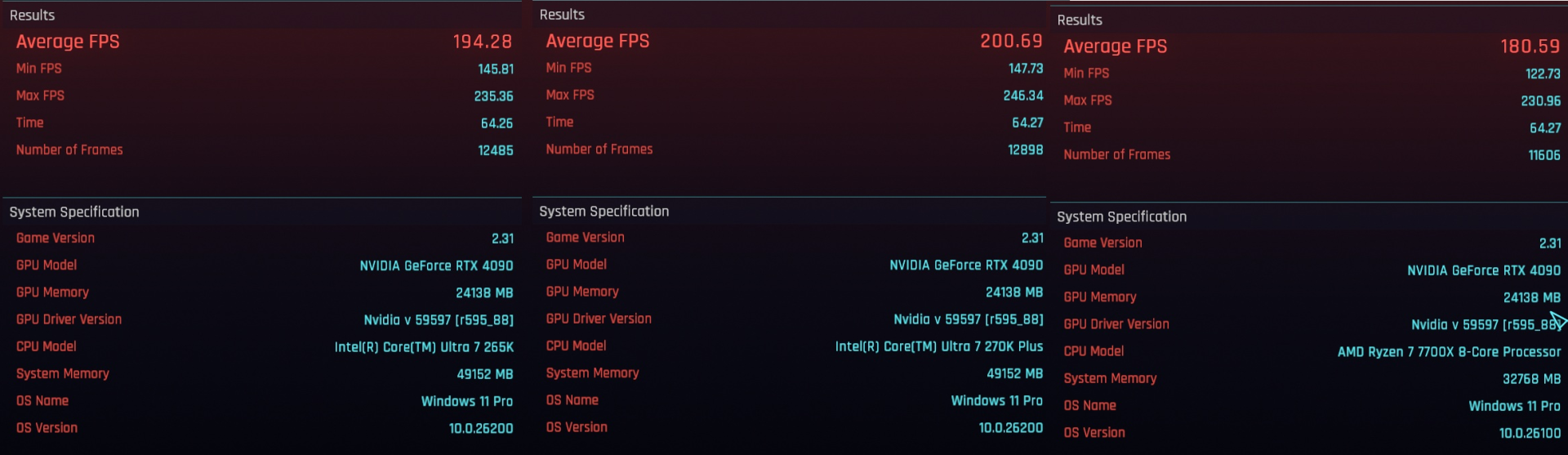
And identical performance to the 14900K (or a smidge better)

![[H]ard|Forum](/styles/hardforum/xenforo/logo_dark.png)
Follow along with the video below to see how to install our site as a web app on your home screen.
Note: This feature may not be available in some browsers.
FF14 has always been butter smooth for me whether I'm on Intel or AMDAMD/X3D is kind of crap on FF14 in reality though, jerky/stuttery. That's why I've never used my 5800X3D or 7800X3D as my daily driver so they just kinda chill in the other room and why I never got the 9800X3D.
Usually, but that's just being GPU bound. Fire up an old or non-demanding game, run on low settings with a fast card, or turn on upscaling and you'll see a lot more difference.Doesn't the 285K (Or the 270K, ect) get better results at 4K when comparing to AMD? Every review shows them beating Intel a lot at lower resolutions but seem to be a lot closer at 4K.


nice, gonna wait and see if the price drops at all before I grab one since it's just an extra cpu for me.

Any meaningful difference between the L or V?I received a 250k from B&H
The batch is L**G***
The overclock.net thread for Arrowlake, seems to think that CPUs from LG and VG batches are the best.
L cpus are laser etched IMC, like mine.
V CPUs have a printed IMC.
View attachment 795155
I dunno. I was just repeating what they were saying on the overclocking forum. But, I otherwise don't know where they are getting that info.Any meaningful difference between the L or V?



OC dot net has a dedicated thread for this board:
Great thread, I been a long time member...OC dot net has a dedicated thread for this board:
https://www.overclock.net/threads/a...?post_id=29397769&nested_view=1#post-29397769

The power draw for gaming, is underneath the CPU temp.Wow 270k is significantly faster than a 14700k 100% of the time in gaming and applications. This is a W for the 270 for sure. Is it doing it using less wattage? Not sure if I can see the power draw.
not sure why they are comparing those two... they are I7's but thats about itWow 270k is significantly faster than a 14700k 100% of the time in gaming and applications. This is a W for the 270 for sure. Is it doing it using less wattage? Not sure if I can see the power draw.
not sure why they are comparing those two... they are I7's but thats about it
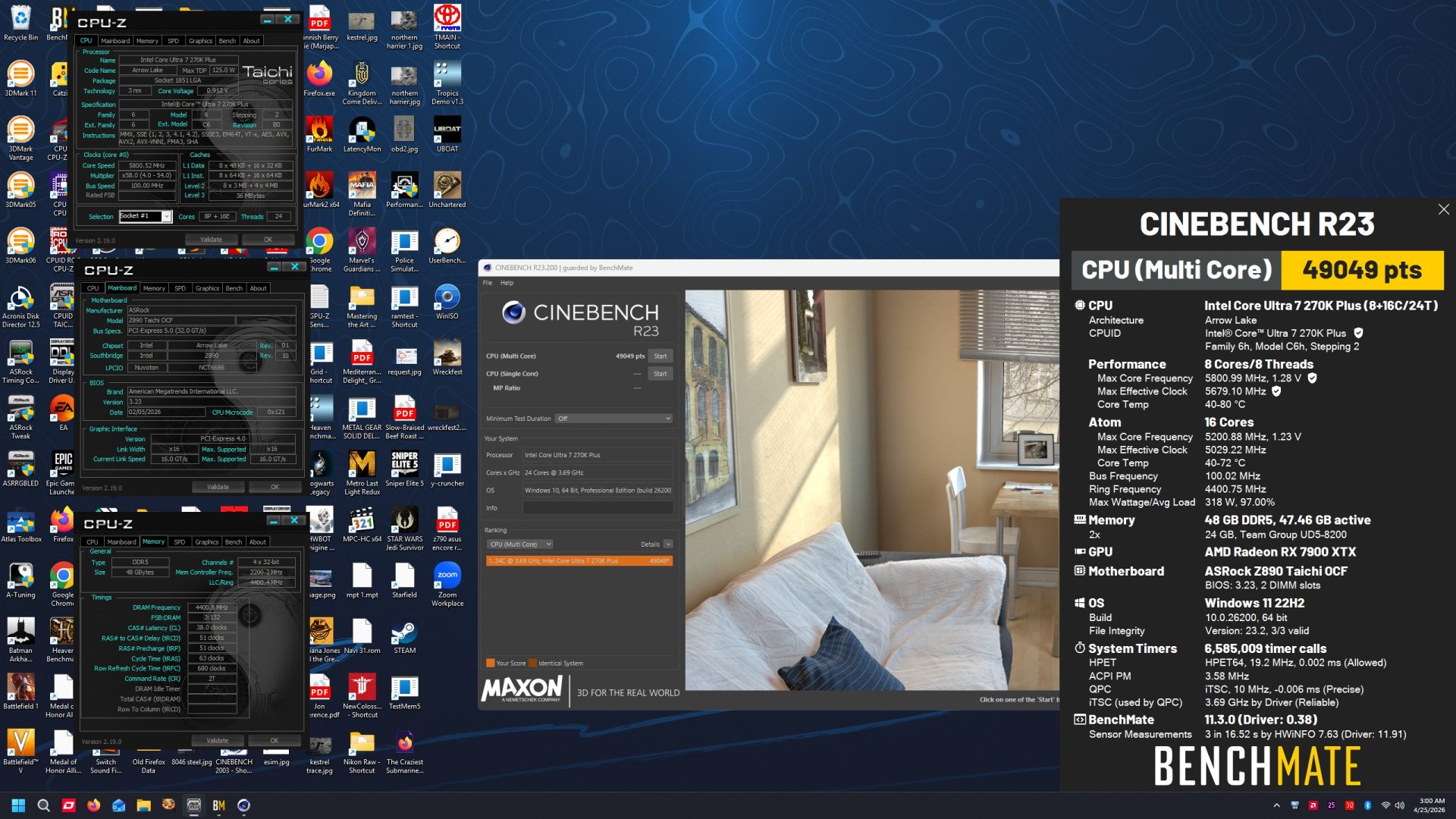
Try lowering the current by about 25Kind of tapped out at 49k at this point, using a $40 byski waterblock, and the taichi is more of a memory clocker
not sure where that would be, or why you would think i would want to lower anything... im running LLC4 all coreTry lowering the current by about 25
You set current limit on the same page where you can manually set the PL1 and PL2 power limits.not sure where that would be, or why you would think i would want to lower anything... im running LLC4 all core
I'm using the Taichi ocf, I don't see any power limits...I don't see any evidence of throttling either...temps are 77c max...tsp is 320w I was hoping for more wattage so something is governing it...still playing with this mobo, it's my first ASRock and so far I like it but I had to stop getting advice from people that own Asus because some of the options and configurations are the complete opposite...it took me two days to figure out how to apply voltage and it's still fluctuating too much at idle...You set current limit on the same page where you can manually set the PL1 and PL2 power limits.
I dunno what the default max current is for a 270K. But, for a 285K, is 347 amps.
I would drop it to 300 and see what happens. If it improves your score, keep going lower until your score regresses.
Or if it doesn't improve your score, raise it slowly (maybe by 10 amps at a time), and see if it improves your score at some point, or not.
I had great luck with a 265K, lower it to about 285 amps, while overclocking. gaining 2000 points in R23, in comparison to the same overclock with default current level.
The P-cores in Arrowlake are very temp sensitive and are basically constantly micro throttling themselves. Lowering the current limit, can potentially keep them from having to heat balance so much at a low level. Ultimately increasing performance.

I've had several Asrock boards, and my Arrowlake system is AsrockI'm using the Taichi ocf, I don't see any power limits...I don't see any evidence of throttling either...temps are 77c max...tsp is 320w I was hoping for more wattage so something is governing it...still playing with this mobo, it's my first ASRock and so far I like it but I had to stop getting advice from people that own Asus because some of the options and configurations are the complete opposite...it took me two days to figure out how to apply voltage and it's still fluctuating too much at idle...
Appreciate your time
(Z890i Nova)I'm running a 285k on an ASRock board too - Steel Legend Z890. I basically went ASRock for the temp probe. I love that thing and I'll be looking for another temp probe next time I buy a board. It works great if you have an air cooled vid card, an AIO for the CPU mounted as exhaust, and halfway decent airflow. AIOs are quite restrictive, so if only the CPU is working the 4 140mm intake fans pull enough air in at silent idle speed to feed the AIO even if it's going full tilt. I shoved the probe into my vid card's cooling fins and set the case fan curve based on vid card exhaust temps. Works great. Case fans only spin up when the vid card is working hard enough, and they spin up before the whole system starts getting warm like would happen if I used system temp for fan curves.I've had several Asrock boards, and my Arrowlake system is Asrock
Oh yeah, the Thermister probe is a pretty cool accessory.I'm running a 285k on an ASRock board too - Steel Legend Z890. I basically went ASRock for the temp probe. I love that thing and I'll be looking for another temp probe next time I buy a board. It works great if you have an air cooled vid card, an AIO for the CPU mounted as exhaust, and halfway decent airflow. AIOs are quite restrictive, so if only the CPU is working the 4 140mm intake fans pull enough air in at silent idle speed to feed the AIO even if it's going full tilt. I shoved the probe into my vid card's cooling fins and set the case fan curve based on vid card exhaust temps. Works great. Case fans only spin up when the vid card is working hard enough, and they spin up before the whole system starts getting warm like would happen if I used system temp for fan curves.
I haven't tried overclocking it. I kind of kicked myself out of the OC world with my 3rd dual socket build in 2004 and never got back into it. Opteron 200 series were locked down & didn't support overclocking. The system that preceded it was an OC hack. I was running dual overclocked "Barton" Athlon XP 2500+ chips. You could mod the bridges on the PCB to turn an XP into an MP and change the multiplier.