![[H]ard|Forum](/styles/hardforum/xenforo/logo_dark.png)
Navigation
Install the app
How to install the app on iOS
Follow along with the video below to see how to install our site as a web app on your home screen.
Note: This feature may not be available in some browsers.
More options
You are using an out of date browser. It may not display this or other websites correctly.
You should upgrade or use an alternative browser.
You should upgrade or use an alternative browser.
RTX 5090 FE Molten 12VHPWR
- Thread starter erek
- Start date

- Joined
- Dec 19, 2005
- Messages
- 18,696


- Joined
- Nov 11, 2012
- Messages
- 2,076
Don't you love it when they give so much details?pny 5080
melted 12vhpwr
View attachment 832678
https://x.com/unikoshardware/status/2113556262814425231
that is a 5080. so new thread for that ?pny 5080
melted 12vhpwr
View attachment 832678
https://x.com/unikoshardware/status/2113556262814425231
Doing so seems a bit overly-specific.that is a 5080. so new thread for that ?
- Joined
- Nov 11, 2012
- Messages
- 2,076
I don't think that's necessary. It's likely just user error, or a bad 12VPHWR adapter. The RTX 5080 pulls about 330W max, give or take a little more depending on the model/BIOS. Way different than the RTX 4090 (~450W) and RTX 5090 (~550W), but maybe there was a transient spike up to 600W's? Maybe he was using DLSS 5.0? The RTX 3070 Ti can get close to 300W's, and that's been around for over 5 years with no similar issues being reported.that is a 5080. so new thread for that ?
I doubt a 600W transient spike would do it as this sort of damage requires time to accumulate. Also the card's power supply would limit it before it got there. The TDP rating is a continuous rating, so transient spiking above the average (330W for the 5080) is already baked into the cake.I don't think that's necessary. It's likely just user error, or a bad 12VPHWR adapter. The RTX 5080 pulls about 330W max, give or take a little more depending on the model/BIOS. Way different than the RTX 4090 (~450W) and RTX 5090 (~550W), but maybe there was a transient spike up to 600W's? Maybe he was using DLSS 5.0? The RTX 3070 Ti can get close to 300W's, and that's been around for over 5 years with no similar issues being reported.
There is nothing in that report above to indicate user error.
The 3070 TI is potentially a very interesting datapoint, it's TDP is 290W. We have seen some 5080 failures and we have seen 4090/5090 (I don't remember which) failures when the card was limited to 300W. To me, it looks like 300W is where some of the connectors start to fail, probably due to manufacturing tolerances. The 290W limit on 3070 TIs may be just low enough to keep all of them out of this mess.
I think the current thread title is fine given the most common failure will be the 5090. I also think it is a good idea to keep the failures of all the affected cards together in one place as scattering it will just obfuscate things. Maybe we can talk erek into editing his OP to say something like "It appears this issue has spread beyond the 5090 to include the 4090 and 5080 cards".
And poof! With one little mouse click, life is better.That's why so far he is the only one on my block list the guy is retarded and or just likes to be a dick or is an Nvidia bot that adds nothing to the discussions. Pointless to engage with it I encourage everyone to block him cuz it's the only way it shuts up and you stop seeing replies saying something like prove it Nvidia says it fine..show us the numbers ECT every 3rd or 4th post over and over for pages.
I thought the BIOS was locked down by Nvidia. They have done this since Pascal. Did someone break the encryption?I’m wondering if this 5080 user was running a modified bios? I think we may see more of these power cable issues if people try to up the limits even higher.
https://www.techspot.com/news/114257-mod-nvidia-geforce-owners-run-custom-vbios-without.htmlI thought the BIOS was locked down by Nvidia. They have done this since Pascal. Did someone break the encryption?
https://www.techpowerup.com/353849/...ed-vbios-on-geforce-rtx-gpus-without-flashing
https://videocardz.com/newz/nvidia-...bios-without-flashing-rtx-5080-tested-at-500w
Oh wow, that isn't very smart. In a lot of cases I'm thinking that's like giving a toddler a loaded gun. Unlike shunt modding, which can likely be detected, this doesn't alter the card at all. So some user cranks their board up to 800W, the connector burns up, and they RMA it with "I was just minding my own business and this connector melted!". I wonder if Nvidia has non-volatile memory on the board that records the max power level it was run at. BMW has this. Go blow up a BMW motor and try to warranty it and the first thing they will do is dump the ECU to see if you did it.
Nvidia isn't limiting the power because they don't want people to have fun, it is a hard limit determined by the power handling of the GPU and power supply as well as the thermal performance of the cooling solution. Power handling of the power supply is limited by space and cost. It takes a wealth of knowledge and experience to set these limits. Anybody mucking with it has to be very careful. This is not overclocking a 100W CPU, this is over six times more than that. One may be able to hold the core temp down with an effective water cooling setup, but the power components still have to handle the power.
I still think there is a real issue here with stock cards as der8auer's videos clearly show the problem at spec power these boards really should have load balancing. Unfortunately, the presence of these tools muddies the water.
- Joined
- Dec 24, 2008
- Messages
- 2,289
Im not going to restart the debate, but just curious. When you say load balancing do you mean some form of current balancing or something different?I still think there is a real issue here with stock cards as der8auer's videos clearly show the problem at spec power these boards really should have load balancing. Unfortunately, the presence of these tools muddies the water.
Just curious if your opinion has changed or no.
Current balancing, load balancing - tomato, tomahto. They are the same thing, and no, my opinion has not changed.Im not going to restart the debate, but just curious. When you say load balancing do you mean some form of current balancing or something different?
Just curious if your opinion has changed or no.
- Joined
- Dec 24, 2008
- Messages
- 2,289
Interesting. Do you also think the following 3 are the same?Current balancing, load balancing - tomato, tomahto. They are the same thing, and no, my opinion has not changed.
1) current balancing
2) power dissapation balancing of the wires
3) power load balancing of the vrms
If i was nVidia, I'd check the BIOS itself; and if not stock either deny warranty repair automatically or boot the card up, at which point 800W = warranty denied. At which point the customer can choose between paying the non-warranty cost of the repair or having the new plug removed and card returned unfixed.Oh wow, that isn't very smart. In a lot of cases I'm thinking that's like giving a toddler a loaded gun. Unlike shunt modding, which can likely be detected, this doesn't alter the card at all. So some user cranks their board up to 800W, the connector burns up, and they RMA it with "I was just minding my own business and this connector melted!". I wonder if Nvidia has non-volatile memory on the board that records the max power level it was run at. BMW has this. Go blow up a BMW motor and try to warranty it and the first thing they will do is dump the ECU to see if you did it.
Nvidia isn't limiting the power because they don't want people to have fun, it is a hard limit determined by the power handling of the GPU and power supply as well as the thermal performance of the cooling solution. Power handling of the power supply is limited by space and cost. It takes a wealth of knowledge and experience to set these limits. Anybody mucking with it has to be very careful. This is not overclocking a 100W CPU, this is over six times more than that. One may be able to hold the core temp down with an effective water cooling setup, but the power components still have to handle the power.
I still think there is a real issue here with stock cards as der8auer's videos clearly show the problem at spec power these boards really should have load balancing. Unfortunately, the presence of these tools muddies the water.
- Joined
- Dec 24, 2008
- Messages
- 2,289
It sounds like the method doesnt flash anything to the board. So the hardware appears stock if my understanding is correctIf i was nVidia, I'd check the BIOS itself; and if not stock either deny warranty repair automatically or boot the card up, at which point 800W = warranty denied. At which point the customer can choose between paying the non-warranty cost of the repair or having the new plug removed and card returned unfixed.
That's how I read it too.It sounds like the method doesnt flash anything to the board. So the hardware appears stock if my understanding is correct
Frankly, I'm surprised Nvidia left the loophole in there. IIRC, Nvidia locked down the BIOS because of the BIOS edits that were done on Maxwell to crank up the power. Then Nvidia locked down the bios on Pascal and shunt modding became the norm.
I think so depending on exactly what you mean.Interesting. Do you also think the following 3 are the same?
1) current balancing
2) power dissapation balancing of the wires
3) power load balancing of the vrms
Another way of stating my point of view is I want three independent current shunts feeding the VRMS that cannot crossfeed between each other. Each shunt provides a portion of the power required to operate the card. The approach worked swimmingly on Pascal and likely earlier generations.
BTW, I think the reason they chose 3 was because the six pin connector was 75W and the eight pin was 150W. 75W+75W+75W makes a lot of sense. I suspect the 1070 TI FE only has two shunts as it only has one 8 pin PCEe connector, so 75W+75W. With each of the power inputs the same, they can use the same circuit design for each.
I believe I've said it earlier, but the 4090 and 5090s are really a different kettle of fish. Pascal FE cards topped out at 250W. 500-600W is a lot more and pushes what the form factor can support, especially with 12V distribution. To put it in perspective, if you wired up a 5090 using a single piece of 14 AWG Romex, you would smoke that too @50A load. Romex is what your house AC is wired with.
- Joined
- Aug 27, 2025
- Messages
- 600
This tread would need 750 melted 5090's in order to reach 0.5% failure rate globally(conservatively)
Facts do not scare for feelings.
Facts do not scare for feelings.
"That's not true, JD, only 3 apartment complexes have been taken over by Tren de Aragua."This tread would need 750 melted 5090's in order to reach 0.5% failure rate globally(conservatively)
Facts do not scare for feelings.
Ya it does seem likely that there is something else going on with a 5080. Since it is literally drawing about half the wattage max, it means that you could have a total failure of 3 wires and still likely be in the spec. Short term spikes aren't going to cause a melt as, well, they are short term. It takes time for heat to accumulate.I don't think that's necessary. It's likely just user error, or a bad 12VPHWR adapter. The RTX 5080 pulls about 330W max, give or take a little more depending on the model/BIOS. Way different than the RTX 4090 (~450W) and RTX 5090 (~550W), but maybe there was a transient spike up to 600W's? Maybe he was using DLSS 5.0? The RTX 3070 Ti can get close to 300W's, and that's been around for over 5 years with no similar issues being reported.
It's the same with any connector/wire situation: The closer you are pushing it to the max it can handle, the less that can go wrong. So if the pins can handle 9.5a each then there's not a ton of overhead with a 600w power draw. At 12v 8.3a/pin. So just a little more than an amp before you exceed spec, meaning a single broken connector could push you over. However at 360w, which is the 5080 spec (though as noted 330w is more realistic) that's only 5a/pin. So even assuming you have a big voltage sag to the edge of the ATX spec (11.16v, 7% sag) AND two pins are out leaving only 4 carrying current you are still at 8a/pin, so less than a 5090 running full tilt in proper operation.
Means a lot has to go wrong before you are getting in to melty territory.
- Joined
- Dec 19, 2005
- Messages
- 18,696

That's actually true for most power systems. High end 4000 and 5000 series video cards? Not so much.Means a lot has to go wrong before you are getting in to melty territory.
erek, I'm not sure what you are trying to get here. I have criticized the need for these "do-dads" but that is leveled at Nvidia. There is no reason to think this device will not work to solve the melting issue. I don't have one of these, nor one of the affected cards, but from what I've read, as long as the device is not giving an alarm you should be fine.
It's also good in it has automatic shutdown just in case nobody is around when Chernobyl decides to go off. It also looks like this shutdown is initiated directly through the motherboard power button so it even bypasses that kluge called windows. Hold that button four seconds and the system turns off, SW intervention not required.
- Joined
- Dec 19, 2005
- Messages
- 18,696
i have connected everything except that shutdown cable because it will take more effort than i liked... taking out the GPU to route the wireerek, I'm not sure what you are trying to get here. I have criticized the need for these "do-dads" but that is leveled at Nvidia. There is no reason to think this device will not work to solve the melting issue. I don't have one of these, nor one of the affected cards, but from what I've read, as long as the device is not giving an alarm you should be fine.
It's also good in it has automatic shutdown just in case nobody is around when Chernobyl decides to go off. It also looks like this shutdown is initiated directly through the motherboard power button so it even bypasses that kluge called windows. Hold that button four seconds and the system turns off, SW intervention not required.
the two optional thermal sensors are connected, and the usb header
---
i was mainly curious to see if there were any reports of WireView II Pro users and melted 12VHPWR adapter and or connector scenarios (and not to say that the WireView II Pro caused the melting either)
- Joined
- Dec 19, 2005
- Messages
- 18,696
Baby is monitoring my RTX 5090 GPU now 
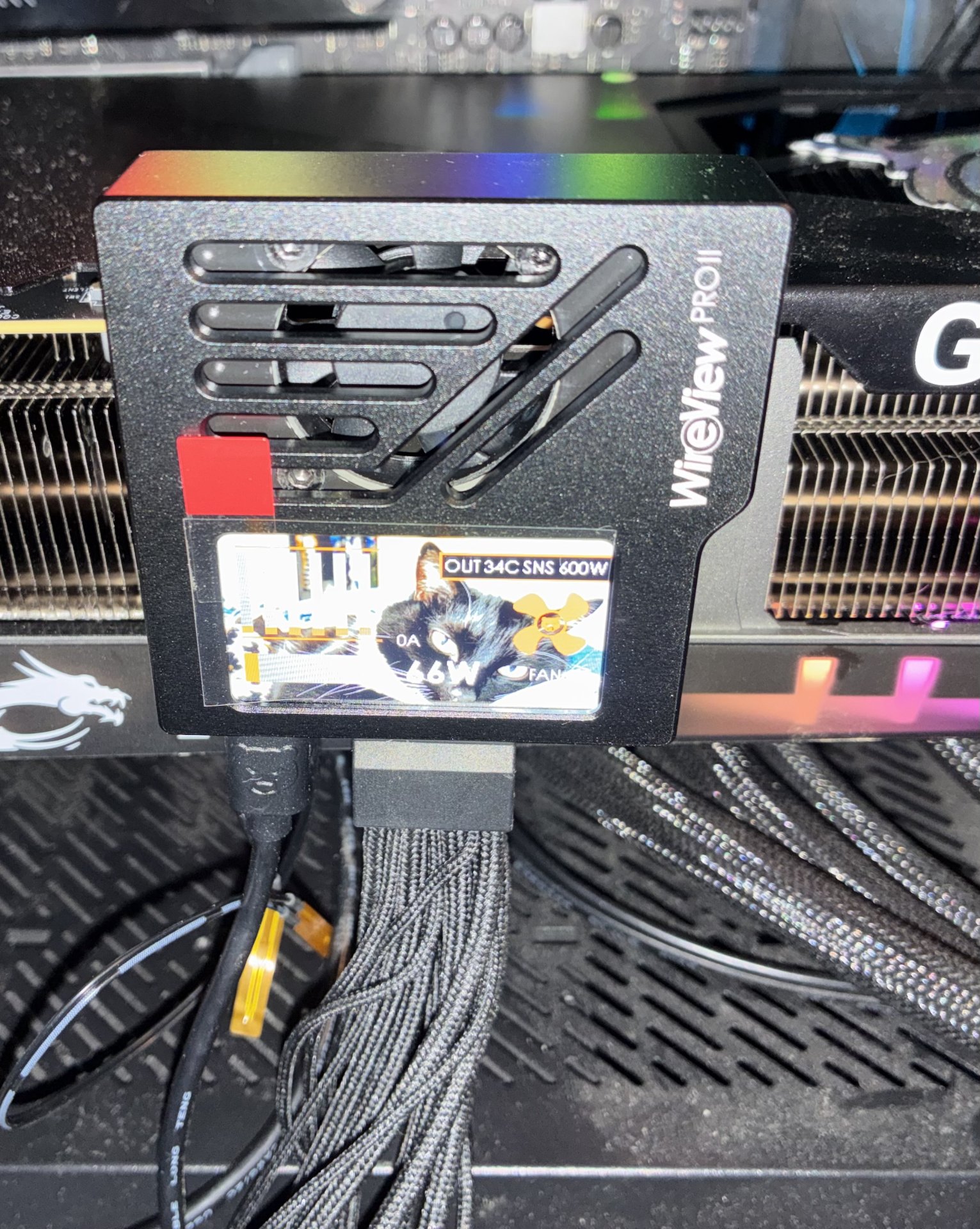
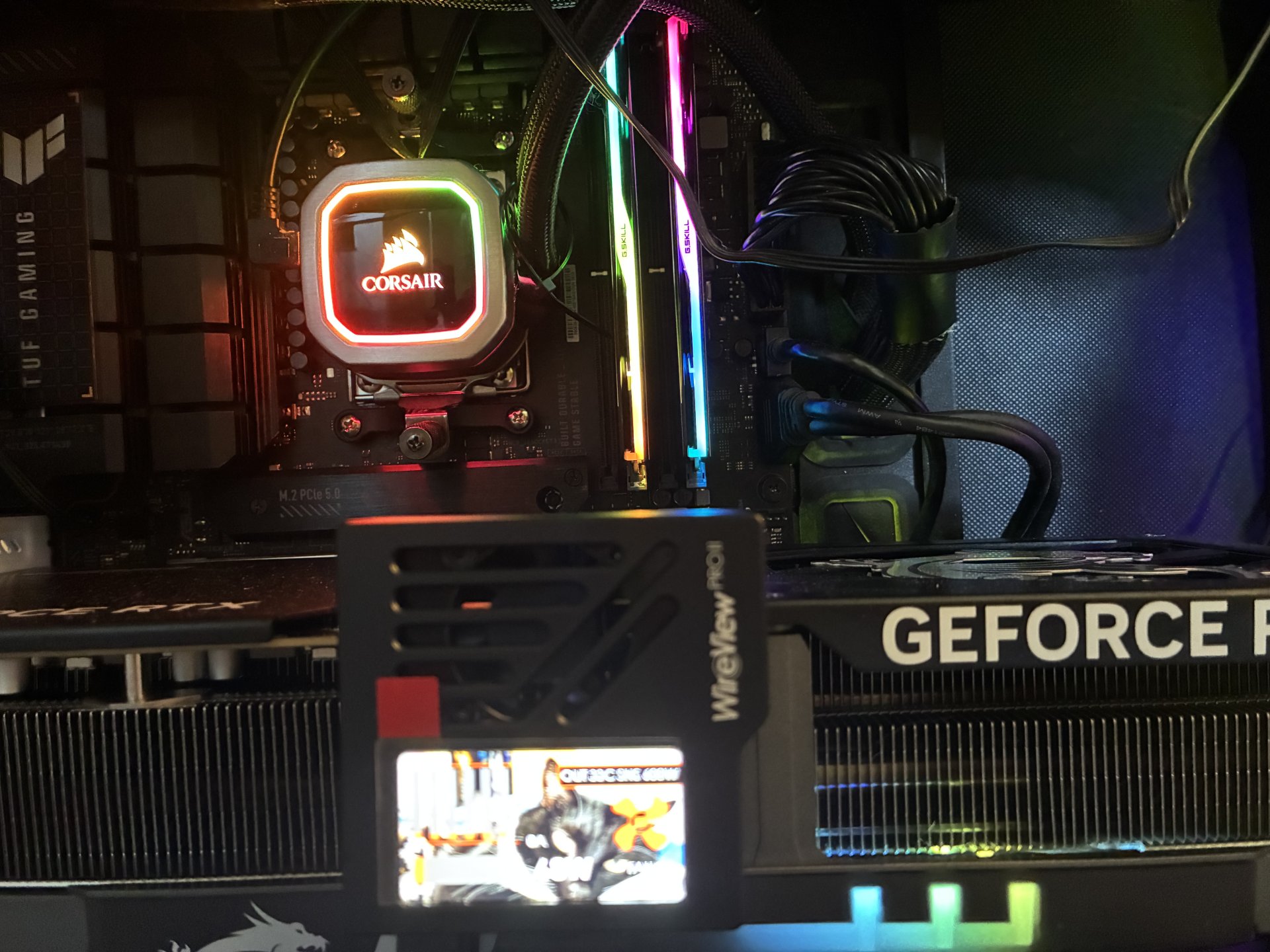
Even the 4090 there's quite a bit of overhead. Rated power for 8-pin is 252w, specified is 150w so 1.68 safety factor. Rated for 12vhpwr is 684w, specified power for the 4090 is 450w so 1.52 safety factor. Less, but not a ton less. Only the 5090 is pushing things real close to the limit.That's actually true for most power systems. High end 4000 and 5000 series video cards? Not so much.
When you see something like a 5080 melting, that isn't because there's too much power going in the connector, unless they bypassed limits and OC'd it. That means there was another issue, probably a number of other issues.
- Joined
- Aug 27, 2025
- Messages
- 600
Now ask about the percentage of 5090 that has a melting power plug, you are almost there.
- Joined
- Dec 19, 2005
- Messages
- 18,696
msi 5090 gaming trioNow ask about the percentage of 5090 that has a melting power plug, you are almost there.
melted 16 pin 12vhpwr

https://x.com/unikoshardware/status/2114031825819693384
msi 5090 gaming trio
melted 16 pin 12vhpwr
View attachment 832940
https://x.com/unikoshardware/status/2114031825819693384
apologies for not getting this
can you explain like, I am a 2 year old, what is the 'mistake' here ???
https://www.reddit.com/r/MSI_Gaming/comments/1xec771/burned_5090_will_they_rma/
- Joined
- Dec 19, 2005
- Messages
- 18,696
might be sarcasmapologies for not getting this
can you explain like, I am a 2 year old, what is the 'mistake' here ???
https://www.reddit.com/r/MSI_Gaming/comments/1xec771/burned_5090_will_they_rma/
- Joined
- Aug 27, 2025
- Messages
- 600
Sample size of one is the wrong answer, you can use AI, you have demonstrated that, but it looks like your bias is preventing you from asking the proper questions.msi 5090 gaming trio
melted 16 pin 12vhpwr
View attachment 832940
https://x.com/unikoshardware/status/2114031825819693384
Makes you wonder.
- Joined
- Mar 20, 2017
- Messages
- 451
Auto shutdown can be configured either on the device itself or by software. By the way, all settings are saved on the device so the software doesn't have to be running for it to do its thing. The auto-shutdown configuration options are comprehensive but I stick with the defaults so it would be less likely for Thermal Grizzly to deny warranty claims for melted connectors while their product is being used. Actually, that's why I chose the WireView Pro II, they've been fairly explicit and transparent about their warranty on melted connectors and how that has factored in the pricing of their product. That, and having multiple thermal sensors on the GPU connector side.Does the WireView provide a software method to automatically shutdown the board?
Here's the software config menu:

Actually, I only got around to installing the F_Panel header Y-connector a few days ago after several months of using my WireView Pro II without it because I was too lazy to look for an F_Panel extension break-out cable since the connector that comes with the case is the unified type. The hardware availability and pricing situation right now convinced me not to take any further risks.
I tested the auto shutdown by temporarily setting the temp limit to 45C and then running a GPU load to artificially trigger it and auto-shutdown works great. The 10 second default shutdown wait time is okay with me so if ever something is wrong, the damage can be minimized. There are two shut down modes, soft shutdown and hard shutdown with the former doing a Windows shut down to minimize data loss/corruption.
I also recently stumbled upon a third party MSI afterburner plugin that allows me to monitor the telemetry from the Wireview in the in-game OSD. Very useful when testing DLSS5 which tends to push the graphics card wattage to the max.

- Joined
- Dec 19, 2005
- Messages
- 18,696
palit 5090Sample size of one is the wrong answer, you can use AI, you have demonstrated that, but it looks like your bias is preventing you from asking the proper questions.
Makes you wonder.
16 pin 12vhpwr melted

https://x.com/unikoshardware/status/2113666888127635694
- Joined
- Aug 27, 2025
- Messages
- 600
So you keep posting like you got a point.palit 5090
16 pin 12vhpwr melted
View attachment 832976
https://x.com/unikoshardware/status/2113666888127635694
Care to tell me what percentage you are at now?
- Joined
- Dec 19, 2005
- Messages
- 18,696
yea, almost every day there's multiple new reports of a failed connector nowSo you keep posting like you got a point.
Care to tell me what percentage you are at now?
The 4090 also only has two load balancers, previous cards had 3. The 5090 is really bad, as it only has one and the highest load.Even the 4090 there's quite a bit of overhead. Rated power for 8-pin is 252w, specified is 150w so 1.68 safety factor. Rated for 12vhpwr is 684w, specified power for the 4090 is 450w so 1.52 safety factor. Less, but not a ton less. Only the 5090 is pushing things real close to the limit.
What else besides too much power can possibly melt the connector?When you see something like a 5080 melting, that isn't because there's too much power going in the connector, unless they bypassed limits and OC'd it. That means there was another issue, probably a number of other issues.
Think about what causes this issue in the first place. Take into account that most 5090 connectors are not melting. It seems to me it comes down to poor electrical design (skimping on load balancers), connector manufacturing tolerance, as well as the resistance balance all the way back to the power supply. der8auer's provided evidence clearly shows what is going on and there is no reason it won't happen to a 5080 (two load balancers). erek's post above with the wireview shows a 5090 connector operating properly.
One nasty thing about this is all that has to happen to induce a failure is a slight increase in resistance of one or two power lines. That resistance can happen anywhere along the power wiring, from the GPU power connector all the way back to the system power supply. The lack of load balancing makes the wires/connectors susceptible to overheating. The glowing wires in der8auer video are actually the good ones with the lowest resistance. As the heat increases the resistance of those ones, the fault moves to the next best one and it gets destroyed, and so on.
The function of the load balancer is not to make the load equal on each power line, it is to balance the load across the available power lines while still keeping the max load on each within the ratings for the connectors and wiring. In order for the scheme to work, there has to be a tolerance to the resistance distribution of the power supply wiring -- I suspect this is covered in an ATX power supply spec somewhere.
The above is another example of one of these connectors operating properly. An explanation of root cause to what's happening here has to include both the boards working fine as well as the failures. IMHO, the load balancer issue goes a long way to this. It's also possible the connector supplier overstated the capabilities of their design - that one is a lot harder to nail down.
That Afterburner plug in looks real slick. Something else I've noted with Nvidia cards is the driver power measurement seems to track the real card power very closely. Note the 558.9W reported by the green GPU line versus the 552.2W on the blue WireView line. The 552.2W was measured by the shunt on the card, while the 558.9W was measured by the shunt on the WireView. This also indicates the card isn't pulling significant power from the PCIe connector.
The WireView guys are poised to make a lot of money...