
Canon's Mouse Calculator Hits U.S.

HardOCP News

[H] News
Joined
Dec 31, 1969
Messages
0
Okay, so maybe that CD Mouse thing we showed you yesterday isn't your style. How about a calculator mouse then? C'mon, you know you want one. ;)

The three-in-one Canon X Mark I Mouse Lite combines the functionality of a laser mouse in addition to a keypad and 10-digit calculator making it ideal for the traveling business professional along with anyone interested in minimizing the number of accessories in a workspace. Available in either black or white, the X Mark I Mouse Lite is compatible with Windows PC or Mac laptops, has three mouse buttons and Bluetooth 2.01 connectivity. In addition, this new mouse has a low battery indicator to avoid running out of power unexpectedly.
 
Pretty useless except for people who insist that they MUST have a separate 10-key.

What computer doesn't have a calculator application?

What computer doesn't have number keys? (yeah laptop keyboards suck for 10-key stuff).

If you are really needing to minimize space and are travelling with a laptop.. you don't even NEED a mouse.
 
Kind of agreeing with cyclone3d. This does seem a bit of a waste, unless you are using on a laptop. But even still doing 10-key on a device designed to move might be kinda tough as well.

Going to give this idea a pass.
 
Now just add a solar panel to it for the calculator and then it'd be even more geeky.
 
Personally, I like the idea but the implementation may need a little work. I, often, find myself doing quick calculations and it would save a little time to not have to open the calculator app or go to google to use their entry field calculator. However, many of the calculations I do include unit conversion that would need to be added to this in order for it to be completely useful to me.

As for the idea of adding a 10-key numeric keypad to a mouse (which this is not), I like that idea too. I did a lot of numeric keypad data entry as a side job while I was in college. It does get annoying not having one while I'm working on a laptop. On the other hand, it'd have to be done right for it to work for someone like me that is used to doing a lot of work on one.

For starters, the keys would need to be big enough. This shouldn't be a problem since this design has keys that are too small but there are a lot more of the than needed for a numeric keypad. As for Wenthral's comment about typing on a numeric keypad that is designed to move around, I think that'd only be an issue if they put the plane of the keypad at an angle to the surface of the desk. As long as it was flat (like the calculator in this design seems to be from the pics) then a person used to typing on a numeric keypad will tend to press the buttons straight down and not have a problem with moving the mouse forward. Of course, I can't say what this would do to the ergonomics of it when used as a mouse...
 
Allow for all of them to be assigned gaming keys and I'll buy it :p
 
why does this exist?

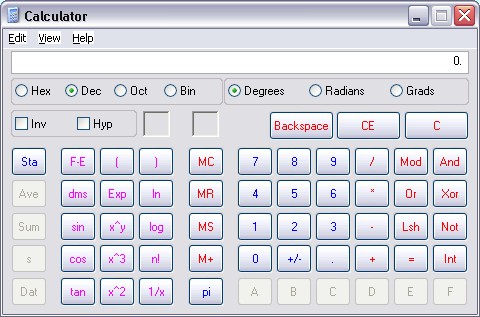
win_calc.jpg
 
why does this exist?

win_calc.jpg

It's better now!

15e7gvm.png


I doubt that basic thing can do half of the same stuff. Would make much more sense to buy a cheap calculator with extra buttons and macros and set a mouse button to launch calc.exe. That way you get to have a nice mouse that looks much better and isn't so crappy.
 
The lcd screen is always going to look smudged, and the number keys are going to be dirt collectors.
 
The implementation on the MX 5500 keyboard where the readout display can use the number pad as a calculator on the other hand is one that I really liked. On a mouse however I've never warmed to the idea because of the awkward placement of the buttons...
 
WHAT? It doesn't have the equation solver like my TI graphing calculator?? FAIL! :)

TI sucks, unless using ancient equipment designed 20 years ago and barely changed so lazy teachers don't have to learn anything new is your thing. Casio, now that's where it's at. More intuitive and cheaper too.
 
LOL! Genmay rehash!

The TI calculator I have says 2, but most correct answer is 288.

Yup, your TI is wrong.

Parens, multiplication/division, addition/subtraction.

48 ÷ 2(9+3) =

Parens first, (9+3)=12.
The "2(" is an un-written multiplication, so we're left with: 48 ÷ 2 * 12 =

Then since we have only same-order operations, we perform from left to right: 48 ÷ 2 = 24 -> 24 * 12 = 288.

Although I can understand the feel that the 2( should be a part of the parens, it is wrong. Otherwise it would be (2(9+3))
 
Yup, your TI is wrong.
Parens, multiplication/division, addition/subtraction.
48 ÷ 2(9+3) =
Parens first, (9+3)=12.
The "2(" is an un-written multiplication, so we're left with: 48 ÷ 2 * 12 =
Then since we have only same-order operations, we perform from left to right: 48 ÷ 2 = 24 -> 24 * 12 = 288.
Although I can understand the feel that the 2( should be a part of the parens, it is wrong. Otherwise it would be (2(9+3))

I was taught that the 2 would be first (FOIL - First Outside, Inside Last)
So it should be 48 / (18+6) = 48 / 24 = 2
But I had a math teacher who was an absolute idiot, so I could be wrong...

back on topic:
Awesome but Impractical. I wont go over all the problems a second time.
 
I was taught that the 2 would be first (FOIL - First Outside, Inside Last)
So it should be 48 / (18+6) = 48 / 24 = 2
But I had a math teacher who was an absolute idiot, so I could be wrong...

back on topic:
Awesome but Impractical. I wont go over all the problems a second time.

FOIL is specifically referring to two-factor polynomails (aka: (1x+2)*(3x+4)) and even then, it's just a method for remembering to do all the operations, not an actual 'rule'. The rules are the same. FOIL just lets you remember an easy way to apply them in one specific circumstance.

See http://en.wikipedia.org/wiki/Order_of_operations for the standard rules. (Note that in my explanation, I didn't mention exponents because the equation doesn't have any.)
 
FOIL is specifically referring to two-factor polynomails (aka: (1x+2)*(3x+4)) and even then, it's just a method for remembering to do all the operations, not an actual 'rule'. The rules are the same. FOIL just lets you remember an easy way to apply them in one specific circumstance.
See http://en.wikipedia.org/wiki/Order_of_operations for the standard rules. (Note that in my explanation, I didn't mention exponents because the equation doesn't have any.)

Ah, ok, thanks. As I said my old math (read: Calculus) teacher was an idiot (ex: she hated that I graphed equations using y=mx+b and tried to tell me that was not an acceptable method and would not work as well as HER method... (both gave the right answers btw)) _and_ I didn't pay too close attention ;P so...
 
Back
Top