• Some users have recently had their accounts hijacked. It seems that the now defunct EVGA forums might have compromised your password there and seems many are using the same PW here. We would suggest you UPDATE YOUR PASSWORD and TURN ON 2FA for your account here to further secure it. None of the compromised accounts had 2FA turned on.
    Once you have enabled 2FA, your account will be updated soon to show a badge, letting other members know that you use 2FA to protect your account. This should be beneficial for everyone that uses FSFT.

The Truth about RAID

DougLite

Supreme [H]ardness
Joined
Jan 3, 2005
Messages
4,764
I have answered many questions about RAID performance and implementation in my short time on this forum. There are many myths about RAID floating through the enthusiast community, myths that are simply not true and may lead to data loss or worse if believed. Some of the statements I will make about RAID in this post do not apply in the enterprise level SCSI arena, but that is much of the problem. Many users are taking what is true in a multi user scenario and automatically assuming that it is true for them as well, which further research will show is simply not the case.

RAID, quick and dirty, from an enthusiast perspective:

RAID-0 Good:
No capacity loss to redunancy,
Increase in perfromance for large sequential I/O, like video editing, large file transfers between systems, and frequent saves of large files in programs like Photoshop.
RAID-0 Bad:
All drives must be online at all times for data to be accessible, resulting in an actual loss in reliability over single drive storage. More drives in the array = more potential for loss.
RAID-0 Myth:
Across the board performance boost - this simply isn't true. RAID-0 does not improve performance in tasks with many smaller transfers, such as program loading, game level loading, etc. This is because no individual transfer lasts long enough to bring the huge increase in sequential transfer speed to bear. If you don't believe me, check out: http://storagereview.com/articles/200406/20040625TCQ_5.html which shows a WD740GD single drive statistically tied with a RAID-0 of 2 WD740GD in SR's real world drive benchmarks, same controller, same tesbed. This depsite the fact that, as expected, the RAID-0 blew away the single drive in synthetic transfer speed tests. The only difference is in their Bootup test, which the RAID-0 does take - by less than 3%. I doubt that makes up for the extra boot time added by the SATA controller BIOS initializing on bootup - a very real consideration in boot time.
RAID-0 Analogy:
Having a team of cooks, each of whom only knows part of the cooking process. The team will cook a multi course dinner faster than a single cook, but a team of cooks is not going to cook a pot of ramen noodles faster. Also, each cook only knows part of the process - if one doesn't show up or dies, you can't cook anything!

RAID-1 Good:
Protects data from hard drive failure. Can potentially increase read performance if the controller is intelligent enough to allow each member to service different read requests.
RAID-1 Bad:
You only see the capacity of the smallest drive in a RAID-1 set as usable, regardless of how many drives are in it.
RAID-1 Myth:
RAID-1 does not protect your data from software problems, such as viruses, erroneus deletions, accidental repartitions/reformats, or hardware failure in a part of the system other than the hard drives.

RAID-5 Good:
Redundancy and capacity, as only one drive in the array is lost to redundancy, whether there are 3 or 8 drives in the array, potential sequential read speed boost like RAID-0
RAID-5 Bad:
Most enthusiast boards use your CPU to make the parity calculations, both eating CPU time and chewing up bus bandwidth. This also makes writes very slow on RAID-5. RAID-5 also requires a minimum of three drives to function.
RAID-5 Myth:
Same as RAID-1. Only protects data from hard drive failure, no other disasters, and RAID-5 performance can vary widely. Sequential reads will see an increase in performance, while write heavy operations may be slower because of parity calculation, with non sequential read tasks largely breaking even with single drive setups.

RAID 0+1 Good:
Combination of RAID-0 and RAID-1, sequential transfer speed gain potential with redundancy and without requiring parity calculations like RAID-5 does.
RAID 0+1 Bad:
Requires 4 drives, with only the capacity of the smallest 2 being usable.
RAID 0+1 Myth:
I hate to be repetititive, but same as RAID-1. No protection from anything but hard drive failure, and no performance boost in most desktop/enthusiast tasks.

Considerations that apply to all RAID levels:
RAID is no replacement for backups. RAID will not protect your irreplaceable data like photos, home movies, personal documents, etc. This is because there is nothing RAID can do to protect you from viruses, your own errant deletions, failed overclocking that scrambles SATA drives, catastrophic hardware failure such as a power supply blow-up, or accidental repartition/reformat, among other things. Backup data you can't simply reinstall onto multiple backup media in multiple locations. Also, unlike a single drive, a RAID array can only be recovered on another controller that is the exact same, as it must be able to read the metadata that the original controller put on the disks about the RAID set before any recovery can begin.
 
Another good DougLite write up, but when you stated that RAID 5 is almost always slower then one HD you hit a wall. I've owned two different RAID controllers and the read speed is always out of this world. 90MB/s with the highpoint 454, and 180MB/s with my 3ware 7506-8. Write speeds were trash with the highpoint but what can I say that card really is nouthing to woot about. The 3ware card can write faster then the raptor can handle, which everyone knows is one of the fastest non scsi drives.
 
Intel lied to me again! :eek:

Code:
Whether you want to quickly load
huge files into Photoshop faster,
create large CD/DVD images with
Nero in record time, or want to be
the first player on the map in a
Quake frag tournament, Intel RAID
Technology is the perfect solution
for these and many other diskintensive
applications.
 
Dually said:
Intel lied to me again! :eek:

Code:
Whether you want to quickly load
huge files into Photoshop faster,
create large CD/DVD images with
Nero in record time, or want to be
the first player on the map in a
Quake frag tournament, Intel RAID
Technology is the perfect solution
for these and many other diskintensive
applications.

2/3 ain't bad.. and I think the original Quake kept all the data in large "pak" files instead of a bunch of small ones, so this may be true with Quake 1.

==>lazn
 
Does a raid 0 setup shorten the life span of your HD's by a signifigant amount?
 
Baker_God said:
Does a raid 0 setup shorten the life span of your HD's by a signifigant amount?

It doesn't shorten them at all, it halfs the MTBF though.

It's like this, the MFG has no idea how long any specific individual hard drive will last. They test a bunch of them and come up with a MTBF (mean time between failure). If you know what mean (in a math sense) means, you know that is basically the same as average.

So if a hard drive has a MTBF of 10000 hrs, that means on average drives of that type last around ten thousand hours. So for any given hour in the first ten thousand hours you have a 1 in ten thousand chanse that the drive will die.

Now consider if you have two drives in RAID 0. If either one dies all the data is gone. So now instead of a 1 in ten thousand chanse of failure, you have a 2 in ten thousand chanse of failure.. do the math that is a 1 in five thousand chanse of one of the drives dieing, and all the data being lost.

Of course this is all probability etc. both drives might last forever, but probably not.

==>Lazn
 
twistacatz said:
Another good DougLite write up, but when you stated that RAID 5 is almost always slower then one HD you hit a wall. I've owned two different RAID controllers and the read speed is always out of this world. 90MB/s with the highpoint 454, and 180MB/s with my 3ware 7506-8. Write speeds were trash with the highpoint but what can I say that card really is nouthing to woot about. The 3ware card can write faster then the raptor can handle, which everyone knows is one of the fastest non scsi drives.

My bad dude, I edited. Thanks for pointing that out. I changed it to read "...and RAID-5 performance can vary widely. Sequential reads will see an increase in performance, while write heavy operations may be slower because of parity calculation, with non sequential read tasks largely breaking even with single drive setups." That's quite a bit closer to the truth. Also, I'd speculate that your 3Ware unit had an onboard XOR engine and a full blown hardware RAID processor, which will improve performance dramatically over software driven RAID-5 available on a typical enthusiast board, if RAID-5 is available at all.
 
Excellent write-up. I was going to sink money into a raid-5 setup until I realized how badly my the bus was going to hold me back. Oh well, I'll wait for some decent hardware pci express controllers hit the market.
 
I am running RAID-10 right now for mass storage- 4x 180GB SATA Seagates, and U320 with a 15000rpm 73GB Seagate for C:, and a dedicated pair of U320 18GB 15000rpm Seagates in RAID-0 for my Swap/Scratch/VMem drive.

I completely agree that nothing will take the place of a good backup; but I really enjoy the setup I have- it's freakin' fast. I would venture to say that one single setup does not fit the bill for everything. If budget is a problem, pick what is most important to you.
 
I don't doubt that. But a proper SCSI setup will cost over $1,000 - Your SCSI HBA, 2 18GB and 1 73GB 15K units cost about $1000 which is simply out of reach for most enthusiasts, and that leaves them with barely 100GB of storage. Upwards of $10/GB for storage is simply not affordable for most enthusiasts, which is the perspective that I tried to write from. Often, a typical [H]er, myself and most of my friends included, will be lucky to scrape together $2000 for a new system, and spending $1000 on hard drives is simply not an option. They will be lucky if there is room in the budget for a 73GB Raptor and a 160GB data drive. Yes, if you're designing a workstation, RAID makes sense. Yes, if you're building a server, RAID is a virtual necessity. But if you're designing a system to play games, watch movies, and such, there are better places to spend the dollars with more return on investement than elaborate storage systems. And it is a simple reality that most of the performance benefits of RAID in single user situations are largely imagined. The localized access patterns and largely linear loads are not conducive to scalability with RAID.
 
Increase in perfromance for large sequential I/O, like video editing, large file transfers between systems, and frequent saves of large files in programs like Photoshop.

What's your definition of "large"? From the examples you give, it seems like you're referring to sizes around 100,000 to 1,000,000 million times the stripe size.

Do I really need to do I/O that large in order to realize a benefit? Don't the benefits of having two drives kick in quicker? At, say, 10 or 100 times the stripe size?

.B ekiM
 
I don't have a simple answer for that, other than 'it depends.' The controller, disk firmware, disk buffer size/caching strategy, disk seek times, and the nature of the workload all impact drive response. There are many other factors I can't name here, because I am either unaware of them or don't understand the impact they may have on storage throughput. But look at it for yourself, just with what you see and notice. When you're loading a game level, the disk does not work constantly. The activity will go pretty consistently for a few seconds, then it may sit idle for a second or two before picking back up again, whereas when you're copying files, you can count on near constant disk activity. This is not like memory latency or processor clock speed/IPC performance where this is a fairly simple mathematical answer as to why one solution is better than another. A WD740GD will smoke most any 10K SCSI drive in single user tasks (Maxtor Atlas 10K IV/10K V excluded) only to have the tables turned on it by a 2 or 3 year old SCSI drive in server performance, even though they will have similar seek time and maximum internal transfer rates. That's because, once again, there are so many other factors that go into hard drive design that are extremely difficult to quantify and measure with real world tools. Adding RAID to the mix introduces even more variables, which most of us have no hope of ever understanding. That leaves us to test real world implementation and see how it does. Striping will deliver blazing fast sequential transfer speeds, but for whatever reason(s) does not noticeably improve typical desktop/gamer I/O. Striping is much like SLI - it only delivers a performance increase under the heaviest of loads. Striping, like SLI, introduces more complexity to the system, which will exact an overhead that only scales well under large loads. Unfortunately, there is no option like simply increasing AA/AF/Resolution for your hard drive - only the hard drive equivalent of FPS, I/Os/sec, matters. Making your storage subsystem 'prettier' will not help when dealing with hard drives. I know I'm talking about many intangibles here, but I hope that clears it up a little bit.
 
DougLite said:
I hope that clears it up a little bit.

I'm afraid it doesn't. I thought I was asking a very specific question about a vague measurement you gave, and in response you compared current drives with 3 year-old drives.

Plus, I'm not much of a gamer. I really like Rise of Nations, though.

DougLite said:
This is not like memory latency or processor clock speed/IPC performance where this is a fairly simple mathematical answer as to why one solution is better than another.

Why not? At least for a specific family of drives, all the grossly influencing numbers are either known or measurable, as are the access patterns. Why can't they be mathematically modeled?

Is the way that a RAID 0 controller splits a particular request across two physical devices really that much of a secret? Is the algorithm not known? Are there not open-source implementations of the algorithms that we can study and analyse?

One of the problems I have with sites like StorageReview.com is that they try to reverse engineer implementations from their measurements, and base their conclusions on what they think they've reverse-engineered.

One man's synthetic test can actually strongly resemble the I/O access pattern of another.

.B ekiM
 
mikeblas said:
Why not? At least for a specific family of drives, all the grossly influencing numbers are either known or measurable, as are the access patterns. Why can't they be mathematically modeled?

Is the way that a RAID 0 controller splits a particular request across two physical devices really that much of a secret? Is the algorithm not known? Are there not open-source implementations of the algorithms that we can study and analyse?

One of the problems I have with sites like StorageReview.com is that they try to reverse engineer implementations from their measurements, and base their conclusions on what they think they've reverse-engineered.

One man's synthetic test can actually strongly resemble the I/O access pattern of another.

.B ekiM

Stripe size considerations:
http://www.anandtech.com/storage/showdoc.aspx?i=1491&p=5

You can't say definitivly: If your files are X times bigger than your stripe size, then Raid 0 = Good because stripe size is not the only consideration. That would be like saying if you car weighs more than 2500lbs then 18" rims are good. Not necessarily true, car weight and rim size are not the only two factors.

And yes, how each Hard Drive, and each Raid controller do it's job is a secret, (WD doesn't want Maxtor to get the plans to build Raptors) do you want to reverse engineer each one? It is faster to build the array several times and emperically test to see which is fastest.

Also don't forget, as above the stripe size itself will affect performance.

==>Lazn
 
Lazn_Work said:

I remember reading this article over the holiday break. It's terrible: it provides exactly zero insight into what's happening. Here's the paragraph that set me off:

This pretty picture changes into a nightmare when we try to write the 8192KB file. In this case, to write the file, the RAID controller must break it into no less than 4096 blocks, each 2KB in size. From here, the RAID card must pass pairs of the blocks to the drives in the array, wait for the drive to write the information, and then send the next 2KB blocks. This process is repeated 4096 times and the extra time required to perform the breakups, send the information in pieces, and move the drive actuator to various places on the disk all add up to an extreme bottleneck.

Here are the questions I'm left with:

This "nightmare" is exactly the scenario that most people think is great for RAID 0: a very large file that needs to be sequentially reserached. Why does this writer think it's a nightmare?

What specific work does the controller have to do to "divide" or "reconstruct" the blocks that it is receiving? I'd presume that, for an entry-level card, the work is done sequentially in the order the commands were provided. This means there's just iterative adition and subtraction involved, stuff you can do in a few hundred gates. That sounds like a lot, but it's a tiny fraction of the typical ASIC or FPGA you'd find on a RAID controller card.

Is there some massive overhead inovlved in iterating over I/O operations? We're comparing a RAID 0 array to a plain flat drive. The plain flat drive has to iterate and move the head sequentially as it writes the contigious block, too. What's the difference, then?

Why is the controller going to "gather information from 4096 plaes on each drive"? The scenario presented was to read a contigious block 8192 kilobytes of data sequentially, not to write 2 kilobytes to each of 4096 spots randomly.

I think this author is at least a little off base -- or at best glossing over lots of details. (And that's specifically why I call this article uninsightful.)

Why does the controller wait for the information to be written to one drive before issuing a write command to another drive? This scenario is very ripe with opportunities for concurrent work. A controller that implemented exactly the algorithm this guy describes would never be better than a single drive because of the blocking described after each operation.

Lazn_Work said:
You can't say definitivly: If your files are X times bigger than your stripe size, then Raid 0 = Good because stripe size is not the only consideration. That would be like saying if you car weighs more than 2500lbs then 18" rims are good. Not necessarily true, car weight and rim size are not the only two factors.

I don't see any analogy between vehicle weights and tire sizes with RAID arrays and stripe sizes. Can you think of a clearer way to make your point? What you've presented is an inductive fallacy; just because you can think of one relationship that is invalid doesn't mean that all relationships are invalid.

If we can't definitively find the limit for even one particular implementation, how can we know that larger is better and smaller is worse in the general case? Do the differences in implementation really cause that large of a variance that we can't accurately predict the result, even given a reasonable tolerance?

And yes, how each Hard Drive, and each Raid controller do it's job is a secret, (WD doesn't want Maxtor to get the plans to build Raptors) do you want to reverse engineer each one?

There are plenty of reverse-engeering firms that investigate and document commercial products. Reverse enginering one card, particularly a popular one, would be interesting enough.

I think there are plenty of open-source software RAID implementations; Linux has one built-in, does it not? I think that, if we study it, we'll find that overlapped I/O is happening.

Even if the specifics of particular implementations are secret, why wouldn't we assume they try to do the work as efficiently as possible? Efficiency in this case means that concurrent operations do intentionally happen.

.B ekiM
 
Typically if you are considering a serious RAID setup, you're willing to spend the money on storage- was my only point.

Oh, and you get what you pay for.
 
Lazn_Work said:
If it is all so simple, you figure it out.

One of the frustrating things I've found about RAID is that nobody really knows how to answer the hard questions. It's a pattern:

  • Someone says: "Hey! I'm going to set up RAID 0! How fast will it be?" or makes some similar, naieve and hopeful answer.
  • A poster who thinks they're hard and wise tells them not to do it, and gives some "common sense" reason for it.
  • Some good questions come up.
  • The hard and wise poster says: "Just read the FAQ", or "feel free to Google it", or "everybody already knows this". Whatever: they're all responses, not answers.
  • Some more of the hard questions come up. How, specificially? Why, practically? Measurements, algorithms, and best practices?
  • The going gets tough, so the poster who was so hard and wise ends up leaving.

I've never said anything about it being easy: I've just said it should be possible to make a meaningful measurement -- even for one drive.

Hopefully, I'll be able to find the time to do some emprical analysis. The opportunity is ripe, as I have some drives and some equipment lying around. The missing ingredient is time.

Thing is, that analysis results in a set of observations, not necessarily any certain conclusion about how things really work.

.B ekiM
 
mikeblas said:
One of the frustrating things I've found about RAID is that nobody really knows how to answer the hard questions. It's a pattern:

  • Someone says: "Hey! I'm going to set up RAID 0! How fast will it be?" or makes some similar, naieve and hopeful answer.
  • A poster who thinks they're hard and wise tells them not to do it, and gives some "common sense" reason for it.
  • Some good questions come up.
  • The hard and wise poster says: "Just read the FAQ", or "feel free to Google it", or "everybody already knows this". Whatever: they're all responses, not answers.
  • Some more of the hard questions come up. How, specificially? Why, practically? Measurements, algorithms, and best practices?
  • The going gets tough, so the poster who was so hard and wise ends up leaving.

I've never said anything about it being easy: I've just said it should be possible to make a meaningful measurement -- even for one drive.

Hopefully, I'll be able to find the time to do some emprical analysis. The opportunity is ripe, as I have some drives and some equipment lying around. The missing ingredient is time.

Thing is, that analysis results in a set of observations, not necessarily any certain conclusion about how things really work.

.B ekiM

Okay- here's an answer noone wants to hear-

You need to spend some real money to get the real juicy rewards of RAID- i.e. high end equipment gets high-end results.

If you're a cheap-ass, be prepared to either be lucky or dissapointed. And decent RAID equipment can't be bought at Best Buy.


Is that better?
 
I'll be the 'hard and wise' poster that sticks with this. Most hard drive 'benchmarks' measure seek time, and transfer rate throughout the entire disk, and that's it. RAID-0 will blow away a single drive in the transfer speed test and break even or at least be within .5ms on seek time. So everybody thinks that RAID-0 is automatically faster. That's like taking an SLI setup that gets a sky high 3DMark05 score and saying that it will be the best for every game out there in all resolutions. Us gamers know that it is simply not true. Here on [H]ardOCP, we demand a wide variety of REAL WORLD tests on video cards and CPUs to see all facets of performance, but we take two SYNTHETIC hard drive benchmarks and assume that they tell the whole story of hard drive performance, when nothing is farther from the truth. If the [H] only ran 3DMark05 and Aquamark to benchmark video cards, or only ran SuperPi and PCMark2004 to benchmark CPUs, everyone on this forum would be fuming about the lack of real world tests, but they believe synthetic numbers on hard drives as applicable in all situations.

I have made a genuine effort to shed more light on this question, and call for potential RAID users to look at performance data for their particular implementation rather than presuming that a particular RAID level will be faster/better for them. Transfer rate and seek time are not the only thing that affects hard drive performance, just like raw fill rate and RAM bandwidth are not the only things that affect video card performance, or size of L2 cache and clock speed are not the only factors affecting CPU performance. But since we can't just 'magically' tell how fast a given CPU/GPU is, we are forced to benchmark it to see how it really performs, in real situations. We should do the same for hard drives. We should have a benchmark for long it takes a drive to boot Windows XP. We should have a benchmark that measures how long it takes to load a given level in UT2004. We should have a benchmark that measures how long it takes to load a file in Photoshop. We should have a file transfer test as well. Every RAID implementation is different. the only way to know how fast it will be is to time it yourself, under controlled conditions, or accept the tests that others have done. And in REALISTIC simulations of single user loads, RAID-0 is demonstrated repeatedly to not be any faster than a single drive setup.
 
SuperPi is not a synthetic benchmark. Sandra is, though. On my old P3 rig, it had this bug that would trick itself into thinking it ran at 10GHz. I got astronomical bandwidth and integer scores to go along with it.
 
DougLite said:
I'll be the 'hard and wise' poster that sticks with this.

Hooray! The thing is, I don't think we're too far apart on the issue. It's just that I want more detail and far more depth of knowledge before I completely buy off on some of this stuff.

For example, I don't disagree that benchmarks are not complete indicators of performance, and agree that in situ measuremens are often the "final answer" for performance. At the very least, they're the way to iron out problems with the installation.

As an aside, that raises an interesting question: Can I replicate StorageReview's benchmarks? I've looked around on their site, and it seems that their TestBed 3 tools aren't available for download. In fact, they're based on discontinued software. If I can't recreate their tests and study them against my own hardware, they seem less valuable to me.

I'm probably a unique user. As a developer, I have very detailed and accurate knowledge about what access patterns my software uses and prefers. If I can come to understand what's supposedly different about particular drive setups, then I can understand how my applications will perform against them. In fact, I might even learn enough to go back and change the way my software works in order to have it perform better.

I'm sorry to be so pedantic and aggressive about drilling for answers. But we can't give software to users and then expect someone to benchmark it for each of those installations to get it working acceptably. That's poor productsmanship (uh, or something) and not good engineering.

DougLite said:
Every RAID implementation is different.

Of course they are. If they were the same, then they wouldn't be a different implementation.

But do you think there's really that much variance between them?

Maybe there will be the occasional outlyer because of an implementatoin bug, I'm not sure there will be. There's going to be aggresive implementations that do extra things in hardware (like parity or XOR calculation) and those are going to differentiate themselves from other implementations.

I'd expect it to be like almost everything else: there's most implementation that, in the end, pretty much perform about the same. Then, some vendor discovers or promotes some innovative feature which adds performance. Maybe at the expense of more hardware and therefore a higher retail price. That differentiates the product ... until everyone else catches up, or the vendors start chasing someone else.

If there is large variance, writing software for disk-intensive applications is going to be very hard. I'd have to know exaclty what RAID implementation someone is using with my software. Or, even worse, give them abstract parameters to tune so they can try to match the subtleties of their subsystem.

Substantial variance would put me in the position where I do have to get someone to benchmark each installation and then make some adjustments, and I must avoid that as much as possible.

DougLite said:
Transfer rate and seek time are not the only thing that affects hard drive performance,

What are the other parameters that will affect performance with great variance?

DougLite said:
And in REALISTIC simulations of single user loads, RAID-0 is demonstrated repeatedly to not be any faster than a single drive setup.

Is it that the Storage Review benchmarks aren't realistic? At least one of them shows that the RAID-0 array beat the single drive in every benchmark -- except for read service time. The small disadvantage in read service time is apparently absorbed by the faster transfer rates.

I think the last four benchmarks on their table are intended to be simulations of real-world access patterns, if not empirical measurements of actual software.

.B ekiM
 
DougLite said:
...Also, unlike a single drive, a RAID array can only be recovered on another controller that is the exact same, as it must be able to read the metadata that the original controller put on the disks about the RAID set before any recovery can begin.

This is not always true, it depends on the raid controller.
 
From the article you linked to: "Again, RAID 0 does have its advantages in a handful of key applications and uses where data files are huge and/or data requests are highly sequential in nature. Data requests are not highly sequential, however, in typical desktop productivity and most gaming usage patterns, the most often cited in "Help me build my RAID 0!" posts.

The point? Dont assume RAID 0 offers increased performance for all or even most applications... and dont assume that transfer rates reflect application-level performance."

I am not a programmer, and I do not design hard drives. I used to be one of the biggest performance advocates of RAID-0, and used to believe that the performance increase was across the board, until I noticed that other users with newer, single drives were loading stuff as fast as, or faster than, my RAID-0 setup. Sure, any 'benchmarks' I ran would say otherwise, but the application performance simply wasn't there. The only way for you to know how your programs react to a variety of storage systems is to test yourself. The results may suprise you. I have a large 'collection' of hard drives and controllers. I would be glad to help you gather some storage performance data if you are serious about digging deeper into what makes storage work, and what makes some methods work faster than others.
 
acascianelli said:
This is not always true, it depends on the raid controller.

I wouldn't want to take that chance, especially without backups. And, metadata or not, recovery of a RAID other than RAID-1 is still much more complicated than single drive, as you have to move a coherent part of the RAID array to the new controller before any recovery can be attempted.
 
DougLite said:
Dont assume RAID 0 offers increased performance for all or even most applications... and dont assume that transfer rates reflect application-level performance."

Sure. Like I said, I agree with that much. But I don't agree with your other statement that "in REALISTIC simulations of single user loads, RAID-0 is demonstrated repeatedly to not be any faster than a single drive setup."

Is your point that the SD tests aren't realistic? Or that they're not the same as what people might end up doing ... though those same people assume those tests do pertain to their use and use them as a deciding factor in deploying a RAID-0 solution?

DougLite said:
The only way for you to know how your programs react to a variety of storage systems is to test yourself. The results may suprise you.

The programs I write, or the programs I use? For the latter, I agree to some extent. I should be able to measure the access patterns, go against well-known information about the performance characteristics of the subsystem, and then make a pretty good estimate.

For the programs I write, almost the same thing: I should be able to measure the access patterns generically, decide how the program works to avoid the pitfalls and leverage the benfits, and end up with something that's very good in almost all cases.

That said, measuring is a great idea; I'm all for it. I think I should be able to measure on a representative RAID subsystem and understand how performance works for all of them, though.

I don't expect massive variance on different subsystems. Flukes and bugs? Maybe sometimes. Wild performance varaition? No way.

DougLite said:
I have a large 'collection' of hard drives and controllers. I would be glad to help you gather some storage performance data if you are serious about digging deeper into what makes storage work, and what makes some methods work faster than others.

Thanks for offering. Do you want to share your hardware, or run software that I provide you?

Meanwhile, I still don't know what to measure because I'm being told that transfer rate and seek time are not the only parameters affect performance. I asked what other parameters will significantly affect performance, and I haven't received an answer yet.

Until I know about those additional parameters, I don't know what to measure.

As a software developer, I have a different definition of some of these parameters. I open a file and start writing to it. My definition of transfer rate is how many bytes, per second, I can write to that open file. Included in that rate for me is lots of stack: any device drivers that get invovled, my operating system's file system, and so on.

Same for seek time.

I'm not measuring only the drive. I have to measure the controller, the device drivers for the drive and the controller, and the file system, too. At this level of abstraction,

If I were to start this tomorrow, I think I would come up with code that timed each of these operations:

  • wrote a large file sequentially (block-by-block)
  • read a large file sequentially (block-by-block)
  • read blocks of that file randomly
  • wrote blocks of that file randomly

I think the file size would be fixed; say, 100 gigs. It should go without saying that caching would be disabled. I'd run through each of those tests with different block sizes, from 1 kilobyte to 256 kilobytes in 2x steps. (That is, 1kb, 2kb, 4kb, 8kb, 16kb ... 256kb.) "Random" would be a repetable pattern that was not sequential, and carefully didn't accidentally make two overlapping reads.

Then, I'd want to run this suite across: a single drive, two drives in RAID-0 with hardware, and two striped drives (in software, with Windows Disk Manager).

At the very least, I think this would get me the answer to my original question: What's your definition of "large"? At what point, probably relative to the stripe size, do I have to worry about small-block writes being slower on RAID-0 than on a single disk? I think it would also give some insight into the "nightmares" that Anandtech article talks about.

.B ekiM
 
Most of the differences that will affect the storage throughput are differences between brands of hard drives. All of the major makers have their own tricks with ECC, cache segmentation, write caching strategy, actuator design, that affect performance a little bit. They are out to squeeze every last bit of performance out of a 7200RPM and roughly 8-9ms seek. A firmware update or slight redesign of the logic in the hard drive may squeeze quite a bit more throughput out of the same physical spindle and actuator.

"I still don't know what to measure" Yes you do - you want to measure how long it takes a given storage system to complete the task. The same logic applies to video cards or CPUs. You do not run a fillrate test on a video card - you run a real world test on it to see how it compares to the competition, and how many FPS it delivers in your games for the dollar. Same for CPUs - you don't run a synthetic ALU/FPU performance test, you run a real world test and see how quickly it will complete your given task, for the dollar. That has been my point all along - it is not low level performance data that determines the effectiveness of a storage subsystem, it is application level performance. If a given system can deliver the requested data faster than its competition, then it is better. Spindle speed, buffer size, seek time, maximum internal transfer rate do not matter if a drive that is slower 'on paper' delivers better application performance. After you establish a performance baseline, you then compare the performance in your application test to the cost of the system, and pick the best price/performance ratio. If you can write a program that delivers 70-80% better performance in RAID-0, then RAID-0 is a good value. If your program only runs 5-10% faster on RAID-0, then it is probably not worth the investment in additional drives and the reduced reliability. You may be able to optimize your programs for RAID scalability, or there may be other limitations that preclude that, such as increased complexity, reduced performance on single drive setups, etc. But the only way to optimize for a platform is to test it on that platform.
 
How do those "differences between hard drives" manifest themselves, other than in seek time and data throughput rates?

Why would a drive with poor on-paper performance outperform a drive with better statistics? That the manufacturer-provided specifications are a lie? If they're true, what would cause the perf difference?

Funny thing is, for a while, a 5% improvement in the TPC benchmark score of a database product would result in a substantial change in sales. The market has cooled down since then ... mainly because the market is now pushing TPC-per-dollar instead of TPC alone.

Again, I understand the idea that real-world performance is what matters to users. But I'm not a user.

Plus, the advice that comes out doesn't exactly match what's happening. For example, there are posters who will say that RAID 0 is only good for "larger file transfers". How is a large file transfer different than a small one? It turns out that the COPY command in Widows only writes (or reads) 64 kilobytes at a time. Is a 128 kilobyte file "large", then?

.B ekiM
 
DougLite said:
I don't doubt that. But a proper SCSI setup will cost over $1,000 - Your SCSI HBA, 2 18GB and 1 73GB 15K units cost about $1000 which is simply out of reach for most enthusiasts, and that leaves them with barely 100GB of storage.
Ummm....
Not trying to be rude or anything, but if you pay $1000 for a setup like you just described, you've been fleeced. I can't name an expensive SCSI HBA off the top of my head, but lets just say hypothetically you pay $200 for a U320 HBA. A pair of 18gb 36z15's will run you $80, and a Maxtor Atlas 15K will be ~$200. (Just e-bay'ed for these prices!)
That's less than $500... not exactly $1000 eh?
It's unfair to make broad, overgeneralizing and perhaps even false statements about SCSI that will keep people scared of it like it's a big bad monster or something. If you want to get into SCSI, you can do it for under $100, RAID for under $300, and then see for yourself whether it's faster for what *you* do. Because that's ultimatly what's important.
 
Looking on Ebay is, IMO largely irrelevant,as we're throwing out prices on parts that may not necessarily be new. If we look at some pricing data for new drives, we'll find that we can pop $488 for an Atlas 15KII 73GB, and $129 each for the 15K Seagate 18GB drives. (Off of Bizrate) That's $746, and doesn't include an HBA. I'm sorry, but if I was looking to build an enterprise level setup, I wouldn't look on Ebay. Also, I'm not trying to scare people away from SCSI. I even recommended SCSI in this thread for a fellow [H]er building a server system that will house his planned automotive forums. I even bashed my darling Raptor in that thread for its poor server performance and rather hasty design for a current generation 10K drive. When that 2x18GB and 73GB SCSI setup was new, it would have easily cost $800, probably over $1000.

Also, you're not going to get a SCSI drive, new, in the same capacity, that beats Raptor in desktop performance, for less than $200. The best I could do was an Atlas 10K V 73GB for $229, which incidentally, was the drive I recommended for Moose in his server build thread. And you're right, "faster for you" is what's important. But capacity and price are important too. A 36GB drive won't get it done - I have 35GB worth of games installed right now, let alone Windows. So that means that I'd have to buy a 73GB drive, to hold Windows and my games, or be stuck loading stuff off a data drive, which kind of nullifies any speed advantage the SCSI drive would have. There are 6 drives faster than WD740GD in the SR single user benchmarks: Fujitsu MAS/MAU, Maxtor Atlas 15K I/II & 10K V, and Seagate Cheetah 15K.4. None of these drives can be had new for less than the cost of WD740GD, and only one of them is within $100 of it, Atlas 10K V. I have attempted to deliver 'The Truth about RAID' from the perspective of the typical enthusiast. If you want to throw drives on Ebay against new drives from WD authorized resellers, go right ahead. That seems like a very poor way to tout the advantages of a supposedly superior product.
 
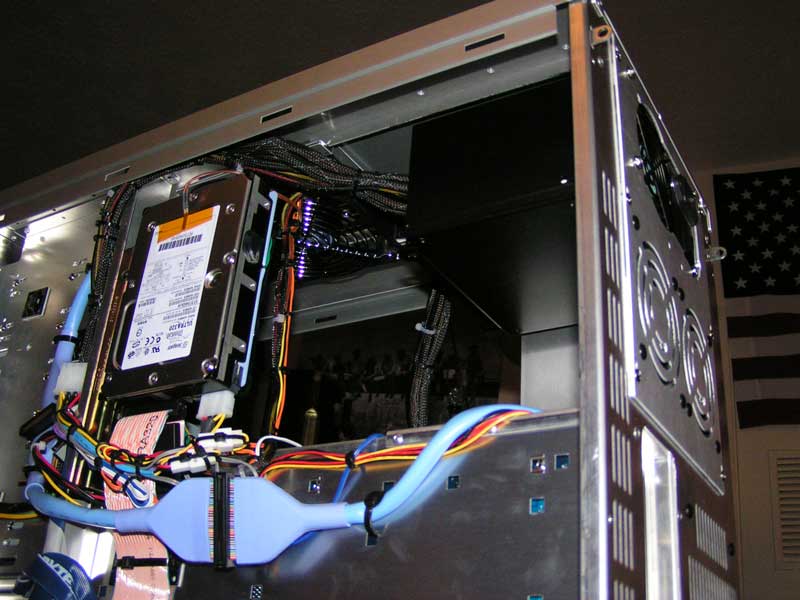
I bought all of my equipment new- and again, you get what you pay for.

Wiring_New_02_W.jpg

Wiring_New_04_W.jpg

Wires_Bottom_W.jpg
 
mikeblas said:
That said, measuring is a great idea; I'm all for it. I think I should be able to measure on a representative RAID subsystem and understand how performance works for all of them, though.
Representative of what? PATA drives/software RAID? SATA drives/onboard RAID controller? SCSI drives/hardware RAID controller?

mikeblas said:
I'm not measuring only the drive. I have to measure the controller, the device drivers for the drive and the controller, and the file system, too.
Exactly ...

Take a look at IOMeter ... this is quite often used to "tune" an array's stripe/block size ... you should be able to configure the test parameters to "simulate" the file I/O of your application. IOMeter allows you to save the test parameters to a file that could be shared with others to compare different subsystems.
 
DougLite said:
Looking on Ebay is, IMO largely irrelevant,as we're throwing out prices on parts that may not necessarily be new. If we look at some pricing data for new drives, we'll find that we can pop $488 for an Atlas 15KII 73GB, and $129 each for the 15K Seagate 18GB drives. (Off of Bizrate) That's $746, and doesn't include an HBA. I'm sorry, but if I was looking to build an enterprise level setup, I wouldn't look on Ebay. Also, I'm not trying to scare people away from SCSI. I even recommended SCSI in this thread for a fellow [H]er building a server system that will house his planned automotive forums. I even bashed my darling Raptor in that thread for its poor server performance and rather hasty design for a current generation 10K drive. When that 2x18GB and 73GB SCSI setup was new, it would have easily cost $800, probably over $1000.

Also, you're not going to get a SCSI drive, new, in the same capacity, that beats Raptor in desktop performance, for less than $200. The best I could do was an Atlas 10K V 73GB for $229, which incidentally, was the drive I recommended for Moose in his server build thread. And you're right, "faster for you" is what's important. But capacity and price are important too. A 36GB drive won't get it done - I have 35GB worth of games installed right now, let alone Windows. So that means that I'd have to buy a 73GB drive, to hold Windows and my games, or be stuck loading stuff off a data drive, which kind of nullifies any speed advantage the SCSI drive would have. There are 6 drives faster than WD740GD in the SR single user benchmarks: Fujitsu MAS/MAU, Maxtor Atlas 15K I/II & 10K V, and Seagate Cheetah 15K.4. None of these drives can be had new for less than the cost of WD740GD, and only one of them is within $100 of it, Atlas 10K V. I have attempted to deliver 'The Truth about RAID' from the perspective of the typical enthusiast. If you want to throw drives on Ebay against new drives from WD authorized resellers, go right ahead. That seems like a very poor way to tout the advantages of a supposedly superior product.
Ahh, but now you're contradicting yourself; the entire point of this thread is RAID for the enthusiast... not enterprise level stuff! So who cares whether they're brand new drives; SCSI drives not only can take a beating and keep on chugging, but are probably cared for much much better than any IDE/SATA drives you'll find used. To ignore cost-effective drives on e-bay is foolish. I'd be willing to bet that 99% of the SCSI drives in desktop systems on this entire board are used.
For example, if you head over to storage review, you can see that the Fujtisu MAP line outperforms quite a few 15K offerings and is right near to the raptor in performance on the office and game benchies... and guess how much you can get one for? If you answered $75 + ship for a 73gb 10K drive, you'd be right on the mark. Price/performance ratio is much better than a raptor, wouldn't you say? In my very informal, side-by-side testing of a WD740GB and a Fujitsu MAP, there was absolutly no discernable difference. So I sold the raptor and stuck with the cheaper and still very fast SCSI solution.
Again, i'm not saying SCSI is right for everyone or that it even beats the raptor most of the time... but please stop making ridiculous claims about the cost of SCSI.
 
Vertigo Acid said:
I'd be willing to bet that 99% of the SCSI drives in desktop systems on this entire board are used.
I'd guess it's closer to 100%. Who's going to buy the drive and not use it? ;)

Hate to say it, but this thread is turning into the trolls versus the troll bashers, and I'm not sure who's who. Not implying that VA is either, just some other people in here. Chill, ok guys? You all have nice systems, I'm sure, and they do what you want them to.

jen4950: isn't it a bad idea to wire the sata cables together like that? seems to me it'd cause interference.
 
Dually said:
Take a look at IOMeter ...

Thanks for the link! I thought IOMeter had been abandoned. I'm glad it has found a new home with active maintenance.

Thing is, it doesn't do what I want to. I want to do thousands of I/Os, each at a certain range of settings, timing each. That way, I get a graph (perf vs. value of the varied parameter) that tells me which setting is fastest.

I can do this with IOMeter, but it's tedious because I have to build a test suite for each setting, run it, then store away the results.

.B ekiM
 
unhappy_mage said:
I'd guess it's closer to 100%. Who's going to buy the drive and not use it? ;)

Hate to say it, but this thread is turning into the trolls versus the troll bashers, and I'm not sure who's who. Not implying that VA is either, just some other people in here. Chill, ok guys? You all have nice systems, I'm sure, and they do what you want them to.
Heh, you miss interpreted my statement. I wasn't saying that there were 1% of SCSI drive lying around unused... I was saying that 99% of SCSI drives that are bought around here are bought used!

As for this thread going downhill.... you seem to suggest that disagreement/arguing over this is not the point. Am I the only one that thinks conflict fosters understanding on both sides, and even more for the people lurking?
 
jen4950 said:
I bought all of my equipment new- and again, you get what you pay for.

That's a nice wiring job. I always promise myself that the next machine I build will be the one where I pay attention to wiring.

.B ekiM
 
unhappy_mage said:
...

jen4950: isn't it a bad idea to wire the sata cables together like that? seems to me it'd cause interference.

I actually did alot of research on that before I did it- they are shielded cables and the voltage/signal is too low to escape the shielding, let alone interfere with another shielded cable.
 
mikeblas said:
That's a nice wiring job. I always promise myself that the next machine I build will be the one where I pay attention to wiring.

.B ekiM

Thanks- I've been really happy with the machine- it's been suprizingly reliable.. and fast.
 
Back
Top