• A Great friend to the HardForum with a great kid that he is trying to get a scholorship to continue his schooling. Please give hime a vote! Only 24 hours left! Thanks.
    If you have an VOTE FOR KEENAN!

Swapping audio channels from PC to receiver

kyuusei

n00b
Joined
Sep 16, 2008
Messages
33
So I'm moving into a new studio and will have my PC and my TV in the same room, but with a 90 degree direction change. Per the diagram below, is there any way I can swap audio channels around from my PC to the receiver so I can mostly use the same speaker set up instead of having 2 completely different sets?
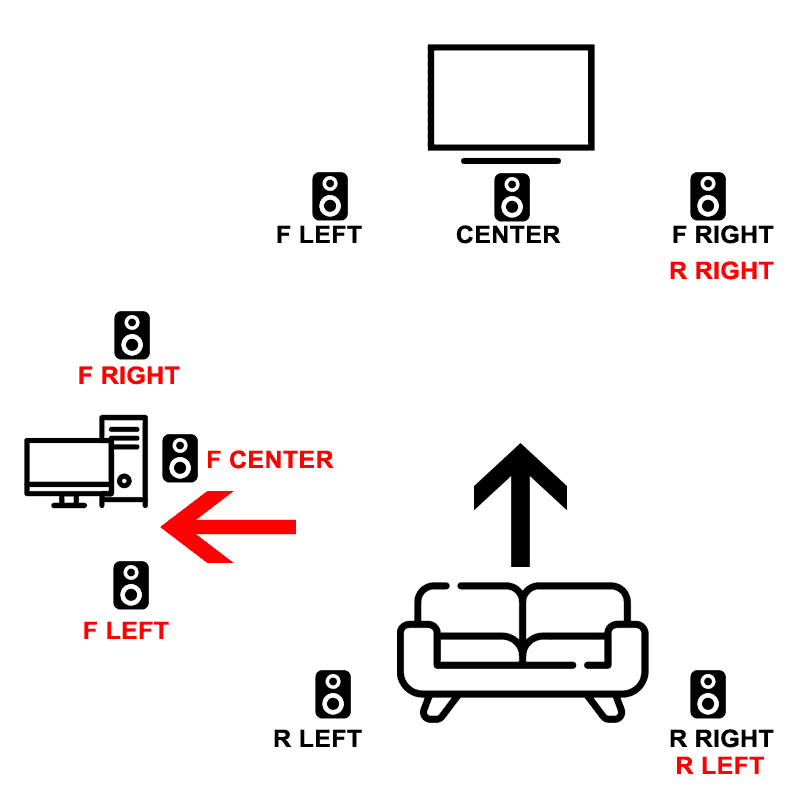
SPEAKER.gif
 
Are you using 2 AVR's?
What speakers are you using?
it's easily doable if you are using 2 AVR's just using a switch box for the 2 shared speakers.
using 1 AVR makes it a bit more complicated but it could be done as well but using more switch boxes.
 
Are you using 2 AVR's?
What speakers are you using?
it's easily doable if you are using 2 AVR's just using a switch box for the 2 shared speakers.
using 1 AVR makes it a bit more complicated but it could be done as well but using more switch boxes.
Right now I don't have anything except an analog 5.1 set hooked up to my PC. But the plan is for a receiver and speakers/sub, so I'm trying to keep costs down and minimize the amount of speakers and cable runs. How would I go about configuring the whole system? PC and TV both connected to AVR via HDMI, where would the switch boxes go?
 
Right now I don't have anything except an analog 5.1 set hooked up to my PC. But the plan is for a receiver and speakers/sub, so I'm trying to keep costs down and minimize the amount of speakers and cable runs. How would I go about configuring the whole system? PC and TV both connected to AVR via HDMI, where would the switch boxes go?
With 1 AVR the switch boxes would go right near the AVR, you will need 5 A/B switch boxes, and you will want to have at least 6 of the same model speakers.

EDIT: now that I think about it, you might need 7 swtich boxes, 2 would be at each of the speaker used for the PC's rear surround channels.
 
Last edited:
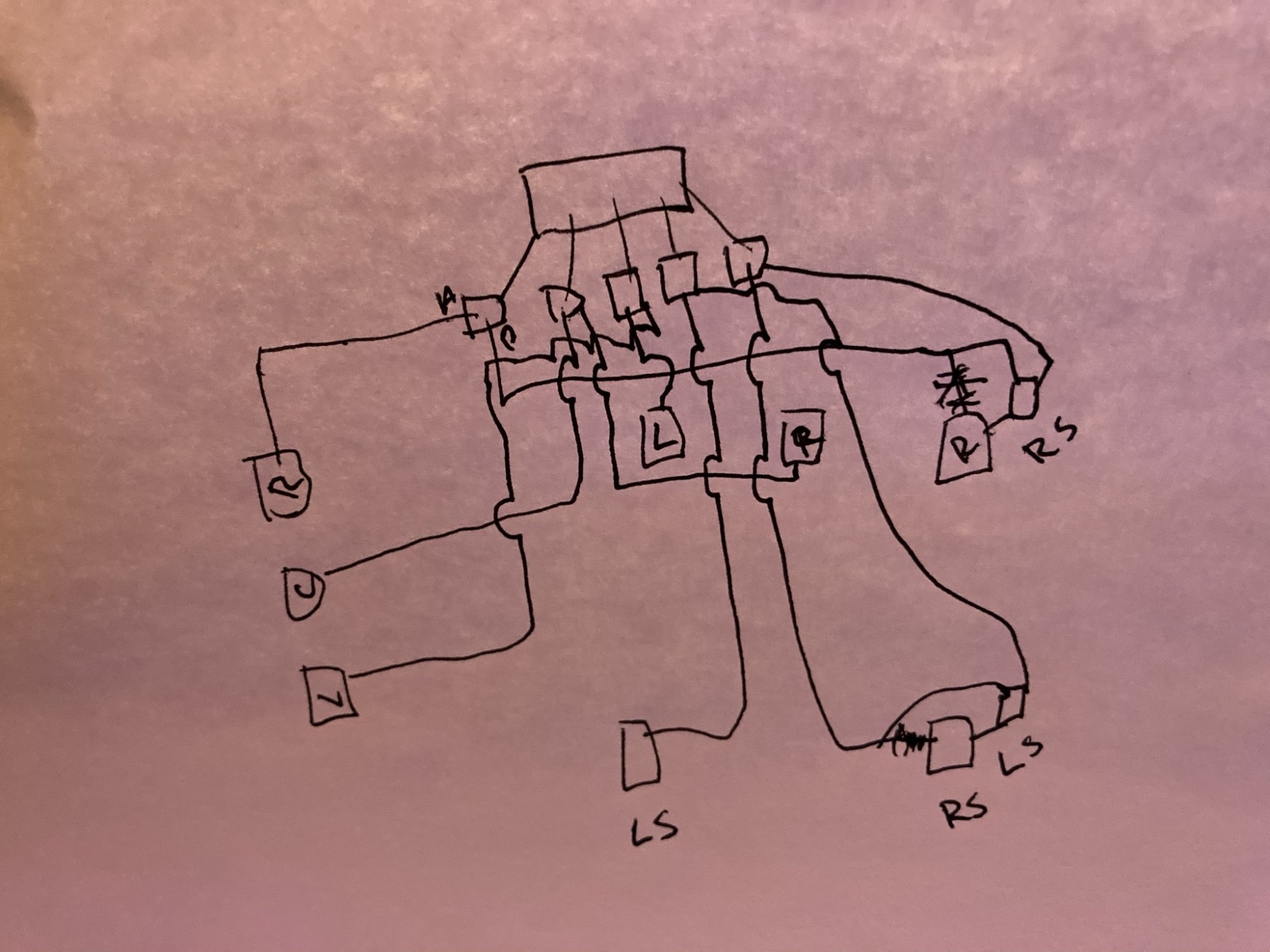
Looks like 7 switches are needed.
And all switches can be near the AVR.
IMG_0593.JPEG
 
Last edited:
Ahh I think I got it.

That's quite a lot of hardware and swapping from computer - tv and vice versa means clicking 7 switches....any ideas for a more streamlined alternative? With 2 AVRs, just 2 switches for the PC rear surrounds as you said...but AVRs aren't cheap. It's kinda starting to look like it's more trouble than it's worth.
 
Ahh I think I got it.

That's quite a lot of hardware and swapping from computer - tv and vice versa means clicking 7 switches....any ideas for a more streamlined alternative? With 2 AVRs, just 2 switches for the PC rear surrounds as you said...but AVRs aren't cheap. It's kinda starting to look like it's more trouble than it's worth.
get a used AVR for the PC.
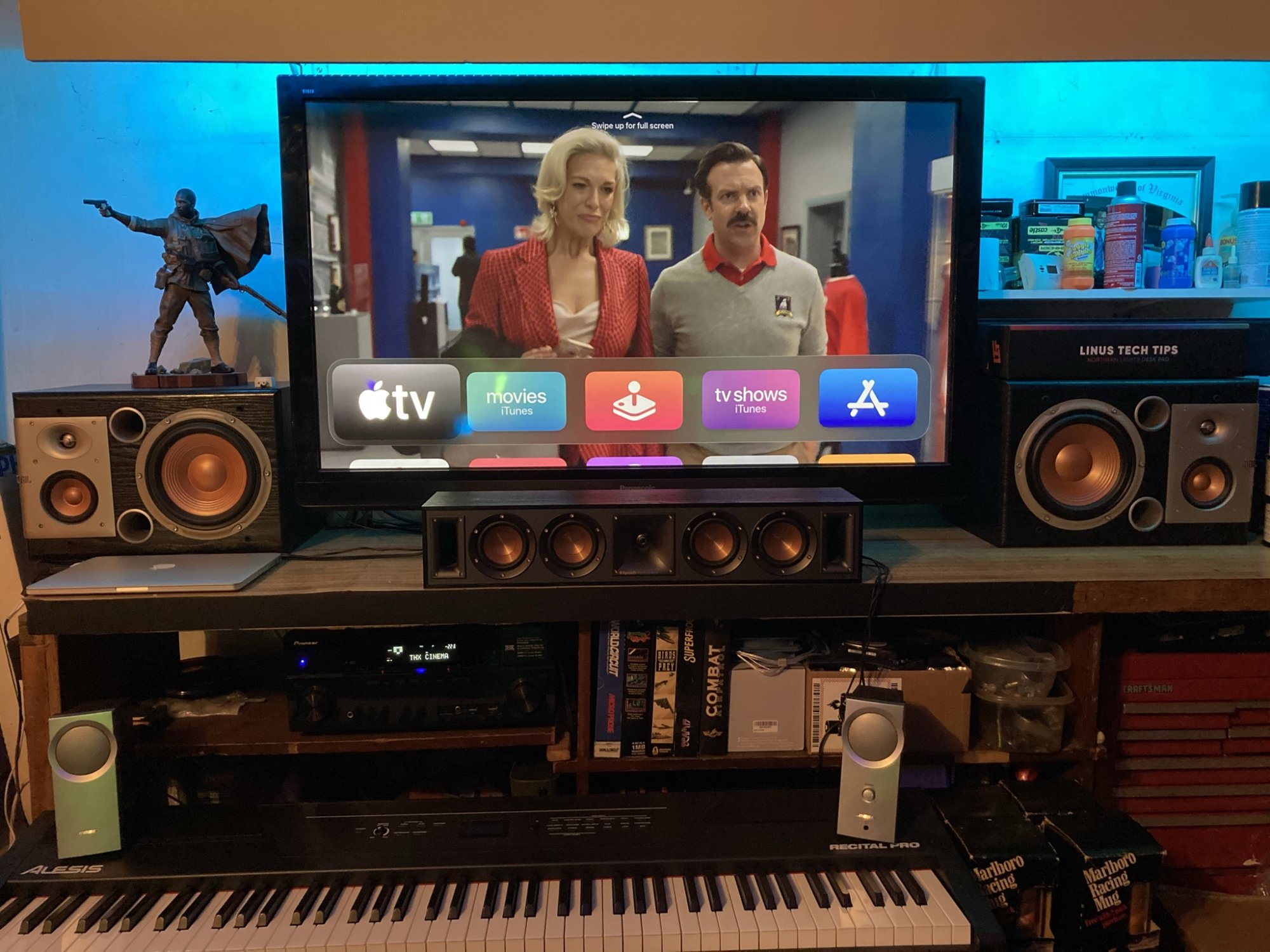
I got the AVR and the 2 large speakers a few years ago for $40. I use this setup in the garage.
IMG_0392.JPEG
 
Back
Top