• Some users have recently had their accounts hijacked. It seems that the now defunct EVGA forums might have compromised your password there and seems many are using the same PW here. We would suggest you UPDATE YOUR PASSWORD and TURN ON 2FA for your account here to further secure it. None of the compromised accounts had 2FA turned on.
    Once you have enabled 2FA, your account will be updated soon to show a badge, letting other members know that you use 2FA to protect your account. This should be beneficial for everyone that uses FSFT.

Slow Internet Speed

punsgaur

n00b
Joined
Jan 12, 2012
Messages
15
I am on a VDSL internet connection ( 24 Mbps ). My modem router is Huawei HG630 V2 Home Gateway, 2.4 Ghz band.
My laptop's wifi card is inconsistent ( I have gotten upto 20 Mbps on it so my modem router and connection speed seems fine ) so using a TP-Link TL-WN823N 300Mbps Mini Wireless-N USB Adapter running in a usb 3.0 slot on laptop

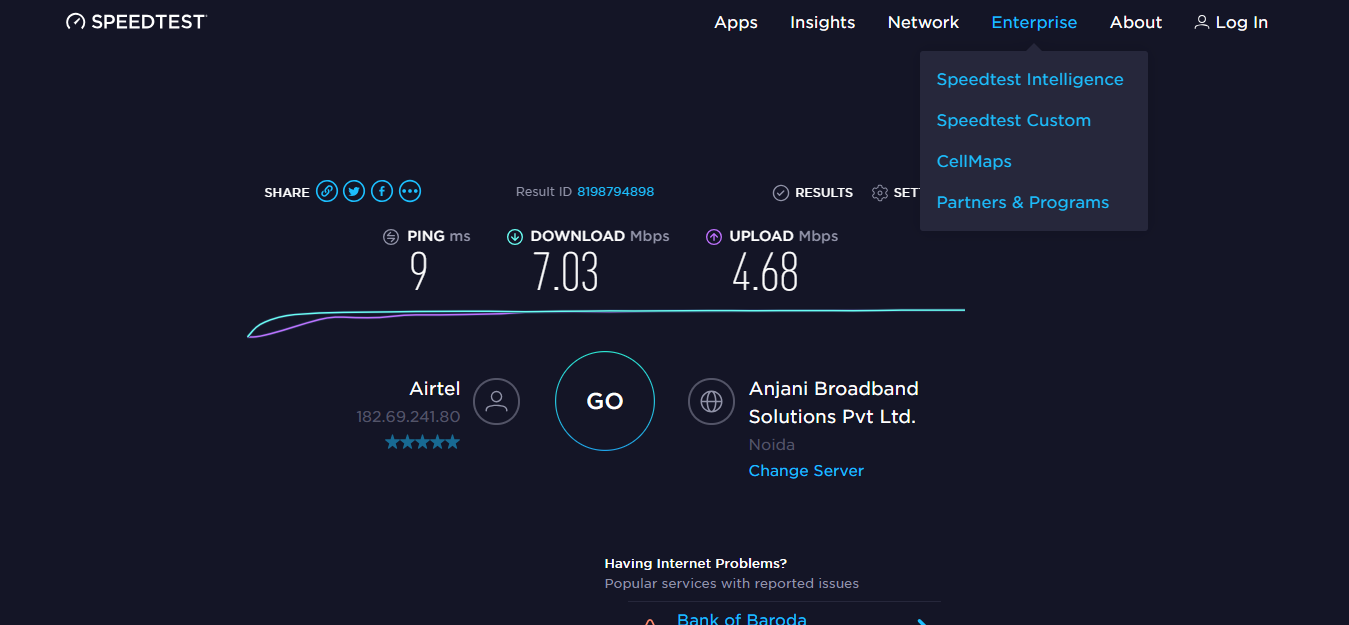
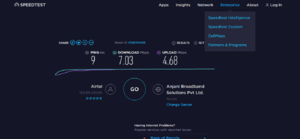
On running internet speed test, I get max 7 Mbps.
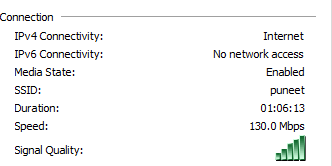
My internet speed is showing as 130 Mbps in the wifi adapter

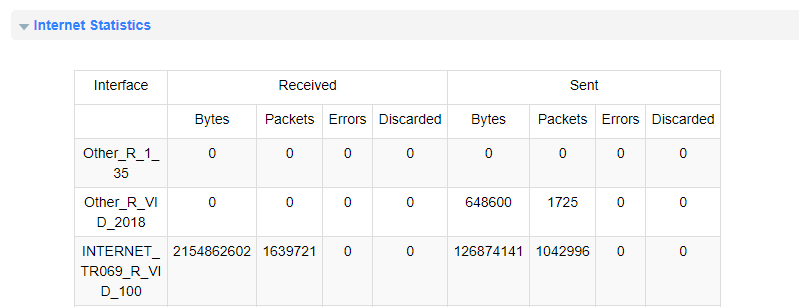
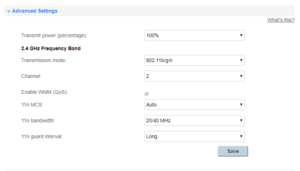
Attaching screenshots.
I wonder why I am not getting close to 20 to 24 mbps and what seems be the issue ? screenshot-192.168.1.1-2019.04.21-18-27-50.png screenshot-www.speedtest.net-2019.04.19-10-46-47.png
 

Attachments

  • screenshot-192.168.1.1-2019.04.08-12-24-08.png
    screenshot-192.168.1.1-2019.04.08-12-24-08.png
    11.4 KB · Views: 0
  • screenshot-192.168.1.1-2019.04.08-12-26-52.png
    screenshot-192.168.1.1-2019.04.08-12-26-52.png
    20.4 KB · Views: 0
  • 111.png
    111.png
    5.1 KB · Views: 0
If possible, test with a wired connection to verify the ISP is really providing advertised speeds. In a lot of cases, the link between your house and the main ISP office IS at rated speed but the link between the ISP office and the rest of world is undersized for the number of customers.

Awful lot of errors on that one screen. Might do a scan for nearby wifi radios. Possible you just have too many folks competing for limited channel slots.
 
i tried wired and wireless on my PS4 and it shows 20 - 22 Mbps. On my phone too, its around the same speed.
I tried changing my channel manually to 13 and that has improved the speed on laptop and usb adapter but not to the max ( Around 12 - 13 Mbps ). There is no other wifi operating on channel 13 in my analysis.
 
It's all the bandwidth going back to motherland China from your modem.

Also, I have never, ever, gotten "Max" on a DSL connection. I'm usually lucky to test to 75%, and on average probably see about 50% of the advertised speed, depending on time of day and such.

I have 12MB DSL, just ran fast.com, and currently getting 5.8. Seems normal, unfortunately.
 
Seems the issue is with the TP-Link TL-WN823N 300Mbps Mini Wireless-N USB Adapter and it limits the speed possible.
Just tried a 450 Mbps realtek usb wifi 802.11n card and getting 22 Mbps consistently.
Thanks everyone
 
Seems the issue is with the TP-Link TL-WN823N 300Mbps Mini Wireless-N USB Adapter and it limits the speed possible.
Just tried a 450 Mbps realtek usb wifi 802.11n card and getting 22 Mbps consistently.
Thanks everyone
It should be able to get those speeds, check their website and manually update the driver(if there is a newer one), if not trying deleting/reinstalling the driver. 9/10 these things are software related and not hardware...but you could have just gotten a bad one
 
It should be able to get those speeds, check their website and manually update the driver(if there is a newer one), if not trying deleting/reinstalling the driver. 9/10 these things are software related and not hardware...but you could have just gotten a bad one

I tried around 3 to 5 older drivers but nothing helped. I will use it in another laptop to see if I got a bad one
 
I tried around 3 to 5 older drivers but nothing helped. I will use it in another laptop to see if I got a bad one

It may seem basic but did you try it in a USB 2.0 port? or just a different USB port. I've had some not play nicely with 3.0
 
Back
Top