• Some users have recently had their accounts hijacked. It seems that the now defunct EVGA forums might have compromised your password there and seems many are using the same PW here. We would suggest you UPDATE YOUR PASSWORD and TURN ON 2FA for your account here to further secure it. None of the compromised accounts had 2FA turned on.
    Once you have enabled 2FA, your account will be updated soon to show a badge, letting other members know that you use 2FA to protect your account. This should be beneficial for everyone that uses FSFT.

SLI - does not work with Widescreen Resolutions?

dworley

Gawd
Joined
Sep 30, 2004
Messages
625
After getting my new PC up and running I discovered that I get a "shimmering" effect when selecting any Widescreen aspect ratio resolutions in HL2 or CS Source to use with my Dell 2005FPW Monitor at 1600x1050. (I suspect this is a problem in any games). The display problem acts like the refresh rate is fluctuating. When I changed to 4:3 ratio ie: 1280x1024 it worked fine.

Also Hooked up a Dell 2001FP and display works fine in SLI mode @1600x1200.

Anyone else experiencing this? I assume it is an NVIDIA driver related issue and hopefully it gets fixed with a newer release.

Currently using 66.93 drivers

Thanks for any info!

------------------------------------------------
SLI RIG:
Thermaltake Tsunami Dream Case
ASUS A8N-SLI Deluxe
OCZ 520W Modstream PSU
AMD Athalon 64 FX-55
BFG 6800GT OC PCI-E (2xSLI)
1gb Corsair XMS 3200XL 2x512
160GB SATA Samsung Spinpoint Drive
USB Sony CDRW/DVD
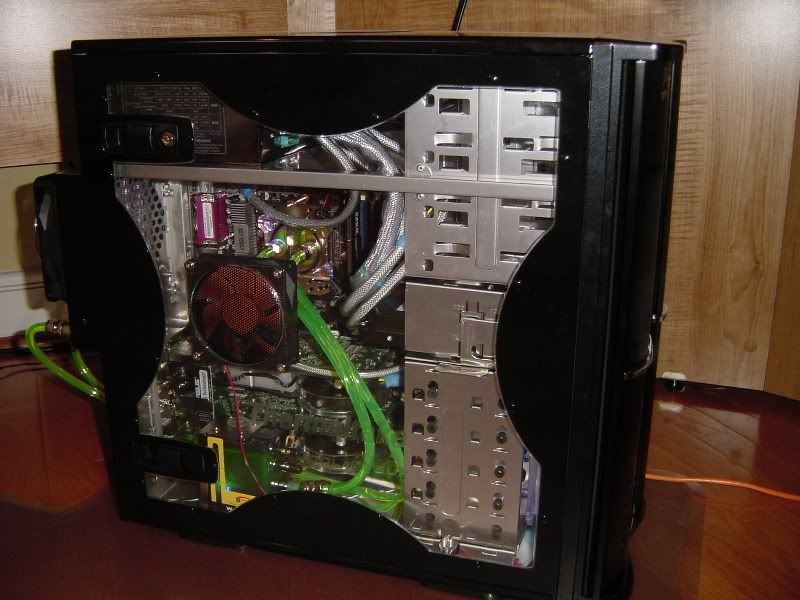

DSC00039.jpg
 
I dont think many other people have SLI as of yet... I wouldn't mind having your rig... but I enjoy my car a little more than my PC :)
 
There was a review out the other day that pointed out this exact problem...I forget the website...but yes, SLI is definitely having issues with widescreens...I can only assume it will be fixed in a driver revision at one point...SLI seems to be a very software intensive system...nvidia must have to code specifically for every game and possible resolution...I'm sure they'll get it done...but it will likely take some time...
 
I think it will be a rough road for the early adoptors of SLI, unless it is purely for benchmarking. The next generation will be very interesting.
 
R1ckCa1n said:
I think it will be a rough road for the early adoptors of SLI, unless it is purely for benchmarking. The next generation will be very interesting.

I agree...SLI seems extremely complex...but it's showing a lot of promise thus far...time will tell...
 
I have been playing HL2, CS Source and Doom3 for most of the day on the new PC and I am very impressed with this SLI setup!

After swapping out my Widescreen Monitor for a Dell 2001FP I am running all of the games at 1600x1200 with all eye candy on! Not a single problem and it is pure gaming bliss!

I was expecting to have a few hiccups, so far SLI has exceeded my expectations!

If anyone knows if any of the NVIDIA Beta drivers work correctly with Widescreen Resolutions please post!!!!

THANKS!

Dave

------------------------------------------------
SLI RIG:
Thermaltake Tsunami Dream Case
ASUS A8N-SLI Deluxe
OCZ 520W Modstream PSU
AMD Athalon 64 FX-55
BFG 6800GT OC PCI-E (2xSLI)
1gb Corsair XMS 3200XL 2x512
160GB SATA Samsung Spinpoint Drive
USB Sony CDRW/DVD
 
gahh i want some AQUAMARK RUNS DAMN IT !!! >.< no one has run Aquamark on a SLi set up and i know of atlest 2 or 3 ppl here with them >.<
 
canislupy said:
Ask and you shall receive.

http://arc.aquamark3.com/arc/arc_view.php?run=2029711190

I have an HP L2335 23" WS LCD... :( The problem is in the drivers for WS resolutions. The price you pay for early adoption I guess. I can live with 4:3 for now though, can't beat those framerates.

How come it says 256 megs (or so) of video memory? SLI doesn't utilize all 512 megs of memory between the cards? I thought the newer drivers added support for that.
 
It does use it all, but the two cards don't act as a single entity. Everything recognizes them as two cards from what I understand.
 
Graphics Texture Memory: 446693376 Byte ( ~426 MegaByte)

yup there you go
 
Elios said:
Graphics Texture Memory: 446693376 Byte ( ~426 MegaByte)

yup there you go

that still doesnt add up correctly. Isn't system ram being shared there?
 
its hard to tell with out a SLI rig to mess with >.> im open to any one that wants to send me one ^^ :D
 
dworley said:
After getting my new PC up and running I discovered that I get a "shimmering" effect when selecting any Widescreen aspect ratio resolutions in HL2 or CS Source to use with my Dell 2005FPW Monitor at 1600x1050. (I suspect this is a problem in any games). The display problem acts like the refresh rate is fluctuating. When I changed to 4:3 ratio ie: 1280x1024 it worked fine.

Also Hooked up a Dell 2001FP and display works fine in SLI mode @1600x1200.

Anyone else experiencing this? I assume it is an NVIDIA driver related issue and hopefully it gets fixed with a newer release.

Currently using 66.93 drivers

Thanks for any info!

Bit of a late arrival to this thread but, i'm having the same problem as you. The screen when set to 1680x1080 seem to shift up and down. Does it in HL-2 and UT2004.

This is on a Dell 2005FPW aswell.

I've tried all drivers up to 71.24 with no success. Haven't tried the new 67.65's though
 
I have found, in playing around with HL2 anyway, that when I start HL2 in 1920x1200 I get the shimmering, but if I then switch to 1600x1200 then back to 1920x1200 it goes away. Weirdness.
 
nice system and i hope you find the solution to your problem, but whats with the samsung hard drive? :eek:
 
Nexx said:
nice system and i hope you find the solution to your problem, but whats with the samsung hard drive? :eek:


Maybe he wants a drive with a good warranty?
 
my thanks to all your early adopters who have to put up with stuff not working right. your high priced purchase drives the R&D and technology tweaking that will allow me to buy it cheaper and better in a relatively short time frame.

Thanks!

:D
 
Glad to be of service. :D

The problems for me now are either few enough or simply resolved or worked around that I hardly notice. Sure, it'd be great if I did not have those issues, but I'm not one to whine. That would be like my complaining of poor gas mileage after buying my H2, duh (no lie, this was the #1 complaint on survey's... people are soo f'n stupid).
 
I would be whining like a baby if I got SLI, and NV didnt say there was problems with WS displays. Im on a 2005FPW, and would not do 1600x1200 just to compensate for their problem. I know everything is not going to be perfect, but surely they knew about this problem. Somehow warning people would have been nice. WS displays are getting very popular.. which is why I made a post asking when/if they would be added to [H]'s reviews. I didnt get any reply though. :( They could have saved some people major headaches had they added a WS res.
 
Has then been fixed!? I'm gonna cry if my dual 6800ultra setup looks like crap on my 2005fpw at WS res's in HL2
 
Mine had not issue with wide screen, just make sure you load the inf for the screen
 
Steel Chicken said:
my thanks to all your early adopters who have to put up with stuff not working right. your high priced purchase drives the R&D and technology tweaking that will allow me to buy it cheaper and better in a relatively short time frame.

Thanks!

:D

You are most welcome , now buya frigin Verizon phone from me so i can afford this friggin thing
 
robberbaron said:
that still doesnt add up correctly. Isn't system ram being shared there?

Correct me if I'm wrong, but isn't it stated that the SLi system improves performance over a single vid card by about 180%? If you check it out, that amount of Texture Memory would be about 170-180% of the Memory of the single card. Maybe that's why it doesn't perform a full 200% better because they haven't figured out how to implement full use of the card combined Graphics Memory?
 
Gen.Viper said:
Correct me if I'm wrong, but isn't it stated that the SLi system improves performance over a single vid card by about 180%? If you check it out, that amount of Texture Memory would be about 170-180% of the Memory of the single card. Maybe that's why it doesn't perform a full 200% better because they haven't figured out how to implement full use of the card combined Graphics Memory?

Each card still needs to have it's own graphics memory. Why? Think about it. Say you have one texture on card 1's graphics memory but card 2 needs that texture which isn't in it's memory. Card 2 would need to access card 1's memory. Currently I don't believe they could do this without a hit in latecny times. They'd need to have the SLI link be at the same speed as that of the ram on each card, times 2. They would need full bandwith for each card between both cards. Even then how well would it work to even go off the card, I'm sure the latency between the cards would be less than each card having it's own independent memory.
 
Back
Top