• Some users have recently had their accounts hijacked. It seems that the now defunct EVGA forums might have compromised your password there and seems many are using the same PW here. We would suggest you UPDATE YOUR PASSWORD and TURN ON 2FA for your account here to further secure it. None of the compromised accounts had 2FA turned on.
    Once you have enabled 2FA, your account will be updated soon to show a badge, letting other members know that you use 2FA to protect your account. This should be beneficial for everyone that uses FSFT.

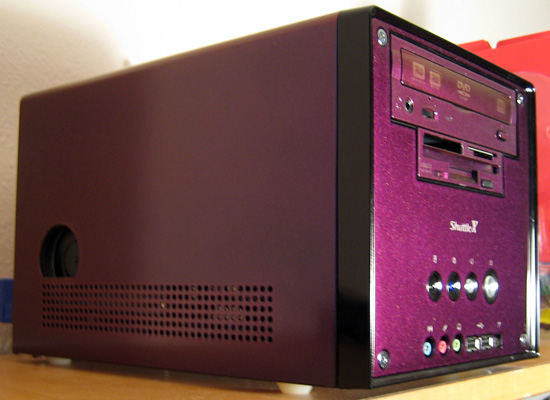
Shuttle XPC - mirage paint + intake

Ok someone asked me for details about how to put the hole in... so here's how I did it:

I took 4 measurements with the side panel off.
from bottom to the center of fan.
from bottom to the top edge of circle
from back edge to the center of fan
from back to the left edge of circle

Then I measured the diameter so I know how big the circle is.

Then I taped up the side,
marked the 2 marks to the center of the hole (you'll need to add 1/16th the measurements from the back)

Then I put the 2 marks for the outer edge for reference. (add 1/16th to measurement from back)

Use a compass set to half the total diameter. While drawingthe circle the lines should line up with your outer reference lines.

I put a straight line across the bottom to keep it clean looking.

You may want to cut the whole hole, attach a tube like I did, then bondo over any half cut holes, then paint to cover your patch work.

Then I cut it with a dremel abrasive blade right inside the line, then I came back with a sander tool on the dremel to go right up to the line smoothly.
 
chrisf6969 said:
sideshot.jpg
Seeing as how the GPU fan is black, I think it would be awesome if you miraged that too... Sure, it would take some work to try to mask of just the fan and everything, but it would definitely be worth it. If nothing else you could just paint the hub of the fan.
 
pilotman2004 said:
Seeing as how the GPU fan is black, I think it would be awesome if you miraged that too... Sure, it would take some work to try to mask of just the fan and everything, but it would definitely be worth it. If nothing else you could just paint the hub of the fan.

If thats what it looked like all the time I would. That picture was right after I put everything back together so it wasnt on (spinning). When the computer is on you cant see the fan or hub.... its just a blackish blur. If I miraged it, I think all you would see would be some glittery stuff as it spun. (ie: it wouldnt match)

Now, I might add a filter. I have the part that screws in to the tube.
I've been debating on adding a screen (air filter). If I do that it will definitely be painted to match.

The thing is, the airflow in the case is so limited I dont want to constrict/restrain it any more than it already is.
 
If I miraged it, I think all you would see would be some glittery stuff as it spun. (ie: it wouldnt match)
I don't think that would be a problem if you just did the hub, it would always be at the same angle so the light would produce the same color. Plus, it would be spinning fast enough that you wouldn't notice the glitter spinning, I would think it would look the same as the rest of the case. Either way, your case, you can do what you want. :D
Now, I might add a filter ... The thing is, the airflow in the case is so limited I dont want to constrict/restrain it any more than it already is.
Mnpctech.com has aluminum air filters that do a good job and flow well, maybe you could modify one for your uses? Not sure how it would match up though...
 
pilotman2004 said:
Mnpctech.com has aluminum air filters that do a good job and flow well, maybe you could modify one for your uses? Not sure how it would match up though...

I actually have an 80mm red anondized one like that. I was thinking about cutting it up and using inside the tube. I have a piece that screws in to that threaded tube in there currently. So all I would need to do it cut it to fit, glue the filter to the piece, paint the piece, then screw it in.

intake.jpg

(threaded! :) )

Still up in the air, if I will do it.

I'm too busy right now with Mardi Gras going on. Time to go to a parade, get drunk & look at boobies!! lol :cool:
 
where exactly in walmart did you find the paint set? i went and looked in the auto section and saw some mirage paint but it wasnt duplicolor and didnt know anything about the quality of it.
 
SC385 said:
where exactly in walmart did you find the paint set? i went and looked in the auto section and saw some mirage paint but it wasnt duplicolor and didnt know anything about the quality of it.

In the auto section where there were like 50 different colors of spay paint. Its in a box. (set of 3 cans)
 
Seeing this mod makes me want a shuttle, although I rightfully understand that I don't have the money to purchase a shuttle, and not only that but I don't have the mobo for it either =\. Crap.
 
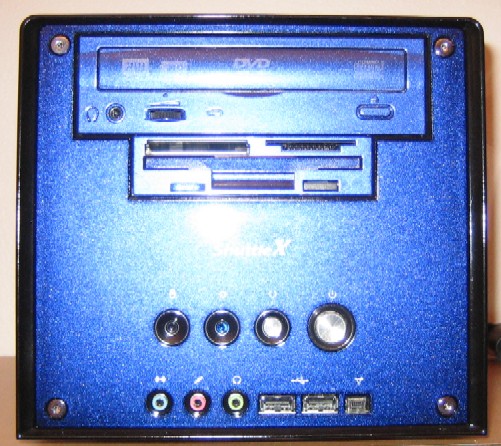
Updated: I added a Mitsumi 7-in-1 reader with floppy.

Though I don't think I have it hooked up correctly.

I think its an old version and I need to connected the power and floppy headers. I thought the whole thing would just run off of the USB header, but that doesn't even seem to be working properly. Oh well, I'll work on it tomorrow.


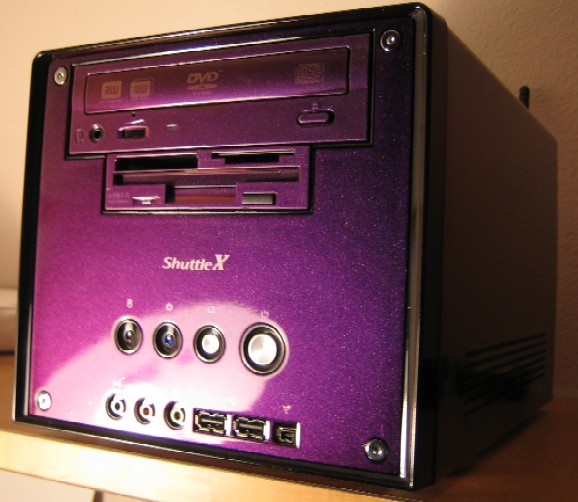
with FLASH angle # 1
mod1.jpg


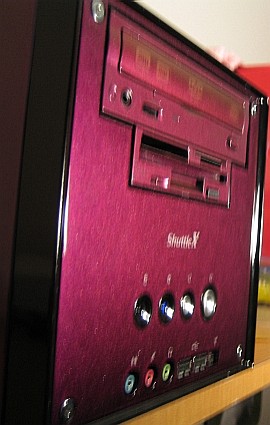
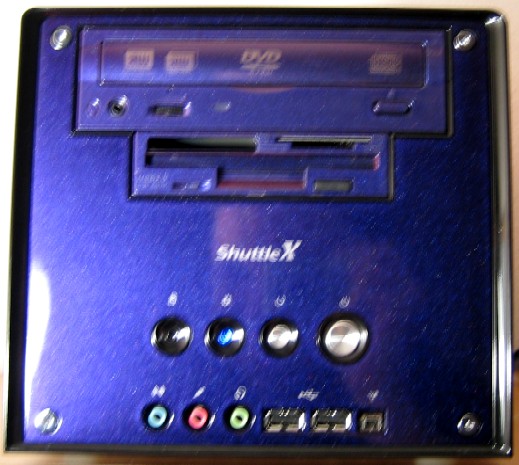
NO FLASH angle # 2
mod2.jpg


NO FLASH angle # 3
mod3.jpg


NO FLASH angle # 4
mod4.jpg
 
zapperfish said:
Pleaseuse an expernal card reader, and remove that floppy drive it does not look right

Umm, NO, I JUST ADDED IT for a reason!! lol

Now, I do agree, it was a little cleaner looking with the blank 3.5" plate. But I wanted a floppy and memory carder reader. And I got 'em both!
 
Thinking about selling this soon, and building a HTPC which I might also do a custom paint job on. Anyone interested in it?

I'm not putting it in the FS: forum yet, b/c I'm just curious as to what people would be interested in paying for it.

Components:
Pentium 4 - 2.4C oc'd to 3.2Ghz (this chip is actually good for 3.6Ghz, but I keep it lower in the Shuttle so the fan doesn't speed = stays quiet)
PNY 6800nu (softmods to GT) 380/800
OCZ 2x1Gb 3200 @ DDR355 2-3-2-5
Shuttle XPC SB65G2B
160GB 7200rpm HD
LiteOn 16x dual layer DVD+RW
Combo 3.5": Floppy & 7-in-1 card reader
Integrated Realtek LAN & Sound
Integrated 802.11b wireless (temporarily disconnected, but still inside the case)
PCI 802.11g wireless card added in for faster WiFi
 
Nice Fan intake, have you thought of dust though? Seems like that would be a magnet for bringing dust straight into your video card :confused: Great paint job though, the metal flake looks awesome.
 
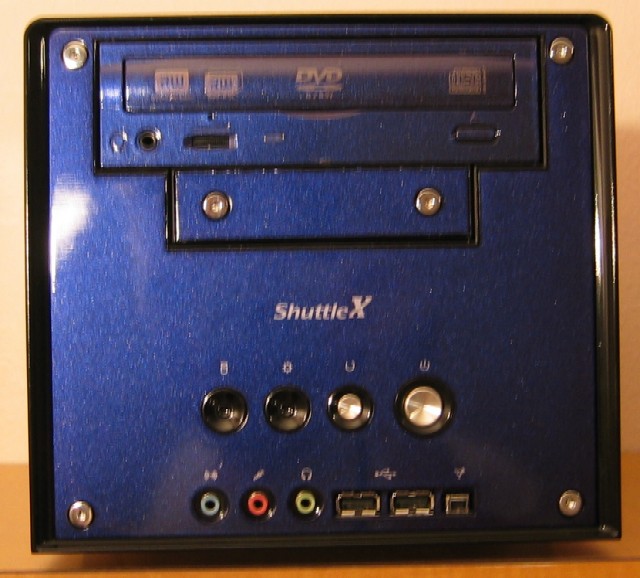
Before the 7-in-1 combo, floppy drive. Shows what the extra drive covers look like.
after.jpg


newpurple.jpg


with FLASH angle # 1
mod1.jpg


NO FLASH angle # 2
mod2.jpg


NO FLASH angle # 3
mod3.jpg


NO FLASH angle # 4
mod4.jpg
 
THIS IS FOR SALE

PM me if you're interested in buying it. Make me an offer.

(I'll be taking out my harddrive)

So its a complete system - OS & harddrive.

sideshot.jpg

<most accurate representation of its color>

Components:
Pentium 4 - 2.4C oc'd to 3.2Ghz (this chip is actually good for 3.6Ghz, but I keep it lower in the Shuttle so the fan doesn't speed = stays quiet)
PNY 6800nu (softmods to GT) 380/800
OCZ 2x1Gb 3200 @ DDR355 2-3-2-5
Shuttle XPC SB65G2B
LiteOn 16x dual layer DVD+RW
Combo 3.5": Floppy & 7-in-1 card reader
Integrated Realtek LAN & Sound
Integrated 802.11b wireless
Custom PAINT JOB on everything.
Extra blank 3.5 & 5.25 covers painted to match... in case you want to do stealth mod drives.
 
Back
Top