• Some users have recently had their accounts hijacked. It seems that the now defunct EVGA forums might have compromised your password there and seems many are using the same PW here. We would suggest you UPDATE YOUR PASSWORD and TURN ON 2FA for your account here to further secure it. None of the compromised accounts had 2FA turned on.
    Once you have enabled 2FA, your account will be updated soon to show a badge, letting other members know that you use 2FA to protect your account. This should be beneficial for everyone that uses FSFT.

Resolved.

Status
Not open for further replies.
I'd actually strongly recommend you not get a frozr card for this case. Frozr cards (and all dual/triple fan designs) blow air into a heat sink and air exhausts everywhere. In the case of a frozr 6950 I tried, the bulk of the air came off the card back inside the case. The inside edge of the card will be about 1/2" from an intake fan, blowing air into the intake fan greatly disrupts air flow in the case.

You are better off with stock blower style coolers that pull air in at the far end (which will be right next to an intake fan) and exhaust air out the case as this works with the case's cooling instead of against it.

My ASUS 570 DCUII idles at 28C and CPU at 32C.
The case helps exhaust the air properly since all of it is going up.
Heat will always rise in this case. I do recommend my card over the MSI.
 
I have question on a build. I am getting this case and will have 3 SATA devices. SSD, HD, and DVD drives. Should I get 90 degree SATA connectors or are the standard straight ones ok as far as wire management goes?

Any tips or suggestions on installing a Corsair H60 HSF? Most of the builds seem to use the top exhaust port. I am a first time builder and just trying to make this go as smooth as possible. Thanks!

I put in an H60 a couple of months ago (my first time to use a closed loop) and I put it at the top exhaust as well. It was actually a bit too tight as I had to force it a bit and ended up with the heatsink slightly slanted. I used the fan as push so the heatsink which is wider had to be slightly forced into place at the gap at the top.

I just ordered some GTs to make it into a push/pull configuration and fix my issue on the heatsink not being flush at the top. It works even if it's not flush, but I wanted quiter fans as well so decided to hit two birds at once by fixing that. I guess a shroud would have worked too.

How was yours?
 
Does anyone know if this case is going to be getting USB 3.0 ports on top?

You should be able to buy it right now at least separately. I emailed silverstone, about a month ago, with a similar question and this was the reply.

I can’t give you an exact date but I can tell you that even if you buy the case now, parts will be available to upgrade to USB 3.0 for those who already own the case the part will cost from $10 ~$12

This can be purchase trough SilverStone in two weeks sales@silverstonetek.com
 
Last edited:
You should be able to buy it right now at least separately. I emailed silverstone, about a month ago, with a similar question and this was the reply.

I can’t give you an exact date but I can tell you that even if you buy the case now, parts will be available to upgrade to USB 3.0 for those who already own the case the part will cost from $10 ~$12

This can be purchase trough SilverStone in two weeks sales@silverstonetek.com

Awesome, that is good to know.
 
They're drop in replacments. Unscrew the FN181 and speed switch, screw in AP181 and speed switch, done. I have two AP181 and one FN181 fans for sale if you end up needing to buy a new fan or two. They come with the speed switches.

In re: to the replacements, it's a full package right? Just a matter of unscrewing the current switch and fans, then popping in the new ones without rewiring?

I took the broken one out and the metal bracket that was holding the plastic switch was twisted pretty badly; I compared it to the other one and figured out why it didn't work: it was missing the copper (?) pieces that are found under the switch that makes contact with the wires.
 
In re: to the replacements, it's a full package right? Just a matter of unscrewing the current switch and fans, then popping in the new ones without rewiring?

I took the broken one out and the metal bracket that was holding the plastic switch was twisted pretty badly; I compared it to the other one and figured out why it didn't work: it was missing the copper (?) pieces that are found under the switch that makes contact with the wires.

Yup, no re-wiring necessary. The fans come pre-wired with the speed switches.

You could try soldering your broken switch back together.
 
Yup, no re-wiring necessary. The fans come pre-wired with the speed switches.

You could try soldering your broken switch back together.

Nothing to solder, it's the copper contact that sits inside the switch that makes contact with the pcb lol :( looks like it just fell out and disappeared.
Anyhow, I currently have an Ultima 90 (for a while I thought I had the TRUE 120) and I kind of want to switch to one of the Corsair Hx models for cooling. I understand the benches are quite similar between all of them; so there's no reason to really upgrade aside from a cleaner look huh.

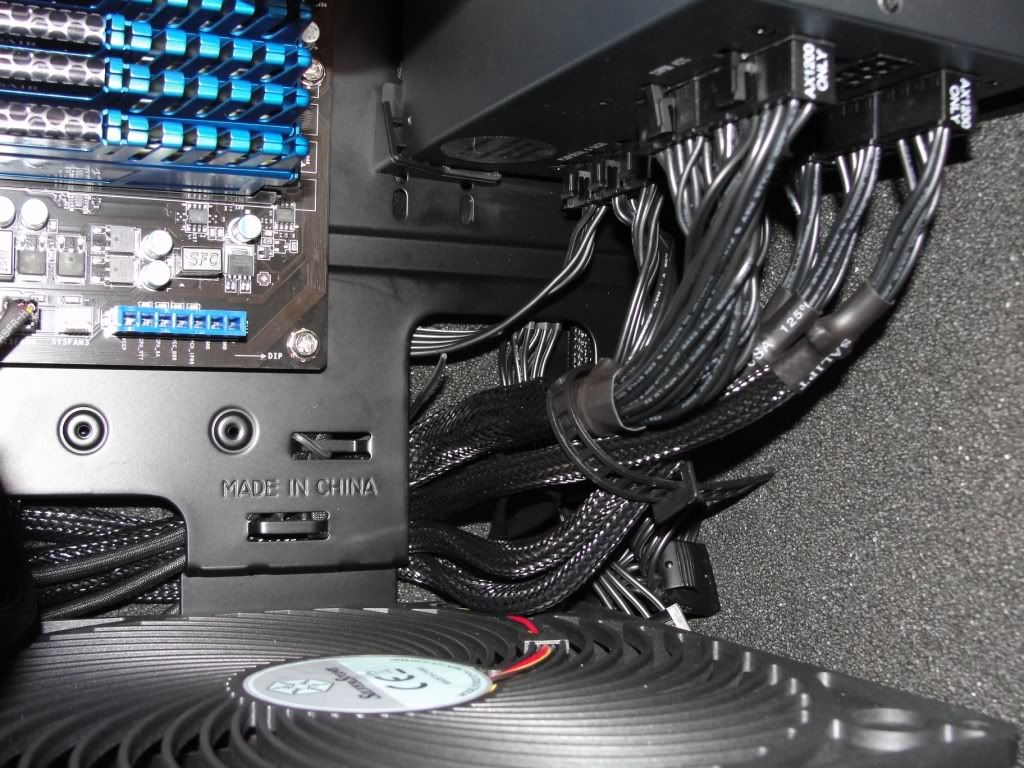
Anyone have pics of their cable routing, inside and back plate? At the moment mines a little annoying because I still have an IDE HDD and the sata ports on my mobo face the side of the case rather than the bottom. My current headache is dealing with the SATA cables that come with the Corsair AX750, especially with the multiple connectors.

I've looked through the case gallery as well, which helped somewhat. But nothing clearcut.

I really like how this looks - http://i.imgur.com/QOGGa.jpg & http://i.imgur.com/60eD7.jpg I suppose it's just a matter of finding adapters like that
 
Last edited:
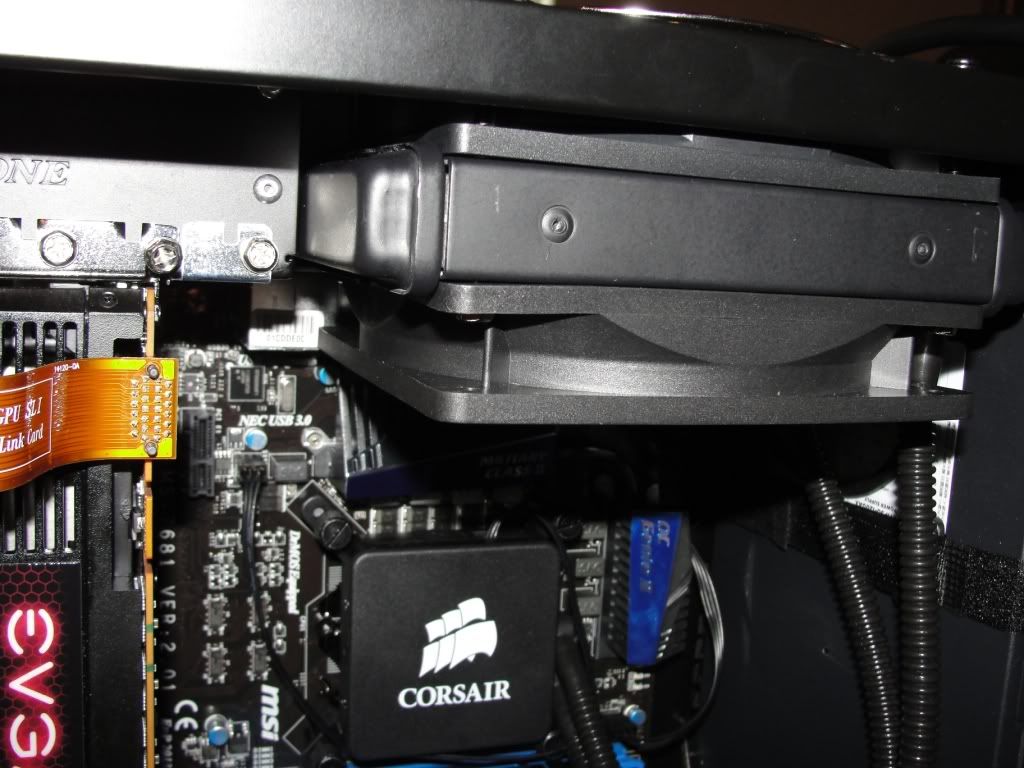
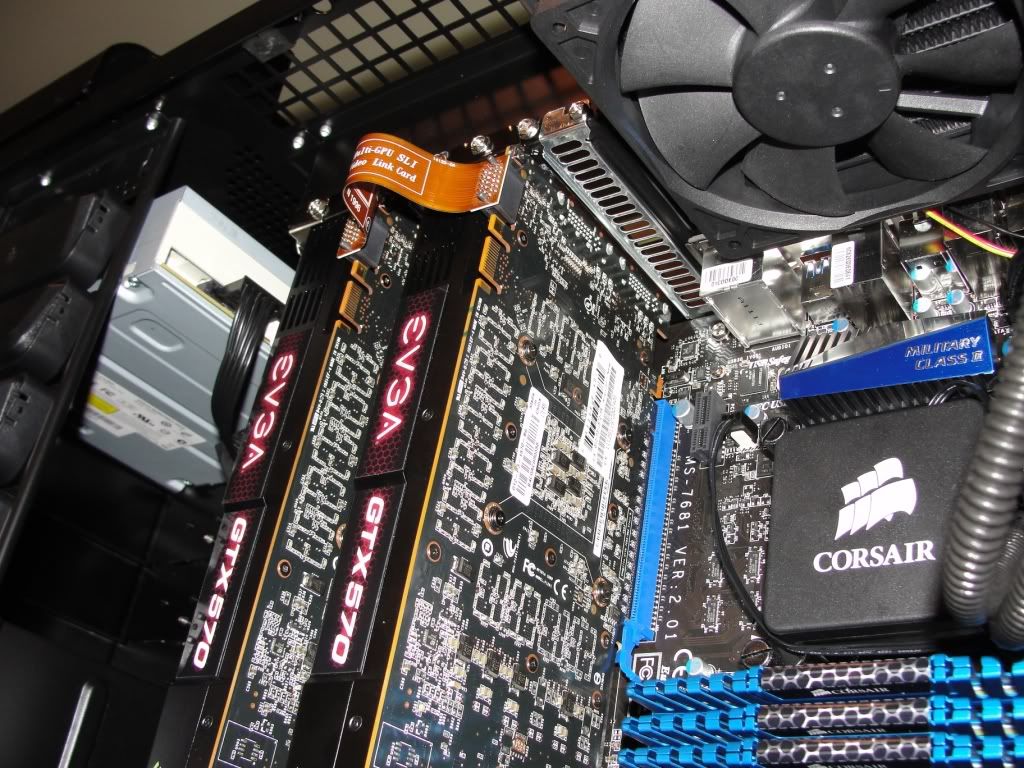
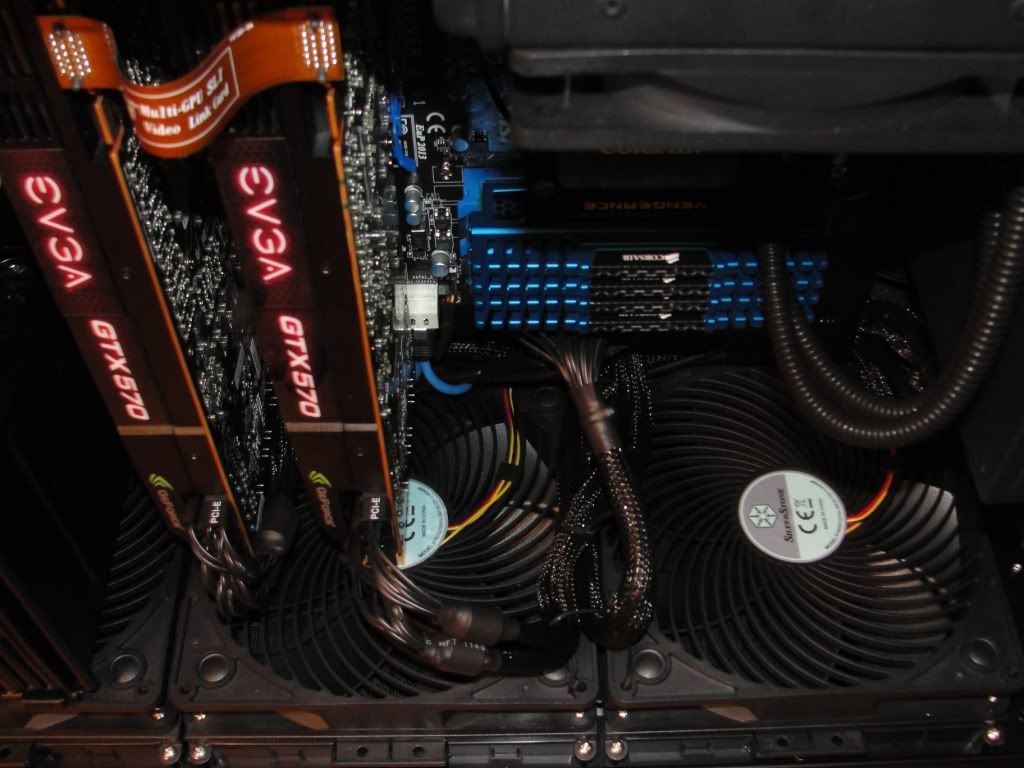
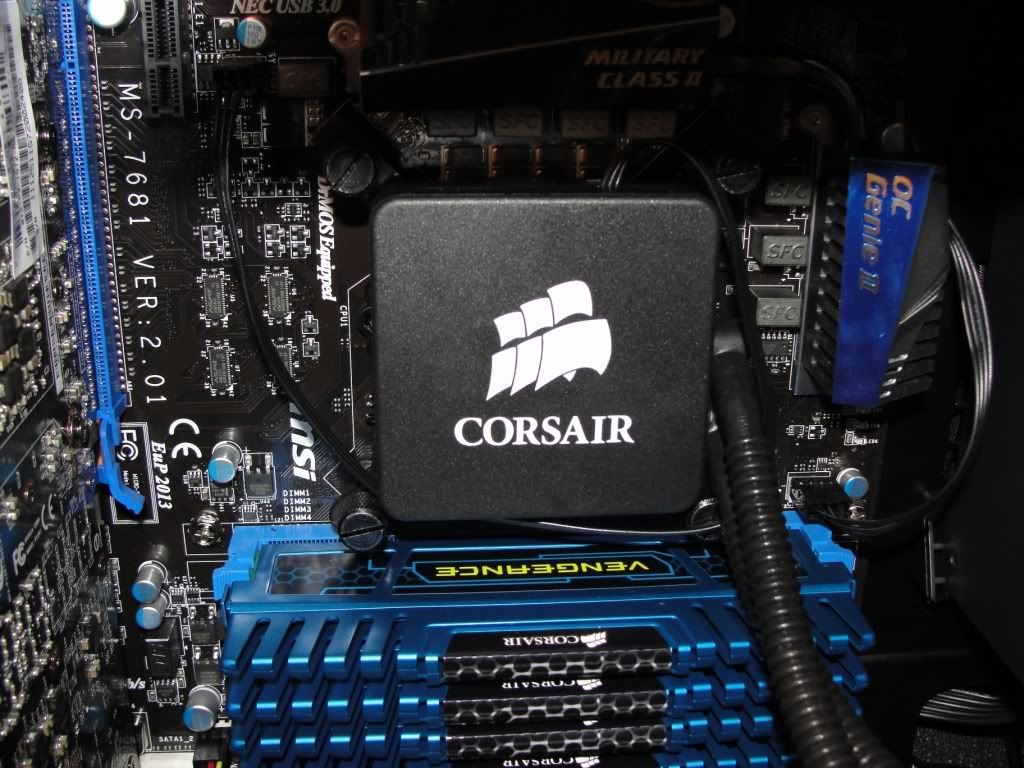
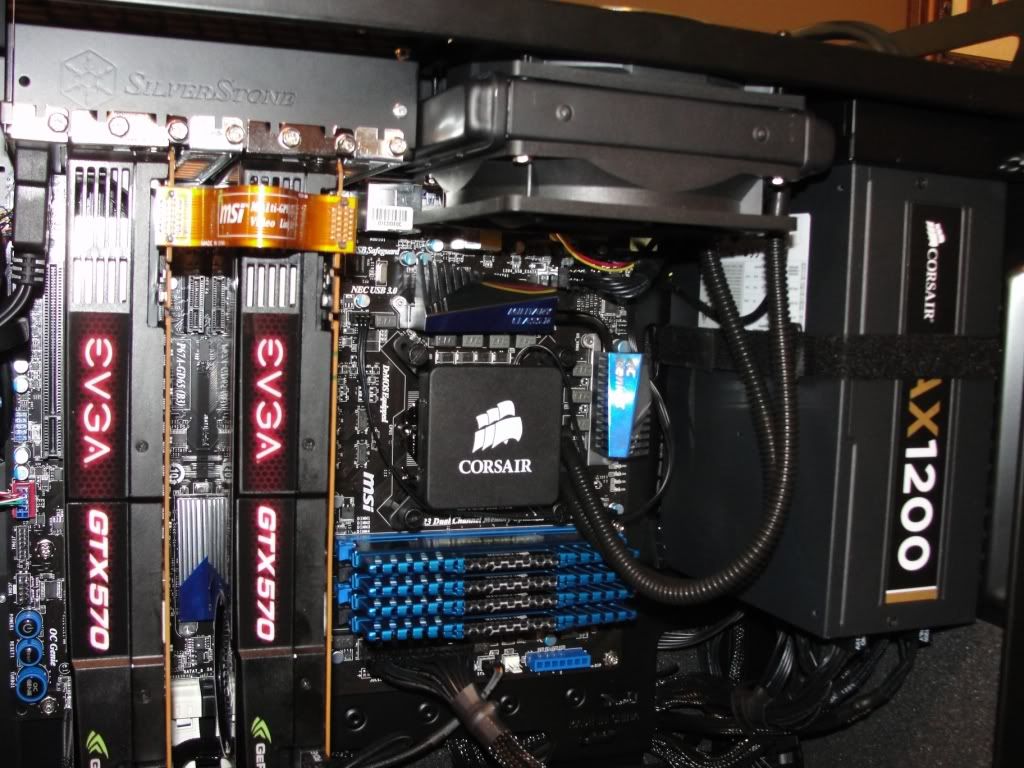
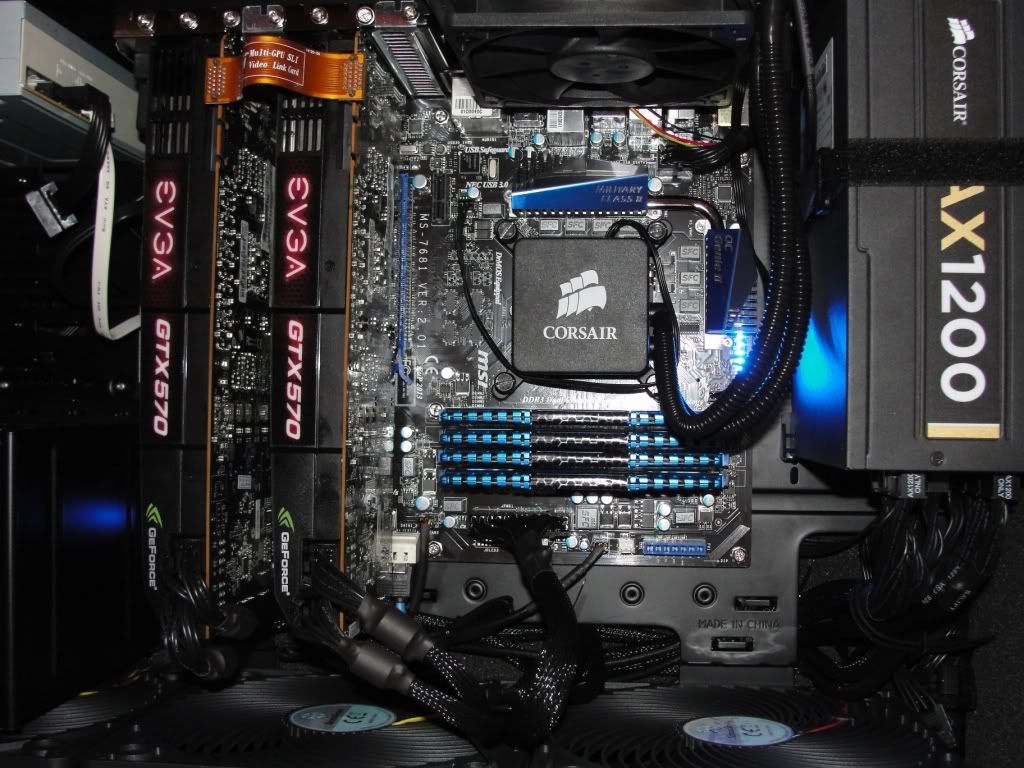
I just did my first system build from scratch and I knew from the second I saw this case, this would be the one I would use. The rest of my components are.....

MSI GD-65 mobo
2500k Intel SB cpu 3.3Ghz OC'd to 4.2Ghz
16GB Corsair Dominator memory
128GB Crucial M4 SSD for boot/apps and some games
2TB WD Black Edition HD for data/games/storage
2x 570GTX EVGA OC edition in SLI
Acer GD235HZ 23.6" 120hz monitor
Lite-On DVD Lightscribe burner
Corsair AX1200 PSU
Corsair H60 HSF unit
Windows 7 Home Premium

My only problem with it was they didn't include the screws for the side panels. They only had one screw attached. I had extras thankfully so I wasn't upset about it.

I wish they would have made the case maybe half an inch or an inch wider to allow for easier wire management in the back. I was able to get everything routed ok without having that bulging side door look. I also wish the case was a few inches longer so they could sort of put up a partition to block out the wires coming out of the PSU. Other than those very minor gripes, this case is awesome.

When it's hot out and stuffy in my computer room it idles at around 33c and using Intelburn Test on extreme setting it sits at 68c on full load. When I have some air circulating in the room it idles at 24c and only hits about 57c on load with Intelburn Test. The gpus idle at around 40c, most games seem to get them up to about 67c or so, and using Furmark burn-in testing they stayed at 80c.


front02.jpg


front01.jpg


radiator.jpg


gpu01.jpg


bottomfanarray.jpg


cpuram.jpg


psuwiremess.jpg


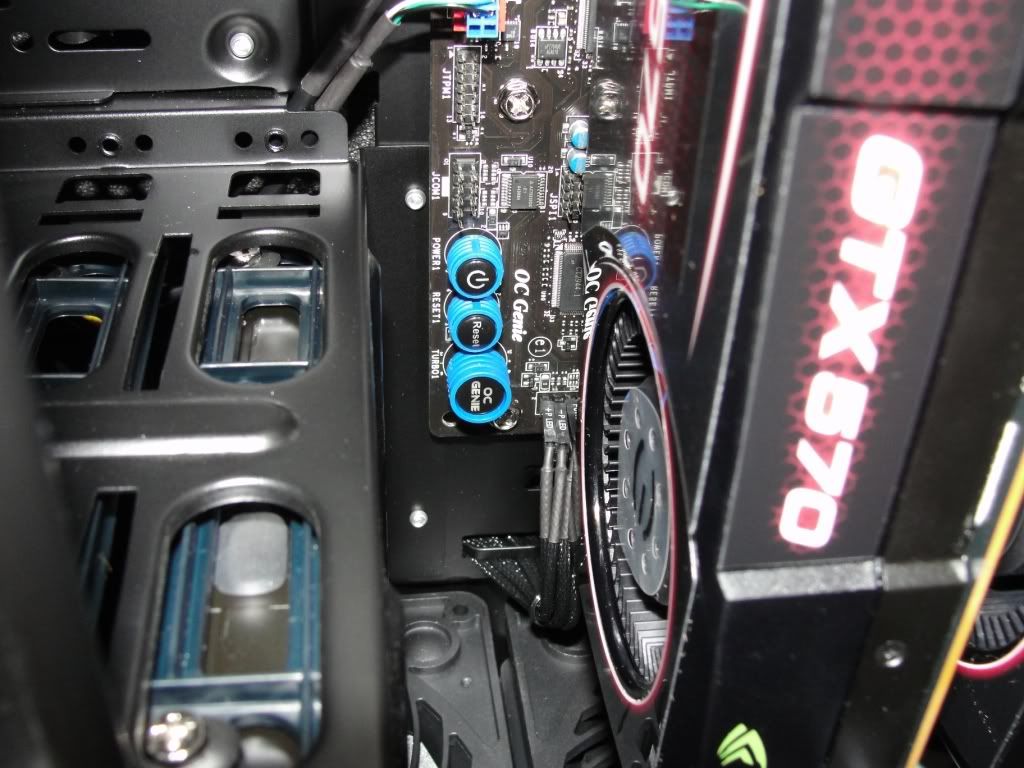
fpangpuconcern.jpg


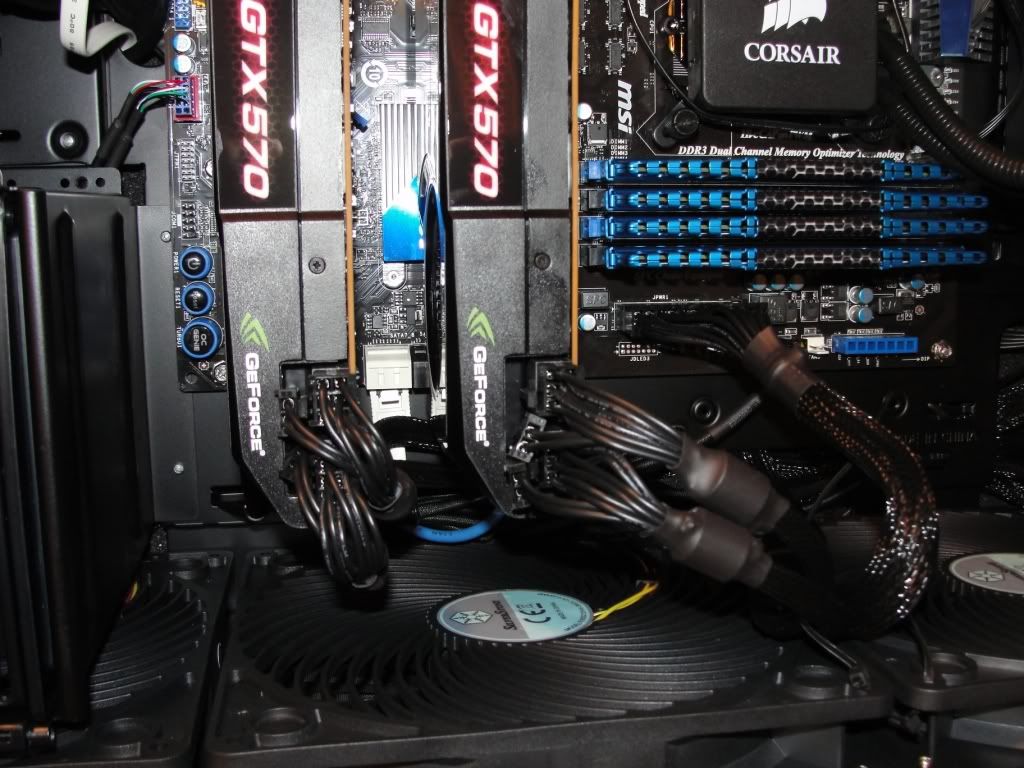
gpupowerwires.jpg


front02.jpg

cpuramq.jpg

radiatorj.jpg

gpu01.jpg

psuwiremess.jpg
 
Last edited:
My current headache is dealing with the SATA cables that come with the Corsair AX750, especially with the multiple connectors.

If the stock sata cables are not to your liking, I'd recommend making your own.

Now with the Corsair PSUs, you'll have to make use of the connector that fixes into the PSU, but you can buy everything else and make your own cables.

Read the stuff on this site.....almost every cable in my main computer is custom, or is going to be by the end of the year. It's slow work but alot of fun.

http://en.mdpc-x.com/
 
Has anyone seen any reviews or comparisons of the HAF X or 932 to the Silverstone FT02? I have the FT02 but I'm debating changing over to something more like the HAF X so that I have more room. The FT02 is pretty cramped for cable management and I'm looking at possibly installing a Tri/Quad fire setup which the FT02 can't handle.
 
Has anyone seen any reviews or comparisons of the HAF X or 932 to the Silverstone FT02? I have the FT02 but I'm debating changing over to something more like the HAF X so that I have more room. The FT02 is pretty cramped for cable management and I'm looking at possibly installing a Tri/Quad fire setup which the FT02 can't handle.

If you're talking about cooling comparisons, the FT02 wins.
For water cooling, cases built for that use are better.
 
Has anyone seen any reviews or comparisons of the HAF X or 932 to the Silverstone FT02? I have the FT02 but I'm debating changing over to something more like the HAF X so that I have more room. The FT02 is pretty cramped for cable management and I'm looking at possibly installing a Tri/Quad fire setup which the FT02 can't handle.

Bit-tech have tested cooling of FT2/Ravens and Haf X/912
http://www.bit-tech.net/hardware/2011/06/08/silverstone-raven-rv03-review/3
 
Nice one through I'll never understand putting Corsair Hx0 systems into this case when you could have huge tower running passively or with something like 500 rpm fan (IIRC people have used core i7 9x0 @4,0 with passive Venomous X in this case.
 
Nice one through I'll never understand putting Corsair Hx0 systems into this case when you could have huge tower running passively or with something like 500 rpm fan (IIRC people have used core i7 9x0 @4,0 with passive Venomous X in this case.

The main reason I used the corsair was CPU area clearance, I would not have been able to use the correct ram slots with a High end Air Cooler.

+ it is doing amazing at cooling and my overclocked I5 2500k rarely goes over 62 degrees on load at 4.5 Ghz
 
My ASUS 570 DCUII idles at 28C and CPU at 32C.
The case helps exhaust the air properly since all of it is going up.
Heat will always rise in this case. I do recommend my card over the MSI.

I just installed an Asus HD6950 2GB DCUII in my FT02 and I'm not too impressed with the temps under 100% load compared to my XFX 5870 with reference cooler. I don't have the newer AP181 fans though so that may be part of the problem.
 
I just finished my build of the ft02. Coming from a series of Lian-Li's I was hesitant to switch, but I'm glad I did as its cooling is incredible and it's so quiet.

I've not played with the OC settings too much, but right now I have my 2600k OC'd to 4.5gHz @ 1.3V. For temperatures, it's running ~30C at idle and averages about 60C running mprime.

To make it quieter, I've added some dampening foam, installed a NoiseMagic Novibes III and am using Q-fan on all three case fans and my two Akasa Apache CPU fans. At idle, the hum from my UPS is louder.

Overall it's great, but there are a couple of really minor issues I have with the case: I don't like the badge (and don't want to remove it), wish there was a stock aluminum optical drive bezel I could buy for it, and wish it had USB 3 connections.

Obligatory pictures:
ft02_front_02.JPG

ft02_back_02.JPG

ft02_top.JPG
 
I just finished my build of the ft02. Coming from a series of Lian-Li's I was hesitant to switch, but I'm glad I did as its cooling is incredible and it's so quiet.

I've not played with the OC settings too much, but right now I have my 2600k OC'd to 4.5gHz @ 1.3V. For temperatures, it's running ~30C at idle and averages about 60C running mprime.

To make it quieter, I've added some dampening foam, installed a NoiseMagic Novibes III and am using Q-fan on all three case fans and my two Akasa Apache CPU fans. At idle, the hum from my UPS is louder.

Overall it's great, but there are a couple of really minor issues I have with the case: I don't like the badge (and don't want to remove it), wish there was a stock aluminum optical drive bezel I could buy for it, and wish it had USB 3 connections.

Great build and cabling skills, nice photos, glad I could help with your questions and provide some inspiration for the build. If you take off the top cover fairly frequently, removing the plastic clips that hold it makes the whole process a lot less painful. Where did you get those nifty thumbscrews and sound-dampening foam?
 
Yes, thanks very much for your info Kisakuku. I modeled my fan hookups after you and totally copied your novibes idea -- which works really well.

> Where did you get those nifty thumbscrews and sound-dampening foam?
Thumbscrews: http://www.newegg.com/Product/Produ...m_re=thumbscrews_black-_-11-989-004-_-Product
Foam: Amazon.com: Acoustic Foam 1-1/2" 24" x 18" UL 94: Electronics

You need two bags of the thumbscrews to cover all 11 holes in the case and I have a lot of foam left over. You can't see it in the picture, but I also have foam totally covering the drive bay covers from the inside.
 
As an Amazon Associate, HardForum may earn from qualifying purchases.
Yes, thanks very much for your info Kisakuku. I modeled my fan hookups after you and totally copied your novibes idea -- which works really well.

Thumbscrews: http://www.newegg.com/Product/Produ...m_re=thumbscrews_black-_-11-989-004-_-Product
Foam: Amazon.com: Acoustic Foam 1-1/2" 24" x 18" UL 94: Electronics

You need two bags of the thumbscrews to cover all 11 holes in the case and I have a lot of foam left over. You can't see it in the picture, but I also have foam totally covering the drive bay covers from the inside.

Thanks for the links. Drive bay covers is exactly where I want some thick foam. BTW, you definitely need a signature with all build components :)
 
As an Amazon Associate, HardForum may earn from qualifying purchases.
Is the CPU cooler cut-out at the back really that off on the ft-02?

If you mean the opening for the PSU fan, then yes, it's a bit off. On my AX850 about 1/3 of the fan grille is covered. I'm yet to see a single FT02 owner who has actual issues related to this.

EDIT: Brainfart... Did you mean the mobo tray cut-out for CPU cooler back plate? Look at roofone's photos, it's off just enough not to be able to access two of the four mounting holes.
 
Last edited:
I just installed an Asus HD6950 2GB DCUII in my FT02 and I'm not too impressed with the temps under 100% load compared to my XFX 5870 with reference cooler. I don't have the newer AP181 fans though so that may be part of the problem.

What are your idle temps?
 
I'm thinking of using this case for my next PC build and have a couple of questions I hope that you can help me with:

1) Can the case fit a GTX 590 without removing one of the fans in the base of the case?
2) How easy is it to remove the internal 3.5" drive bay at the front of the case and would this improve airflow?
3) Is it possible to mount a Hard Drive e.g. Samsung F3 underneath an optical drive in onr of the 5.25" external drive bays?
4) Has anyone "stealthed" an optical drive in the front of the case?

All advice and suggestions would be very much appreciated. :)

Thanks
James
 
1) Probably but not sure
2) There isn't a drive cage to remove like many systems but if you remove the individual HDD brackets you'd completely open up that area...though I don't see it improving airflow any.
3) If you have a 2.5 to 3.5 adapter, yes.
4) Unknown
 
4) Has anyone "stealthed" an optical drive in the front of the case?

I've seen a few ways to stealth the optical drive, none of which seemed very clean. This german guy hacks up a Lian Li bezel to do it, but never really shows you what he did, but I know it involves lots of glue:
YouTube - ‪Stealth Mod for Silverstone FT02 with Lian Li Bezel‬‏

And here's a cleaner method on a TJ07, but it invoves cutting:
http://www.xtremesystems.org/forums...w-to-guide-Lian-Li-C-01-DVD-Bezel-into-a-TJ07

Though I have to say that n my black case, my black blu-ray drive actually doesn't bother me. And, I thought it would, coming from a Lian Li case with its great aluminum bezels.
 
1) Can the case fit a GTX 590 without removing one of the fans in the base of the case?

As you can see above, it fits my Asus GTX 580 DCII no problem. That card is listed as 11.5", which is as long or longer than the GTX 590s listed on Newegg.
 
Overall it's great, but there are a couple of really minor issues I have with the case: I don't like the badge (and don't want to remove it), wish there was a stock aluminum optical drive bezel I could buy for it, and wish it had USB 3 connections.

You can order a USB3 kit from Silverstone. I've got one on the way, but I have no idea when it will arrive with the postal strike here in Canada.
 
You can order a USB3 kit from Silverstone. I've got one on the way, but I have no idea when it will arrive with the postal strike here in Canada.

Do you mean the one that sits in the drive bay? That's a good solution, though something similar came with my Asus P8P67 Deluxe, but I haven't installed it.

I also wish they had a retrofit kit for the ones on top of the case. Maybe I can swap those out some how.
 
Last edited:
I asked them specifically for a replacement kit for the old USB 2 ports. If I end up with a drive bay kit I'm going to be unhappy to say the least.
 
1) Probably but not sure
2) There isn't a drive cage to remove like many systems but if you remove the individual HDD brackets you'd completely open up that area...though I don't see it improving airflow any.
3) If you have a 2.5 to 3.5 adapter, yes.
4) Unknown

I've seen a few ways to stealth the optical drive, none of which seemed very clean. This german guy hacks up a Lian Li bezel to do it, but never really shows you what he did, but I know it involves lots of glue:
YouTube - ‪Stealth Mod for Silverstone FT02 with Lian Li Bezel‬‏

And here's a cleaner method on a TJ07, but it invoves cutting:
http://www.xtremesystems.org/forums...w-to-guide-Lian-Li-C-01-DVD-Bezel-into-a-TJ07

Though I have to say that n my black case, my black blu-ray drive actually doesn't bother me. And, I thought it would, coming from a Lian Li case with its great aluminum bezels.

As you can see above, it fits my Asus GTX 580 DCII no problem. That card is listed as 11.5", which is as long or longer than the GTX 590s listed on Newegg.

Thank you all for your quick and helpful feedback, its very much appreciated.

James
 
Status
Not open for further replies.
Back
Top