• Some users have recently had their accounts hijacked. It seems that the now defunct EVGA forums might have compromised your password there and seems many are using the same PW here. We would suggest you UPDATE YOUR PASSWORD and TURN ON 2FA for your account here to further secure it. None of the compromised accounts had 2FA turned on.
    Once you have enabled 2FA, your account will be updated soon to show a badge, letting other members know that you use 2FA to protect your account. This should be beneficial for everyone that uses FSFT.

Recommendations for a RAID 0 enclosure

amrogers3

Gawd
Joined
Nov 7, 2010
Messages
663
I have three 4TB drives I want to combine into a 12TB using RAID 0. This is not for storing mission critical data so if a drive fails, no big deal.

I have been researching but can't seem to find a RAID 0 enclosure so trying to find a less expensive option than Synology/QNAP/etc.

Just looking for a cheap RAID 0 enclosure
 
I can't remember seeing any (not that there aren't). Although, if you're not going NAS you could use something like a Terramaster DAS enclosure and stripe the drives in windows.

But why not just use JBOD?
 
Can you do it, sure. Will it be safe/useful for anything but a scratch disk, probably not. If you do decide to go that direction, there are relatively cheap (read crap) enclosures from Mediasonic, Yotta, ********** and a hundred other chinesium enclosures. Do yourself a favor, get a Synology 4 bay, but another drive and use some kind of parity for increased uptime (or a better chance of reconstituting your data with a new drive.) SHR1 with 3 data and 1 parity drive!

Hmmm, the ******** that the forum software is hiding is O*R*I*C*O
 
As alluded to already. 4 bay, buy another 4TB and RAID 10, faster and safer but thats just me.
 
As alluded to already. 4 bay, buy another 4TB and RAID 10, faster and safer but thats just me.
If he goes the way I suggested with a fourth drive (and a Synology) his best option would be either btrfs with RAID 6 or with SHR2. This way ANY two drives can fail and maintain uptime. In a traditional R10 array 2 drives can fail, but ONLY if it the right 2 drives. If both of a mirrored pair of drives in a R10 fail your array is toast. On an externally attached NAS, with a single or at most a few users on a gigabit connection you will likely see little to no appreciable performance difference between R10 an R6 in all but the most granular tasks.
 
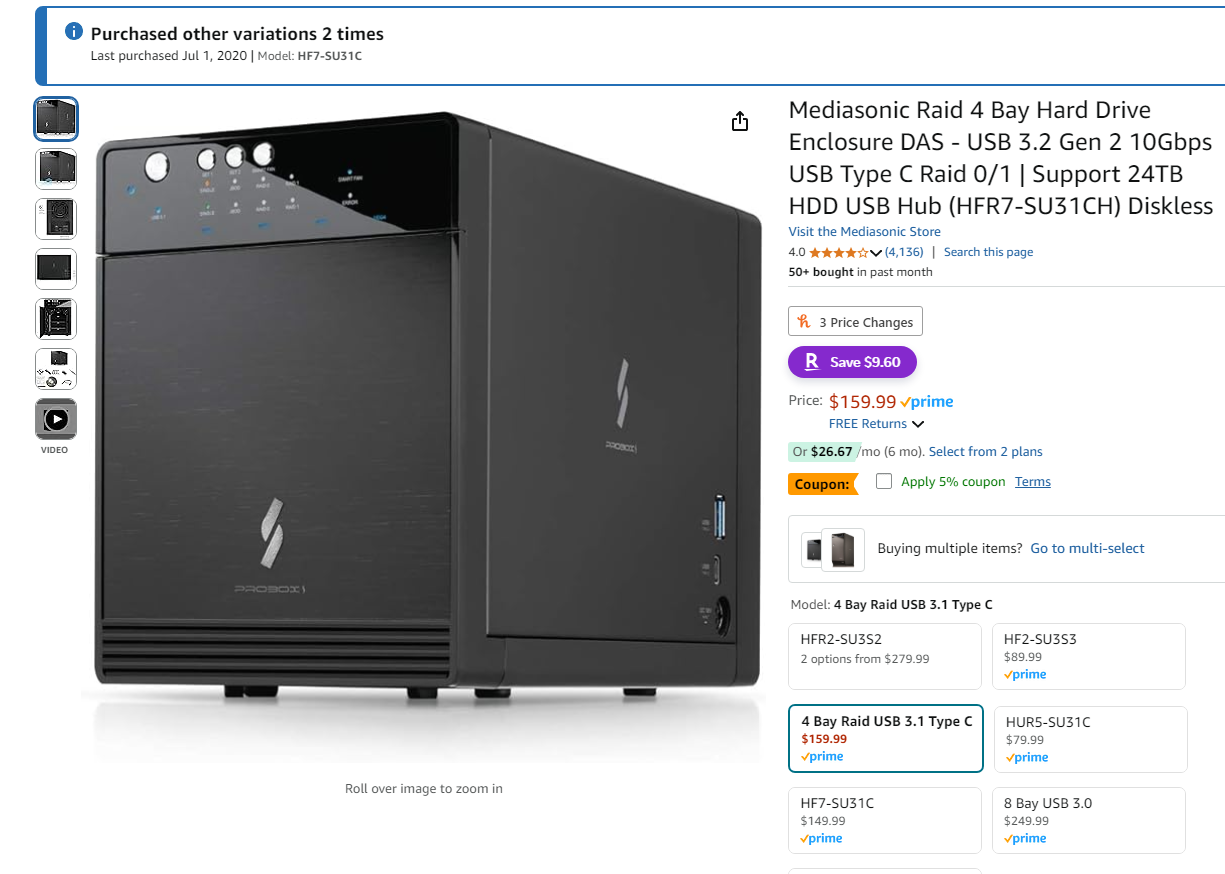
I bought a couple of these a few years back but used the drives as individual drives,
only thing I didn't care for is the power cable on the side of the chassis.
1736554524586.png
 
3 drives..... You're not after hot swap or anything with R0...... Get a controller and put them in your regular pc case? For scratch disk, just use JBOD.
 
To chime in on the RAID vs. JBOD debate, note that if you have any intention of using software RAID (Storage Spaces, mdadm, ZFS), you do not want hardware RAID in the enclosure interfering with that - get a JBOD enclosure.

Also, if you're looking at Synology/QNAP/etc. hardware, this raises the question of whether it's a DAS or NAS you're after, and a NAS in practice is just a computer's DAS exposed to the network in a controlled manner. Set a shared folder in Windows? Congrats, that computer is officially a NAS, if not one particularly tailored for that purpose.

What is your objective with this 12 TB of storage and no redundancy, anyway? Pure concatenated JBOD won't increase disk performance (you only get the performance of a single disk), but data recovery on the intact disks is much easier if any drive fails. RAID 0 stripes all your reads and writes across the drives so you get all three disks' worth of bandwidth and IOPS, but losing one drive means you lose everything.

You mentioned your desire for combined storage, but nothing of its actual purpose or the performance you need to accomplish that purpose...
 
Back
Top