![[H]ard|Forum](/styles/hardforum/xenforo/logo_dark.png)

silk186
[H]ard|Gawd
- Joined
- Feb 26, 2008
- Messages
- 1,628
I was careless and filled a one of my secondary drives with two large packs. I had downloaded one archive, about 150GB and still had more than 100GB of free space. I removed the torrent from uTorrent but forgot to empty the recycling bin. I added a newer archive that was 115GB and received and error when I had less than 1GB of free space on the drive. I emptied my trash but no free space was recovered. I removed the second archive and 80GB was free on the drive.
When space was not freeing up I ran disk check which found some errors. The computer needed to reset to repair the errors. I reset the computer and had a shower. When I came back the screen wouldn't display an image. I turned on my secondary display and saw a spinning animation of windows loading like the one below but without the text.

I waited a while and reset the computer again. Windows loaded fine but free space hadn't increased. I deleted a 100GB folder and now have 219GB of free space and think I should have more than 300GB of free space. I restarted again but free space was the same.
I ran chkdsk /f D: and 6 hours later no problems.
i ran Go to start->Run-> Cleanmgr.exe and it found nothing.
I ran WinDirStat and don't think that it found anything unusual.
Any suggestions of utilities I can run?
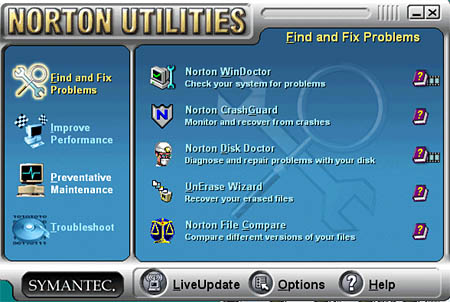
I miss when I didn't know much and would run something like this one win95
When space was not freeing up I ran disk check which found some errors. The computer needed to reset to repair the errors. I reset the computer and had a shower. When I came back the screen wouldn't display an image. I turned on my secondary display and saw a spinning animation of windows loading like the one below but without the text.
I waited a while and reset the computer again. Windows loaded fine but free space hadn't increased. I deleted a 100GB folder and now have 219GB of free space and think I should have more than 300GB of free space. I restarted again but free space was the same.
I ran chkdsk /f D: and 6 hours later no problems.
i ran Go to start->Run-> Cleanmgr.exe and it found nothing.
I ran WinDirStat and don't think that it found anything unusual.
Any suggestions of utilities I can run?
I miss when I didn't know much and would run something like this one win95

