![[H]ard|Forum](/styles/hardforum/xenforo/logo_dark.png)

- Joined
- Oct 19, 2004
- Messages
- 11,934
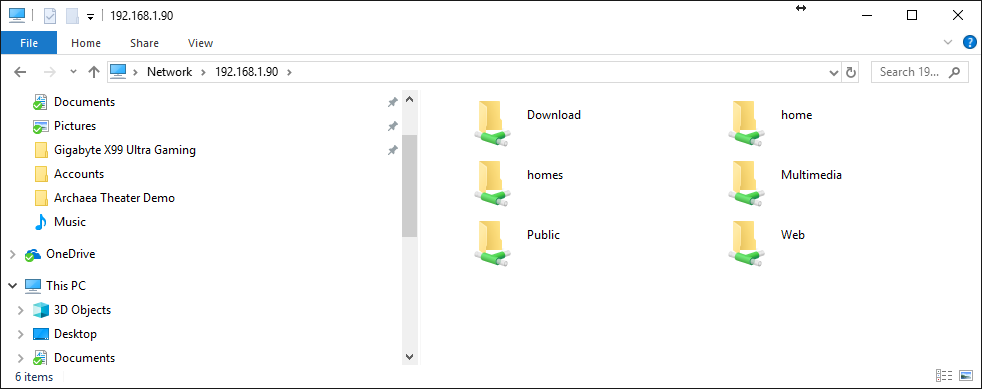
I just picked up my first QNAP NAS -- the instructions are deep in the weeds and most of that stuff I don't need, but the simple 10,000 foot walkthrough seems to be missing.
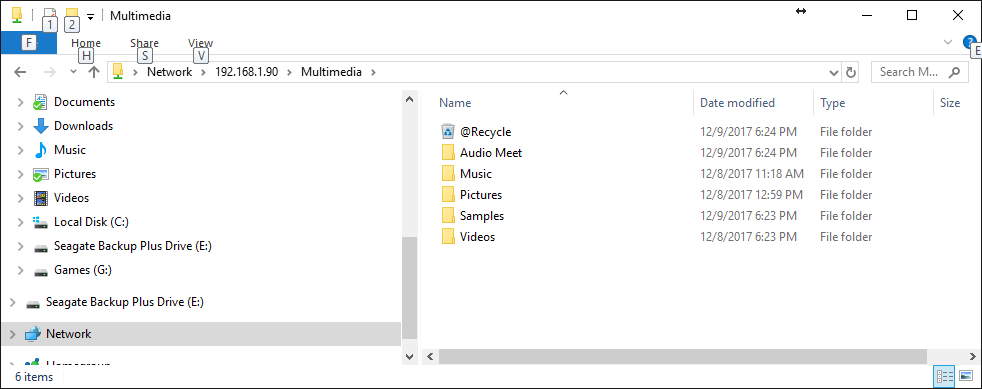
By default there is a multimedia folder. I dropped three parent folders in that default multimedia folder. Specifically a Pictures folder, a Videos folder and a Music folder - each has many subfolders and combined it's approaching 4TB.
DLNA didn't automatically find it, nor did the QNAP NAS anonymous access multimedia sharing functionality. When I specifically selected those three folders and categorized them appropriately in the QNAP OS -- telling the NAS to scan them and add them as Pictures, Videos, Music it worked, but now I'm getting a bunch of click throughs in the folder structure that seem redundant. (like I shouldn't have placed them in the multimedia folder.
Should those three head data folders be placed outside of the multimedia folder as their base residence?
I'm confused and don't want to copy 4TB of data out of that folder to try if that's the correct place for it now and I'm doing something wrong?!?! It's not like windows where it just changes the MFT when you move a folder, and there is no copy time. This is probably a 24 hour copy job internally if I kick it off.
Thanks for any advice you can provide.

I dropped my Music, Pictures, Videos, and Audio Meet folder in the multimedia folder as shown.
Then I added them in this multimedia management app of the control panel. Should I just be putting those 4 top folders under home instead? Or is the multimedia section the proper placement?

By default there is a multimedia folder. I dropped three parent folders in that default multimedia folder. Specifically a Pictures folder, a Videos folder and a Music folder - each has many subfolders and combined it's approaching 4TB.
DLNA didn't automatically find it, nor did the QNAP NAS anonymous access multimedia sharing functionality. When I specifically selected those three folders and categorized them appropriately in the QNAP OS -- telling the NAS to scan them and add them as Pictures, Videos, Music it worked, but now I'm getting a bunch of click throughs in the folder structure that seem redundant. (like I shouldn't have placed them in the multimedia folder.
Should those three head data folders be placed outside of the multimedia folder as their base residence?
I'm confused and don't want to copy 4TB of data out of that folder to try if that's the correct place for it now and I'm doing something wrong?!?! It's not like windows where it just changes the MFT when you move a folder, and there is no copy time. This is probably a 24 hour copy job internally if I kick it off.
Thanks for any advice you can provide.
I dropped my Music, Pictures, Videos, and Audio Meet folder in the multimedia folder as shown.
Then I added them in this multimedia management app of the control panel. Should I just be putting those 4 top folders under home instead? Or is the multimedia section the proper placement?
Last edited:
