• Some users have recently had their accounts hijacked. It seems that the now defunct EVGA forums might have compromised your password there and seems many are using the same PW here. We would suggest you UPDATE YOUR PASSWORD and TURN ON 2FA for your account here to further secure it. None of the compromised accounts had 2FA turned on.
    Once you have enabled 2FA, your account will be updated soon to show a badge, letting other members know that you use 2FA to protect your account. This should be beneficial for everyone that uses FSFT.

Q6600 core temps

carlson19

n00b
Joined
Mar 6, 2008
Messages
15
Right now with my case open my temps are 44/44/38/38 when I put the side on all temps jump up around 5-6. Is this normal or should I look into helping the airflow around? These are idel temps. Under load they normally top out around 60 during gaming but 3Dmark06 I seen one hit 70. Thats only happened once.

Also I have read that some people think that the first 2 cores are getting used more or that the HSF should be looked at to ensure proper placement. I am using a Zalman 9700 with the grease it came with. Newegg forgot to ship my AS5 :(

The Q6600 is runing at slight overclock 9x300 @ 2.7 ghz.
I am using a CM Praetoian
1 x 80mm top fan
1 x 80mm rear fan
2 x 80mm front fans

If you need any other info just let me know. Any info on this would be great!
 
6C differential is a little high for idle, but not uncommon... I think my cpu idles with a 4C differential.

Ideally your open-case and closed-case temps should be similar, but 5C isn't a huge difference.

I'd see if you can mod your case to use 120mm fans... more airflow without a significant change in fan noise.

Your temps are about the same as mine, but I'm running 8x425 3400MHz, 1.32Vcore under load.
 
:| That is very, very weird. I don't notice my temps changing at all when I take the side off the side of my PC. It might need better cooling. Try getting some higher CFM fans because your idle temps are a little high.
 
So when my AC5 comes in you reccomend I re apply the compound? Also how can I tell if I am able to upgrade to 120mm fans?
 
I had the same Praetorian case from my old system. It's quality built, but not really a case to overclock with. You either have to get high CFM 80mm fans, or you have to get creative in order to mod that thing to accept bigger/more fans. Probably the easiest thing would be to add a pci slot case cooler and/or one of those 5.25 bay fan thingys. Or you can drill a hole on the side of your case and add 120/140mm fans.

My old system would get HOT with that case. I purchased a new CM 690 to replace it, and it got MUCH cooler. It cost me $20 at Microcenter after rebates.
 
That seems pretty high for idle temps. What's the ambient temperature of the room? My ambient temp is around 69. My Q6600 is at 3.224GHz. The warmest core is 35 at idle (after it's been running for a bit) and 55 at full load. I have the Thermalright Ultra 120 extreme but have a really low-rpm fan on there. The heatsink is lapped with AS5. It might be worth it to swap out the current grease for AS5. You might also want to try lapping the heatsink. Be sure to follow the arctic silver instructions here.

BTW, I have 5 80mm UV-reactive case fans (which means they have a sucky CFM) and a 120mm UV-reactive CPU fan (also sucks) that are all undervolted to 7v. I don't have much airflow, but I do have pretty good cable management. If your cables are blocking the airflow, then just a few zip ties will do wonders. Also, if you have any IDE ribbon cables, replace them with rounded ones.
 
Lapping will help, but the cores will always vary since they are stacked on top of eachother.
 
Lapping will help, but the cores will always vary since they are stacked on top of eachother.

<blink blink> Sorry, that's really not the case. The cores are side-by-side, as is viewed in this pic. http://www.intel.com/pressroom/kits/quadcore/images/2006.int.qua.txt.EN.13x18.jpg

The cores vary because quad cores (afaik) are just about identical to 2 core 2 duos under a single heat spreader, so the capabilities of each pair (0,1 and 2,3) are from separate silicon chips.
 
hmm some good insight. I will try to re apply the AS5 when i get it... This case seemed fine for when I first bought it but as always its fun to buy and build new stuff. I might look into buying another case. Something with some room with more options for later on.

As far as adding to this case. I might put a 120mm side fan as that seems like it would be easy to do and help temps alot.

The room that my computer is in is also the same room the baby spends most his times. So temps are around 28-30c. I guess thats around 80-85F
 
Right now with my case open my temps are 44/44/38/38 when I put the side on all temps jump up around 5-6. Is this normal or should I look into helping the airflow around? These are idel temps. Under load they normally top out around 60 during gaming but 3Dmark06 I seen one hit 70. Thats only happened once.

Also I have read that some people think that the first 2 cores are getting used more or that the HSF should be looked at to ensure proper placement. I am using a Zalman 9700 with the grease it came with. Newegg forgot to ship my AS5 :(

The Q6600 is runing at slight overclock 9x300 @ 2.7 ghz.
I am using a CM Praetoian
1 x 80mm top fan
1 x 80mm rear fan
2 x 80mm front fans

If you need any other info just let me know. Any info on this would be great!
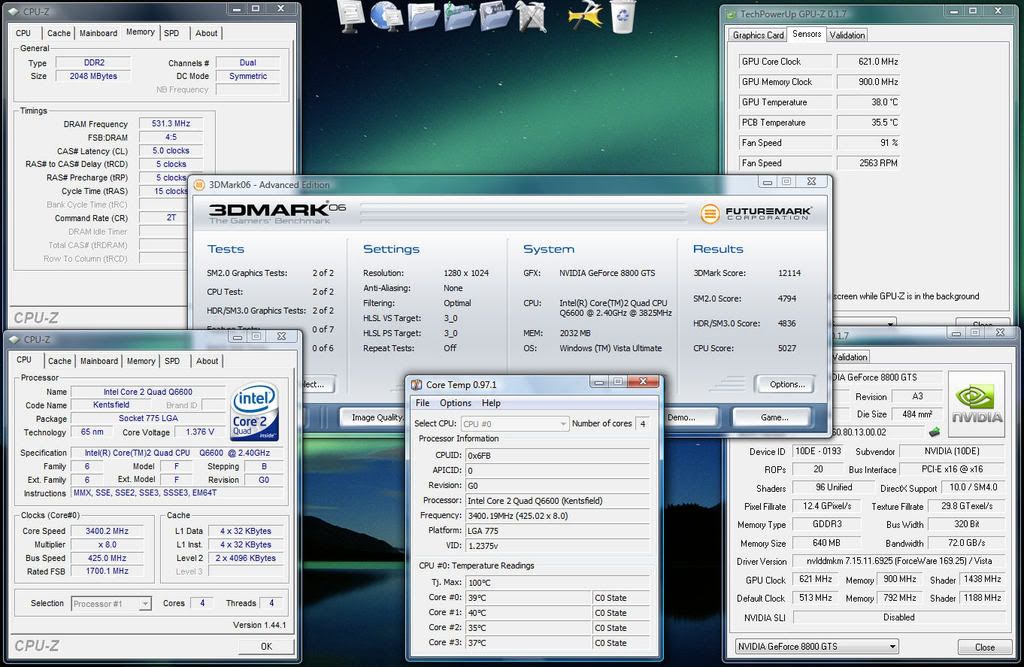
I am running a Q6600 on my HTPC with a mATX board. Needless to say, my temps are going to be higher than the average regular ATX guys. All I have on my setup is (2) 120mm fans and a Zalman CNPS 9500 AM2 CPU cooler. Not the BIGGEST BEST thing out there.. I was really limited by the size of my case. I am on a slight overclock as well.. I'm at 3.4ghz. A simple 1ghz overclock. I am also running AS5 and I am pretty happy with it. I have some MX-2 paste on standby if I am not satisfied after the AS5 has gone through its thermal cycles and dropped my temps a few more degrees. Here is where I am at now:

3dmark06firstrun.jpg


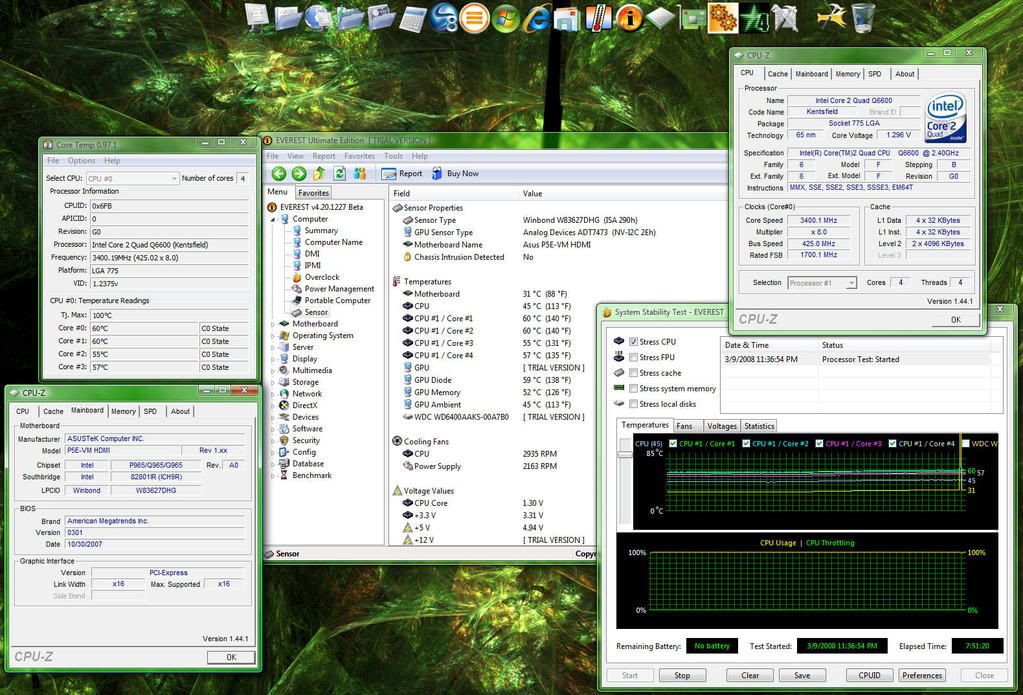
I think your temps are a little on the high side.. I ran Everest Ultimate for just about 8 hours, stressing all 4 cores at 100% and my temps NEVER went beyond 60c.. 60c, 60c, 55c and 57c to be exact. I think those 80mm fans are probably not helping you near as much as a good cfm 120mm fan could. Also, how is your airflow in your case? Do you have a lot of wires in the way?


StabilityTest34ghz.jpg


BTW, I have 5 80mm UV-reactive case fans (which means they have a sucky CFM) and a 120mm UV-reactive CPU fan (also sucks) that are all undervolted to 7v. I don't have much airflow, but I do have pretty good cable management. If your cables are blocking the airflow, then just a few zip ties will do wonders. Also, if you have any IDE ribbon cables, replace them with rounded ones.

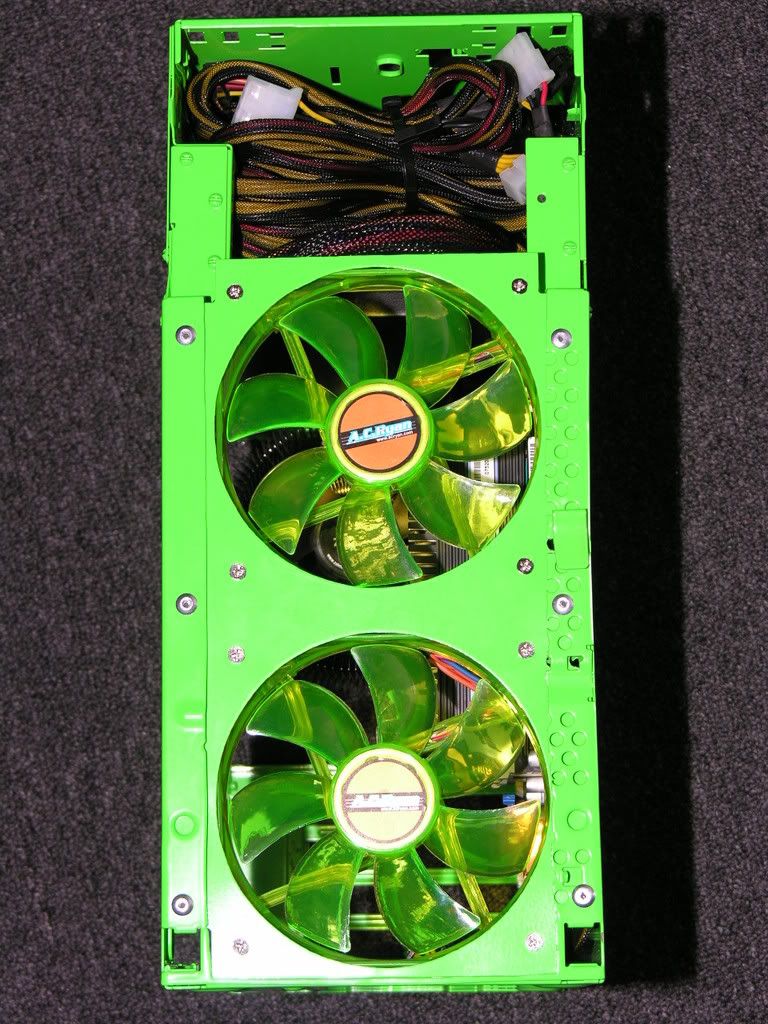
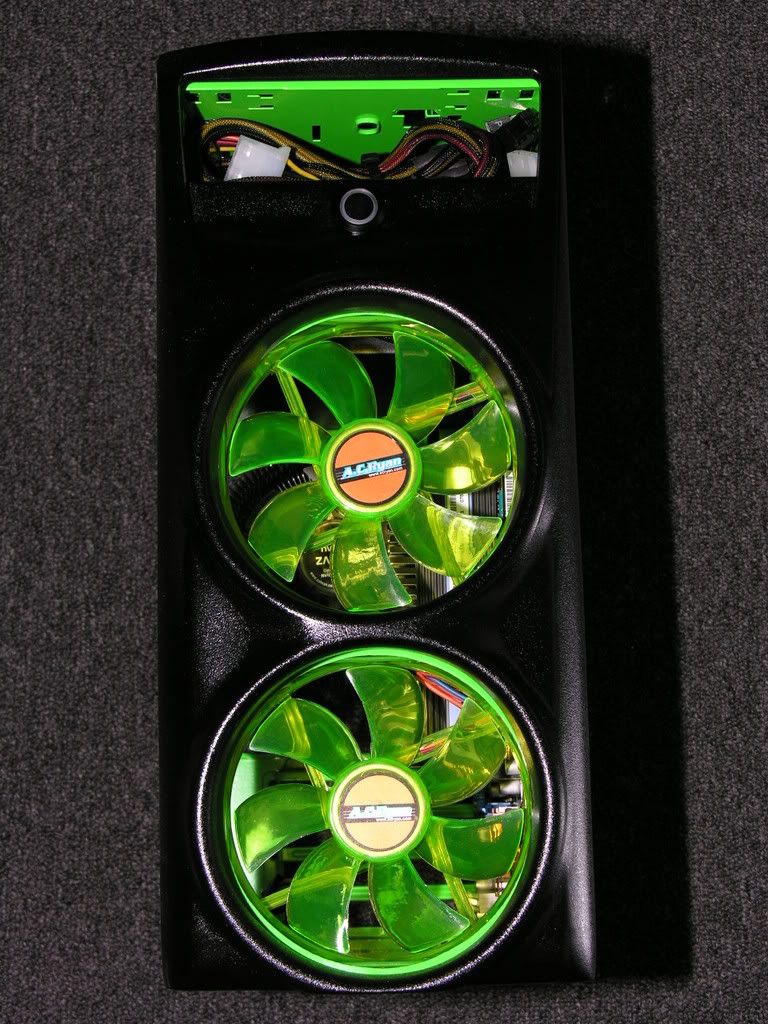
LED / UV Reactive fans do not necessarily mean they automatically suck. I am only running two AC Ryan 120mm LED fans TOTAL in my case but I have had NOTHING but positive things to say about them. They are 77 cfm @ only 28.95 dB each! Trust me, they move PLENTY of air and are actually really quiet.

*EDIT - I think you are just referring to the size of the fan @ 80mm.. Got it.

DSCN9451.jpg


DSCN9457.jpg
 
I am running a Q6600 on my HTPC with a mATX board. <snip>
LED / UV Reactive fans do not necessarily mean they automatically suck. <snip>

You just wanted another chance to show off your "I can't believe it's it's a Dell" pc. :rolleyes:

j/k it's nice work, not a big fan of the bright green but you made it work.
 
Mine stay around 40 each and get up to around 45 ish during gaming.

I am using an aftermarket HSF and two fans inside my PC

I guess thats pretty good?
 
My AS5 has finally started settling in.. Here is a screen of my idle temps:

Q6600Temps34ghzIdle.jpg


My "under full load" temps for 8 hours straight at 100% remain pretty much unchanged.

StabilityTest34ghz.jpg
 
Update

I bought and changed everything over to a Antex 900.

With the sides on idle temps are at 34,34,32,32 and its hot inside the house. I have yet to see them break 50! Oh and I changed from cheap stuff to AS5
 
I'm trying to overclock to 3.2 GHz but under Prime95, Vista crashes and reboots and the fan on my 4850 runs at 100% (loud as hell). There seems to be no rhyme or reason for when it happens.

Temps are running about a high of 66*C under 100% load. VCore in CPUZ is 1.264-1.272 V under full load. Prime95 throws no errors, the thing just reboots. Ambient temp in my room is ~70*F.

Is my core voltage too low, or something else?
 
I wouldn't worry about idle temps at all. As long as the system is stable and the load temps are fine, it doesn't really matter.

I purposely allow my Q6600 to idle around 50c, because it lets me turn all of my fans either off or really low, making my system silent. My peak is only around 55-60c since the bios spins the fans up automatically for me.
 
I'd hazard a guess at your memory. Make sure it's ratio to the FSB is unlinked and is running at a stable speed.

You're also going into the 1600+ FSB range which means your NB may need some extra voltage or cooling.
 
Back
Top