• Some users have recently had their accounts hijacked. It seems that the now defunct EVGA forums might have compromised your password there and seems many are using the same PW here. We would suggest you UPDATE YOUR PASSWORD and TURN ON 2FA for your account here to further secure it. None of the compromised accounts had 2FA turned on.
    Once you have enabled 2FA, your account will be updated soon to show a badge, letting other members know that you use 2FA to protect your account. This should be beneficial for everyone that uses FSFT.

Proper Air Flow

fowen

Gawd
Joined
Dec 28, 2004
Messages
984
I am trying to lower the temp of my 9800GT. My exhaust fan on the back of my case was dying so i replaced it (the new one is LOUD) and my temps dropped 5 - 8 degrees on idle which makes me happy.

When I had my case off it got me thinking. Currently I have a 120mm intake fan at the bottom front, a 120mm exhaust fan at the top of the back of the case and of course the PSU exhaust fans.

With the way the GPU is pushing air from the front of the card to the back wouldn't it be better to have the front fan exhaust (to pull the hot GPU air out straight from the GPU) and the back 120mm as intake?

I may try this just to see the differences in temperature but wanted to get others thoughts before tearing apart my case.
 
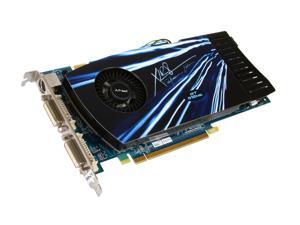
Which way is the cooler on the card oriented? Like the fan is near the PCI bracket and it pushes air towards where the PCI-E power cable is (towards the front of case)?
 
Correct. The fan is near the back of the case and pushes air to the front of the case.
 
Well, there's no way you can change the way the GPU cooler's fan acts. That's still going to try to blow the hot air outside at the back. Thus making the rear fans intake fans would only be of bad influence to the general airflow?
 
Well, there's no way you can change the way the GPU cooler's fan acts. That's still going to try to blow the hot air outside at the back. Thus making the rear fans intake fans would only be of bad influence to the general airflow?

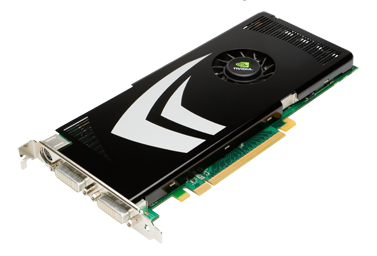
Not all graphics cards are dual-slot rear-exhaust blowers. The 9800GT exhausts heat directly into the case, as it is a single-slot card:

GeForce_9800_GT_3qtr_low.png

Note the lack of a rear exhaust!
 
What about side fans, does your case support any? you could try adding a side exhaust.
 
Keep in mind, hot air rises.
So if you are trying to pull heat from the bottom, it won't be as efficient
 
Not all graphics cards are dual-slot rear-exhaust blowers. The 9800GT exhausts heat directly into the case, as it is a single-slot card:

GeForce_9800_GT_3qtr_low.png

Note the lack of a rear exhaust!
My card is setup the other way. It is a PNY 9800GT 1GB and has the fan toward the front pushing air out the back of the card. However, the fan on the stock cooler went out and I widened the input hole and bolted on a 80mm fan running 100% of the time. I would try and reverse the fan so it pulled air instead of pushing the air to see if it makes a difference.

What about side fans, does your case support any? you could try adding a side exhaust.
No side fans, but there is a exhaust/intake grate right next to the GPU. I could probably mod a bolted on fan or use a Vantec bracket to try but I have been reading side panel fans may do more harm then good?

Keep in mind, hot air rises.
So if you are trying to pull heat from the bottom, it won't be as efficient
That was what I was thinking but not 100% sure how it is going to affect since right now the hot air is basically being forced out the back of the card and getting "pushed on" by the intake fan.

I turned up my intake fan from Low to High (it is a Antec 3 speed 120mm fan) but it didn't seem to help. Still sitting around 50 degrees on idle and have gotten up to 85 degrees after playing SC2 for 20 minutes.
 
Exactly that card.

With the fans on full I stay around 50C at idle and then hover around 80C on load (it made it up to 91C but not for a long period of time.

Not sure what else I should do to lower the temps.
 
Well, I should have just left well enough alone.

I swapped the fan on the front to exhaust and it seemed to help a little bit but not much. I then took a look at the fan I had attached to the GPU's heatsink and noticed it was a low RPM quieter fan, it was running at 2K RPM. I have another 80mm fan that had a temperature sensor and ranged anywhere from 2K to 4K depending on temperature and had a lot more CFM's so I decided to do a swap.

When I took the heatsink off I noticed I may not have had enough AS5 on the ram chips but the GPU looked OK. I cleaned everything off, swapped the fan and then reapplied AS5.

I have been reading where some people on here state that more thermal paste is better then less so I put more then I normally would on and spread it around. Attached the heatsink and then booted.

Everything looked good, until I used the machine for 5 minutes and then I started to see artifacts. I was watching the temperature and it never got over 60C. I checked to make sure the screws were tight and they were so I removed it to check the thermal paste.

Some of the AS5 oozed out and was on the GPU. I cleaned that all up and only left a thin layer of AS5 on the GPU like I would normally do. I booted into Windows and had the same problem. 5 minutes, no game play.... artifacts.

Any idea of what I could have caused wrong? Could the little bit of AS5 that oozed out onto the GPU have fried the card?
 
Many things can go wrong changing the tims on cards, one if it created a path between two or more traces, if there was enough that it created insulation of heat instead of transfer of heat, if the tim material used orignally was thicker but designed to transfer heat that way, unlike as5 is supposed to be a very thin mixture that creates a fine layer that bonds uneven surfaces together.
 
I had AS5 on the card previously with no artifacts up to almost 100C. The difference with this is I put more on the ram sinks and some oozed out onto the outsicde of the GPU.
 
There are several people on this forum who discourage the use of AS5 on GPU's for this reason.
 
So, is my card basically gone or is there anything I can try to revive it?
 
Back
Top