![[H]ard|Forum](/styles/hardforum/xenforo/logo_dark.png)
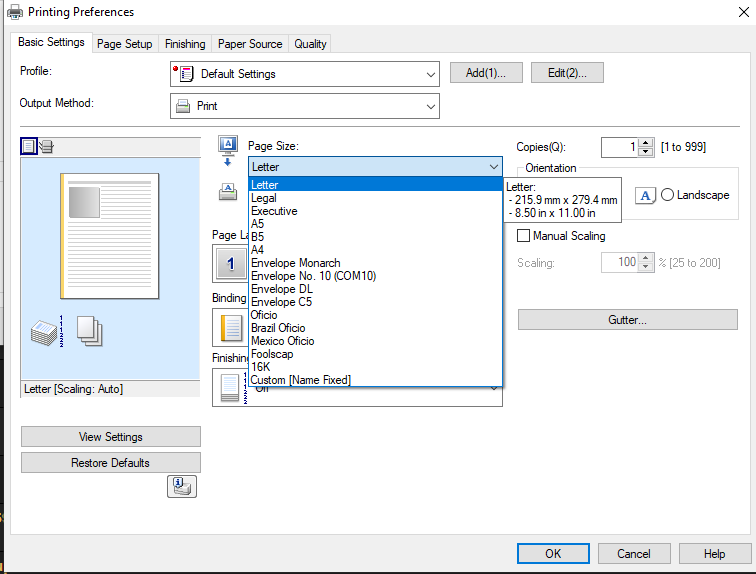
I have an issue with my printer not showing all the available paper sizes that are listed in my Control Panel under Print Server Properties. Below is the printer dialogue box from within any application:
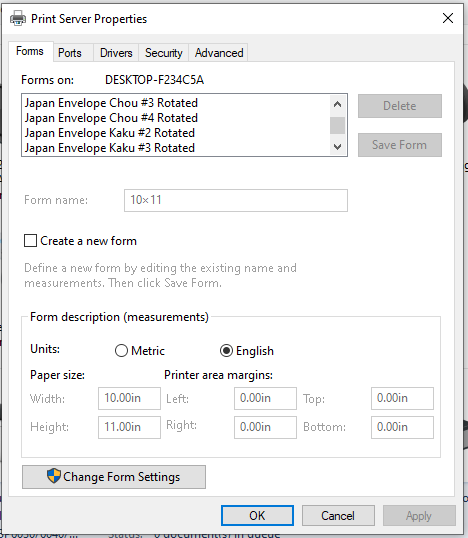
Then here are the available sizes in my Print Server Properties that I would like to have:
I've Googled how to do this, but no luck at implementation.
No matter what I do (install Japanese drivers for example), the paper sizes are the same.
Any help in this matter would be appreciated greatly.
Then here are the available sizes in my Print Server Properties that I would like to have:
I've Googled how to do this, but no luck at implementation.
No matter what I do (install Japanese drivers for example), the paper sizes are the same.
Any help in this matter would be appreciated greatly.