
Navigation
Install the app
How to install the app on iOS
Follow along with the video below to see how to install our site as a web app on your home screen.
Note: This feature may not be available in some browsers.
More options
You are using an out of date browser. It may not display this or other websites correctly.
You should upgrade or use an alternative browser.
You should upgrade or use an alternative browser.
nVidia Driver Disappearing in Windows 7!
- Thread starter Jacez44
- Start date
After a few hours of installing any set of drivers, they simply disappear.
Using Windows 7 beta 7057.
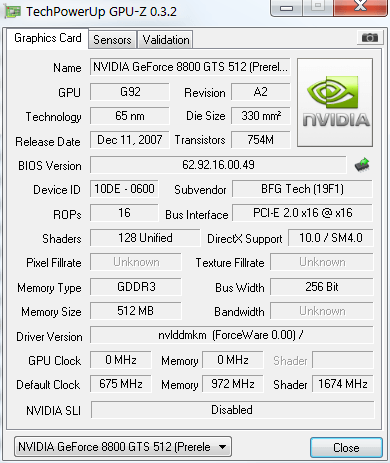
I've had a similar experience. I haven't found the cure yet, but I did just get 7077, so I'll report back.
I had a problem starting with the 182.06 drivers. Every time I restarted Windows Vista 32 it would act like the drivers were not installed and reinstall the default ones. After searching the internet and contacting Nvidia the only solution seemed to be restoring my PC back to a time before the install. It took me a couple of weeks to troubleshoot and the restore wouldn't go back that far. Luckily, I run Windows Home Server and it had older backups I could restore.
I tried driver cleaners in Safe mode and several other suggestions. None of them worked. It was like the drivers screwed up something in the registery that an uninstall and driversweep wouldn't catch. I tried updating to the next drivers but the problem persisted. This issue sounds somewhat similar.
Good luck. If you still have a restore point before the installation, you may want to roll back now. The restore points get replaced fairly quickly.
I tried driver cleaners in Safe mode and several other suggestions. None of them worked. It was like the drivers screwed up something in the registery that an uninstall and driversweep wouldn't catch. I tried updating to the next drivers but the problem persisted. This issue sounds somewhat similar.
Good luck. If you still have a restore point before the installation, you may want to roll back now. The restore points get replaced fairly quickly.

chinesepiratefood
2[H]4U
- Joined
- Oct 8, 2005
- Messages
- 2,629
7068 x64 no problems here
CleanSlate
Supreme [H]ardness
- Joined
- Mar 28, 2003
- Messages
- 5,263
Try read/write protecting the drivers in the installed directory?
scaarbelly
Supreme [H]ardness
- Joined
- Dec 11, 2008
- Messages
- 4,462
I saw this once with 7068 x64 and the win7x64 nvidia driver. A restart fixed the issue. But 7068 has shown a few other hardware driver issues also, at least in my machine.
scaarbelly
Supreme [H]ardness
- Joined
- Dec 11, 2008
- Messages
- 4,462
Now with 7077 and everything is faster with no issues. I don't know what was changed but I like it.
Now with 7077 and everything is faster with no issues. I don't know what was changed but I like it.
If I have 7057, do I have to perform a clean install or can I just upgrade?
scaarbelly
Supreme [H]ardness
- Joined
- Dec 11, 2008
- Messages
- 4,462
If I have 7057, do I have to perform a clean install or can I just upgrade?
I did a clean install and reformat, IMO it is the best and easiest.
You do a clean install but not reformat the C drive and it will save your old install in a folder windows.old then you can copy your data from there. You still will have to reinstall your programs.
I did a clean install and reformat, IMO it is the best and easiest.
You do a clean install but not reformat the C drive and it will save your old install in a folder windows.old then you can copy your data from there. You still will have to reinstall your programs.
Then what's the point? Might as well format the partition.
Well, as soon as it finished downloading, I'm going to try 7077.
But if it doesn't work.. I'm not sticking with Windows 7 when I can't play games, and now.. even movies for some reason.

bigdogchris
Fully [H]
- Joined
- Feb 19, 2008
- Messages
- 19,110
Maybe use the actual Windows 7 drivers rather than Vista drivers? They are not the same, that's why they have different downloads.
Maybe use the actual Windows 7 drivers rather than Vista drivers? They are not the same, that's why they have different downloads.
Yeah, that's what I've been doing. Not that it matters - even if I use Vista drivers, they still disappear.