New rig, a few questions...

Aelfgeft

2[H]4U
Joined
Jun 8, 2005
Messages
2,343
I'll be having to replace my sig soon...yay! I've got the following:

Intel Xeon E3110 (E8400 clone)
Gigabyte GA-EP35-DS3L
2GB GSkill DDR2-10000 Ram
TRUE 120 we/ 120x38 Panaflo Hi-Speed
EVGA 8800GT SSC wi/ Thermaltake Duorb

1. Coretemp says my temps are at 40 and 41. Speedfan says 35 and 36. Who should I trust?

2. Assuming Coretemp is right, are these good idle temps? Ambient temperature is about 70-75 Fahrenheit.

3. Running Orthos right now, and it says it's running a test on each core. However, one of my cores has jumped up to 53-54 (going by Coretemp) and the other is still at idle temperature. Speedfan reads the same discrepancy. Why would this be?

4. Assuming Coretemp is right, is 53-54 a good load temp?

5. RivaTuner reads 35 degrees idle for my 8800GT. Good?
 
Update: Running dual instances of Prime95. Each core shows 100% load in CoreTemp, but Core 0 refuses to budge from 40C. Is this the temp sensor issue I've heard about? I really don't want to have to RMA this thing.
 
trust coretemp. dont worry too much about the stuck sensor. aslong as the other sensor is working you should be fine. The only thing i recommend is you always have the core under active cooling to prevent the chip from overheating and destroying itself. the load temp if at stock is very bad. however if it is at 3.5-4ghz then its ok. 35degrees idle for 8800gt seems low. is it an aftermarket cooler?

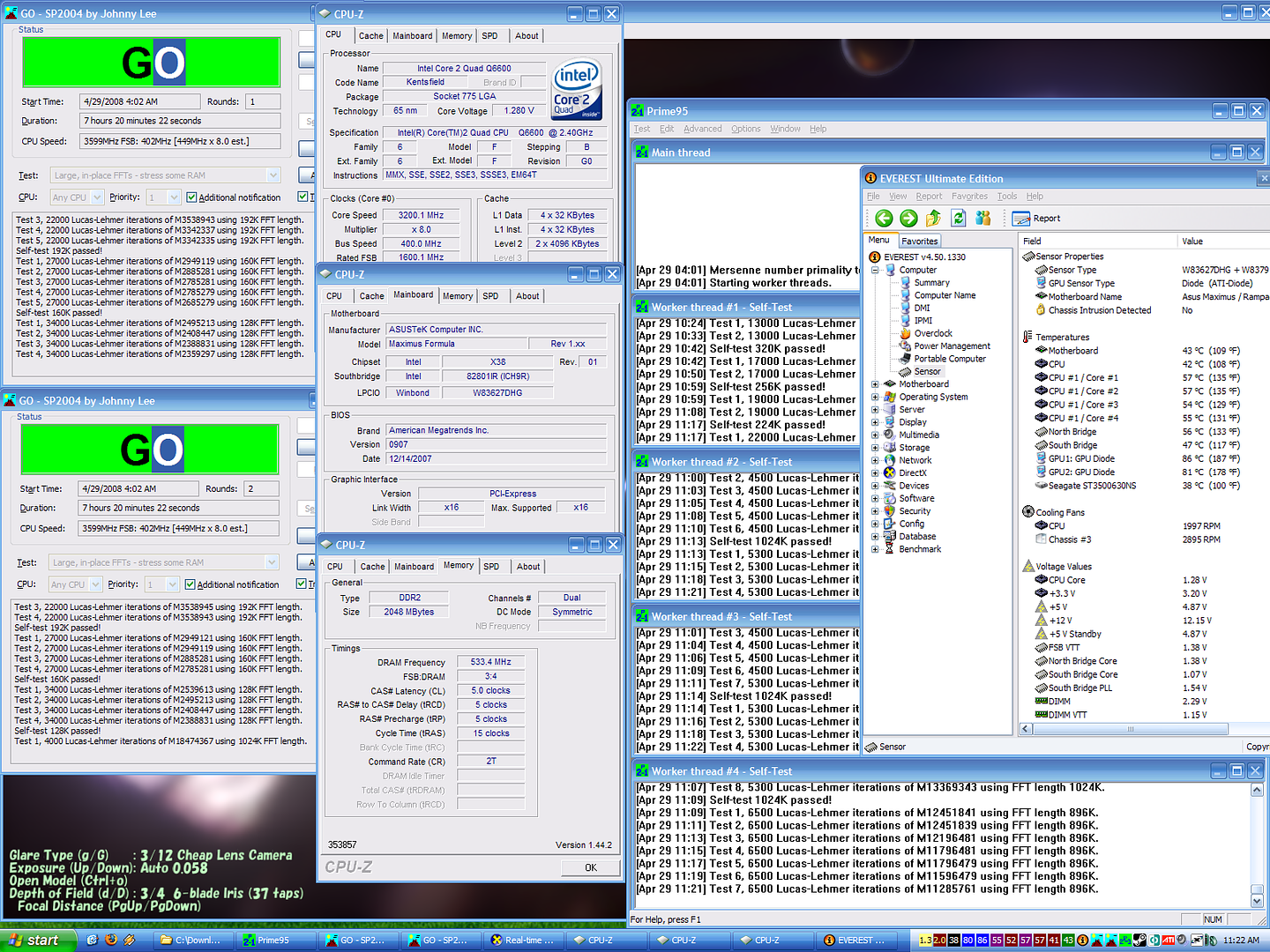
heres a pic of my rig after 7+hours of prime+orthos+rthdbil

7hrsstable.png
 
As mentioned above, I'm using a Thermalright Ultra-120 Extreme with a Hi-Speed 120 Panaflo, lapped. What should my temps be at stock?
 
Coretemp says my idle temps are about 41-42.

You said my load temps were bad. Going by CoreTemp, they top out at about 54 degrees. Is that bad?
 
I took off the TRUE and checked the paste. No holes or anything, nice even layer covering the whole heatspreader, with barely any over the edge.

I now have installed CoreTemp, SpeedFan, and RealTemp, and these are the reports for Core 0 and 1:

CoreTemp: 40, 44
Speedfan: 35, 39
RealTemp: 30, 33

...is this just going to be the curse of the funky 45nm sensors?
 
All right, after reading around about the TJMax discrepancies on a number of forums, it seems that the actual TJMax of the 8400s and 3110s seems to be generally agreed to be 95, which is what RealTemp is reporting, which would mean my idle temps are actually around 30-35, rather than 40-45. I assume this would be more expected from a TRUE and a hi-speed fan?
 
this is what i usually do:

Take the mother board out of the case,

Clean the CPU thermal paste
put cpu back inside mother board socket
Put some thermal paste on the CPU, do not touch it
put some more thermal paste on another side of the cpu

Take the TRUE (cleaned) and put it ontop of the cpu
turn true Left and Right 90degrees then 180 degrees
make the true go in circles a little bit to spread the paste around a bit
make it do some 8s and it should be very hard to take off of the CPU.

Now attach the clips onto the mother board.

put mobo back inside case

(ps if you are going to do this might as well re-apply AS5 to your whole mother boards crazy pipe things if they come off with screws)
 
(ps if you are going to do this might as well re-apply AS5 to your whole mother boards crazy pipe things if they come off with screws)

if you do this make sure they make proper contact as AS5 is alot thinner than what is probably on there now.
 
There is no crazy pipe apparatus on this motherboard. There are regular heatsinks on the NB and SB. As for my TRUE, as I said, I checked it and the layer is fine. It's got good suction on there, and there are no holes or bubbles. I'm also using MX-2, not AS5.

So...like I asked, would 30-35 be more expected? What should I expect from this cooler at stock? No offense, risqu3, but all you've been saying is that my temps are bad without telling me what they should be, so I have no idea what to expect here. I'd also like to hear from someone who has an 8400 or 3110 who knows what the stock temps are like.
 
I've also read that the actual TJmax on the E8400s seems to be closer to 95, which means RealTemp is probably more accurate. Using Realtemp, I was idling around 35 and was hitting 60 at full load with Orthos. This with my Vcore at 1.36 (CPU-Z), FSB at 443, and a couple of other minor adjustments to the NB and PLL voltages (which I don't have handy now). IIRC, when I was running mine stock, temps were in the low 30s or high 20s at idle. If I have time tonight, I will bump it back down and take a reading with RealTemp.

At any rate, I'm going to add some better intake fans to see if I can drop it a couple of degrees, but I think I am too lazy to remove the Xigmatek and reapply the AS given that I think the temps I am seeing are pretty typical.
 
I'd appreciate that, bh.

For what it's worth, I tried out a rudimentary OC last night and tested it with 7 hours of Orthos. Set vcore to 1.20, and FSB to 367. 3.3GHz ran 7 hours Orthos stable, so I'll probably try 3.6 tonight for my next run.

Temperature increase at 3.3? Idle temps increased one degree, load temps barely a degree. Stock load topped out between 53-54, OC'd load gives 54 solid.
 
Those are all measured with RealTemp, I assume?

I'm sitting here watching my temps as I run the last couple hours of Orthos I need to break the 24 hour mark. CoreTemp spiked at 70 on both cores at load, whereas RealTemp said 60 at peak. Vcore is a solid 1.36 as measured from CPUZ. I may start backing off the voltage and see where the "breaking point" is.

Do you guys think it is worth the time to check my AS5 and reapply? The Xigmatek was a pain to get on, so I'm afraid I may not get it back on without a lot of effort. :eek:
 
Nope, those temps were with CoreTemp, going by a 105 TJMax. So subtract about 10 degrees using RealTemp/95 TJMax.

I just upped myself to 400MHz FSB for 3.6GHz, 1.2v VCore. Idle temps show 47 from CoreTemp, 37 from RealTemp. Running OCCT now, and CoreTemp gives me 56C, while RealTemp gives me 46C. This is in a fairly warm room, as well. I also notice that VDroop Idle is 1.17v, Load is 1.14v. I guess it's true what they say about Gigabyte boards, but to be honest, 3.6 would be plenty as long as it's stable. I'm pretty sure I can go farther since my ram is rated for it.

As for your paste job, I always check it before I screw the thing down. I know some people say put the glop on, put the heatsink on, and don't pull it off because it will make the seal less reliable. In my experience, no. It's far worse to have a spot that has no paste on it and not realize it. Set it on, rotate it slightly a couple times, and carefully pull it off (it should stick well). If it's nicely covered and evenly so, put it back on and screw down.

In your case, you might want to check if you're unsure. I just suggest being sure before you screw it down.

Update: Strangely enough, I notice that now my Core 0 is beginning to show fluctuations in temperature. It's still not accurate, as (going by CoreTemp) it starts at 40, and goes up to 43-44 at load. Odd.
 
Back
Top