
New Build Problems

shivang222

Limp Gawd
Joined
Dec 31, 2006
Messages
302
Recenctly I just build my computer and it seems like I did okay. It started up, and I went into the BIOS to see my CPU temperatures which were reported to be around 50 degrees celcius, which I understand is too high. However, I was advised to install windows onto my new computer to check the temps through Core Temp. Now, when I boot through a CD the Windows loading files screen comes up fine. Then, though, when there is the screen has Windows on top and a green little bar moving across, the computer freezes and doesn't go ahead.
What could be the problem?

It freezes in a screen that looks somewhat like this:
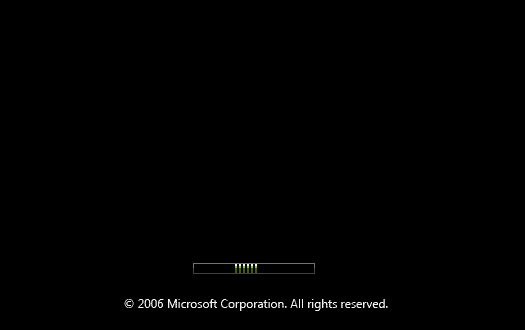
Image2.gif
 
I know with some of MS's OS's, You could hit the tab key when that screen came up and it'd tell you what was loading, or whatnot.
 
This is with Vista... I will try that...

Edit: No, that did not work. :(

Edit: Also, Vista seems very slow to start up and install.
 
Yay! I got Vista installed... apparently it was because of the SLI bridge, I disconnected it and it worked...

However, when I look in Windows Vista (64bit) it says i only have 2gb of RAM, when i have 4gb... anyone know how to fix that?
 
Vista x64 should automatically see and use 4 gigs of RAM with a 680i board. Since it's not, you can expect an issue with one of your DIMMS or perhaps your memory controller (a somewhat more likely scenario if you're running 4x1 gig.) Download memTest and run it for several hours. That should help you determine if you have a hardware issue and where it lies.

Mark.
 
Make sure 4gb of RAM is showing up either during POST, or in your BIOS. If it is in the BIOS, but not in Vista. I would suspect a driver issue, or some sort of Vista update your are missing.

GL.
 
Run memtest for several passes; 24hrs would be best. If you find errors, test each stick individually. Installation problems are usually caused by faulty hardware.
 
Back
Top