• Some users have recently had their accounts hijacked. It seems that the now defunct EVGA forums might have compromised your password there and seems many are using the same PW here. We would suggest you UPDATE YOUR PASSWORD and TURN ON 2FA for your account here to further secure it. None of the compromised accounts had 2FA turned on.
    Once you have enabled 2FA, your account will be updated soon to show a badge, letting other members know that you use 2FA to protect your account. This should be beneficial for everyone that uses FSFT.

Need Help For New Computer Build

KyCatFan

n00b
Joined
Jan 24, 2005
Messages
19
This is my first post on this board and it looks like a very good board. So I hope I can get some help/advice on building my first computer. I have had about 4 computers in the past and am getting tired of these crappy prebuilt models. I am currently using a Sony Vaio 1.5GHz Pentium 4 with 512 MB RAM. I will probably keep this computer for my wife to play around with. She just plays the simple games and surfs the web. I want a newer computer for primarily video editing. I do play some games that require a nicer computer then what I have now (Doom 3, Half Life 2). I don't want to spend a ton of money on this computer. I don't plan on o/c it and can do without alot of the extras that some of you have (water cooling for example). One thing it has to have is a video card that captures tv. I save alot of sports games on my DVR and want to transfer them to a computer to edit and burn DVDs. I don't need the top of the line video cards that are out there. I have a Radeon 9600 SE in this computer and it works just fine for me. I will probably put the computer in the living room with my entertainment center and just run it off of my tv. So it must work with my tv as well. My tv has the coax jack, rca jacks and an s-video jack. Here are some ideas on parts to use. Feel free to critique any of them.

For the case, I liked the look of the Aerocool Jetmaster. It had some good reviews at Newegg. I could also go with one of those case and p/s combos if they are not more then my case and p/s total. Hopefully this one is easy to install parts in and is good for cooling. $64

11-196-002-01.jpg


I liked the look of this p/s. Aspire 520 W ATX-AS520W It also had good reviews from other people who bought it at Newegg. I know alot of people put emphasis on getting a really nice p/s, but my budget won't allow for some of those. $59

17-148-009-09.jpg


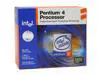
From what I have read, the Pentium 4 is the better processor for doing video editing, but I don't know how true that is. I was looking at a P4 3.0e GHz with h/t retail. I would prefer to just use the heat sink and fan that comes with this. I figure it would be easier to put together and less likely for a noob to mess up. $184
19-116-171-02.JPG


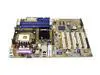
For the motherboard, I was thinking about the ASUS P4P800 SE. $95
13-131-484-01.JPG


For the RAM, Kingston ValueRAM Dual Channel Kit 184 Pin 1G(512MBx2) DDR PC-3200 - Retail. $147
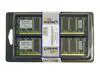
20-141-423-01.JPG


For the hard drive, Hitachi 160GB 7200RPM SATA Hard Drive, Model HDS722516VLSA80 oem. I would like to get alot of h/d space in one of these and am not worried about 10,000 rpm drives like some of you all. $97
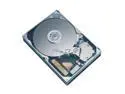
22-145-051-03.JPG


For the video card, ATI AIW RADEON 9600XT Video Card, 128MB DDR, 128-bit, CATV/Video Out/Video In, 8X AGP, Model "ALL-IN-WONDER 9600XT" -RETAIL $187
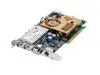
14-102-352-01.JPG


Of course I would have to throw in Windows XP Home Edition. I would use the disc I already have, but it is on a recovery disc for Sony Vaio's and probably wouldn't work with it going on another system not setup the same. $93

For the optical drive, NEC 16X Double Layer DVD±RW Drive, Black, Model ND-3520A BK, OEM $63
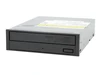
27-152-035-01.jpg


This puts me at $989 for the whole system. I definitely don't want to go over $1,000 and I wouldn't mind dropping down more then this if possible without a major loss of computing power. I think I could get an AMD system for less, but I don't know how good they are with video editing. I know I have read that they can be better for gaming, but that is second on my priority list. I need to make sure whatever I get can capture video large enough to fit my tv screen and not lose out on the frame rate real bad like my current computer. I currently have a stuttering affect in my video and the audio tends to not match up.

Any help will be greatly appreciated.
 
nice system. though i'm not sure about the power supply. if i were you i would stick with an FSP or a sparkle unit which you can get for the same price or a little cheaper
 
9600's just aren't ideal when you can easily triple the performance by adding in 50$ for a 6600 GT
 
Swap the ps for forton/sparkle and grab a 6600gt. Case screams ugly premod pos but, whatever floats your boat ;)
 
I wouldn't mind having a nicer video card, but like I was saying, gaming is not my main priority for this computer. Most of my gaming is with my XBox. I probably only get 2 or 3 computer games a year. I haven't researched it yet, but does that 6600gt have a tv capture capability also? If not, it doesn't help me with my main priority and it would just cost me more to put in a capture card as well.

I will look into those other brands of p/s and see what I can come up with. It seems like you are hit or miss when it comes to p/s. At least my Sony p/s has lasted me over 3 years without a problem.

If you all have a better idea of a case that is easy to install hardware in and is great for airflow, then your suggestions would be appreciated. I do like the design of this one though. To each his own. Just keep the price at the same as this or less. Especially less if I have to add fans to the case as well.

Thanks for the replies and I hope they keep coming. :)
 
KyCatFan said:
I wouldn't mind having a nicer video card, but like I was saying, gaming is not my main priority for this computer. Most of my gaming is with my XBox. I probably only get 2 or 3 computer games a year. I haven't researched it yet, but does that 6600gt have a tv capture capability also? If not, it doesn't help me with my main priority and it would just cost me more to put in a capture card as well.

I will look into those other brands of p/s and see what I can come up with. It seems like you are hit or miss when it comes to p/s. At least my Sony p/s has lasted me over 3 years without a problem.

If you all have a better idea of a case that is easy to install hardware in and is great for airflow, then your suggestions would be appreciated. I do like the design of this one though. To each his own. Just keep the price at the same as this or less. Especially less if I have to add fans to the case as well.

Thanks for the replies and I hope they keep coming. :)

i agree. that's a good deal for a 9600XT AIW.
 
Looks good to me. You might consider swapping the Hitachi crive for a Western Digital or a Segate. (Their long-term reliability is in doubt after the whole deathstar incident, but you'll most likely be fine.) Otherwise, looks like a pretty solid video editing system! Good luck on your first build!
 
I wasn't sure on the hard drive, if it was an overall good one or not. I was trying to find the biggest one I could get for around that price and this one fit the bill. I checked the reviews for this drive at Newegg and it had alot of good reviews. Maybe they are being made with better quality now. It also has an 8 MB buffer and I don't think any of the other drives in this price range had that high of one. To be honest, I don't know how useful that is, but it sounds better to be a higher number. I will look around and see what other drives I might be able to get.

I am still not sure what to do on the power supply. I looked at some of the cases with built in power supplies and alot of them had overall good reviews on their p/s with just like 1 in 10 that didn't like the p/s. Aspire has some nice cases that I like with and without p/s and the p/s I had selected in my first post had good reviews by a number of people. I will probably not have anything more in this system then what I have listed up above. So it shouldn't be a real power hungry system overall and couldn't that Aspire p/s work for it?
 
for videocapture, 160gb is a lil' restricting - esp if u gonna use it for other purposes as well. As for Hitachi - I have one of 7k250s for 1.5 years daily use, no problem /me knocks on wood :D

If I were u, I'd try to build one of them HTPCs and browse thru their forum.
 
I probably will never have more then a couple of hours worth of video on at one time. Once I edit out some commercials, then they will go straight to DVD and then deleted off of the computer. I will see how that goes and if I come up short on space, then I will look into buying another hard drive in the future.

I did look into the video cards a little more and found this one that someone else mentioned I should get. It is about $18 more then the other card I had selected. So is it definitely worth it?
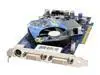
XFX nVIDIA GeForce 6600GT Video Card, 128MB GDDR3, 128-Bit, Dual DVI, AGP 8X, Model "PVT43AND" -RETAIL $205
14-150-080-01.jpg


I will just have to get a capture card as well and that will up my cost even more though.


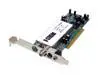
KWORLD PCI TV/FM Tuner, DVD Maker Card, Model "Xpert TV - PVR 883(VS-LTV883RF)" - Power Producer 2 RETAIL $43

15-100-113-02.JPG


Anyone know if this card is any good? Between the 6600gt and this card, that would push my cost up about $61 more.
 
regarding the case ... how strong are those light? Since you are planning to stick it next to your TV ... a very strong light will get annoying ....
 
I think the seperate videocard/video capture card route is a good idea. It gives you a lot of flexibility in terms of upgrade path, and with the card you choose, it is a great step up from the 9600xt, not sure if it's 3x as much performance, but it will still probably run the newest games on a standard tv without a hitch and with all the settings and eye candy turned up. Um... also on the processor side, it doesn't matter which processor you get, AMD or Intel. There will be not "loss of framerate" because the processor offerings from both companies are more than fast enough for DVR; Maximum PC had an article sometime last year where they stated for the minimum proc speed in an HTPC would be a 2.0ghz+ P4 or AthlonXP, not even the new Athlon64 proc! The only difference I have seen in reviews is like seconds for their video conversion rates. If speed isn't your biggest concern, and I don't think it is if you're just using your new rig to catch video and burn it, you may want to go for the overall better performer, since at the price point, I believe an Athlon64 will offer more than competitive video editing capabilities. You may also want to check on the [H]ardOCP mainsite (hardocp.com) and check out their reviews of Athlon64's and the P4's. I also think that the processor you are choosing is the slowest out of the Prescott group of P4 processors, being outshinned by the 3.0c, so you may want to try looking for a 3.0c instead of the 3.0e. And hey, you might save a few bucks in the process ^_^. Um.. anyway... sorry this post is long... i just wanted to give you options and info.... Good luck! and at least your upgrade wasn't forced by virus induced crash like mine was @_@ lol.

~cheers

edit: I also forgot to tell you that I found a set of Geil ram (2x512) for 139.99 at Outpost.com the other day. Hope that might shave a few bucks off your purchase! :D
 
Thanks for all of the advice so far. The speed isn't a primary concern, but the faster the better. I am running out of space on my DVR and need to start recording stuff to DVD pretty soon. It is amazing how fast 100 hours can be used up. I just wish the DVR I have came with a pause feature to edit out commercials while recording it. That would have saved me a number of hours. Usually, the average basketball game without all of the commercials would come out to about 1 hour and 30 minutes. My average with comercials is about 2 hours and 10 minutes. So that is over 25% of each game with wasted space. I could fit a whole nother game in the space that 2 games of commercials takes up.

I might look into a different case as some have mentioned. Maybe that Soho Server case. That would give me plenty of room to add stuff to it in the future.
 
Sounds decent for under a grand. If you're going to be saving video on the HD, space might become an issue, but then you could justt plug in another HD and it's all good.
 
I suggest stopping by the Power Supply forum and reading the stickies there. I built a lot of systems with generic stuff and could never figure out why my systems were never really 100% stable; then I stopped using generic memory and generic power supplies and it does make the world of difference.

I have never used a capture card but I've been told that the stand-alone cards do a better job; plus, if you ever want to upgrade the video card, you can keep the stand alone.

Otherwise looks like a nice system.
 
CASE: I hate the case, but if you like it........
PSU: Fortron 400W Power Supply
CPU: AMD Athlon 64 3500+
MOBO: MSI K8N Neo2 Platinum
RAM: Your ram is alright, maybe some TCCD if you plan on ocing
HDD: Not a bad brand, although I would run WD/Seagate
GFX: Nvidia Gforce 6600GT (flavor of your choice)
PVR: Hauppauge pvr-150
DVDRW: Good choice, liteon makes good drives aswell.
 
GlobalFear said:
<snip>
CPU: AMD Athlon 64 3500+
MOBO: MSI K8N Neo2 Platinum
<snip>
As much as it pains me to say this (I'm a big AMD fan), Intel really is better for video editing, since most editing apps are P4 optimized, and the P4 is faster at encoding. (It sucks at everything else, though :p)
 
Everything looks good except for the PSU and case. Get a Supermicro boring beige box with one of their installed power supplies. They use good ones as they're intended for server and workstation use. You won't regret getting a case that puts quality and function above glowing plastic and ornaments.

Next build I'm going from Coolermaster to Intel or Supermicro chassis because they're the best quality and if its good enough to hold a 10,000 dollar computer its good enough for my humble parts.
 
I have a feeling that my wife is not going to let me spend $1,000 on a new computer, so I probably will have to work around what I have now. Has anyone ever reused a Sony Vaio case for another build? I was thinking about reusing everything but my motherboard, cpu and memory. I can tolerate my Radeon 9600 SE, LiteOn DVD burner, Pinnacle PCT card and whatever hard drive that came with this setup. Do you all think I could put that Asus board into my Vaio case? The only problem that I can tell is that the psu is mounted oddly compared to most systems I see now. My psu is turned sideways and sits down in the motherboard area a little above the AGP slot. I still have an opening at the top of the case behind my drives that the psu's are normally at and I might be able to move it up there. If I do that, then it looks like I will have enough room to do what I want in this case. I do want to try and add some extra fans to this setup if I do this. I have read that the P4 that I mentioned is supposed to run a little hot. This case doesn't even have a single fan in it and that seems a little strange to me. All I have for cooling is the fan on my P4 and I assume there is one in my psu, but I can't really even see it. If I move the psu to the top, the area where the psu currently is at would be free for a fan or two. I probably will have to get another psu regardless. I currently only see one extra power plug and it is situated by my hard drive for an additional hard drive. So if I get another psu, how much wattage do I really need to run that Asus board, P4 with fan, probably 2 optical drives, 1 maybe 2 hard drives, maybe 1 floppy drive, and probably a couple of fans? If I stick with my Radeon 9600 SE, then it doesn't need any additional power requirements.

I think this setup would only cost me $500 and should still be able to handle what I want to do with the computer. With the currently selected mb, cpu, and ram, I would be spending about $426. That would leave me with around $74 to invest in a psu and some fans. Or I could use the $74 on a case with psu and fans already in it, but I don't know if there are any that you all would recommend. Most of you don't like the psu's that come with the cases. I can just wait another year or two and then look into the better build. Maybe there will be alot better technology at a much cheaper price.
 
For the case, I liked the look of the Aerocool Jetmaster. It had some good reviews at Newegg.
Keep in mind EVERYTHING that has a review has good reviews at Newegg; they choose what comments to add... (look at the fine print below comments if you don't believe me :p )
 
  • Gigabyte GA-K8NS nForce3 250 Athlon 64 Skt754 DDR ATX Motherboard w/Audio, LAN, RAID/Serial ATA Retail ***Free 2nd Day*** $76 Zipzoomfly http://www.zipzoomfly.com/jsp/ProductDetail.jsp?ProductCode=241757
  • AMD Athlon 64 3000+, 512KB L2 Cache 64-bit Processor, socket 754 - Retail
    $146 Newegg
  • Mushkin 184 Pin 512MB DDR PC-3200 - Retail $69 newegg.com
  • Western Digital Caviar WD800BB 80GB Ultra ATA/100 7200RPM Hard Drive $57 zipzoomfly
  • NEC 16X Double Layer DVD±RW Drive ND-3520A $67 newegg.com
  • Antec Black with 350W PS $91 zipzoomfly.com
Usually it is difficult or impossible to reuse proprietary cases, so I would buy a new case. See if the above fits your budget a little better. I'm assuming you will resuse your video card. You can put a cheap card in the Sony if your wife isn't planning to play games.
 
if that Aerocool is the one with the turbine thing in the front its really cheaply made and total junk. i've seen it in person.
 
I think I've also seen the jet turbine one at a compUSA. It certanly LOOKS diffrent, but I find it to be quite excessive. Perhaps it even sounds like a jet engine too :rolleyes:
 
I dont think the turbine is actually a fan. Its a decoration that actually does spin when the 80mm fan behind it draws air through it.
 
Mac Cool said:
  • Gigabyte GA-K8NS nForce3 250 Athlon 64 Skt754 DDR ATX Motherboard w/Audio, LAN, RAID/Serial ATA Retail ***Free 2nd Day*** $76 Zipzoomfly http://www.zipzoomfly.com/jsp/ProductDetail.jsp?ProductCode=241757
  • AMD Athlon 64 3000+, 512KB L2 Cache 64-bit Processor, socket 754 - Retail
    $146 Newegg
  • Mushkin 184 Pin 512MB DDR PC-3200 - Retail $69 newegg.com
  • Western Digital Caviar WD800BB 80GB Ultra ATA/100 7200RPM Hard Drive $57 zipzoomfly
  • NEC 16X Double Layer DVD±RW Drive ND-3520A $67 newegg.com
  • Antec Black with 350W PS $91 zipzoomfly.com
Usually it is difficult or impossible to reuse proprietary cases, so I would buy a new case. See if the above fits your budget a little better. I'm assuming you will resuse your video card. You can put a cheap card in the Sony if your wife isn't planning to play games.


So do you think that Athlon 64 would work well for me to video edit? I believe I saw that this cpu runs at 2.0 ghz. How is that compared to the P4 3.0 ghz? Just going up from my 1.5 to that 2.0 doesn't sound like a huge difference. I still kinda am leaning more toward a P4 processor. In about a month I will get my tax return and I will see what I can work out with my wife. Thanks for the replies everyone.
 
KyCatFan said:
So do you think that Athlon 64 would work well for me to video edit? I believe I saw that this cpu runs at 2.0 ghz. How is that compared to the P4 3.0 ghz? Just going up from my 1.5 to that 2.0 doesn't sound like a huge difference. I still kinda am leaning more toward a P4 processor. In about a month I will get my tax return and I will see what I can work out with my wife. Thanks for the replies everyone.

You can't compare athelon and intel with the speed (there's probably a better word for that I can't think of right now) comparison. They're designed diffrent. When you want to try to compare, look at athelons other 4 digit number they usualy use. Athelon 3000 or such is considered comparable to an intel 3.0 ghz. Someone's going to come behind me and explain it better I'm sure.
 
Essentially: AMD's do more per clock cycle (that's what the gigahertz are counting) than Intel processors, so AMD clock frequencies will always be lower for comparable processors. So basically, just look at the PR (product rating) numbers for the AMD processors, and they give a fairly accurate picture of where they stand vs Intel processors. Intel processors are better at multitasking and multimedia things, such as encoding, decoding, transcoding, interstellarcoding, audio, video editting, whereas AMD processors are better at gaming (maybe going off on a tangent, but this still falls under 'how they compare'). In addition, equivalent AMD processors for their Intel counterparts are currently cheaper in most cases.
 
Thanks for the explaination. I never was really sure about why the AMD processors never were around the same clock speed as their Intel counterparts. I like the idea that the AMD is cheaper and seems to be better for gaming, but of course I am worried a little more about video editing. That is why I am leaning more toward the P4. Plus I like what I see about the Hyper-Threading capabilities of it. I sometimes will have 3 or 4 things going on the computer at the same time and if I can keep from getting alot of slow down, then that is a big plus. I still may consider the AMD though.

Another question

Is Dual Channel memory alot better then Single? I think I saw that the Athlon 64 doesn't work with Dual Channel. Is that correct and if so, is it that big of a deal? I am just trying to way in on all of the factors before making a decision. I still have hope to get the $1000 system, but planning for the $500 one using a setup similiar to what that other poster recommended or doing my option of putting everything I currently have besides the cpu, motherboard, and memory into another case and buy new stuff of those things.

One more question

If I end up with a cheaper computer and put my Radeon 9600 in it, what cheap video card should I throw into this one? Remember, my wife only surfs the web and plays simple games on this. I had an old Voodoo 3000 and a Riva TNT 2, but I think I threw them out.
 
An athlon 64 will do wonderfully on video editing and should be more than adequate. Hyperthreading is nice, but the difference isn't night and day between an athlon 64 and a pentium 4 with hyperthreading, even during heavy multitasking. I would reccommend the amd system, it's a much better value. As far as dual channel ram, on intel systems there is a performance difference, but the increase is not that great. Athlon 64's on the s939 interface support dual channel, s754 does not. However, the current athlon 64s do not take advantage of the extra memory bandwidth so the only time you will see a difference is on synthetic memory benchmarks.
 
KyCatFan said:
So do you think that Athlon 64 would work well for me to video edit? I believe I saw that this cpu runs at 2.0 ghz. How is that compared to the P4 3.0 ghz? Just going up from my 1.5 to that 2.0 doesn't sound like a huge difference. I still kinda am leaning more toward a P4 processor. In about a month I will get my tax return and I will see what I can work out with my wife. Thanks for the replies everyone.
You can go dig up video benchmarks but I'll think you'll find the real world difference between the two processors is insignificant in either video editing or gaming. So what if one is 10 seconds* faster on a 100MB* video file or that one CPU gets 105 fps* while the other only gets 97 fps*; these minor differences aren't going to matter.

I say go with what will make you happy. I just posted a few suggestions to help you meet your budget. I've owned both AMD and intel and I like supporting the underdog but I am also happy with my current P4 system, yet the next system I build will probably be an Athlon64 based system.

If you need a good cheap vid card for the leftover system, look for a 9200SE, 9250, 7000, mx4000 or mx440.

*just made up numbers, they don't mean anything
 
I'm a multi-tasking whore too, so I got me a P4 3.0C to try out the hyperthreading. It works good for me so I'm not complaining any. I guess I'd need to suggest it seeing how most everyone's going AMD.
 
You can't suggest anything over something else unless you've actually tried both things :rolleyes: (If you have, then oops :eek: )
 
Stoopid Guy said:
You can't suggest anything over something else unless you've actually tried both things :rolleyes: (If you have, then oops :eek: )

The hell I can't. 3.0C works, I see it work, I like it working, and I SUGGEST it because it works.
 
Here's what I'd suggest:
AMD64 3000 939: $159 ( you could probably find an OEM for cheaper but no fan or HS)
http://www.newegg.com/app/ViewProductDesc.asp?description=19-103-501&depa=0
GIGABYTE "GA-K8NS-939": $85
http://www.newegg.com/app/ViewProductDesc.asp?description=13-128-274&depa=0
1GB 512MBx2 Kingston PC3200 ValueRam: $139 (Since you're not overclocking)
http://www.newegg.com/app/viewproductdesc.asp?description=20-141-423&DEPA=0
Sony 16x DVD+/-RW DL Drive: $61
http://www.newegg.com/app/viewproductdesc.asp?description=27-131-239&DEPA=0
Seagate 200GB SATA Drive: $127
http://www.newegg.com/app/viewproductdesc.asp?description=22-148-033&DEPA=0
Gigabyte 6600GT: $199
http://www.newegg.com/app/ViewProductDesc.asp?description=14-125-168&depa=1
Thermaltake 480W Xaser2 PSU: $56
http://www.newegg.com/app/viewproductdesc.asp?description=17-153-007&DEPA=1
Antec SOHO Case: $69
http://www.newegg.com/app/ViewProductDesc.asp?description=11-129-124&depa=1
Windows XP Home SP2 OEM: $92.95
http://www.newegg.com/app/viewproductdesc.asp?description=37-102-151&DEPA=6

Total: $987.95

Oh and I own both AMD and Intel rigs that re VERY compareable as far as speed goes.
I like the AMD because it is 64bit and it screems through games, but I use my intel rig 24/7 for everything else. Surfing, chatting, server, some graphics work (which I'm not doing more on my AMD rig). The difference as far as HT is concerned, is minimal. I'm sure you'd love either system once it's built. And if you sat them side by side. The 10 second difference one would take to do the same thing is negligable. Sorry my configuration is close to $1000 and is also missing the Video editing card. But since I know nothing about that stuff, I didn't want to suggestion something purely on what other people say.
 
Because the Sony is rated the best drive at the moment. And at that price. It's not bad.
 
I've read this burner is more error prone than the NEC, Pioneer, BenQ or Plextor. Based on what I've read about previous Sony burners, I wouldn't recommend one. Every review I've read has the NEC head and shoulders above anything else, performance-wise, especially in it's price range.
 
Yes, Sony has incompatability problems. But if it works, then it works (I suppose).

Another vote for the A64's. I have both an Athlon 64 and a Pentium 4 at around the same clock speed (3000+, 3.0) and they both are pretty similar. I can't tell you which is better however.

My dad does video editing and his computer consists of the following:

* AMD Athlon XP 2500+
* Asus A7N8X
* Corsair XMS 512 MB
* ATI Radeon 9600 All-In-Wonder
* Some Capturing Hardware (I don't know the name)
* Maxtor 80 GB HDD


He says he is pleased with it (and he's pretty much what you'd call an average consumer). If you are "average", you'd be happy with just about any damn thing faster than that system. It seems your emphasis is more bigger space rather than speed. So focus on keeping that 1 GB of RAM and that 160 GB of space. You should look around for what's on sale in the For Sale/Trade Forum. Some of the people are selling a GB of RAM for pretty cheap and you have the opportunity to get it. Try other methods of getting your space, such as having two 80 GB hard drives instead of one 160 GB hard drives, even if it's the cheapest method.

You can get an Athlon 64 2800+ CPU and do just as fine. Get a basic case but get a good PSU (you only need 400 watts or so). Antec's case and PSU is just good enough for you. Go for it. You can actually make such a system for cheaper than $600-ish. But only if you aren't concerned with upgrading. You can always keep the case and buy a replacement of motherboard/CPU later on. Go for it.

-J.
 
Back
Top