• Some users have recently had their accounts hijacked. It seems that the now defunct EVGA forums might have compromised your password there and seems many are using the same PW here. We would suggest you UPDATE YOUR PASSWORD and TURN ON 2FA for your account here to further secure it. None of the compromised accounts had 2FA turned on.
    Once you have enabled 2FA, your account will be updated soon to show a badge, letting other members know that you use 2FA to protect your account. This should be beneficial for everyone that uses FSFT.

Monitor not waking from sleep

455olds

Gawd
Joined
Dec 19, 2008
Messages
801
it's a older x58 system, gigabyte x58 ud5 motherboard and GTX Titan gpu. Full specs in my sig. After updating to windows 11 24h2 the monitor won't wake from sleep. The computer wakes but monitor does not come back on. I have to hold power button and reboot to get display to come back on. I tried reinstalling windows a couple times, installed my older amd 5870 and another monitor. still same problem. I wasn't able to roll back to 23h2.
Any other suggestions on what I can try or what might be causing this?
 
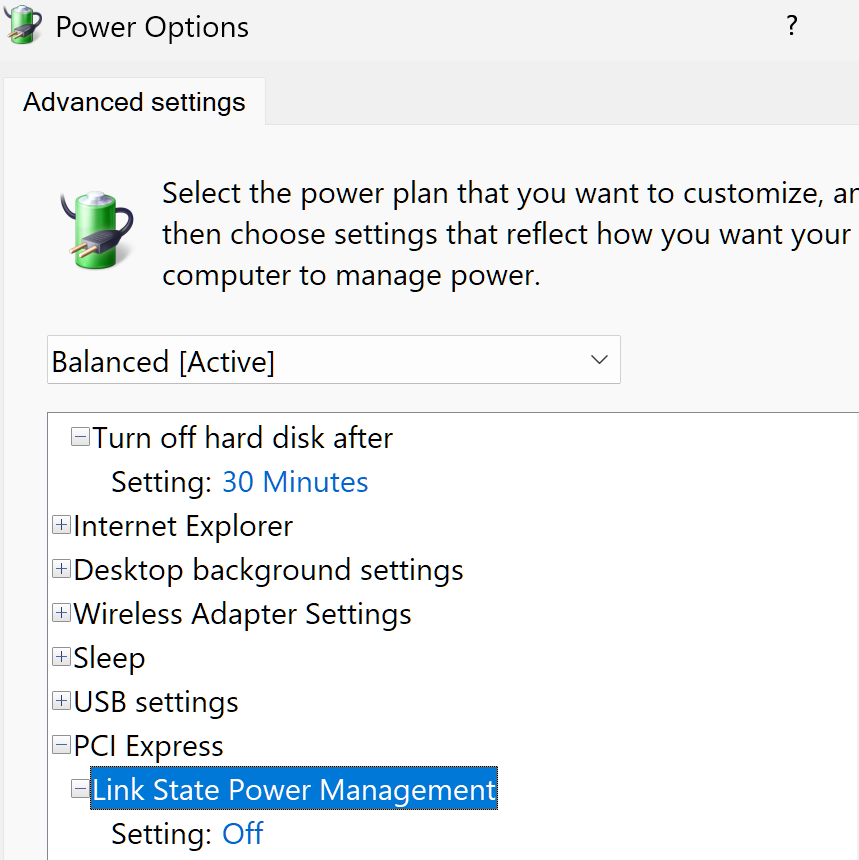
ddu and reinstall the drivers. make sure this is off:

1732488991076.png
 
What do you use the system for? It's likely that unless you really need specific programs that only work on windows and won't work in a vm on linux it might work again there because it supports legacy hardware better way better than W11 does.
 
Did you ever get it fixed? I just installed windows 11 24h2 on a new build, and have the exact same issue.
Updated bios, tried different drivers, modified power plan etc.
 
Did you ever get it fixed? I just installed windows 11 24h2 on a new build, and have the exact same issue.
Updated bios, tried different drivers, modified power plan etc.
No, I have just been living with it. I leave it on all the time. let me know if you figure it out.
 
I had a problem like this with a 43" Samsung Neo G7 4k LCD and an RTX 3090. Wouldn't wake up from sleep using DisplayPort, and HDMI was flaky even after buying a pricey "8k certified" cable. I took it back to Microcenter and went shopping for a different new monitor. One of the sales guys said Samsung + NV not waking up from sleep on DP was a common problem. Bought an LG OLED, then ordered some furniture to expand my setup after trying it out so I could keep using my 43" Dell 60Hz IPS as my main screen on work from home days. Pricey HDMI cable worked fine with the LG.
 
I tried different cables, multiple monitors, AMD and NVidia video cards, complete reinstall of windows. I swapped it to different case, tv and power supply for htpc. No luck It still does it.
 
Back
Top