• Some users have recently had their accounts hijacked. It seems that the now defunct EVGA forums might have compromised your password there and seems many are using the same PW here. We would suggest you UPDATE YOUR PASSWORD and TURN ON 2FA for your account here to further secure it. None of the compromised accounts had 2FA turned on.
    Once you have enabled 2FA, your account will be updated soon to show a badge, letting other members know that you use 2FA to protect your account. This should be beneficial for everyone that uses FSFT.

Mod my case!

Ballashoes

n00b
Joined
Apr 30, 2007
Messages
13
This will probably be a stupid idea but ill give it a go anyways.

After seeing all the beautiful cases on the forum Im starting to get sick of my plain ol one. I have no idea on what to do. So I'm asking you guys! You get to mod my case! Im willing to spend money on whatever I need. Id really like to clean up the wires somehow. Heres some pictures of what it looks like now.
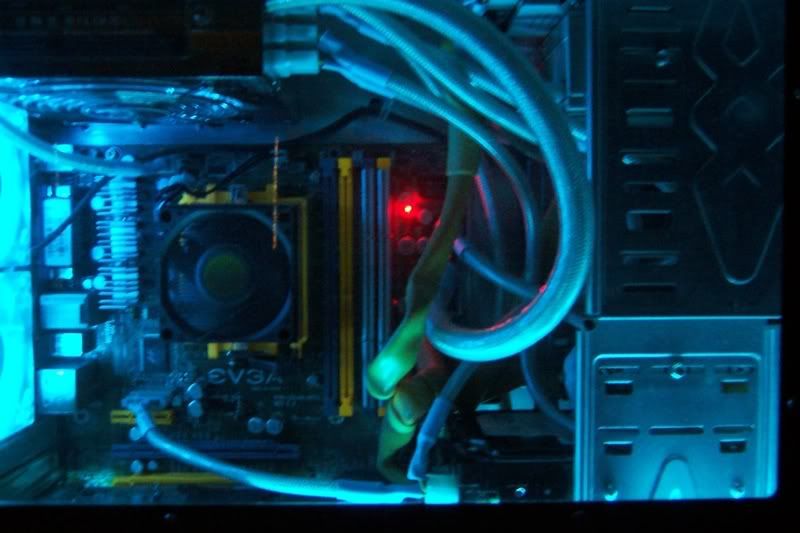
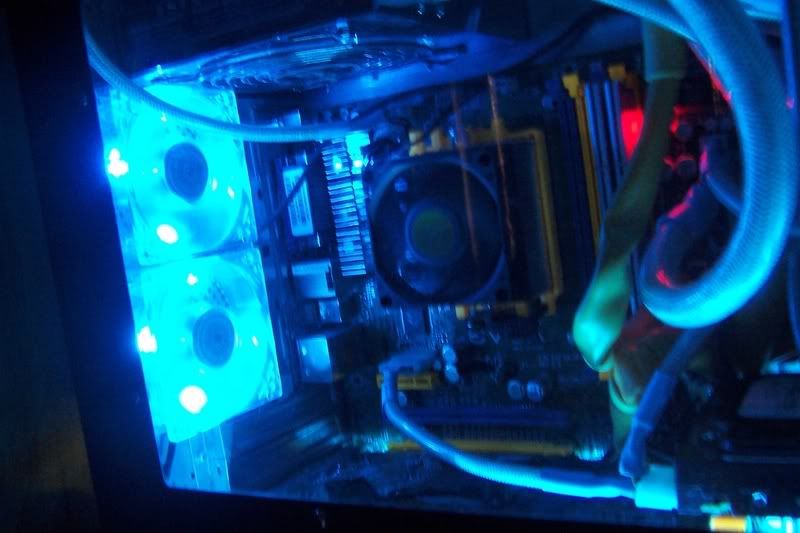
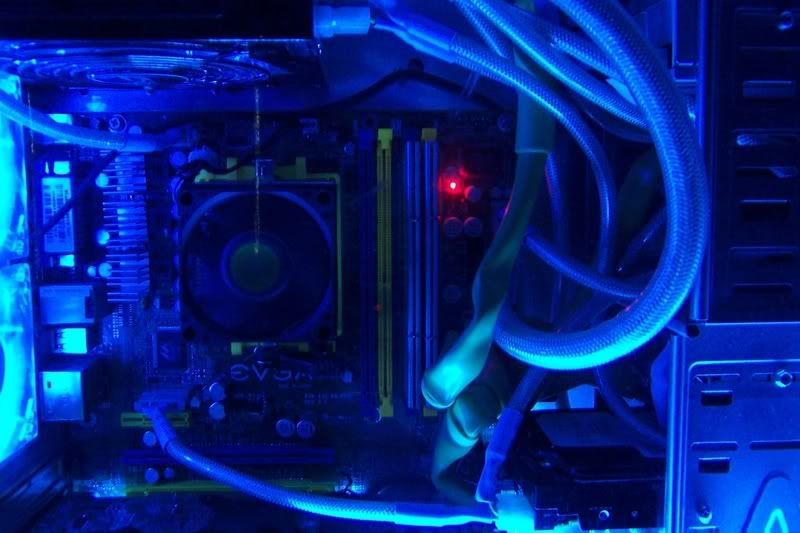
2.jpg

3.jpg

4.jpg

5.jpg


My Case

http://www.newegg.com/Product/Product.aspx?Item=N82E16811156018
 
Do you have room behind your motherboard tray to run all of your cables behind the motherboard tray? If not do you have enough room behind your bays to run the cables?

A couple of tips for you.

Invest in 1/4 and 1/2 in platic wire loom clamps. Run all of your power cables behind the motherboard or your drive bays. Any wires you run down behind the drive bays, secure them in place with the wire loom clamps.

Drill holes in your motherboard tray next to where wires connect to the motherboard. Make sure the holes are big enough that you can install rubber grommets to protect the wires.

Any wires that connect to the motherboard that are not at the edge, like your fan wires and you 4 pin molex power connector, run them along the top of the motherboard and secure with wire loom clamps. Then drop them straight down from the top to where they plug in.

For round cables, get the shortest round cables you can. It cleans up the look when you don't have alot of extra round cable just hanging around. Another option of items in the drive bays is leave a empty space between each item. then you can run the wires through the side of the drive bay and plug and then plug into your devices that way. Keeps alot of the wire hidden in the drive bay and gives it a clean look.

Ok for a modding ideas. Have a few ideas for you.

Fisrt idea is remove the silver aluminum from the front of your case in replace it with AC Ryans Mirror Plexiglass. If you feel you have the skill to do it, make all new front plates for your devices with the mirror plexiglass. I would reuse your power button assy an install it in the plexiglass. Would the install blue cold cathode tubes on each side behind the front cover assy so the blue light shows through the plexiglass. Another spin on the above idea is to use the UV Blue plexiglass instead of the mirror plexiglass and UV cold cathode tubes.

2nd idea is to either run aluminum or plexiglass along the side of the power supply and connect it to the drive bays. Example is like how the Lian LI 7B plus II cases are. It helps hide the power supply and the wires coming out from it.

3rd idea is to bring a little more color to the inside of your case. Not sure if the color parts of your mother bd are UV reactive or not. If so install some UV reactive cathodes inside your case. If not try to get UV slot protectors colored the same at the plastic on your bd. You might also have some problem with bringing other color to the inside of the case with those led fans being so bright Just somthing to think about.

4th idea is to have an image sandblasted into the window of you case. I personally like having an image in my window instead of just a window.

Well there are a few ideas for you to think about. If any of the ideas sound good to you and if you have any questions, will answer any that I can.
 
Thanks for the reply!

Theres not much room behind the mobo. Especially not enough for the round ones. I did a little update after those pictures were taken and now the cables are more behind the bays.(I moved the 2 Cd drives down each one spot). Ill try buying some shorter ones like you said so it cleans it up even more. What cables would you recommand? I have 2 Cd drives right next to each other and 2 HD right on top of each other also so they wouldnt have to be long ones. The AC Ryans website looks like it had some pretty neat looking ones that would do the trick. Update : I turned both of the HDs around so no wires there.

Idea 1 : For the front : Is the mirror pexiglass only see through on one side then?I wouldnt wanna be able to see the front part of the case through it. I could make it so the drives are stealth. Id like that.

Idea 2 : Great idea, def one I will try in the end.

Idea 3 : I like the blue look, Once I make the cover near the bays I would probably add another blue light above it or a white one. I would like a Blue/White look.

Idea 4 : Instead of sandblasting maybe cut out an image with the Plexi glass and attach it to the side somehow. That would turn out pretty cool I think. Depending how well I can cut out an image. :)
 
The mirror plexiglass is like looking at a regular mirror on the one side. You cannot see through it. If you flip it around then you can see through the plexiglass but it is dark like it is tinted. I just installed a piece of it in place of the window in my Lian Li case. I can no longer see into my case but all the lights inside of my case are visable at night time when the room is dark. Gives it a really neat look. Since it is a mirror it also reflects the image off my lcd which sets right next to it.

Ok as for cabling what I have done is ordered pins and sleeves and created my own. Like my power supply wires, Liberty 500w, have both molex and sata power plugs on the same line. Had no use for both so I created my own using AC Ryans Morf plugs and sleeving kits. For round cables I am also using ACRyans round cable. I am using one of their blue/silver cables. I like their round cables better than the ones I had previous. Their outer casing is more flexible so I was able to make it snug right tight to the bottom of my dvdrw drive. Then I hot glued the cables into place and reinstalled the drive back into the comp.

As for cutting out an image in another piece of plexiglass and glueing it to the inside of the window , I have never done that. The only things I have done to windows is sandblast them or put Apliques in em. I have had panels laser cut and then install a piece of plexiglass behind the cut out image. I have also had one case totally painted with pictures.
The last two ideas I picked up and had done by a company called CrazyPC. http://www.crazypc.com/

Another idea that I am currently using on my pc is I moved my hd activity led. I water cool my computer and have a DD dual bay reservoir, so I installed two LEDs in the back of it and wired them to my hd led pins on my mother board. I am using UV leds so it makes an interesting display since I have UV red reactive dye in my water.
 
looks like you have alot of restriction due to thick bulky sleeving. Ide say hide alot of the wires.. chop/mod the ones u dont need.
 
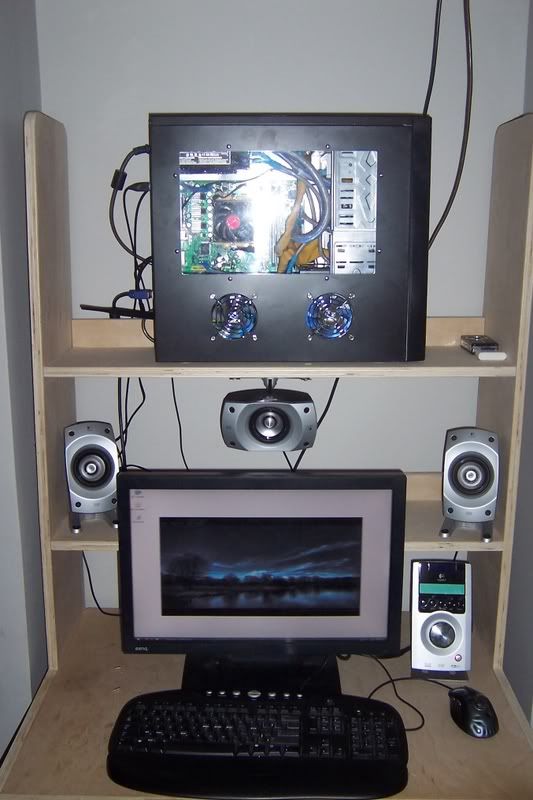
Heres what it looks like now. I dont think I can hide the wires any better then this. But Im gonna get on that Plexi glass thing and try it out so it hides the area from the bays to the ps.

96536149nu2.jpg

53817122zu2.jpg

41105265ql8.jpg

53753328vx8.jpg

24749997xj9.jpg


Sorry for the bad quality.
 
get black flat ribbon for the DVD drive and run it under the mobo behind the tray and then to the drive....

also please get a better heatsink...

like the thermalright SI-128 or tunq tower or sythe ninja...

you cant have a stock cooler and a modded case :)
 
Im gonna try the front and side mirror mod first. No theres no point in getting a cooler if I cover it up :p. The AcrylPanel should be here Friday or Monday. I Didnt get the mirror one but Ill give this a go for the side cover and a window image.
 
Back
Top