![[H]ard|Forum](/styles/hardforum/xenforo/logo_dark.png)
Navigation
Install the app
How to install the app on iOS
Follow along with the video below to see how to install our site as a web app on your home screen.
Note: This feature may not be available in some browsers.
More options
-
Some users have recently had their accounts hijacked. It seems that the now defunct EVGA forums might have compromised your password there and seems many are using the same PW here. We would suggest you UPDATE YOUR PASSWORD and TURN ON 2FA for your account here to further secure it. None of the compromised accounts had 2FA turned on.
Once you have enabled 2FA, your account will be updated soon to show a badge, letting other members know that you use 2FA to protect your account. This should be beneficial for everyone that uses FSFT.
You are using an out of date browser. It may not display this or other websites correctly.
You should upgrade or use an alternative browser.
You should upgrade or use an alternative browser.
Lcd lag/ms test?
- Thread starter dosu23
- Start date

- Joined
- Sep 27, 2005
- Messages
- 8,287
http://tft.vanity.dk/
clone mode for both monitors
here is a pic of a test i did between my fw900 and my philips 42" 1080p lcd tv...
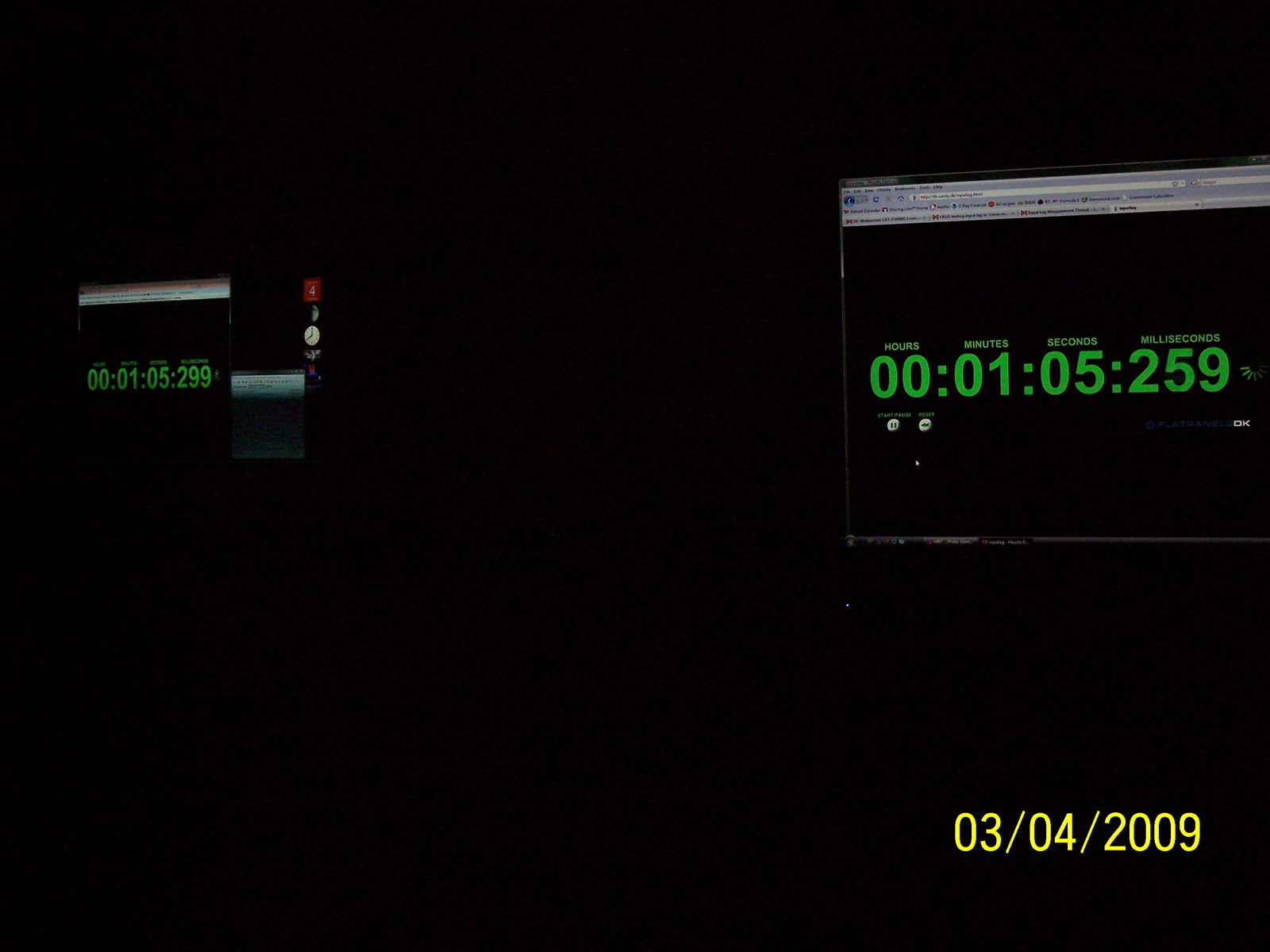
clone mode for both monitors
here is a pic of a test i did between my fw900 and my philips 42" 1080p lcd tv...
Nice thanks, also im not too sure on the setup to do, I got a lcd with hdmi and vga, i wanted to test both vga and hdmi both at 720p and 1080p game mode on and off, and my mobo has 1 hdmi and 1 vga, so can i use vga for the crt monitor then hdmi for lcd to test, then vga with a splitter to test both crt and lcd? or am i confusing myself?
like hook up the crt to vga and keep it the same res with all the test, then hook up the lcd with hdmi and set res to 720p/1080p gamemode on/off then try the same with vga with a splitter?
will that pretty much show whats the best ms for my tv? so if its vga at 720p then thats what i should use on my xbox 360?
like hook up the crt to vga and keep it the same res with all the test, then hook up the lcd with hdmi and set res to 720p/1080p gamemode on/off then try the same with vga with a splitter?
will that pretty much show whats the best ms for my tv? so if its vga at 720p then thats what i should use on my xbox 360?
Last edited:
Syntax Error
2[H]4U
- Joined
- Jan 14, 2008
- Messages
- 2,964
Just connect the monitors as-is with the ports you have (HD TV to HDMI and CRT to VGA) and then run the monitors in cloned mode either through Windows Display Properties or your video drivers settings and then run the timed test. Get a camera and start shooting.
Syntax Error
2[H]4U
- Joined
- Jan 14, 2008
- Messages
- 2,964
Why would you want to test different inputs? Are there reports of differing amounts of input lag depending on what input you use?
Input lag is usually a byproduct of monitor/HDTV image processing, inherent to the monitor/LCD model itself, rather than the LCD panel or its inputs.
Input lag is usually a byproduct of monitor/HDTV image processing, inherent to the monitor/LCD model itself, rather than the LCD panel or its inputs.