• Some users have recently had their accounts hijacked. It seems that the now defunct EVGA forums might have compromised your password there and seems many are using the same PW here. We would suggest you UPDATE YOUR PASSWORD and TURN ON 2FA for your account here to further secure it. None of the compromised accounts had 2FA turned on.
    Once you have enabled 2FA, your account will be updated soon to show a badge, letting other members know that you use 2FA to protect your account. This should be beneficial for everyone that uses FSFT.

Largest portable external HDD?

Quiz

[H]ard|Gawd
2FA
Joined
Aug 25, 2010
Messages
1,048
I currently have the following external Western Digital HDDs: 6 TB + 4 TB + 2 TB.

They are all nearly full with movies. I am looking for a single very large external HDD. I've noticed that the ones that do not require external power max out around 5-6 TB. The ones that are physically larger and require external power can go up to 30+ TB. If I go with one of the physically larger ones that require external power, any recommendations for one that is at least around 30 TB? Need one to store all my MKV movies.
 
If you're gonna keep it external either Seagate or WD is fine though Seagate can give you higher capacities (think WD tops out at 26TB IIRC) - this is all assuming a 1 drive external unit

You could also shuck/rip the drive out of the external case and put it in a computer/other device - if you do that avoid WD IMO as they sometimes (always now?) with their externals mess with the pinout to not be usable if you shuck when put into a Windows computer (but also some tape can fix it by covering the culprit SATA pin)
 
If you're gonna keep it external either Seagate or WD is fine though Seagate can give you higher capacities (think WD tops out at 26TB IIRC) - this is all assuming a 1 drive external unit

You could also shuck/rip the drive out of the external case and put it in a computer/other device - if you do that avoid WD IMO as they sometimes (always now?) with their externals mess with the pinout to not be usable if you shuck when put into a Windows computer (but also some tape can fix it by covering the culprit SATA pin)
Thanks.

Do the Western Digital and Seagate drives that require external power support universal voltage? Can I buy one from Amazon US and use it outside the US?
 
Should last couple ones I bought came with a universal plug (you get like 500 prongs just slide the one for your outlet onto the rest of the plug)
 
Thanks.

Do the Western Digital and Seagate drives that require external power support universal voltage? Can I buy one from Amazon US and use it outside the US?
WD Element and Seagate Expansion support 100-240V, at least the ones they ship in the US in the past several years.
 
I’d honestly avoid a single 30TB “all eggs in one basket” drive and go with a cheap 2-bay NAS + a pair of 16TBs instead – way easier to grow and less catastrophic if something dies.

If you really just want a big USB box, the higher-capacity WD My Book / Elements (28–32TB) shuck specials are what a lot of us end up with… just make sure you’ve got some kind of backup.
 
If you really just want a big USB box, the higher-capacity WD My Book / Elements (28–32TB) shuck specials are what a lot of us end up with…
Why do you call these "shuck specials?" Do you end up with 1 or 2 bare drives after shucking?
 
Thanks.

Do the Western Digital and Seagate drives that require external power support universal voltage? Can I buy one from Amazon US and use it outside the US?
The external enclosure uses 12 volts DC. It gets the power from a power brick that converts the AC wall voltage. So going to another country you would just need to buy a different 12v power supply with the right tip on the end (usually a 2.1mm or 2.5mm barrel tip).

The drive inside the enclosure just uses standard 5 volt and 12 volt power that is in any SATA power plug in a computer.

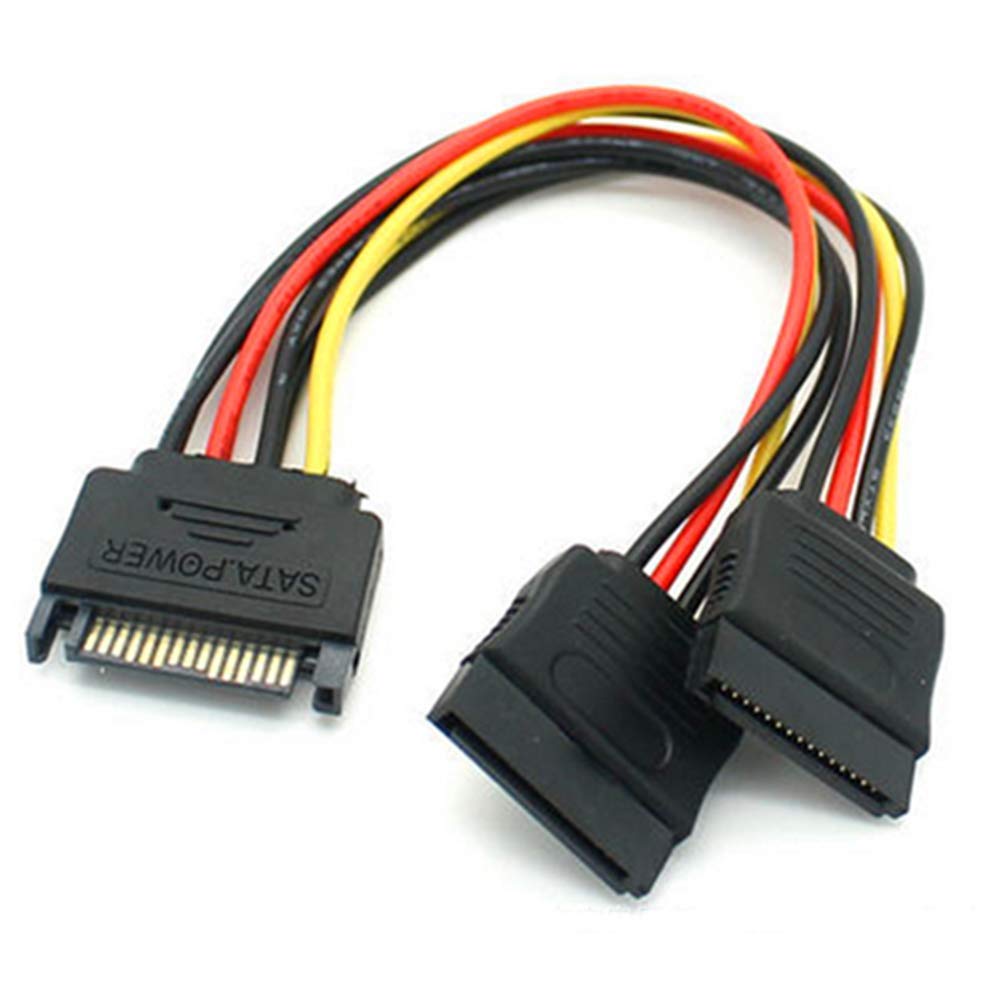
Additionally, if moving the drive to inside a computer, you want to use a SATA power connector that doesn’t have the orange wire. That’s the 3.3v that has almost zero usefulness to consumers and can make these drives stay powered off. You can either use a SATA power cable extension that doesn’t have the orange wire, or you can cut the orange before it gets to the drive.

This is 4 wire and will always work
IMG_9155.jpeg

This is 5 wire (orange) and usually only adds trouble.
IMG_9154.jpeg
 
I would run 3.5" external USB drives on its own power or a powered hub. Not powered by the computer even if that is "supported".
 
Another option is a small ARM box like an ODROID that runs Kodi - you can attach a few of the big USB externals and Kodi has an easy one-switch SMB share toggle.
Easy and cheap NAS with the bonus of the drives being portable and you can connect to a TV or monitor and use Kodi (or CoreELEC or whatever runs on your device).
 
Back
Top