![[H]ard|Forum](/styles/hardforum/xenforo/logo_dark.png)
mrjayviper
Weaksauce
- Joined
- Jul 17, 2012
- Messages
- 91
I've followed/looked at several guides (like this one) on how to do the above.
My problem is that no static IP is getting assigned to the built-in ethernet port. I have run
several times. I've also rebooted the PC and still no luck.
I am sure the ethernet port works as I was previously using it on Ubuntu 16.04 just before I decided to fresh install 18.04.2.
Any ideas what I could be doing wrong? I am going to use the ethernet port to connect my main PC to the Ubuntu server via a crossover cable.
If I set the ethernet port to use
and connect an ethernet cable from it to my modem/router and disable my WiFi card (by removing the netplan config), the PC can connect to the net without any issues.
Thanks
Edit: I had a look at /run/systemd/network/config-file-here and it looks correct to me. At the very least representative of the contents of the YAML file. /run/systemd/network folder was mentioned in the netplan website troubleshooting page.
---------------------------
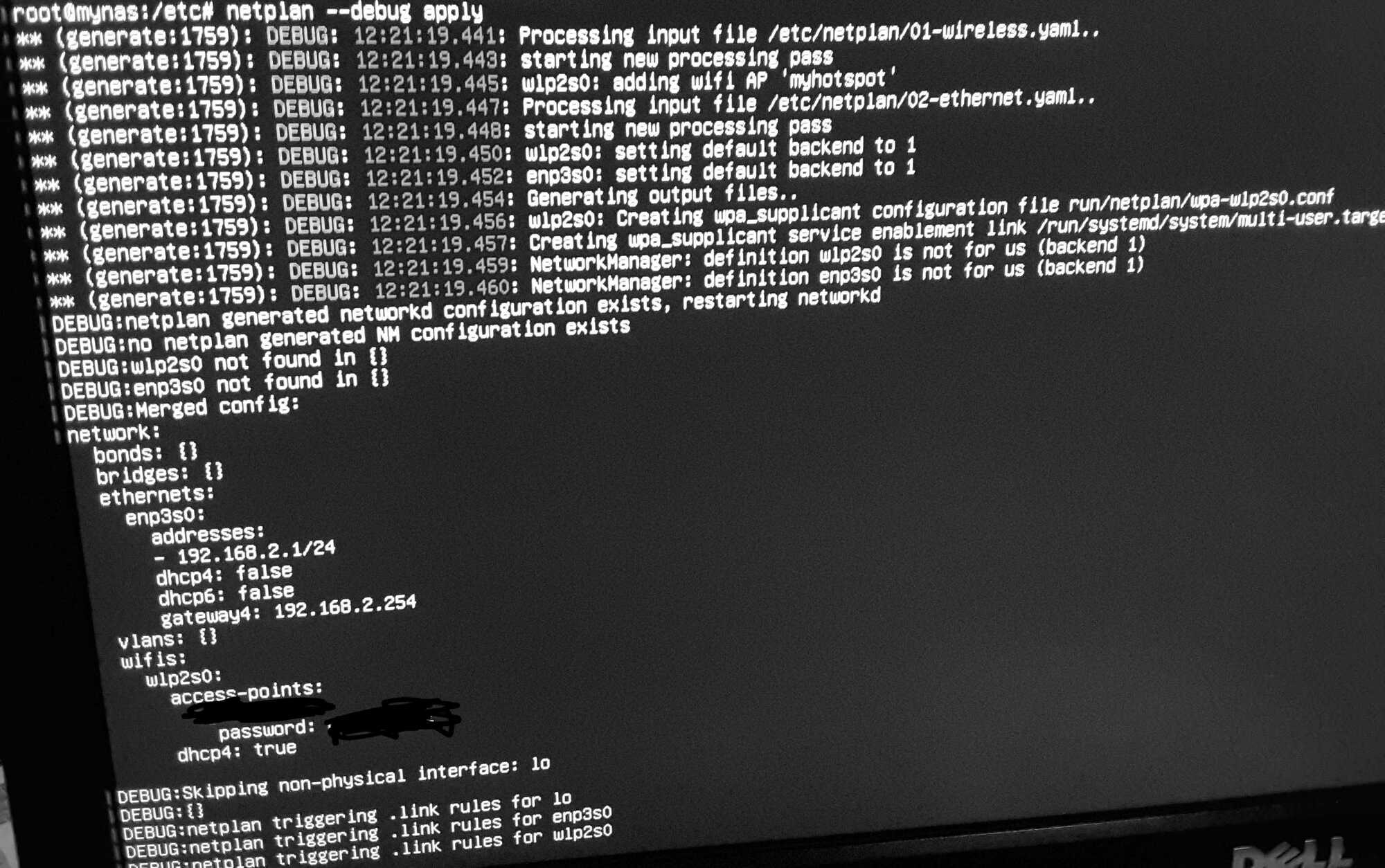
This is the output of
which also shows the contents of my YAML files. I have tried with and without dhcp4/dchp6/gateway4/renderer.
My problem is that no static IP is getting assigned to the built-in ethernet port. I have run
Code:
netplan applyI am sure the ethernet port works as I was previously using it on Ubuntu 16.04 just before I decided to fresh install 18.04.2.
Any ideas what I could be doing wrong? I am going to use the ethernet port to connect my main PC to the Ubuntu server via a crossover cable.
If I set the ethernet port to use
Code:
dchp4:trueThanks
Edit: I had a look at /run/systemd/network/config-file-here and it looks correct to me. At the very least representative of the contents of the YAML file. /run/systemd/network folder was mentioned in the netplan website troubleshooting page.
---------------------------
This is the output of
Code:
netplan --debug apply
Last edited:
