• Some users have recently had their accounts hijacked. It seems that the now defunct EVGA forums might have compromised your password there and seems many are using the same PW here. We would suggest you UPDATE YOUR PASSWORD and TURN ON 2FA for your account here to further secure it. None of the compromised accounts had 2FA turned on.
    Once you have enabled 2FA, your account will be updated soon to show a badge, letting other members know that you use 2FA to protect your account. This should be beneficial for everyone that uses FSFT.

HELP! re: Wires...

Carnival Forces

Supreme [H]ardness
Joined
Feb 9, 2003
Messages
4,297
hey, i have no idea where to connect these wires to, and what to connect them to :(

there's one that has a grey cord, coming from my CD-RW and it's "RGGB" (i think, it's hard to read...)

there's several (5) coming from the case itself, which read:

Power SW
Reset SW
Power LED
H.D.D LED
Speaker

my case is a Lian-Li PC70
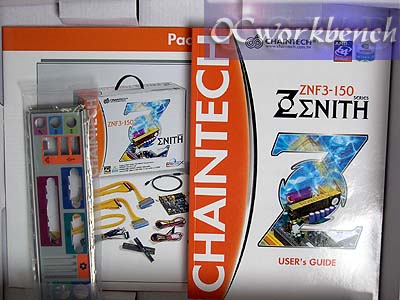
my motherboard is a Chaintech ZNF3-150

help?
 
Originally posted by Carnival Forces
there's several (5) coming from the case itself, which read:

Power SW
Reset SW
Power LED
H.D.D LED
Speaker

my case is a Lian-Li PC70
my motherboard is a Chaintech ZNF3-150
Uhh, your mobo manual oughta tell you where to put those 5 twisted pair cables. They usually go on a double row of pins near the bottom right corner of the mobo, and the pins are usually labeled.
 
Ah yeah. Doing this for the first time is never fun, but it's really quite easy.

Here be the breakdown:
Power SW - Your case's power switch
Reset SW - Your case's reset switch
Power LED - Your case's Power On LED (light)
H.D.D LED - Your case's HDD activity LED
Speaker - Your cases speaker (makes the beep you hear when turning on your computer).

The easiest thing to do is break open your motherboard's manual and follow the instructions/diagrams there.

I suggest connecting the power switch first, make sure it works, turn the computer off again (always off and unplugged when connecting stuff like this) and then connect the rest.

Good luck.
 
well, i've read the manual..and frankly, it's a piece of shit.

no really...it doesn't help at all =\

anyone else have any suggestions?

EDIT: the only manual i got was the motherboard manual (i bought everything retail), is there another manual i should read?
 
Crap manual? WTF

Are you SURE you bought retail? According to several sites, the manual for the ZNF3-150 is 236 pages large. That's about 10x the normal size of a motherboard manual.

Looks like you just have some reading to do! :p

edit: google says it should look something like this:
Picture%202174%20copy.jpg
 
well, if you can't find where you put the switches, just guess and check. All you really need is the power switch. plug it in, push the power button, move down a row. Rinse and repeat until you power on your comp.
 
Originally posted by Carnival Forces
well, i've read the manual..and frankly, it's a piece of shit.

no really...it doesn't help at all =\

anyone else have any suggestions?

EDIT: the only manual i got was the motherboard manual (i bought everything retail), is there another manual i should read?

Check on page 10 of your manual, it shows where the wires go.

The other cable is the analog audio cable from your CD-ROM. It should plug into your sound card.
 
Originally posted by Velox
The other cable is the analog audio cable from your CD-ROM. It should plug into your sound card.
No need if he is using a newer OS.
 
Originally posted by Velox
Check on page 10 of your manual, it shows where the wires go.

The other cable is the analog audio cable from your CD-ROM. It should plug into your sound card.

OMG i <3 you.

err, i don't have a sound card, i'm just using onboard sound, so what should i do with teh wire?

and i'm gonna use WinXP Pro.
 
Like I said, no need to plug it in. Just unlug it from the CD-ROM and stash it somewhere.
 
If your using onboard sound, there should be a place on your motherboard to connect the audio cable. It should say somewhere in your manual, but like FiZ said, you don't really have to connect it. Just unplug it from your cd-rw. All the cord does is allow you to connect headphones to your CD-RW so you can listen to the cd in it, but usually people just use a media player in windows (or whatever OS is being used) to listen to the CD.
 
thanks, i'll just unplug it.

oh, and that extra wire set coming out from the Vid. Card (Sapphire Radeon 9800Pro), i just put it in some wire coming out from the PSU b/c they matched up..., it fit and all the colors were teh same (i think), should it be specifically fit to something else?

I did the same with my SATA (Maxtor DiamondMax 9) HDD, infact, i think there may still be one wire that i can't figure out where to plug it into

also, i think the Vid Card and HDD are on the same wire (it splits), is that okay?

i have a bunch of unused wires from my PSU, is that normal?

thx in advance.
 
Back
Top