![[H]ard|Forum](/styles/hardforum/xenforo/logo_dark.png)
thespymaster
Gawd
- Joined
- Jun 17, 2002
- Messages
- 666
OK boys and girls...here it goes...Problems with the computer in my sig...
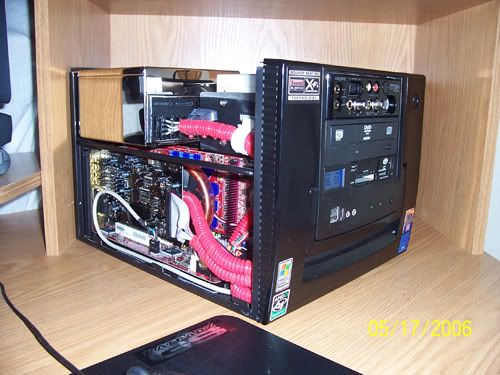
It all started while playing Oblivion. I would get random dropped video signal, not a crash...the game is still going but, I get a black screen and the error message "No Video Signal". Now, the only way out is to punch the reset button. Occasionally, My machine would re-boot by itself. Keep in mind...I DO NOT have the video card OC'ed and the case is open, ambient room temp of 70F so it shouldn't be heat. So, I'm getting the dropped signal...I tried switching DVI out ports...the secondary is totally corrupt even in 2d but only once windows loads...boot screens are fine. Switched back to the primary DVI...would boot into windows fine...as soon as I launch ANY 3d app...it would either "Drop the Signal", "Complete System Crash", or it would go into the game but completely corrupt colors and such as if it's trying to go into 3d mode but the volts don't change like they should to give the card enough juice...no game. I tried un-installing the video drivers...used Driver Cleaner, re-installed...same thing...I've tried changing power supplies thinking maybe the PSU is starting to fail and not provide enough juice to the card, didn't matter. I installed ATITool and manually set the voltage...that helped for about 15 minutes then...crash...and...since then...the computer would boot but, without video...no signal...nothing.
Now, here's the really strange thing...I pulled the card out of the system...I plugged the DVI cable into the DVI out port on my RS482, Nothing...no video signal...plugged in the D-Sub...Bang...we've got video. I don't have anyone to test my video card in their computer and the fact that I don't even get a signal using the on-board DVI makes me think that maybe it could be the MoBo going bad...I mean...anytime I plug in the DVI cable either into the video card OR the on-board DVI out...nothing...plug in the VGA cable...voila...no problems...could my PCI-e port be going out...I dunno...So, Help...is it:
A. Video Card
B. PSU
or
C. Motherboard
Thanks in advance...
It all started while playing Oblivion. I would get random dropped video signal, not a crash...the game is still going but, I get a black screen and the error message "No Video Signal". Now, the only way out is to punch the reset button. Occasionally, My machine would re-boot by itself. Keep in mind...I DO NOT have the video card OC'ed and the case is open, ambient room temp of 70F so it shouldn't be heat. So, I'm getting the dropped signal...I tried switching DVI out ports...the secondary is totally corrupt even in 2d but only once windows loads...boot screens are fine. Switched back to the primary DVI...would boot into windows fine...as soon as I launch ANY 3d app...it would either "Drop the Signal", "Complete System Crash", or it would go into the game but completely corrupt colors and such as if it's trying to go into 3d mode but the volts don't change like they should to give the card enough juice...no game. I tried un-installing the video drivers...used Driver Cleaner, re-installed...same thing...I've tried changing power supplies thinking maybe the PSU is starting to fail and not provide enough juice to the card, didn't matter. I installed ATITool and manually set the voltage...that helped for about 15 minutes then...crash...and...since then...the computer would boot but, without video...no signal...nothing.
Now, here's the really strange thing...I pulled the card out of the system...I plugged the DVI cable into the DVI out port on my RS482, Nothing...no video signal...plugged in the D-Sub...Bang...we've got video. I don't have anyone to test my video card in their computer and the fact that I don't even get a signal using the on-board DVI makes me think that maybe it could be the MoBo going bad...I mean...anytime I plug in the DVI cable either into the video card OR the on-board DVI out...nothing...plug in the VGA cable...voila...no problems...could my PCI-e port be going out...I dunno...So, Help...is it:
A. Video Card
B. PSU
or
C. Motherboard
Thanks in advance...
