![[H]ard|Forum](/styles/hardforum/xenforo/logo_dark.png)
SLP Firehawk
Limp Gawd
- Joined
- Jan 30, 2020
- Messages
- 207
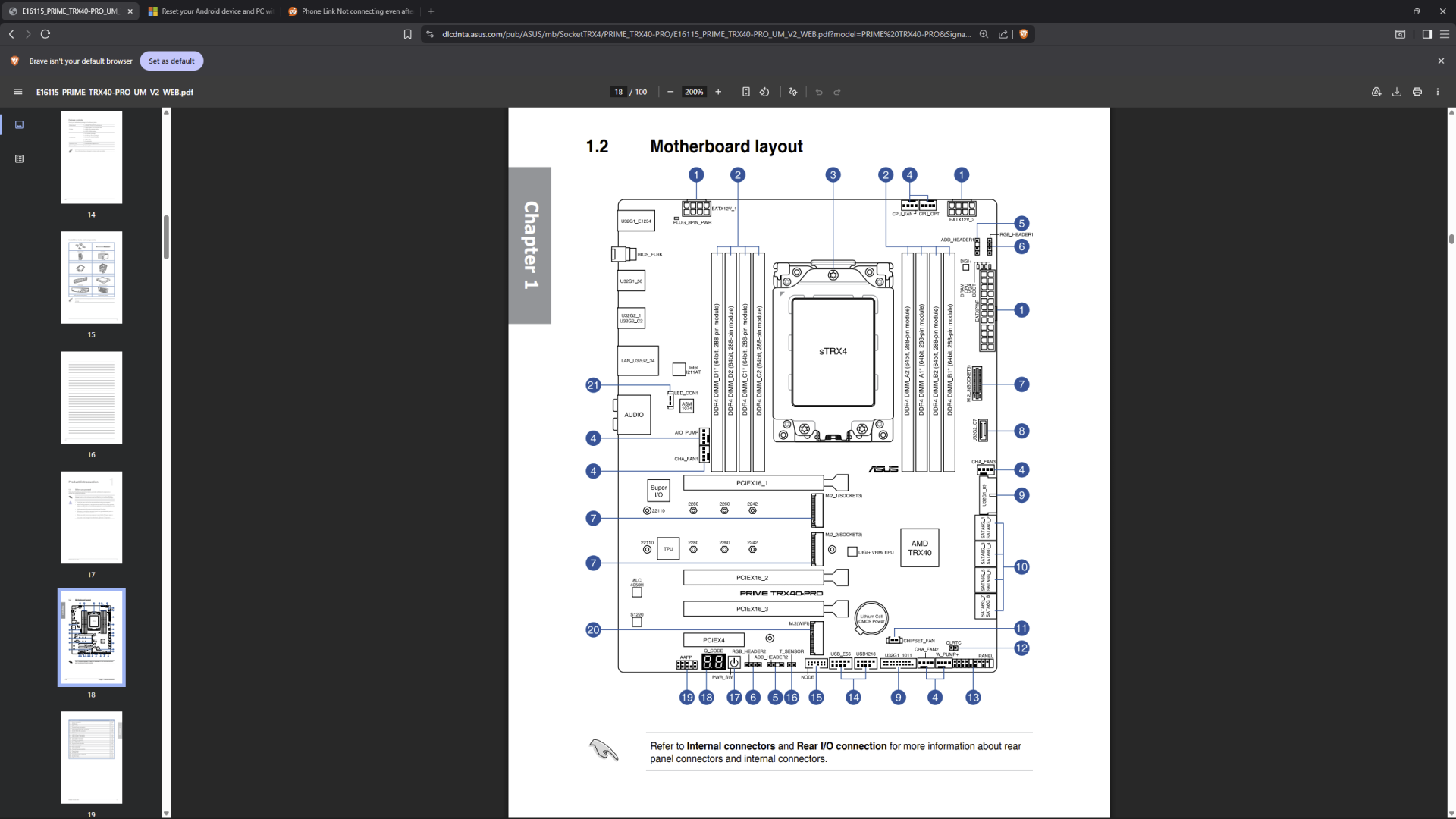
Headphone and USB ports located at top front of case. When PC arrived damaged those USB ports were not working and required attaching to the header. Never checked the headphone port located in the same area and now I need it working. So I expect the headphone issue is related.
Where do I look to try to remedy this, please? The warranty is expired now.
case
CyberPowerPC MAGNUS Full-Tower Gaming Case w/ Both Side Tempered Glass Window Panels
motherboard
ASUS Prime TRX40-Pro S ATX w/ RGB, Intel LAN, 3 PCIe x16, 1 PCIe x1, 8 SATA3, 3 M.2 SATA/PCIe
Where do I look to try to remedy this, please? The warranty is expired now.
case
CyberPowerPC MAGNUS Full-Tower Gaming Case w/ Both Side Tempered Glass Window Panels
motherboard
ASUS Prime TRX40-Pro S ATX w/ RGB, Intel LAN, 3 PCIe x16, 1 PCIe x1, 8 SATA3, 3 M.2 SATA/PCIe