• Some users have recently had their accounts hijacked. It seems that the now defunct EVGA forums might have compromised your password there and seems many are using the same PW here. We would suggest you UPDATE YOUR PASSWORD and TURN ON 2FA for your account here to further secure it. None of the compromised accounts had 2FA turned on.
    Once you have enabled 2FA, your account will be updated soon to show a badge, letting other members know that you use 2FA to protect your account. This should be beneficial for everyone that uses FSFT.

Gaming evolved raptr

#1 I have a place where I can find all my games, it's called my desktop.

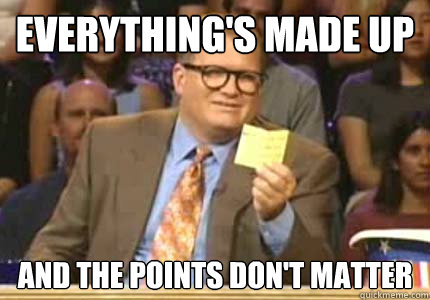
#2 The points don't matter.
4688668e4138abc21361f6bde1e21598bf0d18751fb011bd6d638cb06d94e6ec.jpg


#3 Steam has a community where I can talk to like minded gamers.

#4 Twitch streaming I like.

#5 GDR button? Sounds like something that uses system resources.
 
"at the touch of a button, you can optimize the image quality for those game specifically for your hardware"

Let me ask AMD people, I've been on Nvidia a while, is AMD's antialiasing compatibility anything to talk about? I seriously run into so many games that NO AA works on aside from half-assed shader-based ones (FXAA, SMAA, etc.).
 
Last edited:
The only feature I noticed with the gaming evolved client is an instantly unstable system. I think that was two versions ago though. I did however download the Raptr client recently on another machine to hopefully enter their firefall contest and found a really nice feature... oh wait, nope, that was an instantly unstable system too.
 
MSI Afterburner conflicts with the Raptr app if you have the OSD enabled in Afterburner. Took me awhile to figure out what was making my system unstable. After I neutered Afterburner, everything is fine with the Raptr app. The GDR uses my R9 290 to encode the video. Since most games don't max out your video card in the first place, it has no discernible negative effect on my game play. Now I did make the wonderful mistake of saving the video to the same drive that my games were installed on. That would cause some negative effects until my common sense kicked in and I moved the saved file to another drive.
 
Last edited:
this guy certainly has no wife or gf because his fashion style is horrible. no significant other would let him leave the house like this.
 
Other than name and color is the AMD Gaming Evolved Client, Powered by Raptr any different than the Raptr client?
 
Here is a recording I made of a 4 man Warframe match that I ended up doing solo from a few weeks ago. I recorded it in 1080p using the Raptr app. You can see the game's frame rate directly from the Warframe client in the bottom left corner.

https://www.youtube.com/watch?v=Nmp8HgE12bU

Here is another I made to show a bug to the developers of Warframe. It is a video of the UI, so it isn't as frantic as the above video. It shows the quality of the capture more I suppose.

https://www.youtube.com/watch?v=0ajlMskXg50
 
Last edited:
I can't wait for them to implement desktop capture. I play games with a borderless window and I can't seem to get recording to work.
 
I can't wait for them to implement desktop capture. I play games with a borderless window and I can't seem to get recording to work.

Well if you're adventuresome you can try an OBS AMD VCE build. It is in development and captures the desktop. It will capture an entire gaming session. If you have an Intel CPU you can use it to capture the video. It also works with NVENC although I'm not a fan of Nvidia's quality. Of course it works with basic CPU capture and that encompasses everyone!

OBS AMD VCE Build (BETA!)
https://obsproject.com/forum/threads/obs-fork-branch-with-amd-vce-support.13996/

OBS stable version.
https://obsproject.com/index
 
If you have a 7xxx or later, you should be able to do windowed captures in the latest update,
 
Just glad I dont dress like that dude. Don't think that shirt is tight enough.
 
Let me ask AMD people, I've been on Nvidia a while, is AMD's antialiasing compatibility anything to talk about? I seriously run into so many games that NO AA works on aside from half-assed shader-based ones (FXAA, SMAA, etc.).

I think its about the same when it comes to Forced Anti-Aliasing: the newest review I could find is this: http://www.tomshardware.com/reviews/anti-aliasing-nvidia-geforce-amd-radeon,2868.html and that's from 2011.

Though I think AMD Adaptive MSAA (Transparency AA) and SSAA seems to work better in those games where you can set MSAA level. It also works in DX10+ games if you have 7700 series or better card in your rig. BF3 / 4 with Adaptive MSAA looks so much better compared to that "horrible" post-processing AA which just makes the screen look like someone has just peed over your monitor :D

Nvidia does have those TRMSAA, TRSSAA, TXAA, etc. but I have no idea how well they work in current games and in my opininion; there's too many different anti-aliasing methods on both sides.

But I hate post-processing Anti-Aliasing from the bottom of my heart. I'll rather see jagged edges (not so much with 1600p) than look at a picture which has been filtered to look like it has been softened to hell. That's why I usually also prefer Adaptive MSAA compared to SSAA because it can also soften picture way too much if taken to extreme levels.

EDIT:
I was actually going to do a review of different Anti-Aliasing methods and how well they work when forced; about a year ago, but I never had the time and then I decided to sell my Nvidia cards expect for 560ti which I decided to keep just for checking how long it is going to take for Nvidia to fix their gradient banding problems with calibrated monitors, meaning when are they actually going to make the switch to 10bit LUT so that you can actually do some gamma correction on colors without getting banding so easily on 6-8bit monitors.
 
Last edited:
"at the touch of a button, you can optimize the image quality for those game specifically for your hardware"

Let me ask AMD people, I've been on Nvidia a while, is AMD's antialiasing compatibility anything to talk about? I seriously run into so many games that NO AA works on aside from half-assed shader-based ones (FXAA, SMAA, etc.).

I haven't tested forcing or changing modes of AA lately, but back when I was forcing AA modes in some games, it worked really well.

I really like the Edge Detect mode as it doesn't smear the whole screen like normal AA, and looks better overall than normal AA.

It does give a performance hit vs normal AA at the same setting, but you can turn it down on eor two notches and get just as good of quality and no performance hit vs normal AA. (This was when I tested it at 2x and 4x vs normal AA at 8x.)
 
To the person who said the points don't matter, they do actually. And there is some nice rewards. You get the points while playing games, so it's not as if it's any trouble to collect to them. My brother won an AMD gold award by entering in the monthly sweepstakes. Or just save them up and buy something.
 
If you have a 7xxx or later, you should be able to do windowed captures in the latest update,

I have a 290X and my games aren't detected for recording even though they're added in the app.
 
Well if you're adventuresome you can try an OBS AMD VCE build. It is in development and captures the desktop. It will capture an entire gaming session. If you have an Intel CPU you can use it to capture the video. It also works with NVENC although I'm not a fan of Nvidia's quality. Of course it works with basic CPU capture and that encompasses everyone!

OBS AMD VCE Build (BETA!)
https://obsproject.com/forum/threads/obs-fork-branch-with-amd-vce-support.13996/

OBS stable version.
https://obsproject.com/index

Thanks, I'll check this out!

edit: dang, it doesn't support a replay feature similar to ShadowPlay :(
That's the only thing I miss from team green...
 
I think its about the same when it comes to Forced Anti-Aliasing: the newest review I could find is this: http://www.tomshardware.com/reviews/anti-aliasing-nvidia-geforce-amd-radeon,2868.html and that's from 2011.
Yeah, their conclusion on compatibility is just as relevant now as it was then: "Surprisingly unreliable" Both Nvidia and AMD have great techniques WHEN THEY WORK. I've found that with AA bits you can get more games with AA running on Nvidia, but I'd love to see AMD catch up. It looks like their "gaming evolved" doesn't change anything there.
 
Well you can use RadeonPro on AMD side to add AA profiles but too bad there isn't a proper list of known working profiles like there is for Nvidia.

http://www.forum-3dcenter.org/vbulletin/showthread.php?t=490867 <- that is one reason why I almost want to switch back to Nvidia.
But I would need to sell my main monitor before that because I can't stand banding which comes bundled with Nvidia cards and calibrated monitors :(
 
I can't wait for them to implement desktop capture. I play games with a borderless window and I can't seem to get recording to work.

It works fine for me recording borderless window. Actually it works way better for me than the nvidia geforce experience which never worked recording borderless window for me. Btw, I have a 780.
 
Back
Top