
Navigation
Install the app
How to install the app on iOS
Follow along with the video below to see how to install our site as a web app on your home screen.
Note: This feature may not be available in some browsers.
More options
You are using an out of date browser. It may not display this or other websites correctly.
You should upgrade or use an alternative browser.
You should upgrade or use an alternative browser.
G9 at the Golf Course
- Thread starter Motley
- Start date


Hyper_Psycho
2[H]4U
- Joined
- Mar 26, 2002
- Messages
- 2,944
i like the one of the golf club and the ball
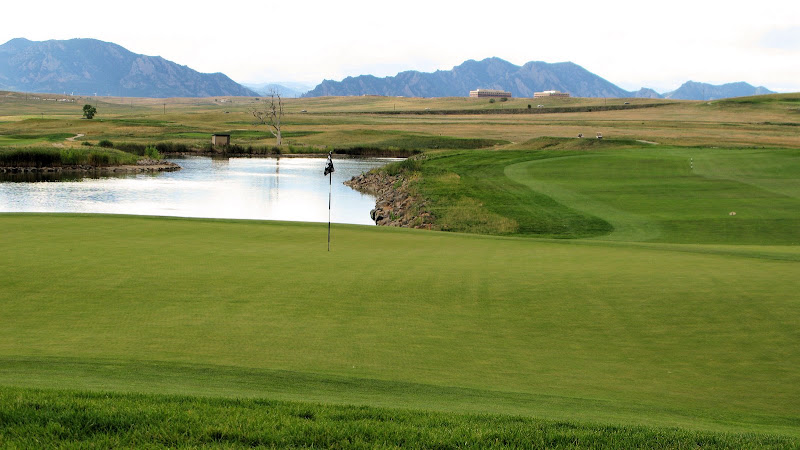
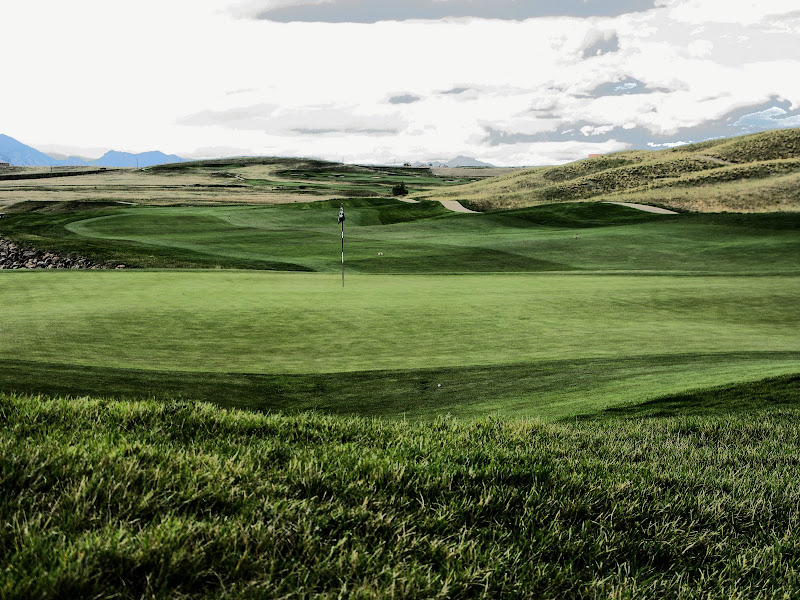
the sky is kinda overexposed in the rest of the shots
the sky is kinda overexposed in the rest of the shots
I'm pretty impressed with the thin DOF of the ball and club, did you change aperture manually or did the camera come up with that because it figured you were taking some kind of macro shot? The landscapes are very cool as well, looks like a relaxing course, but I do have to add that the blown out skies are a bit distracting.
Thanks for the input guys. I'm a noob photog and just got this G9 a month ago. So post-processing and manual controls I'm still learning.
I actually just figured out how to process in RAW with Canon Zoombrowser/RIT.
I'm also using Corel Paint Shop Pro Photo X2. The last pic is my attempt at "art" visual effects, looks like a painting I think.
Learning experience, it was a little cloudy, tried using Auto, P, and Manual modes.
This course was near my house in Broomfield, CO (suburb of Denver).
EXIF Data:
Sep 9, 2008
4000×2248 pixels 12800KB
Filename: 20080910_109_2.CR2
Camera: Canon
Model: Canon PowerShot G9
ISO: 80
Exposure: 1/200 sec
Aperture: f/4.0
Focal Length: 7.4mm
Flash Used: No
Close up shot EXIF:
Sep 9, 2008
4000×3000 pixels 2432KB
Filename: 20080910_80.CR2
Camera: Canon
Model: Canon PowerShot G9
ISO: 160
Exposure: 1/320 sec
Aperture: f/4.5
Focal Length: 36.8mm
Flash Used: No
I actually just figured out how to process in RAW with Canon Zoombrowser/RIT.
I'm also using Corel Paint Shop Pro Photo X2. The last pic is my attempt at "art" visual effects, looks like a painting I think.
Learning experience, it was a little cloudy, tried using Auto, P, and Manual modes.
This course was near my house in Broomfield, CO (suburb of Denver).
EXIF Data:
Sep 9, 2008
4000×2248 pixels 12800KB
Filename: 20080910_109_2.CR2
Camera: Canon
Model: Canon PowerShot G9
ISO: 80
Exposure: 1/200 sec
Aperture: f/4.0
Focal Length: 7.4mm
Flash Used: No
Close up shot EXIF:
Sep 9, 2008
4000×3000 pixels 2432KB
Filename: 20080910_80.CR2
Camera: Canon
Model: Canon PowerShot G9
ISO: 160
Exposure: 1/320 sec
Aperture: f/4.5
Focal Length: 36.8mm
Flash Used: No
I see where you are changing your exposure using you Tv and Av and M modes, but also change the metering (what analyzes the light) and try evaluative, center weighted. Also try to find a happy medium. So take metering readings (spot) for the sky and ground and then expose manually. Digital means PLAY!!! Like the Golf ball/club shot. I like how you got down on the ground for a different perspective.
Cheers,
Cheers,