- Joined
- Jul 6, 2004
- Messages
- 3,444
I just recently built a new box to flesh out my home network/lab to something a good bit more capable. I was most looking forward to ESXi 5.5 for the removal of the ram limitation, so I hopped on the train as soon as I could.
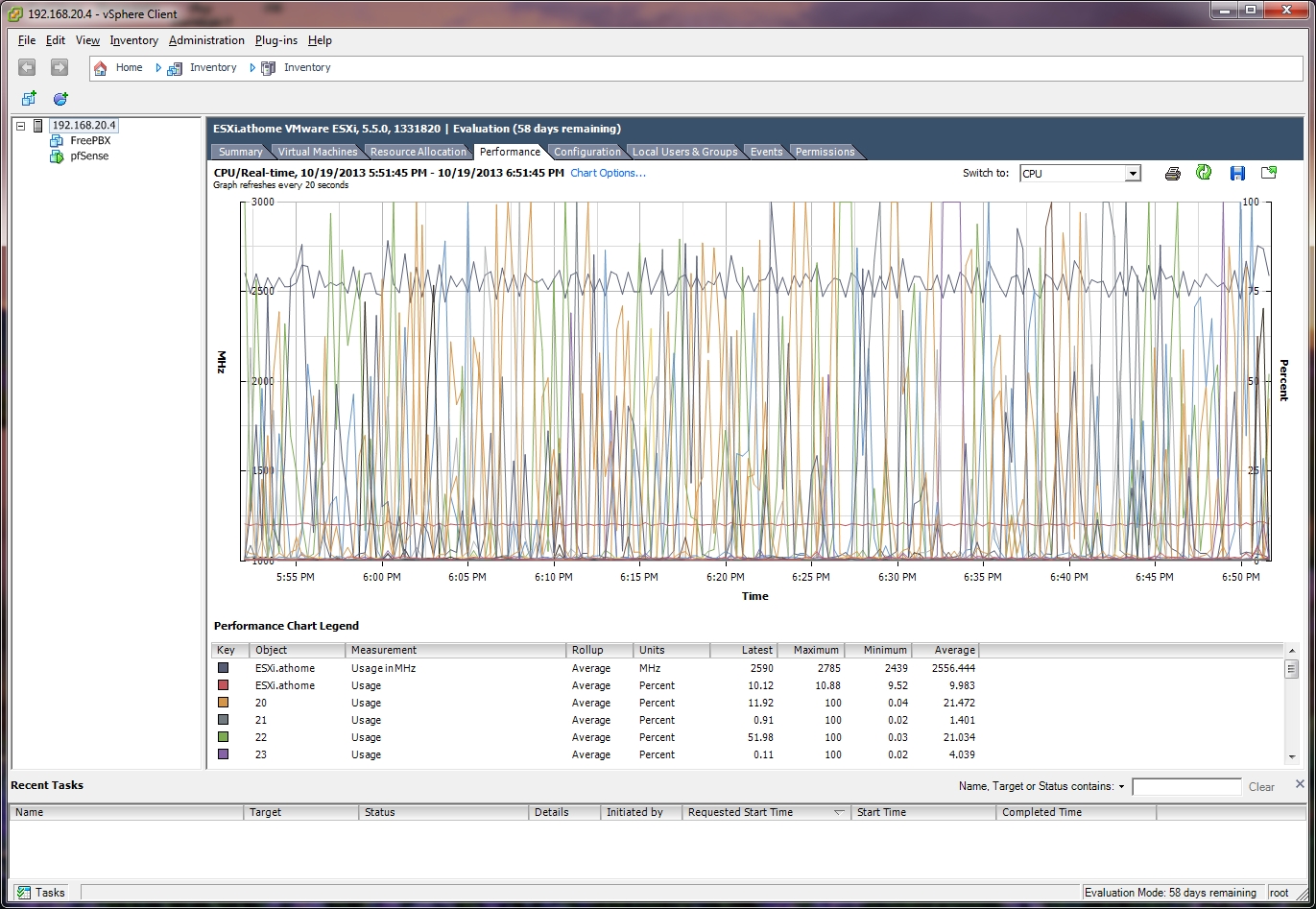
So migrating boxes and versions, all appears well until anywhere between 20 minutes to a couple hours after starting the host. CPU usage is normal, then all of a sudden the host system process spikes and pins one core at 100% which of course bounces around the machine. esxtop shows system sitting at anywhere between 105% to 130% used. Everything else looks pretty much normal from what I can tell.
The only two VMs running are pfSense (FreeBSD) and a CentOS 6 (RHEL) based distro. No Windows VMs, so I can rule that particular knowledge base issue out right off the top. I tried disabling both VT-d and C-States in the BIOS and tested, the issue remained.
I'm fairly new to ESXi in general, so I'm not sure what to look at next. My next step is to take a step back to 5.1 probably to see if this new host box exhibits this problem with 5.1 just to rule out something with the host hardware, but I figured I'd ask before taking that somewhat ugly step.
edit: Added images to point out what I'm talking about...
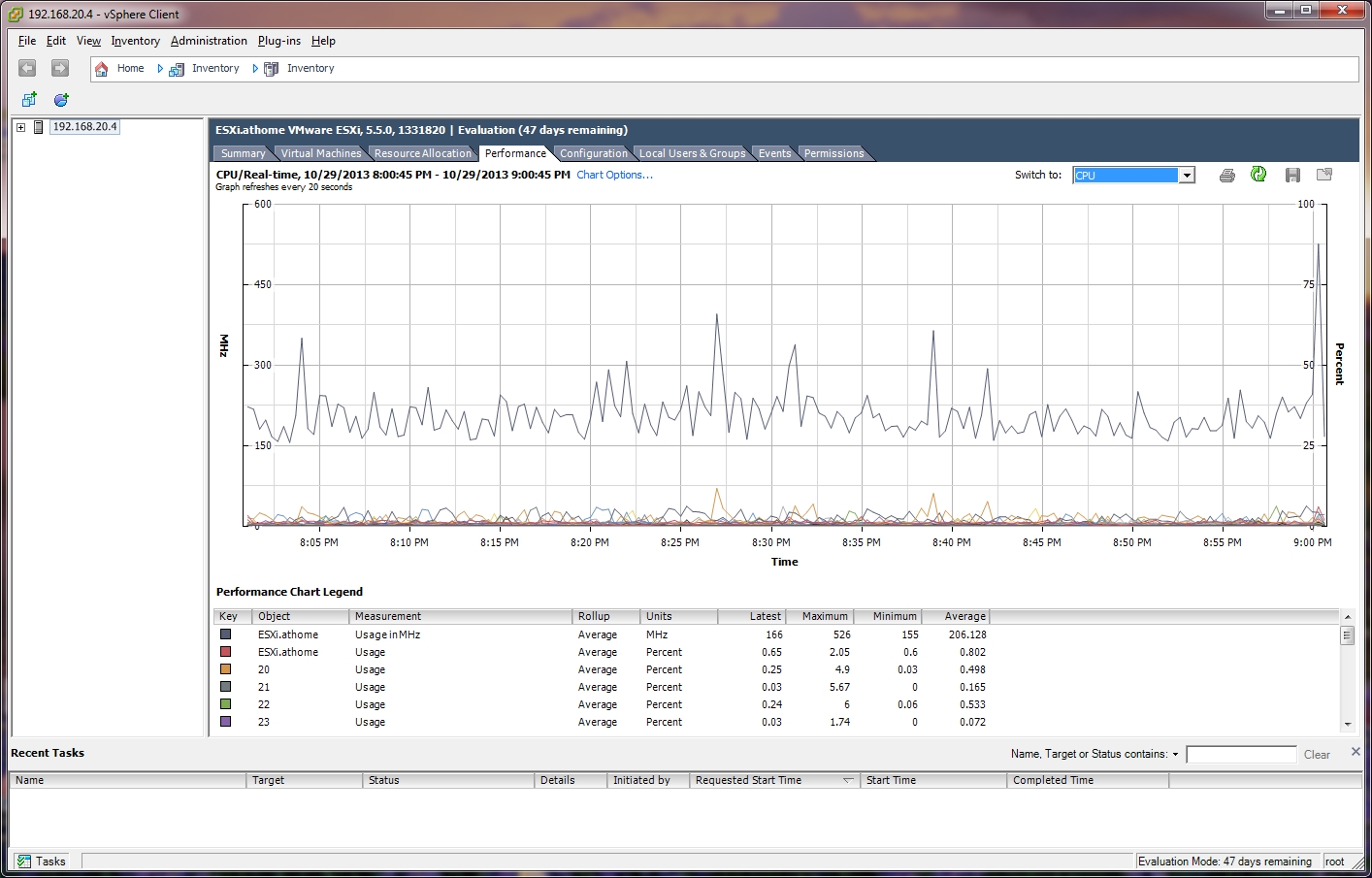
Here's right after I start up the machine with just one guest running:

And then a little later I come back and see this:
I don't have a screenshot of esxtop, but it usually shows the system process sitting at some >100% used% number.
So migrating boxes and versions, all appears well until anywhere between 20 minutes to a couple hours after starting the host. CPU usage is normal, then all of a sudden the host system process spikes and pins one core at 100% which of course bounces around the machine. esxtop shows system sitting at anywhere between 105% to 130% used. Everything else looks pretty much normal from what I can tell.
The only two VMs running are pfSense (FreeBSD) and a CentOS 6 (RHEL) based distro. No Windows VMs, so I can rule that particular knowledge base issue out right off the top. I tried disabling both VT-d and C-States in the BIOS and tested, the issue remained.
I'm fairly new to ESXi in general, so I'm not sure what to look at next. My next step is to take a step back to 5.1 probably to see if this new host box exhibits this problem with 5.1 just to rule out something with the host hardware, but I figured I'd ask before taking that somewhat ugly step.
edit: Added images to point out what I'm talking about...
Here's right after I start up the machine with just one guest running:
And then a little later I come back and see this:
I don't have a screenshot of esxtop, but it usually shows the system process sitting at some >100% used% number.
Last edited: