E5-1680 V3 NCase M1 build

lutjens

Gawd
Joined
Feb 18, 2013
Messages
792
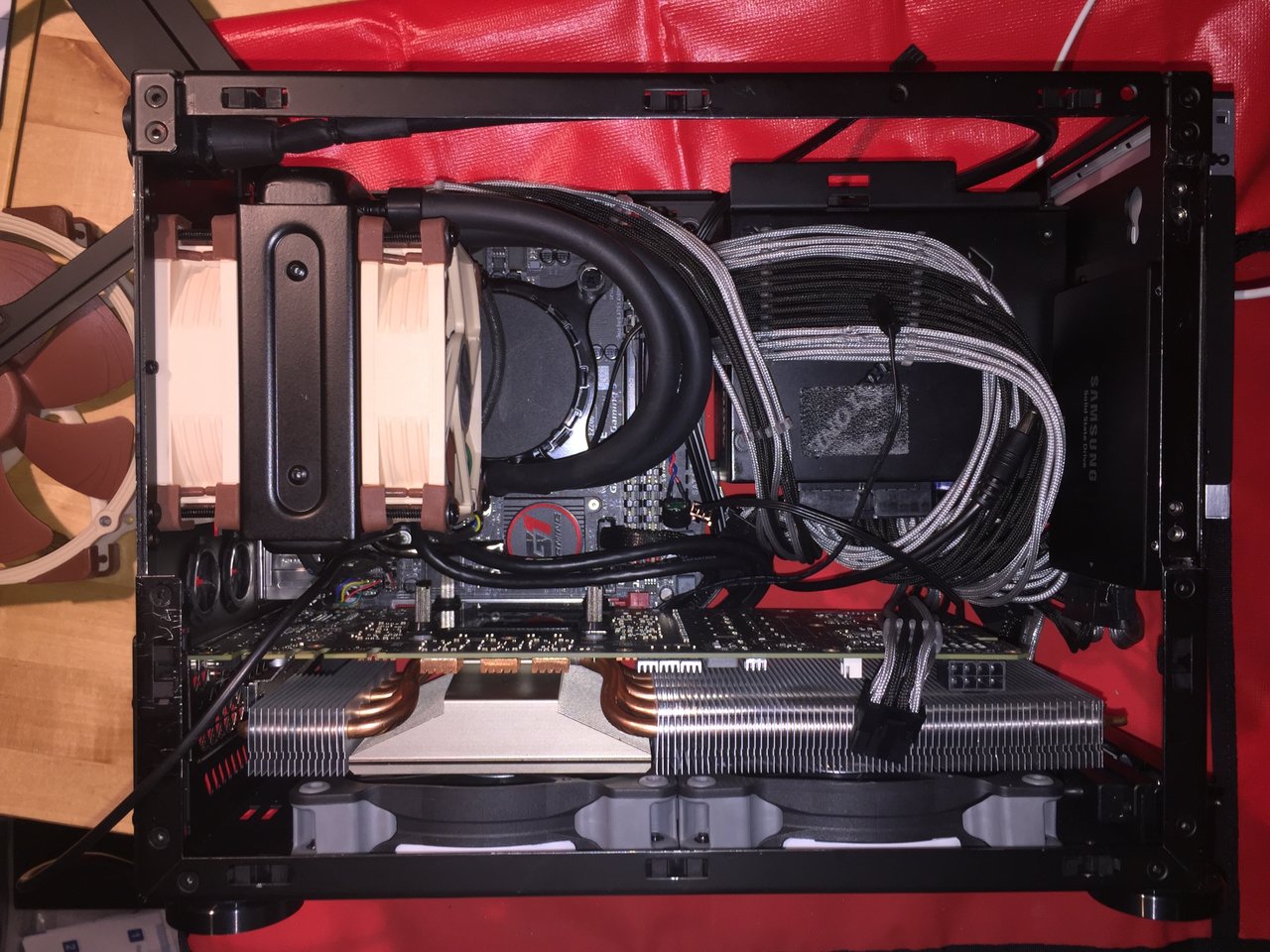
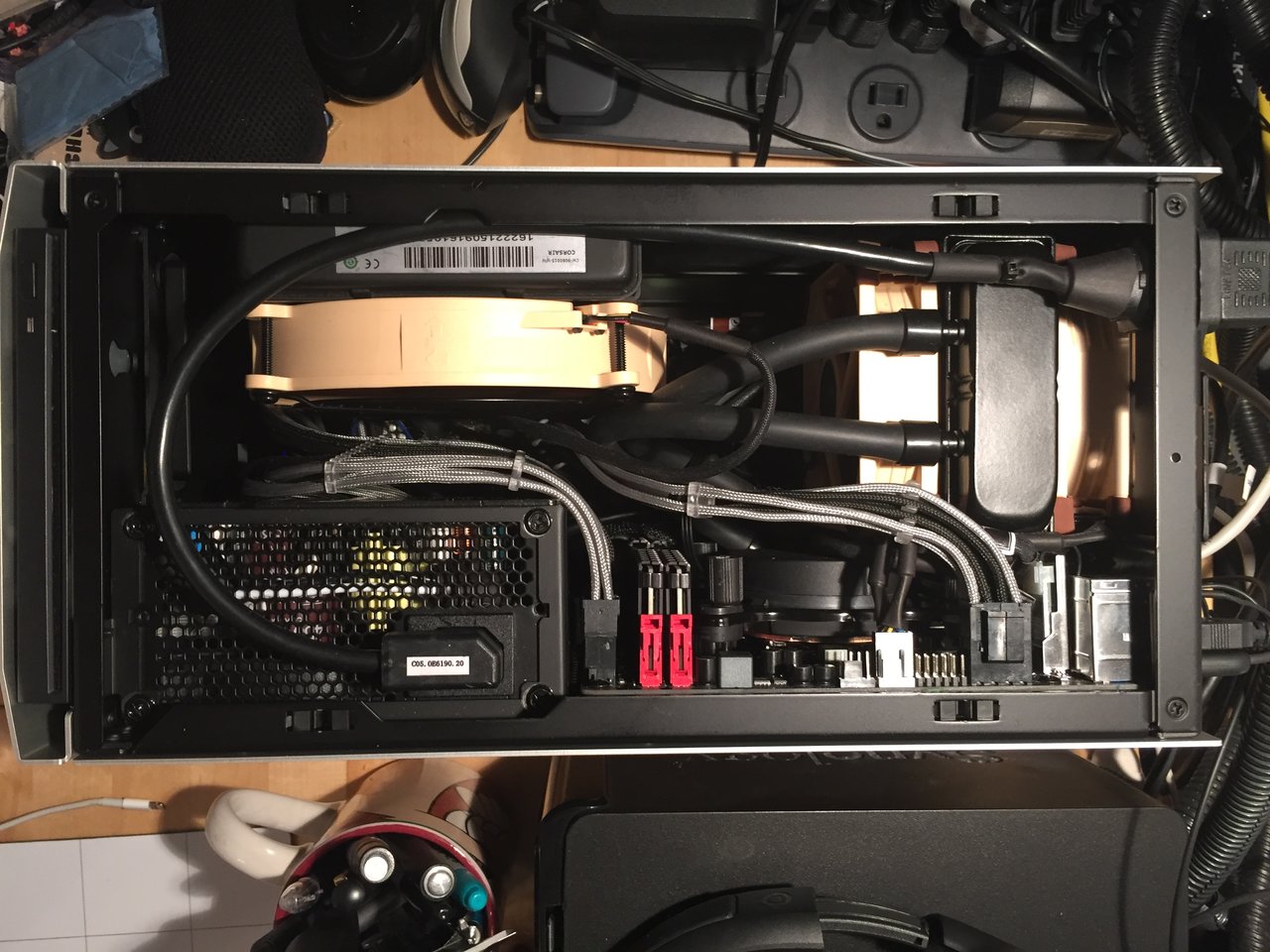
Xeon E5-1680 V3 w/Asetek 92mm AIO and Noctua 92mm slim fan
Asrock X99E-itx/ac
32GB (2x16GB) Corsair Vengeance LPX DDR4-3200 (temporary)
eVGA Titan X Superclocked (temporary)
Silverstone 600W SFX (temporary)

Quite the logistical challenge to get everything right. The slim Noctua fan required special screws to mount with the 92mm radiator (as the screws can only penetrate the rad by 1/4"). The radiator/fan has to go on last as well, as the rear bracket screws for the water block/pump assembly are covered by the radiator when it's installed.

Memory is a tight fit with the radiator as well...can't remove the DIMMs with the radiator installed.

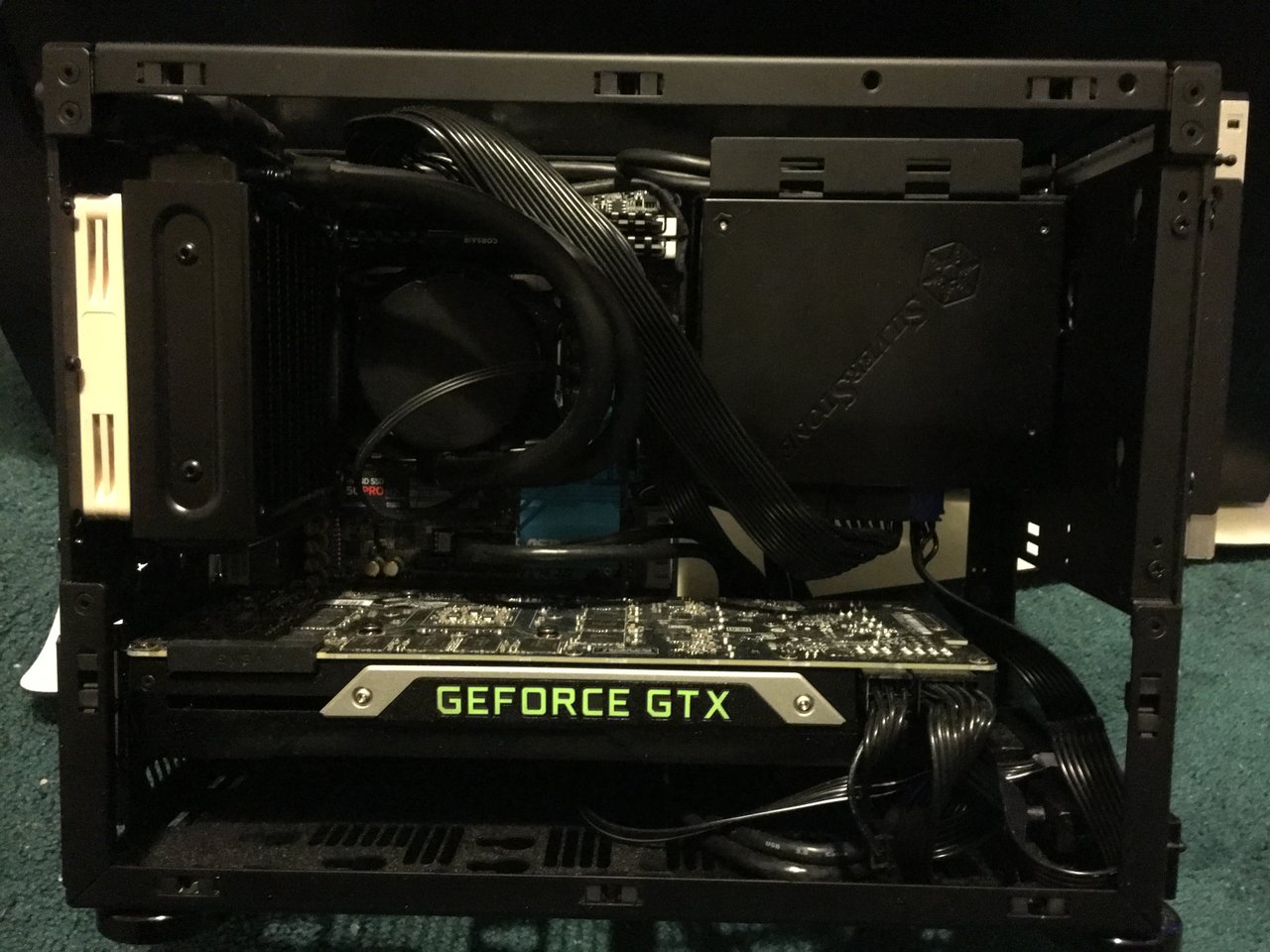
Excuse the wiring mess, but the Silverstone SFX 600W is temporary (getting replaced by the Corsair SF600 next week with custom cables to follow). The Titan X is also getting replaced with a Quadro M6000 and the 32GB of Corsair Vengeance LPX memory is getting replaced with 64GB (2x32GB) of Crucial DDR4-2400 RDIMMs (until the big Samsung 2400MHz TSV RDIMMs finally become available).

Storage will be the drives with the highest capacity that I can shoehorn into the case...
wink.gif


Temps are decent with just the one 92mm Noctua...30°C idle and 45°C under full load (3.5GHz all core Turbo). Haven't overclocked it yet...
wink.gif
 

Attachments

  • image.jpeg
    image.jpeg
    179.6 KB · Views: 655
  • image.jpeg
    image.jpeg
    184.6 KB · Views: 403
That might be the first 92mm AIO I've seen in the M1. Is there a particular reason you didn't go with a regular 25mm thick fan, instead of the slim Noctua? Seems like it shouldn't have any problem fitting. You could probably do push-pull if you really wanted to.
 
Nice - good to see a 1680, should OC well:)

Those Sammy RAMs sound interesting, will have to keep an eye out myself;)
 
That might be the first 92mm AIO I've seen in the M1. Is there a particular reason you didn't go with a regular 25mm thick fan, instead of the slim Noctua? Seems like it shouldn't have any problem fitting. You could probably do push-pull if you really wanted to.

Yep, now we have proof a Asetek 90mm AIO fill work on the AsRock X99E-itx/ac inside the M1. My Asetek 90mm AIO came in and I'm going to put it onto the Asus Maximus VIII Impact mobo and do a push-pull with the standard 25mm x 90mm Noctuas and see how that works out.
 
That might be the first 92mm AIO I've seen in the M1. Is there a particular reason you didn't go with a regular 25mm thick fan, instead of the slim Noctua? Seems like it shouldn't have any problem fitting. You could probably do push-pull if you really wanted to.

I used the slim fan to preserve the possibility of an easy push/pull. As it stands now, the is sufficient room for the additional slim fan but a 25mm fan would have pushed the rad too far over the pump, which means the inside 25mm fan would hit the fan barbs coming off the bottom side of the pump. A single 25mm fan would work though. One could rotate the pump 90 degrees to the left, but that would make hose routing more interesting and potentially impact airflow. The slim fans have really good speeds and cfm, so they met my requirements in those regards and are very quiet as well...just a bit pricey and requiring the special screws.
 
I used the slim fan to preserve the possibility of an easy push/pull. As it stands now, the is sufficient room for the additional slim fan but a 25mm fan would have pushed the rad too far over the pump, which means the inside 25mm fan would hit the fan barbs coming off the bottom side of the pump. A single 25mm fan would work though. One could rotate the pump 90 degrees to the left, but that would make hose routing more interesting and potentially impact airflow. The slim fans have really good speeds and cfm, so they met my requirements in those regards and are very quiet as well...just a bit pricey and requiring the special screws.
I see, that makes sense about the barbs. Glad to see it works well, in any case (y)
 
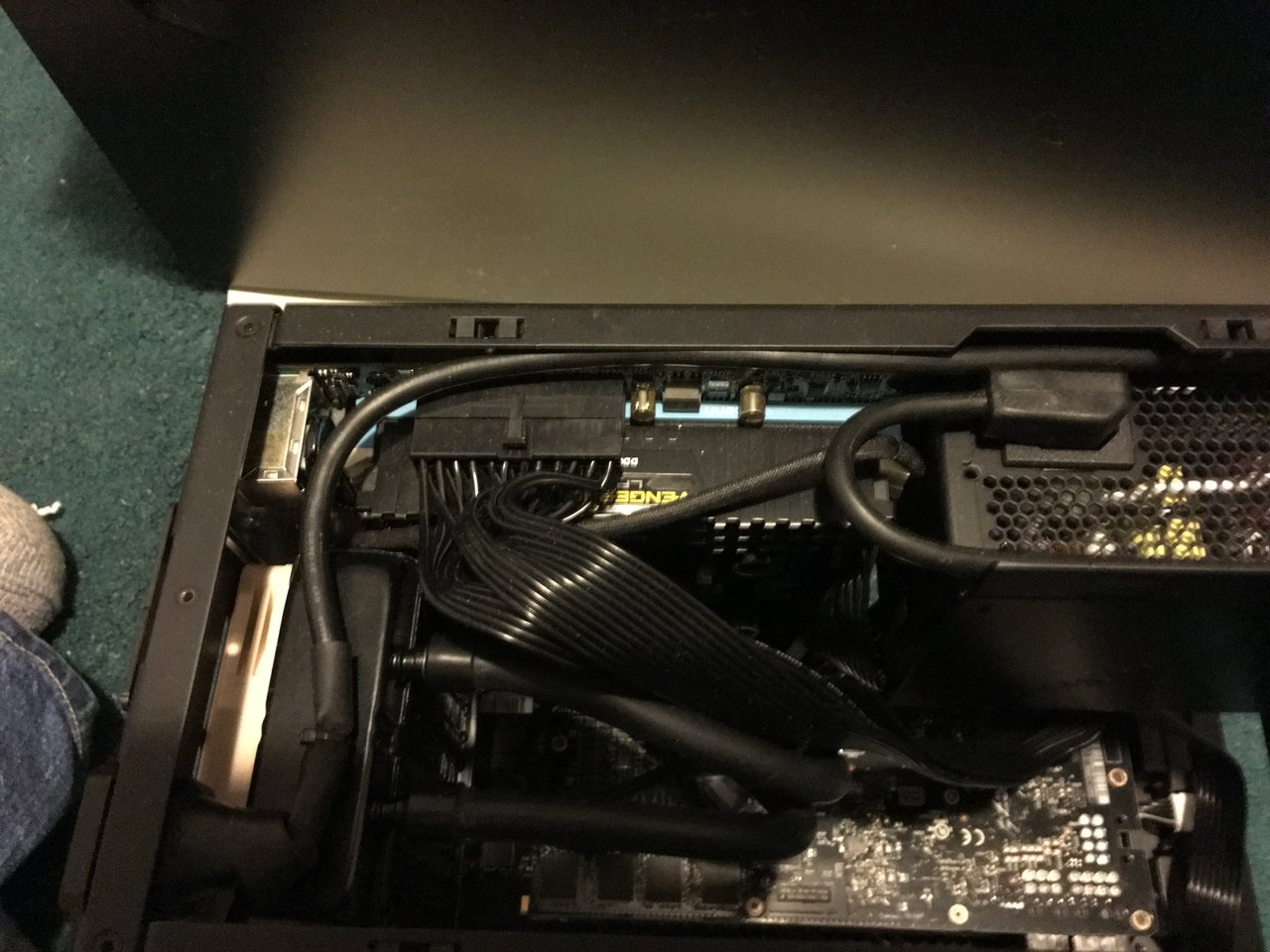
Just installed the new memory...2x 32GB Crucial DDR4-2400 RDIMMs. No heatspreaders on these ones, but they work perfectly in the motherboard. Also installed the Corsair SP600...no issues at all. Now to get the custom cables ordered while I wait for the Quadro M6000 to become available...;)
 
Temps are decent with just the one 92mm Noctua...30°C idle and 45°C under full load (3.5GHz all core Turbo). Haven't overclocked it yet...
wink.gif

45C under load for a 140W TDP CPU? Is this a typo or is this 92mm AIO something special? What rpm on the fan? I have the slim Noctua myself, and it's very quiet up until 1400-1500rpm where it becomes annoying.

Yep, now we have proof a Asetek 90mm AIO fill work on the AsRock X99E-itx/ac inside the M1. My Asetek 90mm AIO came in and I'm going to put it onto the Asus Maximus VIII Impact mobo and do a push-pull with the standard 25mm x 90mm Noctuas and see how that works out.

How did this turn out? Any temperature data or fan rpm? Overall noise and pump noise? This AIO seems interesting.
 
45C under load for a 140W TDP CPU? Is this a typo or is this 92mm AIO something special? What rpm on the fan? I have the slim Noctua myself, and it's very quiet up until 1400-1500rpm where it becomes annoying.


How did this turn out? Any temperature data or fan rpm? Overall noise and pump noise? This AIO seems interesting.

As far as I know the user had no problems. I'm using the Asetek too but I'm running a 6700k on a different mobo. The Asetek works fine. I'm not OCing yet though. I haven't done any bench marking. I did run Prime 95 for a day just to make sure it didn't over heat. You know to give it the ole burn in on the cpu. Temps were fine.
 
As far as I know the user had no problems. I'm using the Asetek too but I'm running a 6700k on a different mobo. The Asetek works fine. I'm not OCing yet though. I haven't done any bench marking. I did run Prime 95 for a day just to make sure it didn't over heat. You know to give it the ole burn in on the cpu. Temps were fine.

Thanks for the reply. I also have the 6700K, using Asus Z170i Pro Gaming motherboard, currently with the Noctua L9i cooler, which is barely cutting it unless very good case airflow, which I luckily have. The reason I am so interested in the temperature and fan rpm, is because the Asus boards ramps up the fan to max (2200-2500rpm for the slim fan) once the CPU passes 75C. The fan then becomes very noisy. However, if it stays below 1700rpm, I would say it's acceptable. I am not anal about noise, but it seems like this Asetek should perform better than a L9i.

Do you remember the max temperature you typically get? And what rpm the fan is on? You wrote you had the standard 25mm Noctua, I think. You can quickly check that via HWMonitor program. I did find images of the OP data. It seems 45C was indeed a typo, since his temperatures were more around 80C, with the fan going crazy to 2500rpm (slim one). His CPU draw over 160W then though, and ours should in similar cases just draw around 70W. That's why I have hope that this Asetek cooler chould perform nicely, and still be reasonably quiet for a 6700K.
 
45C under load for a 140W TDP CPU? Is this a typo or is this 92mm AIO something special? What rpm on the fan? I have the slim Noctua myself, and it's very quiet up until 1400-1500rpm where it becomes annoying.

It wasn't a typo. At default clocks, the CPU is very cool. I decided to swap the fans for something a little more deliberate...2x 92mm Deltas in a push/pull. The configuration wasn't the easiest to get arranged, as it took careful integration of the fans and power connections for the fans in the correct order to install the arrangement in the M1 case. It's definitely much harder than it looks...;)

I've still to really push the CPU hard. I set it to 4GHz and forgot about it...I'll look at it again when I get time...;)

How did this turn out? Any temperature data or fan rpm? Overall noise and pump noise? This AIO seems interesting.

It turned out quite well, but I don't have final overclocked data simply because I haven't really pushed an overclock yet. The Asetek 92mm AIO is indeed a very interesting unit. It allows many older OEM style systems to get AIO water cooling retrofitted and can give them new life as a result. I installed a Rampage VIII Gene with an Intel i7-6700K in a really old (circa Core 2 Quad) HP case, along with an Asetek 92mm AIO system. Gave it a new power supply and Samsung 950 Pro 512GB SSD. It's new a very functional and powerful system serving the needs of my cousin and her young family very well. Newer OEM systems may not be a candidate for such a retrofit as many of the newer systems integrate the I/O backplate into the case itself, preventing a new motherboard from being installed without some metalwork.
 
It wasn't a typo. At default clocks, the CPU is very cool. I decided to swap the fans for something a little more deliberate...2x 92mm Deltas in a push/pull. The configuration wasn't the easiest to get arranged, as it took careful integration of the fans and power connections for the fans in the correct order to install the arrangement in the M1 case. It's definitely much harder than it looks...;)

I've still to really push the CPU hard. I set it to 4GHz and forgot about it...I'll look at it again when I get time...;)

I assume it can stay cooler due to it's larger surface die. However, it's still an amazing temperature. I did find some images on imgur that showed completely different temperatures, though. I am not sure if it was your build, or another CPU. Anyway, what is lacking for most temperature reports with regards to water cooling, is what fan speed is used to cool the radiator(s). If people don't mention the fan speed, and don't use enough radiator surface area, one can always assume there will be high speed fans involved. I am definitely not interested in using Delta fans. ;) The 92mm Noctua is surprisingly quiet, but I have my doubts that it can cool a 6700K quietly with a 545LC. I am tempted of trying, but Skott didn't reply back with any fan speed report, so I guess I'll pass. I think his temperatures were around 70-75C, though. If passing 75C, most Asus boards ramp up the PWM fan speed to max... results in a leafblower.
 
I assume it can stay cooler due to it's larger surface die. However, it's still an amazing temperature. I did find some images on imgur that showed completely different temperatures, though. I am not sure if it was your build, or another CPU. Anyway, what is lacking for most temperature reports with regards to water cooling, is what fan speed is used to cool the radiator(s). If people don't mention the fan speed, and don't use enough radiator surface area, one can always assume there will be high speed fans involved. I am definitely not interested in using Delta fans. ;) The 92mm Noctua is surprisingly quiet, but I have my doubts that it can cool a 6700K quietly with a 545LC. I am tempted of trying, but Skott didn't reply back with any fan speed report, so I guess I'll pass. I think his temperatures were around 70-75C, though. If passing 75C, most Asus boards ramp up the PWM fan speed to max... results in a leafblower.

I cranked up the system last night to run a test on it. According to CPU-Z, it's an M0 stepping chip, suggesting a MCC die was used that may just explain why it runs cool. Speed is an even 4.0GHz across all cores, core voltage is default. One core got to 52°C at the very end of the 5 minute stress test, one other hit 51°C, two more maxed out at 50°C and the other 4 were all 48 and 49°C. Fans are running at normal speed (they're only set to spin up if a higher temp is hit). I used the Deltas for their quality and performance potential in the event a temperature threshold is reached. They're the PWM versions of the fan which can be set to run quite quietly in the BIOS if one desires.

The Asetek 92mm unit is a fairly good unit due to the fact that the rad is fairly thick, even if it lacks the overall diameter of the 120mm and larger units, which helps it's cooling potential.
 
I have the Asetek 92mm AIO as well, and have tried it with 25mm push-pull config on my 6700K 4.4ghz. Idle temps around 30-40, load temps around 70, spikes up to high 70s with Prime 95 torture tests. In my M1, it's about the same performance as a Noctua C14 or U9s setup. From my tinkering, I think the best temps were with a H75 120mm AIO. (I don't have a 240mm AIO). Here are some snaps of different setup (disregard the GPU + Accelero, and GPU + H75... I like to tinker)
image.jpeg image.jpeg
 
I assume it can stay cooler due to it's larger surface die. However, it's still an amazing temperature. I did find some images on imgur that showed completely different temperatures, though. I am not sure if it was your build, or another CPU. Anyway, what is lacking for most temperature reports with regards to water cooling, is what fan speed is used to cool the radiator(s). If people don't mention the fan speed, and don't use enough radiator surface area, one can always assume there will be high speed fans involved. I am definitely not interested in using Delta fans. ;) The 92mm Noctua is surprisingly quiet, but I have my doubts that it can cool a 6700K quietly with a 545LC. I am tempted of trying, but Skott didn't reply back with any fan speed report, so I guess I'll pass. I think his temperatures were around 70-75C, though. If passing 75C, most Asus boards ramp up the PWM fan speed to max... results in a leafblower.

Sorry for not replying. Couple days ago I gave mine another test because I had forgotten what the temps were but at idle 27C-30Cc (not all cores same temp) and Prime 95 Small FFT torture test pushed temps to 72C-77C(not all cores the same temp). That on a non-overclocked 6700k and the Asus Maximus VIII Impact mobo. Also using a evga GTX 970 rear blower GPU. The room was kinda warm though probably near 80. I normally keep the a/c set for 78 but it gets a little warmer due to the three PCs and the TV I have set up(sorry I don't have an exact room temp). Noise was pretty low actually. You can hear it but barely and that's sitting 36" away. I like the Asetek 545LC but IIRC there are units that keep temps cooler with low noise at Full load. Temps monitored using SpeedFan 4.51

I hope that helps.
 
Sorry for not replying. Couple days ago I gave mine another test because I had forgotten what the temps were but at idle 27C-30Cc (not all cores same temp) and Prime 95 Small FFT torture test pushed temps to 72C-77C(not all cores the same temp). That on a non-overclocked 6700k and the Asus Maximus VIII Impact mobo. Also using a evga GTX 970 rear blower GPU. The room was kinda warm though probably near 80. I normally keep the a/c set for 78 but it gets a little warmer due to the three PCs and the TV I have set up(sorry I don't have an exact room temp). Noise was pretty low actually. You can hear it but barely and that's sitting 36" away. I like the Asetek 545LC but IIRC there are units that keep temps cooler with low noise at Full load. Temps monitored using SpeedFan 4.51

I hope that helps.

Thanks! I think this cooler will get too close to the 75C limit (where Asus boards ramp fan to 100%), but I will not write it off yet. Had hoped there would be some neat water cooling solution for the M1, but it seems tricky.
 
Back
Top