• Some users have recently had their accounts hijacked. It seems that the now defunct EVGA forums might have compromised your password there and seems many are using the same PW here. We would suggest you UPDATE YOUR PASSWORD and TURN ON 2FA for your account here to further secure it. None of the compromised accounts had 2FA turned on.
    Once you have enabled 2FA, your account will be updated soon to show a badge, letting other members know that you use 2FA to protect your account. This should be beneficial for everyone that uses FSFT.

Core 2 Temps?

I would like to exactly what is what myself.

E4300
ABIT IB9
Vapochill Micro w/fan on controller

CoreTemp: 21c-23c idle ; 50c-51c load
Everest: 39c-40c idle ; 55c-58c load
SpeedFan 4.31: 39c-40 idle ; 63c-65c load

The only thing that matches up are idle temps of SpeedFan and Everest. Don't ask me about TAT cuz it won't run on my system, I have tried.

jbmx4life: SpeedFan v.4.32 that just came out is the first version that properly reports temperatures from the temp sensors built into the C2D chip. Upgrade to this version and believe what it tells you.

Too many people have been trusting TAT because it has that nice Intel logo on it but I'm seeing too many different combinations where it's not reporting temperatures correctly.

On the 965 boards like the Asus P5B series and the Gigabyte S3, DS3, DQ6 it works fine.

Speedfan v.4.32 supports XP and Windows Vista 64 so there should be no more problems with people reporting bogus temperatures no matter what OS they're running.

OK I just downloaded the new SpeedFan 4.32 and this is what I get:

CoreTemp: 22c idle (core 0 & 1) ; 52c loaded (core 0 & 1)
SpeedFan 4.32: 22c idle (core 0 & 1) ; 39c idle (cpu) ; 52c (core 0 & 1) ; 65c (cpu)
 
Xilikon: I find running my E6400 at 3500 MHz is living on the edge. I don't think it's temperature that holds you back, just the practical limits of this processor. I've run SuperPi at 3600 MHz but Orthos stability maxes out at about 3500 MHz. On a cool day in the basement I might get an extra 20 MHz out of it but that's it for the Intel heatsink.

Look through the [H] OC database and the people that are running their E6400 at this speed reliably on air are very few.

jbmx4life: As I said before I don't trust the CPU diode temp reported by SpeedFan but the core temp readings seem 100% correct. Nice idle temps.

On my computer the diode temp is either greater or less than the core temp depending on whether I do a clean boot up or if I start up coming out of Stand By mode. Definitely not a number I'll be relying on. The core temp readings are consistent no matter what the circumstance.

speedfanproblemvk5.png


I don't blame SpeedFan for this. It's only reading a sensor that is putting out bogus information.
This helps explain some of the temp troubles many users are having.
 
goal is to set it 1:1 at 3-3-3-9
My P5B Deluxe benches better at DDR2-800 with the memory set to CL4-4-4 compared to CL3-3-3. I think I read on a different forum that another user had the same results.

Setting it to CL3 seems to change the internal chipset timings and actually slows you down. So much for spending the big bucks for some high performance memory.

Your board may respond differently so it will be interesting to hear your results. One more thing for you to test!
 
My P5B Deluxe benches better at DDR2-800 with the memory set to CL4-4-4 compared to CL3-3-3. I think I read on a different forum that another user had the same results.

Setting it to CL3 seems to change the internal chipset timings and actually slows you down. So much for spending the big bucks for some high performance memory.

Your board may respond differently so it will be interesting to hear your results. One more thing for you to test!

Yeah, it may be the board who cause this and I'm not even sure mine will react the same way, being 975X. What matter is sisoft sandra benchmark results at various speeds/timings. I will keep the best combo at the end.

Unfortunately, my ram is postponed to next monday due to a stupid snowstorm :( But I just unpacked a Dell GX-620 for testing with zen imaging and I saw it is using 2x Promos PC2-4200 so I decided to borrow it for the weekend since it's rated for 266 MHz, which is fine for me. I will still do the throttling/temp accurancy testing tomorrow.
 
I can't get coretemp to work w/vista. Any trick?


Hmmm...what version are you using? I am using Beta 0.94, works fine, although if I run the multiplier in BIOS at anything other than the stock 8x, it reports the right multiplier but the wrong fsb. But I use it for temp checking so no big deal.
 
Scythe Infinity cooler, with 120mm fan pushing @ 1200rpm

E6400 @ 3.32GHz, 1.45 VCore

34-36C idle, 55-57C load (6.5 hrs of Orthos small FFTs)

22C room temp
 
Usually SuperPI appreciates increased memory bandwidth and tighter timings but this is the first computer where tightening up the timings makes it run slower.

Is this a P5B Deluxe "feature" or does it effect all boards with the 965 chipset?

Definitely not worth spending extra money for CL3 capable memory with this board.


Revised original post with new BIOS 1002 for my motherboard.

With CoreTemp I now read 42c and 55c under 13 hour Orthos.
 
After trying to run orthos/occt at 3.51 GHz and 1.55v, it was always on the edge of thermal throttling/shutdown. It ran 6 hours before it rebooted (probably due to a bsod, since I forgot to disable automatic rebooting) from the TAT temps log, which is cut off during the night. This didn't help me then I got a idea, knowing ppl tell that TAT workload test is generating more heat than others.

With this idea in mind, I opened TAT, SpeedFan 4.32 and CoreTemp 0.94. When the temp sensors settled for 1 min, I started TAT workload tester for both cores and the temp climbed pretty fast. This is where it get interesting, as the computer shut down after 4 seconds. I assumed it is thermal shutdown in action so I let it reboot. The first time, I didn't have time to get the core temps but TAT reached 90-92C so I officially certified TAT is wrong.

On the 2nd run, I decided to keep my eye on SpeedFan, especially CPU temp. When it shut down the 2nd time after 3-4 seconds, CPU temp reached 84-85C but missed the core temps again but assuming core is 10C below CPU, it should be around 75C.

I ran for the 3rd time, this time by keeping my eye glued on SpeedFan core temps and when it shut down, it reached 75-77C.

Since CoreTemp is updating more faster,I decided to do a 4th try and keep my eye on CoreTemp this time. When it shut down again, core temp was at 75-77C too.

The testing results gave me the impression unclewebb is right and the thermal shutdown temp is around 75C core temp, 10C below Tjunction. Since it's logical to shut down fast enough before the temp reach Tjunction and damage the cpu, I now certify that CoreTemp and the core temps reported by SpeedFan is 100% accurate. The SpeedFan CPU temp is not accurate, as proven by unclewebb by his own testing.

As the Core architecture allow it to run much more cooler than the NetBurst architecture, as proven by the better IPC per watt ratio, it seems possible that at idle, with proper cooling and proper seating, it can idle very close to ambient if power saving features is enabled like EIST, C1E or other kind.

Finally, CoreTemp logging on the 4th run got those numbers.

Code:
3511.60	53	35	
3511.60	68	66	
3511.60	72	70	
3511.60	75	72	
3511.60	76	74	
3511.60	77	75

The last line was exactly where thermal shutdown occured, confirming my findings.

About the reboot during the night, I forgot about checking if it created a minidump of the error and it was a error 0x50 (Page_Fault_In_Nonpaged_Area). Guess the Promos doesn't like running at 2.1v so i'll ditch and wait for the FireStix to get here monday and redo the test. The temperatures was fine and hovering around 65C at 3511 MHz / 1.55v.
 
@Xilikon:

Did you make sure that the thermal stuff in the BIOS was shut off? Just curious as it wasn't mentioned and could possibly be the reason that it shut down/restarted @ 75c.

Xilikon said:
As the Core architecture allow it to run much more cooler than the NetBurst architecture, as proven by the better IPC per watt ratio, it seems possible that at idle, with proper cooling and proper seating, it can idle very close to ambient if power saving features is enabled like EIST, C1E or other kind.

I like your statement here except that I am not using ANY of the power saving features of this CPU/MOBO and I am sitting on ambient temps @ idle with just air cooling. I could not believe it myself, but my results are posted above for unclewebb's findings. I am running @ 3Ghz (334*9) @ stock vcore however.
 
@Xilikon:

Did you make sure that the thermal stuff in the BIOS was shut off? Just curious as it wasn't mentioned and could possibly be the reason that it shut down/restarted @ 75c.


I like your statement here except that I am not using ANY of the power saving features of this CPU/MOBO and I am sitting on ambient temps @ idle with just air cooling. I could not believe it myself, but my results are posted above for unclewebb's findings. I am running @ 3Ghz (334*9) @ stock vcore however.

For the BIOS settings about thermal stuff, I didn't think of this so i'll check.

For the statement, I wanted to be careful since not everyone will be able to get low idle temps due to poor IHS or heatsink, different motherboard support and such. I believe mine is all disabled and it still idle at 25-30C, which is fine considering I'm now using 1.475v
 
Thermalright Ultra 120 w/ Antec Tricool @ medium Speeds
E6300, 3.5GHz, 1.5V.

touches on 51degs at orthos level load.
 
Xilikon: When you're exploring the outer limits with TAT you can use the On Demand Throttle feature which slows down the rate of temperature increase. By using this you can sneak up on the max temperature that your CPU can run at before shutting down.

I have CPU TM Function enabled in my Asus P5B bios. A lot of overclocking guides tell you to turn this off but allowing your processor to throttle itself when it is nearing 80C is a good thing. Better than crashing and most normal users that aren't pushing their computer to the wall should never be near 80C anyhow so you might as well turn it on.

Here's a good article about Thermal Management and a program to monitor some of the Intel C2D options:
http://www.digit-life.com/articles2/cpu/intel-thermal-features-core2.html
 
Question: How much shit and abuse can a C2D really take?

Answer: Lots! :D

tortureuc4.png


I started Orthos and slowed the Intel CPU fan from 1700 rpm down to about 900 rpm and let the temps gradually come up. I chose my usual default speed of 3360 MHz and under load the CPU voltage was at a reasonable 1.39 volts. Nothing too crazy, relatively speaking of course!

Intel TAT first reported Thermal Throttling was taking place when it hit 81C and SpeedFan was reporting core temps of 83C. Orthos continued to run fine so I slowed the fan down to 800 rpm and let it bake for a while.

After a few minutes TAT reported that Thermal Throttling was now taking place on the second core as well. Orthos continued to run error free with no problems. Throttling helped keep the core temp at 85C as reported by SpeedFan and at 83C as reported by TAT. Throttling was working great and kept the processor from ever exceeding a core temperature of 85C which is just what Intel designed it to do.

As long as your computer is Orthos stable you should have no worries. This test proves that the C2D is smart enough to take care of itself even under extreme conditions and that SpeedFan and CoreTemp are accurately reporting the only temperature number that really matters.
 
I looked in the BIOS on my board and there is no option related to thermal throttling. There is a extra menu for maintenant which require I open the case, change the jumper to config, reboot, tweak then stop, reput the jumper in the normal position. I will do this one day but not today for sure...

I guess I disabled it somehow in the maintenance menu and unlike yours, mine always seems to reboot when it hit 75-77C, which isn't really desirable. I would have preferred to see some throttling so I'll do some research about my board.

About your last comment on C2D able to take abuse, I agree and it's not the first time you said. I remember you pushed the voltage a bit high on a A64 and prove it works without damage.
 
The RightMark CPU Clock Utility program shows what features your processor supports.
http://cpu.rightmark.org/

rightmarkos2.png


PM Features ~ Power Management Features

EIST ~ Enhanced Intel Speedstep Technology
TM1, TM2 ~ Thermal Monitoring 1 and 2
ODCM ~ On Demand Clock Modulation ( not used for C2D )
CxE ~ C1E ~ Enhanced Halt State

I don't use Speedstep but I have it turned on in the bios. I can use it if I go into the Control Panel - Power Options - Power Schemes and set it to Minimal Power Management. This drops my multi from 8X to 6X at idle and drops the MHz but power consumption, as measured with a Kill A Watt meter, doesn't change one bit. On my P5B there is nothing to be gained by using Speedstep so I don't.

Having C1E enabled should let the processor run some Halt instructions when it is idle but once again this feature doesn't effect core temps or power consumption any.

Don't believe everything that RightMark says but it works good at reporting the above info.

Xilikon: My C2D is living the easy life compared to what my A64 had to endure. I remember running it at 1.77 volts for many hours and it is still running today for a good friend that hopefully doesn't frequent the [H]ard forums! :)

It's easier exploring thermal throttling if you allow the CPU to heat up by reducing fan speed. If you give it full MHz and full volts you'll probably have a hard time getting beyond 75C to 77C.
 
I read the article but dunno why I didn't think of downloading this and check my settings. On boot, only C1E is enabled (I disabled in the BIOS but still stay enabled, a known BIOS bug). However, I was able to enable TM1 and TM2 then I'll do some more checking this evening.
 
my e6600 running everything stock and the fan running 900 rpm

50c idle

scared to put it on load

something is wrong...
 
something is wrong...
I think the extra cache on the E6600 naturally causes more heat so you won't see idle temps as low as on the E6300/E6400 chips.

Set your CPU voltage to 1.325 volts in the bios. The AUTO setting can give you extra volts that you don't need and extra heat.

Another thing to watch for are too many tasks running in the background keeping your CPU active when it should be idle.

I use Autoruns to manage start-up items that really don't need to start up.
http://www.microsoft.com/technet/sysinternals/utilities/autoruns.mspx
 
thanks i;m gonna try some tweaks...maybe turn my fan up as the first step.
 
ipam45 before trying any tweaks you should check your HSF mount because it could be off. you shouldn't be getting =>50C on idle at stock voltage. what is your Ambient temp?
My friend's 6600 does 30C on idle at stock, mine does 26C at stock and in a 20C Ambient. you should be getting something like 35-45C max idle temps on AIR.
 
i have mounted and remounted the HSF couple of time already. i use to run it at 38 idle with everything on stock. but i had to reformat my computer and then all of a sudden something happened and it;s running as high as heaven. i actually might try lapping my HSF and see if i can get a better result.

my ambient is like 65F

uncleweb: i;m using coretemp and TAT for my temp. they are both pretty the same (+/- 2 degress)
 
screw TAT as it has been proven wrong in all cases. Get CoreTemp 0.94 and SpeedFan 4.32. Only pay attention to the core temps on SpeedFan and not the CPU temp.
 
now my computer is running at a toasty

44 for core 0 and 46 for core 1 (this is still with TAT

i;m gonna try speed fan...
 
okay this is speed fan:

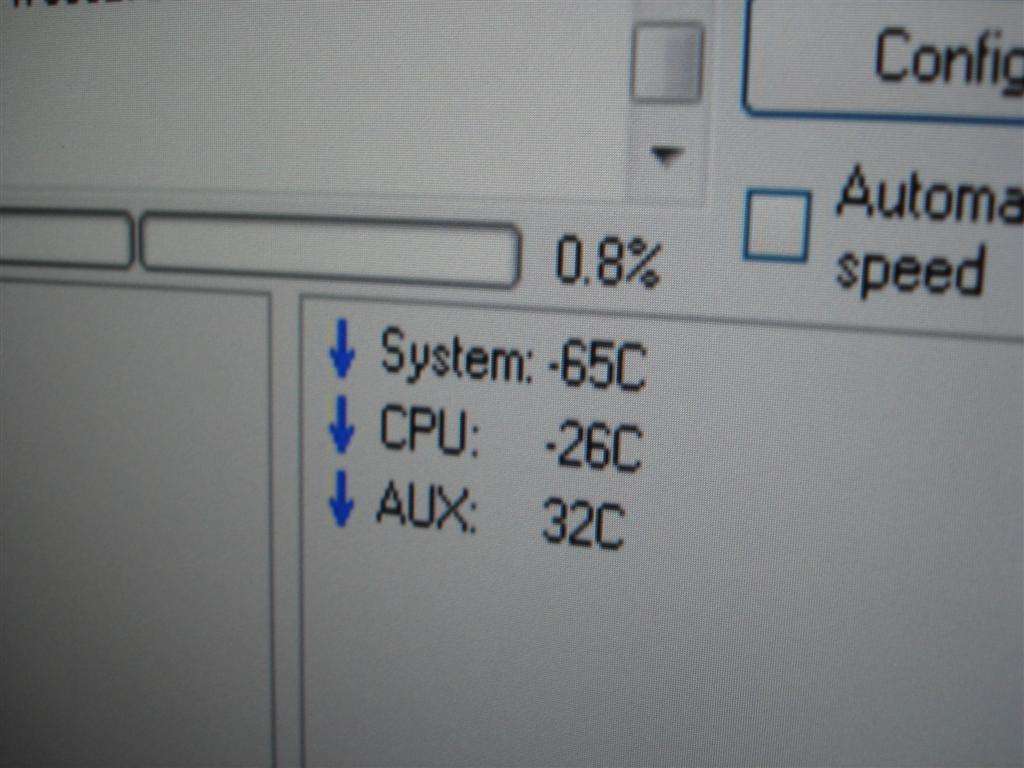
system: 39
cpu: 25...haha bullshit
aux: 60c
hd0 31c
hd1 32
core0 43c
core1 46

i get checks beside the cores...yay.
 
okay this is speed fan:

system: 39
cpu: 25...haha bullshit
aux: 60c
hd0 31c
hd1 32
core0 43c
core1 46

i get checks beside the cores...yay.

yeah there is no way that the CPU is 25c when the cores themselves are 43c and 46c respectively.
 
With TAT it doesn't go higher then 60C...any good ?? >> this is LOAD !!

Have 3.4 with my E6600 and 1.400 Vcore.

hansje ;)
 
idleuu5.jpg


low 30s possibly upper 20s depending on room temp @ idle

Image soon

high 50s under load depending on room temp

e6300 @ 3.0 on air
8800 gts @ 670/2200 on air
 
I just picked up my new rig (e6600, evga 680i, corsair XMS2). I got to overclocking and at 3.2 my temps are 58-61C idle and 65-68C on load. I ran Prime95 for a about three or four hours and it was rock solid. So far I haven't any problems, but I'm thinking about getting some better cooling since I'm using the stock fan. I have the volts at 1.375.
 
unclewebb, I downloaded and ran SpeedFan 4.32 now and it match CoreTemp readings. TAT is consistenly about 12C higher so I believe it's buggy and unreliable since when I touch the heatsink, it felt warm, almost cool. If TAT is accurate, I should feel the heat more than that.

.


I have the exact same issue.....at 3.2ghz, TAT reports 72c under load, while both Speedfan 4.32 and CoreTemp .94 report 62c (this is using ORTHOS as a load tester).
 
I'd tend to trust TAT before any 2nd party temp monitoring program. One thing I found that will definately improve your load temps depending on how wonky your IHS is....

build333.jpg


This along with lapping the Tuniq base which also was not flat was worth 10C reading TAT under Orthos when I was on air.

On the subject of memory, winrar has a nice quick and easy bandwidth benchmark that might be of interest.
 
I'd tend to trust TAT before any 2nd party temp monitoring program. One thing I found that will definately improve your load temps depending on how wonky your IHS is....

This is a good read at the end about TAT and temp reporting....and I might look into lapping mine since it has a bit of a high spot, the corners of my heatspreader appear to not get the AS5 "squashed" as well as the center area regardless of how tight or evenly the heatsink is.

http://www.hardforum.com/showthread.php?p=1030733448&posted=1#post1030733448

Nice lapping job!
 
my temps on my e6300 is idling at 25C and load is no more than 35C. I only overclocked to 2.5ghz so i guess thats why my temp is so low with the scythe ninja
 
my temps on my e6300 is idling at 25C and load is no more than 35C. I only overclocked to 2.5ghz so i guess thats why my temp is so low with the scythe ninja

What is your ambient? No way in hell you are only running at 35c loaded...no way dude. Try using CoreTemp .94, or Speedfan 4.32...
 
What is your ambient? No way in hell you are only running at 35c loaded...no way dude. Try using CoreTemp .94, or Speedfan 4.32...

Yes, I tend to believe this. That's the temps I got when running at stock on mine or with C1E activated. Notice he said it's running at only 2.5 GHZ ;)
 
Back
Top