• Some users have recently had their accounts hijacked. It seems that the now defunct EVGA forums might have compromised your password there and seems many are using the same PW here. We would suggest you UPDATE YOUR PASSWORD and TURN ON 2FA for your account here to further secure it. None of the compromised accounts had 2FA turned on.
    Once you have enabled 2FA, your account will be updated soon to show a badge, letting other members know that you use 2FA to protect your account. This should be beneficial for everyone that uses FSFT.

Cooler Master MASTERLIQUID LITE 120

fightingfi

2[H]4U
Joined
Oct 9, 2008
Messages
3,233
I have everything stock never overclocked on my pc to scared to do it.

It seems my fan i think also stock is running up and the down making some noise here and there at times even when not being used surfing teh web etc...makes noise its not even a yr old the cooler or my pc its a new setup. Is this normal or is there software to control this i have no idea thanks for any info or help
 
There is some stuff that might be helpful from you (system specs:)

the fan is likely a PWM fan.. mean it speeds up / slows down depending on temps

http://www.coolermaster.com/cooling/cpu-liquid-cooler/masterliquid-lite-120/ (it is PWM per coolermaster).. so hearing it ramp up / slow down is totally normal.. if it is noisey or intrustive you can look into replacing it with a quieter fan (something like noctula perhaps):

https://www.amazon.com/Noctua-NF-F1...coding=UTF8&psc=1&refRID=QCYRTG5QDWGYT8ENFHJ8

you might also listen and see if it is the pump you are hearing..

open taskmanger (ctl+shift+esc) click on performance tab ... you will see as the load ramps up the fans probably will also..

you should / could also download a temp monitors (realtemp / hwmonitor... etc) and report back what load / idle temps are like...


for myself I have my system in a sound dampened case (nzxt h630) and am using PWM fans on my hyper212+ with the noise damping I can barely hear my computer most of the time.. only when the video card fan ramps up I can hear it but it isn't bad even then... blah blah case choice can affect how much you hear also.
 
As an Amazon Associate, HardForum may earn from qualifying purchases.
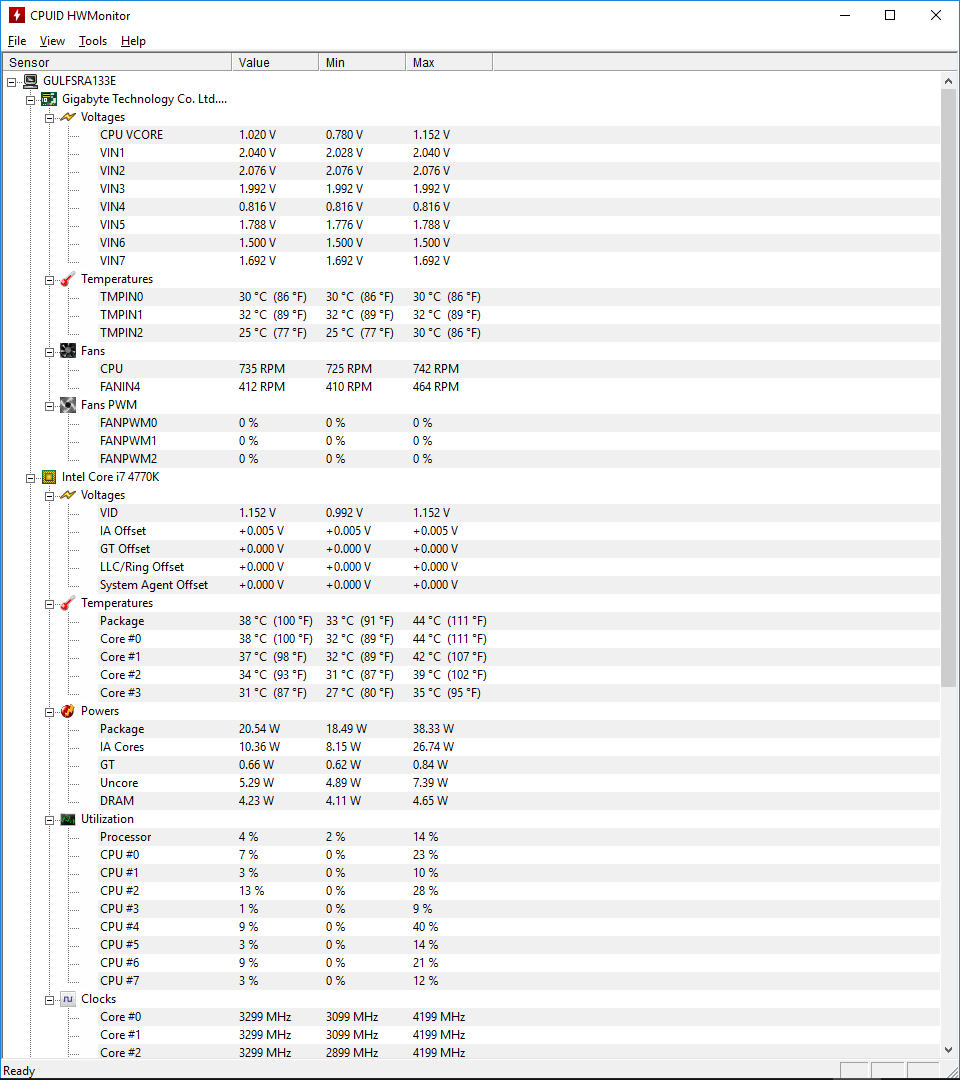
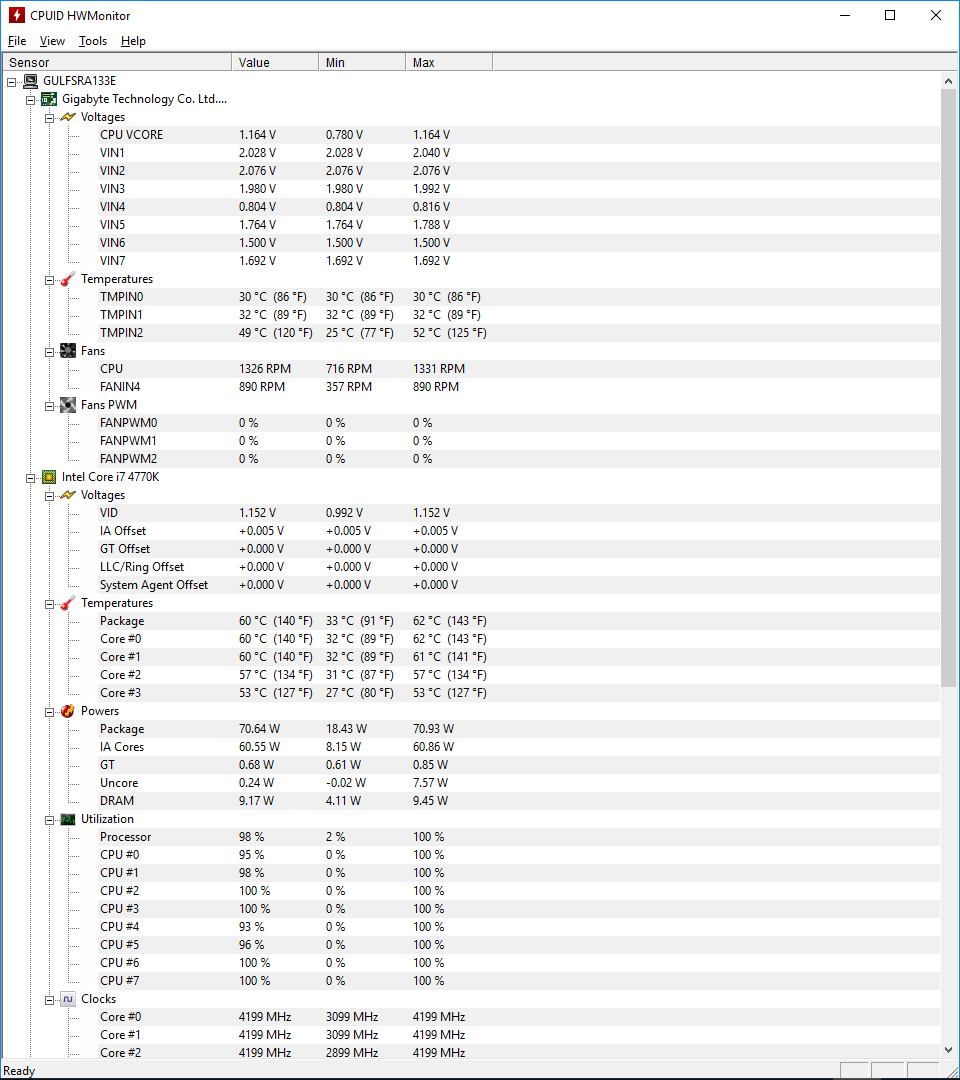
here is two screen shots from HWMonitor (note Fans:: CPU and FANIN4 (push pull fans on hyper212+ (gelid silent 12's) ) 1st idle 2nd load

idle.png load.png
 
Have you tried setting a custom temp to rpm curve on them? Not sure what fan control package you use, but most have 4 or 5 setting points in the curve. lower the 2nd and third so they need more temperature rise before fans speed up. This should stop fans from running up and down when CPU load changes are low, like surfing the web.
 
If it's making noises you haven't heard before it could be early signs of fan failure.

If it's always done it, it's probably just the fan speeding up as the temperature of the CPU rises.

Best way to know that you aren't doing any harm, is to run something like hwmonitor to make sure the temperatures are within reason. At high load, during gaming for instance, you don't want your CPU to go much above 90 Celsius, ideally even a bit lower, and if you plan on overclocking you'd want that number to be a lot lower.
 
Back
Top