![[H]ard|Forum](/styles/hardforum/xenforo/logo_dark.png)
sup3rcarrx7
n00b
- Joined
- Jun 6, 2010
- Messages
- 48
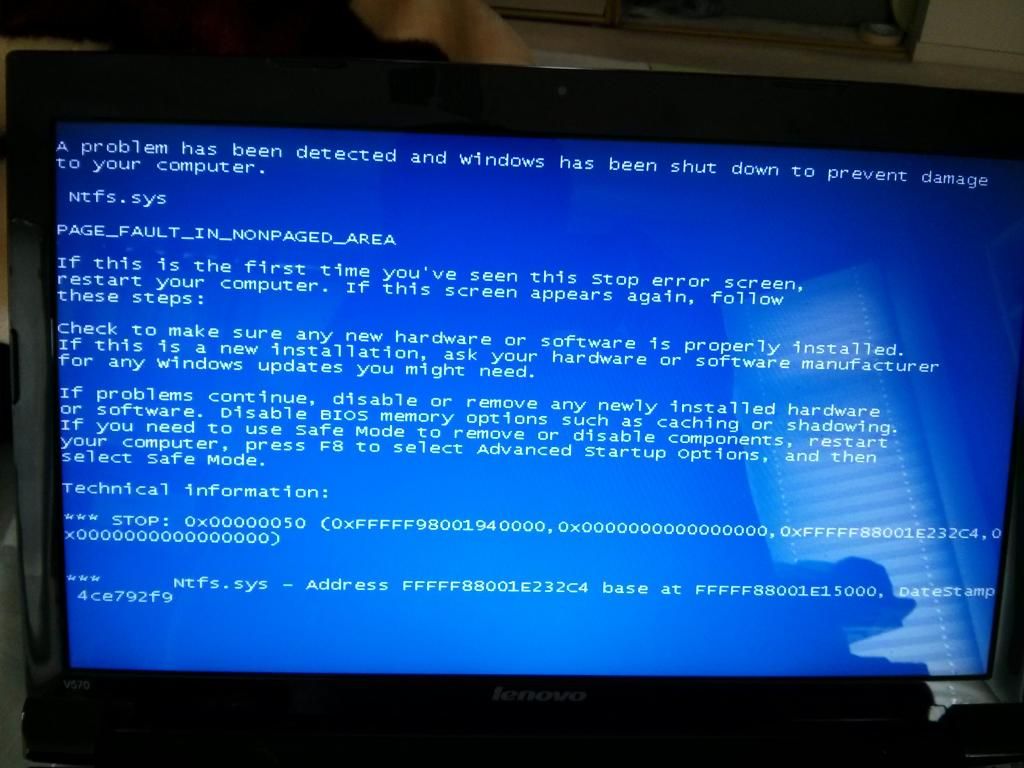
One of the laptops at work keeps getting a BSOD whenever trying to load into windows or even safe mode. I checked the RAM out with memtest86 and it came out fine. Since the hiren's CD i was using didn't seem to have a HDD diagnostic tool, I tried ultimate boot CD but that also fails to even load the boot CD (very odd). Do you think the HDD is going bad on this laptop or it's the mobo or something else? It's a Lenovo V570 with i5 cpu and 6GB memory and 750GB WD hdd.
edit: Ok I digged further into Hiren's boot CD under DOS tools and found WD Lifeguard Diagnostics. No errors came up for the HDD when I did the quick and extended tests. Maybe just the OS got corrupted?
edit: Ok I digged further into Hiren's boot CD under DOS tools and found WD Lifeguard Diagnostics. No errors came up for the HDD when I did the quick and extended tests. Maybe just the OS got corrupted?
