I got some interference noise coming from my headphones. pretty sure its from the logitech speaker hub thing I plug them into. if I plug directly into my motherboard it goes away. but then I would have to swap the cables back in for my speakers which are 5.1. I hardly ever use them though. my mobo has a Optical SPDIF Out Port as well as the 3.5 ports that I currently use. if there was something I could keep 2 pairs of headphones plugged into and flip a switch between the 3 when I want, that would be nice.
![[H]ard|Forum](/styles/hardforum/xenforo/logo_dark.png)
Navigation
Install the app
How to install the app on iOS
Follow along with the video below to see how to install our site as a web app on your home screen.
Note: This feature may not be available in some browsers.
More options
You are using an out of date browser. It may not display this or other websites correctly.
You should upgrade or use an alternative browser.
You should upgrade or use an alternative browser.
audio input hub thingy?
- Thread starter Gabe3
- Start date

- Joined
- Dec 16, 2010
- Messages
- 3,182
This or one of the many variants listed on the same item page:
https://www.amazon.com/Nobsound-Audio-Switcher-Headphone-Selector/dp/B07Q1W4484/
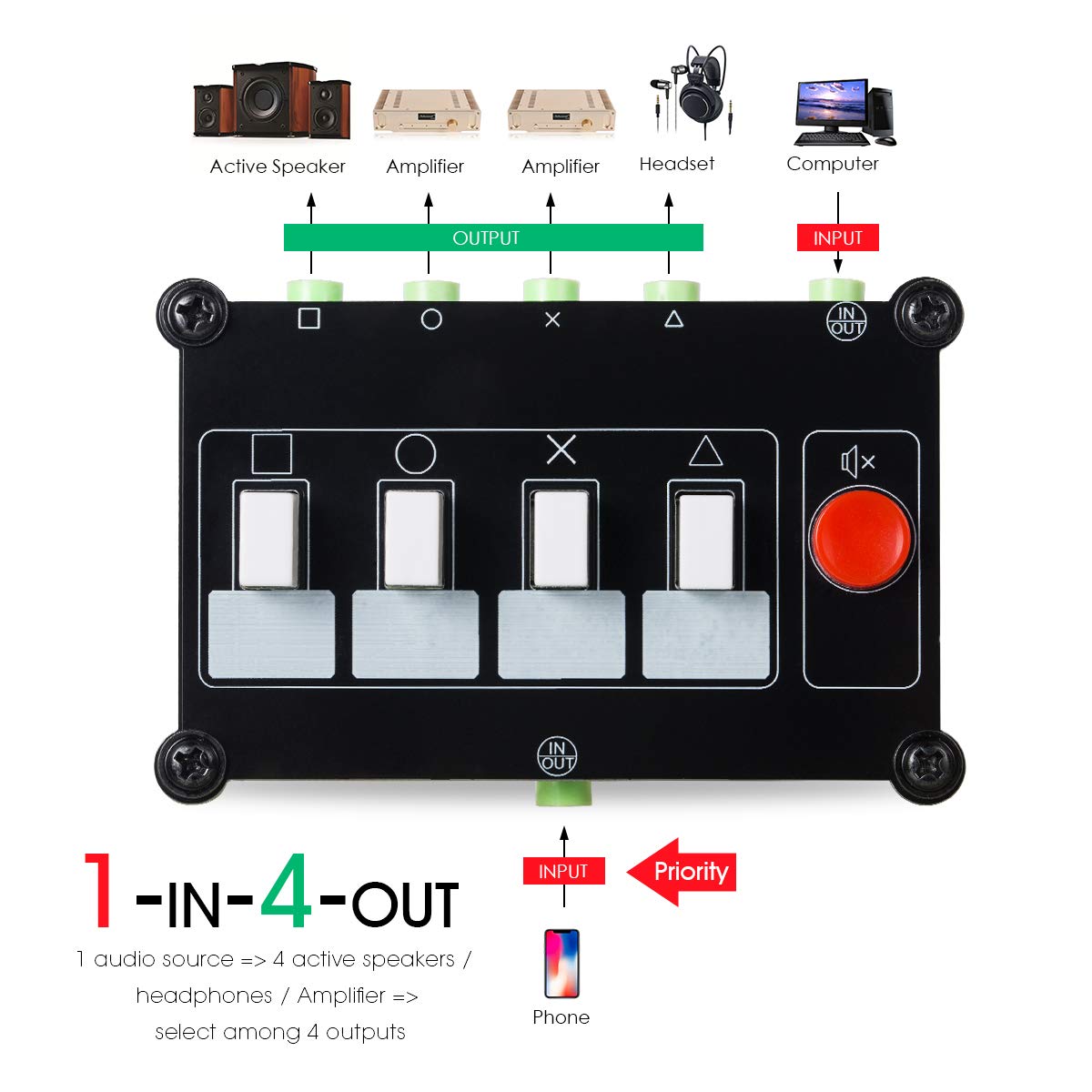
https://www.amazon.com/Nobsound-Audio-Switcher-Headphone-Selector/dp/B07Q1W4484/
As an Amazon Associate, HardForum may earn from qualifying purchases.
so I got a new male to female 3.5mm cable and its still making the static sounds. I first thought it was the logitech hub causing it. so guess the onboard jack is crap. tried cleaning with a cutip and also blew it out with air compressor, didn't change a thing.
now do I buy a new sound card like this one: https://us.creative.com/p/sound-cards/sound-blaster-audigy-fx
or maybe I can get some Optical SPDIF cable that goes from pc coverts into a 3.5 to plug into my headphones
now do I buy a new sound card like this one: https://us.creative.com/p/sound-cards/sound-blaster-audigy-fx
or maybe I can get some Optical SPDIF cable that goes from pc coverts into a 3.5 to plug into my headphones

- Joined
- Feb 13, 2003
- Messages
- 712
Or skip all the BS and just get an external amp (connects via USB).
> https://www.amazon.com/gp/product/B00LP3AMC2/ref=ppx_yo_dt_b_asin_title_o04_s00?ie=UTF8&psc=1
> https://www.amazon.com/gp/product/B00LP3AMC2/ref=ppx_yo_dt_b_asin_title_o04_s00?ie=UTF8&psc=1
As an Amazon Associate, HardForum may earn from qualifying purchases.
thanks. any cheaper options?Or skip all the BS and just get an external amp (connects via USB).
> https://www.amazon.com/gp/product/B00LP3AMC2/ref=ppx_yo_dt_b_asin_title_o04_s00?ie=UTF8&psc=1
As an Amazon Associate, HardForum may earn from qualifying purchases.
- Joined
- Dec 16, 2010
- Messages
- 3,182
thanks. any cheaper options?
You need to decide which you like more - a clean audio system or money - $75 is basically the bottom end of the decent audio market.
- Joined
- Feb 13, 2003
- Messages
- 712
I've had the one noted for a few months now. I spent a lot of time here and a few other forums getting recommendations, and as noted, this was the highest rated "cheap" unit that I found.
I'm sure there are numerous other options available, many of them likely cheaper, which may work perfectly fine for you. But I like to buy items once whenever possible. So I spend time doing research at places I trust and purchase accordingly.
Good luck.
I'm sure there are numerous other options available, many of them likely cheaper, which may work perfectly fine for you. But I like to buy items once whenever possible. So I spend time doing research at places I trust and purchase accordingly.
Good luck.
I ordered the k1 today. it has the same dac as the e10k but a weaker amp. so the noise I hear in my headphones is the cpu. I went into control panel power plans and switched to balanced and the sound is gone. I always have it on high performance. which clocks the cpu to max. I had issues with online videos stuttering in the past. so I switched to to high performance and pretty much left it there since.
- Joined
- Feb 13, 2003
- Messages
- 712
Let us know how it works out.

- Joined
- Apr 21, 2018
- Messages
- 1,942
I ordered the k1 today. it has the same dac as the e10k but a weaker amp. so the noise I hear in my headphones is the cpu. I went into control panel power plans and switched to balanced and the sound is gone. I always have it on high performance. which clocks the cpu to max. I had issues with online videos stuttering in the past. so I switched to to high performance and pretty much left it there since.
Just for reference its not the CPU itself likely, but the power draw that causes the audio distortion.
- Joined
- Apr 21, 2018
- Messages
- 1,942
Guidelines I follow is to set maximum output if it is a software based output (like a computer) to avoid bit depth reduction and use the amp to adjust it down to a reasonable level.
the k1 only has volume adjustment via windowsGuidelines I follow is to set maximum output if it is a software based output (like a computer) to avoid bit depth reduction and use the amp to adjust it down to a reasonable level.