• Some users have recently had their accounts hijacked. It seems that the now defunct EVGA forums might have compromised your password there and seems many are using the same PW here. We would suggest you UPDATE YOUR PASSWORD and TURN ON 2FA for your account here to further secure it. None of the compromised accounts had 2FA turned on.
    Once you have enabled 2FA, your account will be updated soon to show a badge, letting other members know that you use 2FA to protect your account. This should be beneficial for everyone that uses FSFT.

Audigy Install Problem

CRXican

[H]ard|Gawd
Joined
Jul 28, 2004
Messages
1,962
Bought a used Audigy 2 soundcard. Its in the only PCI slot avalaible in my Shuttle and Windows XP detects a new PCI input device. However when I go to install the drivers I get the following error:
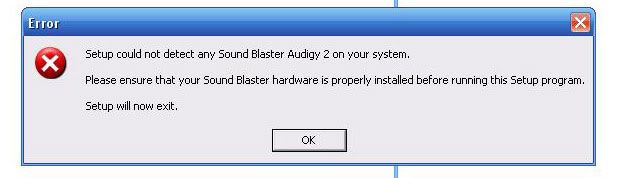
errrormessage.jpg


What could be the reason for this? I have already disabled onboard sound in the BIOS. Could the card be defective or dead?
 
UltimaParadox said:
You have to have the original CD drivers, Creative is retarded
pretty lame if you ask me but I found a fix on another forum

for future reference the fix is to use Winrar to extract the Driver exe downloaded fromCreatives site to a new folder on the desktop. In there will be a drivers folder and in that folder is the driver installer, click on that and you're good to go.
 
Back
Top