Dustintendo
n00b
- Joined
- Apr 30, 2005
- Messages
- 38
just wondering because today my 2600+ is running at 55 degrees celcius and i have to set to auto shutdown at 64 degrees celcius 
![[H]ard|Forum](/styles/hardforum/xenforo/logo_dark.png)
Follow along with the video below to see how to install our site as a web app on your home screen.
Note: This feature may not be available in some browsers.
55 is getting up there, but not high enough to damage it..Dustintendo said:just wondering because today my 2600+ is running at 55 degrees celcius and i have to set to auto shutdown at 64 degrees celcius
MD_Willington said:55 is getting up there, but not high enough to damage it..
MD's Temperature related standard checklist.
Check the following for overheating or perceived overheating:
- Is the heatsink correctly installed ?
--> Verify it is correctly installed.
- Is the heatsink filled with dust and crud ?
--> Clean with compressed air in a can.
- Is the heatsink fan operating ?
--> Replace defective fan with similar or better unit.
- Is the heatsink adequate for that application/CPU ?
--> Verify it meet the requirements for the CPU being used.
--> RETAIL heatsink? May require lapping and better TIM.
- Is thermal interface material used between heatsink and cpu ?
--> Verify it is used, and is applied according to the manufacturers guidelines.
--> Recommended PCM's, thermal pads from "AMD Thermal, Mechanical,and Chassis Cooling Design Guide #23794.PDF.
- Bergquist HF225UT Phase Change
- Chomerics T725 Phase Change
- Honeywell PCM45 Phase Change
- Power Devices Powerfilm Phase Change
- ShinEtsu PCS-TC-11T-13 Phase Change
- Thermagon T-pcm905C Phase Change
--> Recommended thermal interface material aka: grease, gel etc.
- Arctic Ceramique.
- Arctic Alumina.
- Arctic Silver, 3, 5 etc.
- Is the TIM pad cover removed from heatsink before installation, if using supplied TIM pad ?
--> Remove the cover before installation, failure to do so will insulate the cpu from the heatsink.
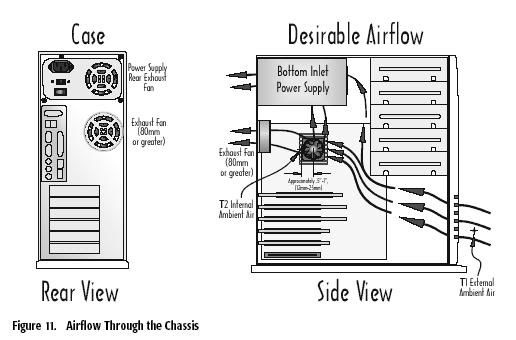
- Is there adequate airflow or case ventialation ?
--> Verify airflow, add case fans if required.
- Is the Vcore set higher than specified by the manufacturer ?
--> Verify the Vcore is set to the manufacturers specification in the mainboards bios.
- Is the temperature read via the internal temperature diode. Is the tremperature read via the socket thermistor ?
--> Temperatures read at the diode can and will be higher than an external reading.
- Is the temperature sensor properly calibrated ?
--> Several boards have this problem, check manufacturers bios revision history for calibration fix.
--> Does the heatsink feel warm or HOT, if it's warm it could be a miscalibration error.
- Outside temperature high ?
--> If the external temperature is high, then the case fans will be drawing in hot air, especially during summer months. Remeber, when it's Winter in the Northern Hemi-sphere, it's Summer in the Southern Hemi-sphere & vice-versa.
Dustintendo said:my heatsink is correctly installed, 55 under load and its hot as balls in my room
QFTImitation said:Hot as balls in the room huh? well that probly explains why its running so hot. You'll be fine as long as the fan keeps goin. It might get unstable, but it won't be damaged.