• Some users have recently had their accounts hijacked. It seems that the now defunct EVGA forums might have compromised your password there and seems many are using the same PW here. We would suggest you UPDATE YOUR PASSWORD and TURN ON 2FA for your account here to further secure it. None of the compromised accounts had 2FA turned on.
    Once you have enabled 2FA, your account will be updated soon to show a badge, letting other members know that you use 2FA to protect your account. This should be beneficial for everyone that uses FSFT.

aero.x

invalid_

Limp Gawd
Joined
Mar 20, 2005
Messages
426
logo.gif

Project: aero.x
aka: inspiration culmination


For a while now I have been planning a new mod and recently got it started. I named this project aero.x as it will yet again be a air cooled machine. I started in photoshop making a quick logo.

logo_b.gif

The logo will be placed in multiple areas as appliques.

The basis of this mod is taking a shuttle system and placing it into a mid tower case. I chose the Coolermaster ATC-110B. I wanted the motherboard to be covered and to have the hard drive below it. The shuttles size makes this very easy.

Here are the plans for the inside to understand where I am going.

Motherboard cover:
plan1.jpg


Full inside view:
plan2.jpg

The top of the inside will have a black acrylic cover with a second piece below it that is clear with blue leds lighting it.


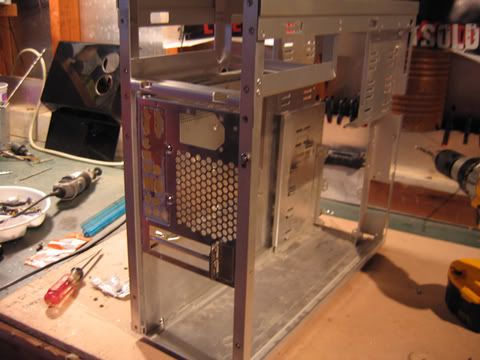
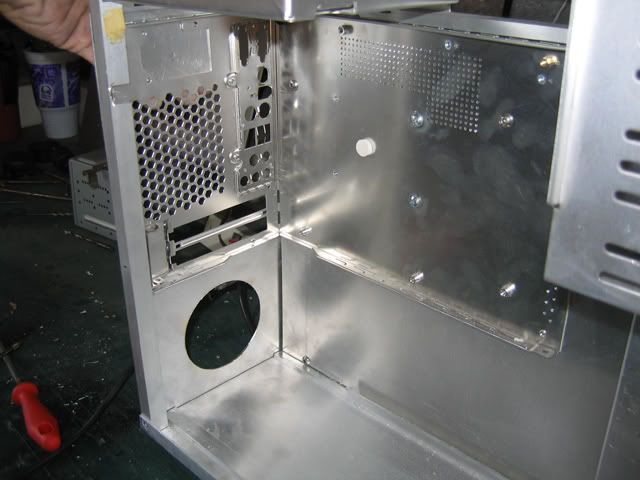
The first thing I did on the project was take the original case and cut out the areas I did not want. I cut out the hard drive bay area as I would not be using it. I only did the one side thus far. Ran out of cutting discs.
hd1.jpg

hd2.jpg


Then I bought some acrylic and metal from some local shops. While there I got this huge piece of perforated aluminum.
metal.jpg


I used black acrylic for what would be the motherboard cover. I then heated and bent it into the shape I wanted
black1.jpg


Next I drilled two holes for vents
holes.jpg


Holding it up to what will be behind it
vent.jpg


Next I need to cut out more vent areas and make the spot for the video card as it will protrude through it.

CONTINUED BELOW:
 
With the metal, I cut out new areas for the back and the inside. The inside will be the base for the components below the cover.
metal2.jpg

metal3.jpg


Test Fitting the shuttle and pieces:
shut.jpg

4.jpg

2.jpg

3.jpg


Next on my list is getting the inside mounted and cleaned up. Then I can get the chasis painted black. The inside will all be black with some aluminum areas and blue lighting.

Lots and lots more to do but it has begun. :)
 
Instead of trying to make a new mount for the motherboard and such I decided to just implement the existing shuttle chasis.

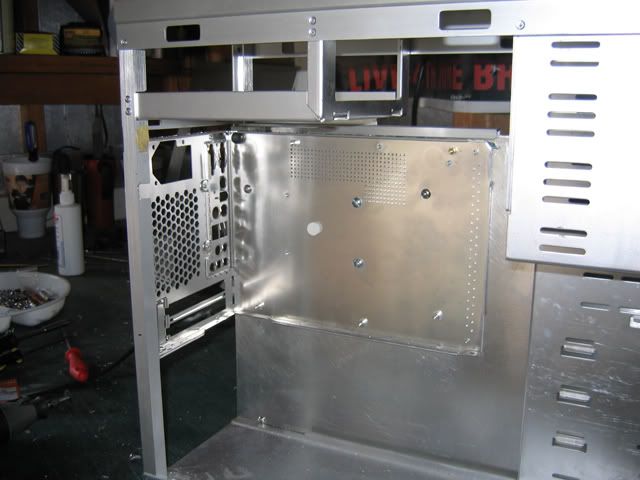
I mounted an aluminum sheet cut to size in the back of the main case

a_1.jpg

a_2.jpg


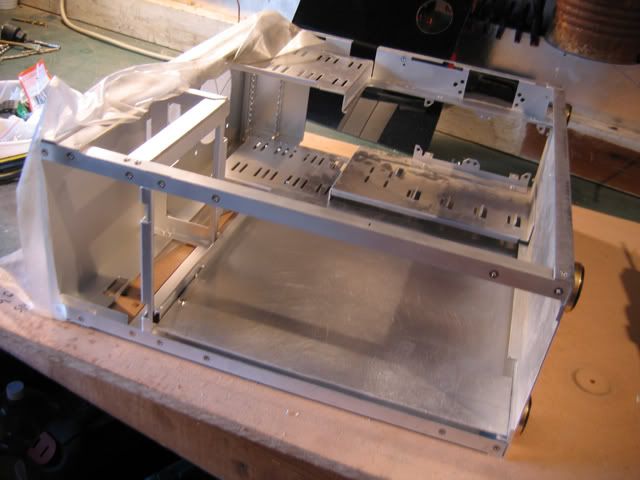
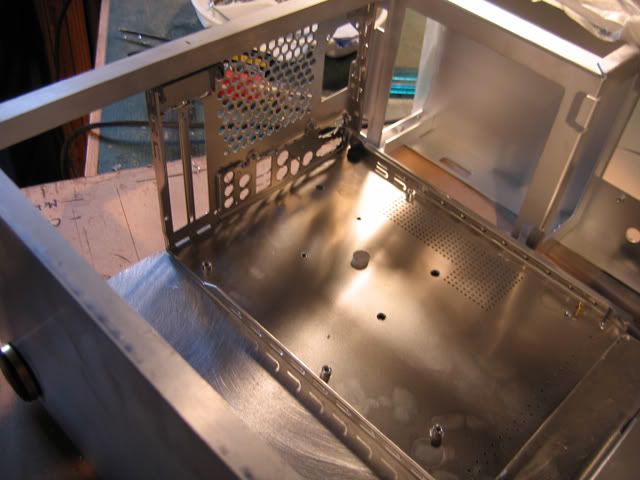
Then I measured and fit the shuttle chasis into place which I gutted to only the bottom base and the back.

a_3.jpg

a_4.jpg


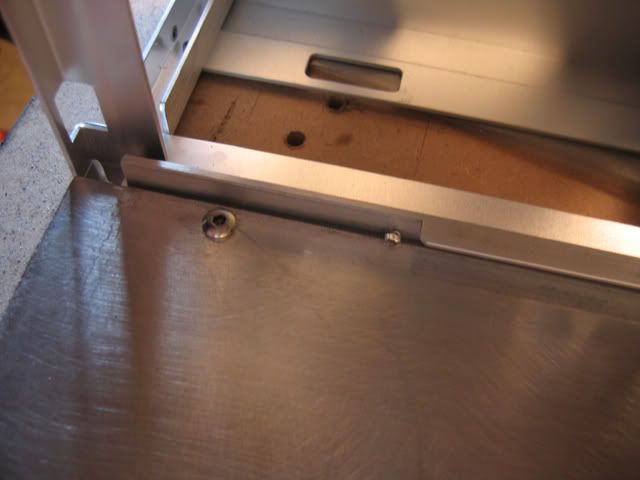
Once I had it where I wanted it I mounted it with a few screws

a_5.jpg

a_6.jpg


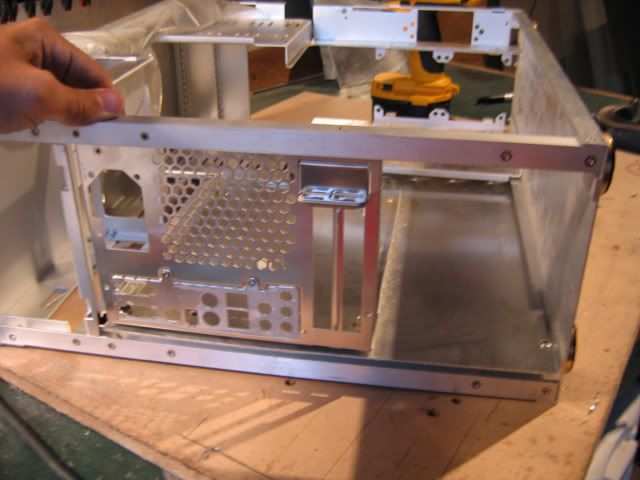
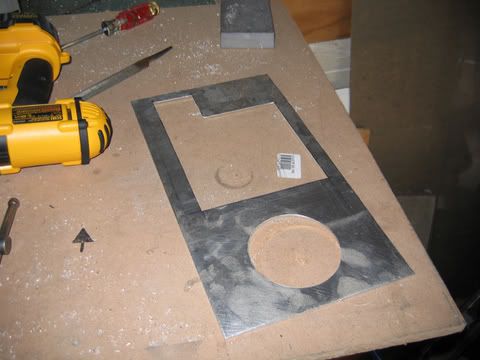
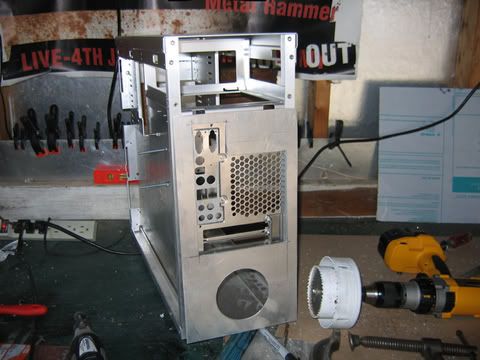
Finally I was able to measure and cut the new backplate to cover the excess area. I also included a hole for an 80mm outtake fan in the bottom back.

a_7.jpg


Held up to the area before filing and cleaning

a_8.jpg

a_9.jpg


Now I just need to grab some cutting discs and remove the other side of the hard drive cage and the chasis will be ready for some filing, sanding, and finally painting. I should be able to move to the window cutting this week if I can find some time.
 
I was unhappy with the original backplate so today I made a new one fixing the issues I had.

First I cut out the area that will be open with a jigsaw

2.jpg

3.jpg


Next on the sides I wanted small tabs where the thumbscrews will attach it to the back of the chasis

4.jpg

5.jpg

6.jpg


Next I drilled holes in the tabs and attached the new backplate to the chasis

7.jpg

8.jpg


For a visual look I put the mobo cover in and an old speaker that I am using for a wire culmination house.
9.jpg

11.jpg


Wire House
10.jpg


It was at this time that I found my first issue. The area for the AGP video card has fallen into the curved area of the plastic. This area has to be cut out so I might have to make some adjustments.

12.jpg


From behind

13.jpg


The second slot is for the AGP. Decisions. :)

I am off to grab some cutting discs to FINALLY remove the other side of the HD cage. Then I can file, sand and prep for painting the chasis.

BTW> Anyone know where I can get some green UV plexi? PerformancePCs has been out for a while and cannot find another supplier in the US.
 
I started on the top acrylic cover. This is black acrylic and later when I buy some UV green it will go below this with the edges glowing.

1.jpg


2.jpg


3.jpg


4.jpg


5.jpg


6.jpg


7.jpg


8.jpg


I cannot wait to get ahold of the green UV acrylic as right now its all feeling very black. I need that to set things apart.
 
For a long time I hated uv acrylic. I just could not get a good vibe from it. Orac3 of course was an exception. Over time though I fell in love with a few projects that really inspired me in my current work. The one that got me turned around on green uv acrylic is Franklins AlumaxX . Its all because of him and his project that I even included this at all. I thought long and hard because I did not want it to be like everyone elses case. But I finally made myself realize that if I like it, theres no reason not to do it just to not be like someone else.

So later on tonight will start the UV acrylic part of this log.

6.jpg


I ordered the acrylic from mcmasters and it got here the very next day! Nothing but A+ from me. I didn't do much yet as I am about to walk out the door to get some things but here is a small glimpse of where we are going. :) Keep in mind the acrylic has not been cleaned nor the edges filed/sanded.

3.jpg

4.jpg

5.jpg


Also before this I painted the chasis and the pieces that will go inside black. Putting it all together later tonight as well.

7.jpg

8.jpg

1.jpg


( You can also notice I finally finished removing the hard drive rack on the case )

See you later with some movement/updates.
 
I finished the two vent areas on the mobo cover. I just need to attach them now. Ignore the misalignment they are only taped from behind right now.

m1.jpg


Going to Sand the edges and finish the mobo cover tomorrow.

While at Home Depot I also found this cool shower head.

s1.jpg


I was looking for a while for a good housing for all the wiring for leds and such. This will be the house with a hose going to it and then several small chrome attachments connecting into it. I took it apart pretty quickly.

s2.jpg

s3.jpg

s4.jpg

s5.jpg


And here it is stripped sitting on the acrylic it will be on top of in the final project.

1.jpg

2.jpg


The final thing I did real quick tonight was put back together the cases pieces that I took apart to paint. Here is the chasis now back together and painted. A couple spots are still drying in the pic so you might see what looks like smudges. Just not dry there. Sorry for the darker pictures, I was losing light.

c1.jpg

c2.jpg
 
Thanks for the comments all.

Update

Today I cut out the top window and fitted the new material for it. Because the case I was using was used and had previous cuts in the top I had to cut this area, but I did not want a top window. I am just not a big fan of them. So I instead decided to use black acrylic and some mesh. The mesh will be painted black, or have black acrylic below it in the final version. Right now the pieces are just test fitted and not fully installed

Area drawn
1.jpg


Cut Out
2.jpg


Put on the chasis for a quick look (Sorry this one is blurry)
3.jpg


Molding installed.
4.jpg


I also am installing molding on the mobo cover holes
5.jpg


Black acrylic in place on the back hole
6.jpg


Mirror finish of acrylic is so nice
7.jpg


Cutting the mesh
8.jpg


Mesh placed
9.jpg

10.jpg


Moving on next to the window on the side door and the hinges. Possibly later I might get the balls to finally cut out the area for the agp card on the mobo cover.
 
You've got some amazing design skills. The top windows look absolutely incredible. Lovin the dark plexi, can't wait for the next update!
 
Thanks guys! I hope to have at least one more update before the end of the day. :)
 
I finished the vents on the mobo cover tonight. Now the next thing with the project will be to finish the hole thing. I have been putting it off, but I need to get to it soon.

1.jpg


Then I cut the green uv area to cover the top. I made a black one earlier, and that will go on top of this. The edges only should be showing.

2.jpg

3.jpg

4.jpg


I then put the top back on the case to get a feel for it. I took the tape off of one side of the acrylic, but the back side is still covered. The mesh on the of the case still has to be painted black. Its silver in this picture.

5.jpg


Thats it for tonight. Time to head out and do a bit of partying. Tomorrow I have baseball practice during the day, so hopefully later in the day I can get back to work!
 
Very nice mod so far. I love the abstract look you're giving this mod. Too many people try to make a mod with a theme instead of comming up with something truely original.
 
Thanks Sheldron

I need some opinions. Should I leave the top mesh area silver, or should I paint it black to match the acrylic area?

1.
1.jpg


2.
2.jpg


I am really torn on it. I like both.

Today I also quickly made the cut for the acrylic that will be where all the wires connect into.

3.jpg


And attached to the cover
4.jpg
 
invalid_ said:
Thanks Sheldron

I need some opinions. Should I leave the top mesh area silver, or should I paint it black to match the acrylic area?
How about painting the mesh gloss black, and instead of black plexi under it, you use some of that sexy green?
 
Sheldron said:
How about painting the mesh gloss black, and instead of black plexi under it, you use some of that sexy green?

This is a definite possibility. I will try this later. Thanks for the idea!
 
id like to see how the green under black looks but i think it might however be TOO much, that black mesh definitely looks outstanding though.
 
domoMKIV said:
id like to see how the green under black looks but i think it might however be TOO much, that black mesh definitely looks outstanding though.

Part of me agrees. Originally I wanted the exterior view to be black/silver only. And then the inside only have aspects of glowing green. The top will definitely be an experiment at this point. But who knows.
 
Wow, very nice work. Where did you get the black grommet type stuff that you lined the mesh with? I've been looking for something like that for a while now...

I definetly want to see this finished.
 
Thats U moulding, you can buy it from any modding store, and probably elsewhere too. There's also H moulding that allows for the inner and outer surface to be flush with eachother.
 
DarkenReaper57 said:
Wow, very nice work. Where did you get the black grommet type stuff that you lined the mesh with? I've been looking for something like that for a while now...

I definetly want to see this finished.

I buy my molding at auto stores. Its door edge molding. Works great and is very cheap.
 
heres a vote to make the mesh black, i just think it looks a lot better in th picture black!

Chris
 
I like the black over the silver, and i agree with the green plexy underneath comment.
Gotta watch this thread...
 
WoW omg this is a nice clean job you are doing, I like the green acrylic that you are using.
 
Thanks guys. Really appreciate the feedback. The black is definitely going to happen tomorrow.

I already started planning the front which I will start on soon as well.
 
Back
Top