• Some users have recently had their accounts hijacked. It seems that the now defunct EVGA forums might have compromised your password there and seems many are using the same PW here. We would suggest you UPDATE YOUR PASSWORD and TURN ON 2FA for your account here to further secure it. None of the compromised accounts had 2FA turned on.
    Once you have enabled 2FA, your account will be updated soon to show a badge, letting other members know that you use 2FA to protect your account. This should be beneficial for everyone that uses FSFT.

ActiveX not Prompting

sethmo

2[H]4U
Joined
Nov 10, 2002
Messages
3,370
I have a Honeywell Digital Recorder that has web controls/viewer, but I cannot get the ActiveX controls to prompt for install in IE8/9 under Windows 7. I have XP machines with IE7 that prompt and install the ActiveX controls just fine.

I changed the ActiveX settings the same way outlined in this Setup PDF, but I just get a red x where the viewer should be, no prompts.

http://www.lesman.com/unleashd/catalog/record/Honeywell-TVMUSX/ANXSer_RemoteView_200603v1.pdf
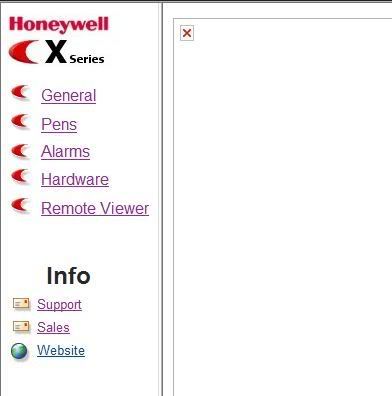
HoneywellX.jpg


Any suggestions?
 
Compatibility mode and check your security on internet options to make sure it is set to prompt for active x
 
Also, many of those embedded solutions like that require a specific version of IE to operate.
 
I just talked to our Electronics Tech, and it is working in IE8 under Win 7(not sure if x86 or x64). My machine and the other Win 7 machine I am trying to get it to work on are both x64.

I have all of the ActiveX settings set the way they should be according to the setup pdf. I tried compatibility mode under IE9, but still no go.
 
Back
Top