621.01 WHQL

erek

8-D
2FA
Joined
Dec 19, 2005
Messages
18,848

“Version History​

621.01 WHQL (October 21st, 2026)​

  • Game Ready
  • Phantom Blade Zero
  • Call of Duty: Modern Warfare 4
Fixed Gaming Bugs
Wuthering Waves: May crash during gameplay when using NVIDIA Freestyle filters with DLSS Frame Generation enabled. [5747079]
Star Citizen: Resolves a crash that may be seen when using Vulkan API. [6680590]
Surviving Mars: Relaunched may crash during gameplay after updating to R595 drivers. [5965452]
Fixed General Bugs
QHD monitor running at 360 Hz may have occasional black flash during gameplay. [4846825]
When gaming on a 360Hz G-SYNC Pulsar monitor, FPS may drop to 320FPS. [6408986]
Meta Horizon Link stream may freeze when connected over USB. [6292679]
Intermittent dimming may be observed on certain ASUS notebooks after updating to R615 drivers. [6807011]”

Source: https://www.techpowerup.com/download/nvidia-geforce-graphics-drivers/

https://www.reddit.com/r/nvidia/comments/1xbn3fy/game_ready_driver_62101_faqdiscussion/
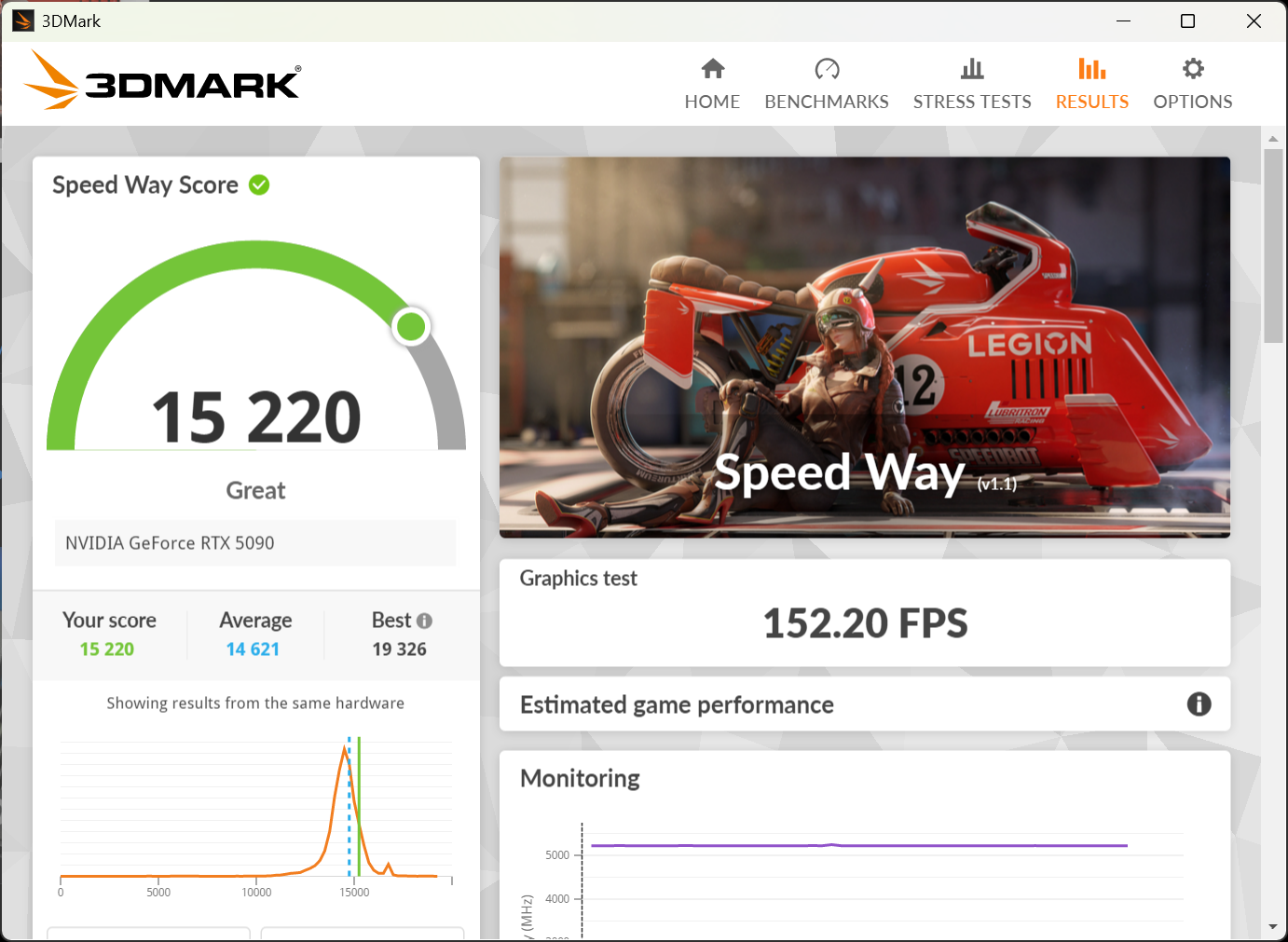
 
image.png
 
Interesting. I don't see any issues on my end. I am on Windows 10, though.

Its fine in gaming, the trigger for crashes is alt-tabbing out of a game with a video playing in a chromium based browser from my observations.
 
Its fine in gaming, the trigger for crashes is alt-tabbing out of a game with a video playing in a chromium based browser from my observations.
Oddly I can't reproduce it. I'm playing YouTube videos on the Chrome browser, then playing games and alt-tabbing out and going back in while the videos are still playing.

On a side note, how many people play videos while playing a game? Seems an odd thing to do...
 
Oddly I can't reproduce it. I'm playing YouTube videos on the Chrome browser, then playing games and alt-tabbing out and going back in while the videos are still playing.

On a side note, how many people play videos while playing a game? Seems an odd thing to do...

Literally everyone I know does this unless its a story game where you want to hear whats going on.
 
Literally everyone I know does this unless its a story game where you want to hear whats going on.
Hopefully it's a multi-monitor setup, and not single-monitor? I prefer playing videos on my phone while if I'm going to do that, so I don't have to alt-tab all the time, it's just a lot easier to navigate and choose videos to play.
 
🤔

it’s been good for me, did you DDU

Yes, interestingly it doesn't affect my other system with a 5070ti which is AMD based. This one is using a 250K.


Hopefully it's a multi-monitor setup, and not single-monitor? I prefer playing videos on my phone while if I'm going to do that, so I don't have to alt-tab all the time, it's just a lot easier to navigate and choose videos to play.

Nah single 27" OLED. I have a game running the background all the time lol
 
Broke Pragmata for me at least with Path Tracing enabled. There is severe noise artifacts and ghosting. No issues on the prior drivers...
 
Yup, on my 5070 its driving me nuts I rolled back.

View attachment 833237

“GeForce/RTX Spark Hotfix Display Driver version 621.12​

Updated 10/27/2026 10:25 AM
GeForce/RTX Spark Hotfix Display Driver version 621.12

GeForce/RTX Spark Hotfix Display Driver version 621.12 is based on our latest GeForce Game Ready Driver and RTX Spark Game Ready Driver.

This hotfix addresses the following:
  • Fixed an issue where video playback may freeze or black screen on some GeForce RTX 50 Series GPUs/RTX Spark after updating to GRD 621.01. [6979343]
  • Unreal Engine 5.8 may crash when Ray Lighting Mode is set to Hit Lighting [6914378]
  • [RTX Spark] HDMI monitor connected to StarTech Thunderbolt 3 to HDMI 2.0 adapter may show corruption [6054761]
  • [MSI N16 Flip] Intermittent flickering may be observed [6945359]

Select Download
Click here to download the GeForce Hotfix display driver version 621.12 for Windows 10/ Windows 11 (x64)
Click here to download the RTX Spark Hotfix display driver version 621.12 for Windows 11 (ARM64)“

https://nvidia.custhelp.com/app/ans...tx-spark-hotfix-display-driver-version-621.12
 

“GeForce/RTX Spark Hotfix Display Driver version 621.12​

Updated 10/27/2026 10:25 AM
GeForce/RTX Spark Hotfix Display Driver version 621.12

GeForce/RTX Spark Hotfix Display Driver version 621.12 is based on our latest GeForce Game Ready Driver and RTX Spark Game Ready Driver.

This hotfix addresses the following:
  • Fixed an issue where video playback may freeze or black screen on some GeForce RTX 50 Series GPUs/RTX Spark after updating to GRD 621.01. [6979343]
  • Unreal Engine 5.8 may crash when Ray Lighting Mode is set to Hit Lighting [6914378]
  • [RTX Spark] HDMI monitor connected to StarTech Thunderbolt 3 to HDMI 2.0 adapter may show corruption [6054761]
  • [MSI N16 Flip] Intermittent flickering may be observed [6945359]

Select Download
Click here to download the GeForce Hotfix display driver version 621.12 for Windows 10/ Windows 11 (x64)
Click here to download the RTX Spark Hotfix display driver version 621.12 for Windows 11 (ARM64)“

https://nvidia.custhelp.com/app/answers/detail/a_id/5938/~/geforce/rtx-spark-hotfix-display-driver-version-621.12
I DDU'd back to 612.92 Studio driver. With my 5080 on a 9800X3D system; I was getting video hitching/freezing, and screen blanking.
Haven't tried this hotfix.
 
  • Like
Reactions: erek
like this
I had huge issues with the installation on an RTX 4070 Super; I had to retry several times before they installed successfully. I haven't run 3DMark yet.
 
I just had a similar crash last night playing Borderlands 4 with my son. We just finished the Takedown at Hadron Abyss and I opened the 5 chests and a pearlescent weapon popped in one chest. Crash just like that one and lost all of the loot. I am not happy.

I'm on 621.01 now and I'm still having freezing and gray screens playing video, even using something like media player it will crash out.
 
Back
Top